
Estimated reading time: 10 minutes
Data Center Myths and Realities: What AI Infrastructure Really Means
Data centers are suddenly everywhere in the news because AI, cloud apps, streaming, cybersecurity, and business software all depend on them. But the conversation around data centers is full of exaggeration, confusion, and half-truths.
Quick Answer
Data centers are not mysterious internet factories or simple server rooms. They are highly engineered facilities that power cloud computing, AI tools, websites, apps, storage, security systems, and digital businesses.
The Real Problem
Most people only hear the extremes: either data centers are magical AI engines that solve everything, or they are energy-hungry buildings that ruin everything. The reality sits between those two stories.
Why This Matters Now
The International Energy Agency reported that global data center electricity demand grew by 17% in 2025, driven heavily by AI workloads and the rapid buildout of digital infrastructure. That does not mean every data center is automatically bad, but it does mean the topic deserves clearer thinking, better planning, and less hype. :contentReference[oaicite:1]{index=1}
This article breaks down the biggest data center myths, explains the practical realities, and shows how business owners, creators, and tech users can understand the infrastructure behind modern AI without getting lost in technical jargon.
The Biggest Data Center Myths, Explained Clearly
A data center is best understood as the physical backbone of the digital world. It contains servers, storage systems, networking equipment, power systems, backup systems, cooling systems, security controls, and monitoring tools. The internet feels invisible, but it runs on very real buildings.
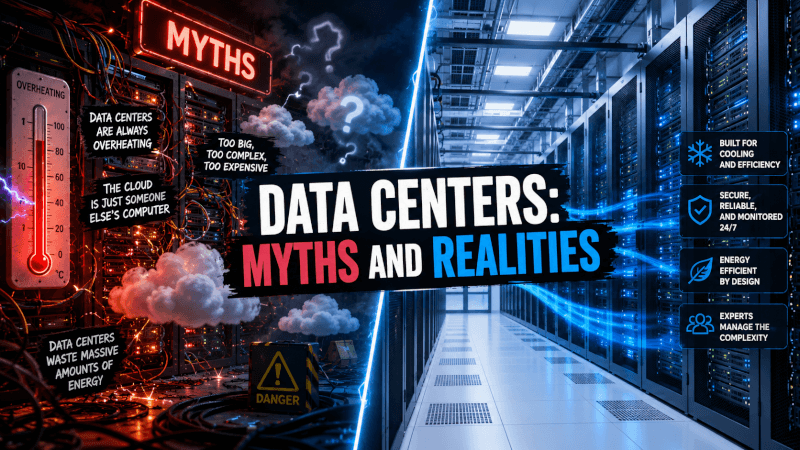
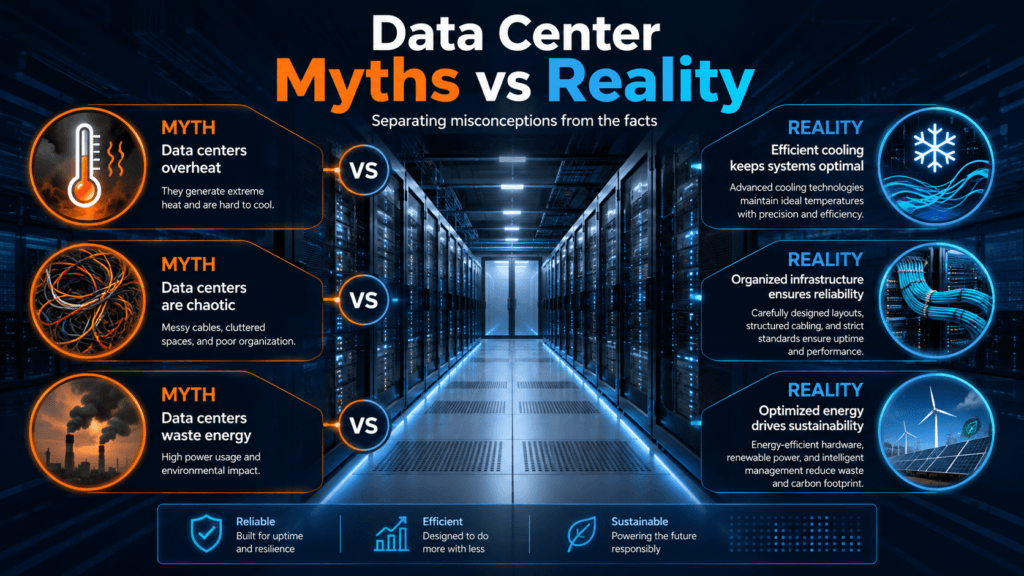
Myth 1: Data centers are just big rooms full of computers
Reality: Servers are only one part of the system. A modern data center also needs power distribution, backup generators, batteries, cooling, fire suppression, fiber connectivity, access control, monitoring, and trained operators.
A better comparison is not “computer room.” It is closer to a highly controlled digital power plant for computing.
Myth 2: The cloud means your data floats somewhere
Reality: The cloud is still physical. Your files, apps, emails, backups, AI prompts, website content, and business systems are stored and processed inside data centers owned or leased by cloud providers.
“Cloud” is mainly a business model and access method. The infrastructure underneath is still hardware, electricity, cooling, and networking.
Myth 3: AI data centers are exactly the same as normal data centers
Reality: AI workloads can require much denser hardware, especially GPU-heavy racks used for training and running large models. That changes power planning, cooling strategy, networking design, and facility economics.
Traditional cloud workloads often scale around many smaller tasks. AI workloads can concentrate heat and power demand into fewer, more intense compute clusters.
Myth 4: Data centers never go down
Reality: Data centers are designed for resilience, but outages still happen. Uptime Institute’s 2025 outage analysis highlights that human error remains a serious issue, including failures related to not following procedures. :contentReference[oaicite:2]{index=2}
This is why serious operators invest in redundancy, documentation, training, testing, incident response, and backup systems.
Myth 5: All Data Centers Waste Energy
Reality: Data centers use a lot of electricity, but “uses energy” and “wastes energy” are not the same thing. The real question is whether the facility is efficient, well-sited, responsibly powered, and useful enough to justify its footprint.
AI and cloud services create real value: medical research, logistics, cybersecurity, small business tools, online education, content creation, disaster recovery, automation, and digital communication. The honest conversation is not “data centers good” or “data centers bad.” It is: what are they powering, how efficiently are they built, and who benefits?
Practical Example: What Happens When You Use an AI Tool?
Step 1
You type a prompt into an AI tool on your phone or laptop.
Step 2
Your request travels through networks to a cloud system running in a data center.
Step 3
Servers and AI chips process the request, generate a response, and send it back.
Step 4
The data center handles power, cooling, networking, security, and reliability in the background.
Data Center Reality Checklist
- They are physical: Cloud services run in real facilities.
- They are energy-intensive: Especially when designed for AI workloads.
- They are essential: Websites, apps, banking, healthcare, logistics, and AI tools depend on them.
- They are not all equal: Efficiency, cooling, energy sourcing, location, and management quality matter.
- They are becoming more visible: AI growth has made infrastructure a mainstream business and policy topic.
Simple Comparison: Traditional vs AI-Focused Data Centers
Types of Efficient Water and Electricity Usage in Data Centers
Modern data centers need serious amounts of electricity and cooling, especially when they support AI workloads. The goal is not simply to use less power or less water at all costs. The smarter goal is to use energy and water more efficiently while keeping servers reliable, secure, and available.
1. Liquid Cooling
Liquid cooling uses water-based or specialized cooling fluids to move heat away from high-performance servers more efficiently than traditional air cooling. This is especially useful for AI data centers with dense GPU racks that generate intense heat.
Best for: AI workloads, GPU clusters, high-density racks, and facilities that need stronger thermal control.
2. Airflow Optimization
Efficient data centers carefully manage airflow so cold air reaches equipment and hot air is removed without waste. This can include hot aisle containment, cold aisle containment, blanking panels, smart vents, and better rack layouts.
Best for: Traditional server rooms, colocation facilities, and data centers upgrading existing cooling systems.
3. Free Cooling
Free cooling uses outside air or naturally cool environmental conditions to reduce the need for mechanical cooling. In cooler regions, this can lower electricity use because chillers and compressors do not have to work as hard.
Best for: Data centers located in cooler climates or areas with strong seasonal cooling advantages.
4. Water Recycling and Reuse
Some data centers reduce freshwater demand by reusing water for cooling systems, collecting rainwater, or using treated wastewater where local rules and infrastructure allow it. This helps reduce pressure on local water supplies.
Best for: Large facilities in water-sensitive regions that need better long-term sustainability planning.
5. Renewable and Low-Carbon Electricity
Efficient electricity usage is not only about reducing demand. It also means choosing cleaner power sources when possible, such as solar, wind, hydro, nuclear, or long-term renewable energy agreements.
Best for: Operators trying to reduce emissions while supporting growing AI and cloud infrastructure needs.
6. AI-Powered Energy Management
Smart monitoring systems can track temperature, server demand, cooling performance, humidity, and power usage in real time. AI can help adjust cooling and workload placement before energy is wasted.
Best for: Modern data centers that want better automation, predictive maintenance, and lower operating costs.
Quick Reality Check
The most efficient data centers do not rely on one solution. They combine smarter cooling, better airflow, cleaner electricity, water reuse, workload optimization, and real-time monitoring. A facility using less water but wasting electricity is not automatically efficient. A facility using renewable power but poor cooling design still has room to improve.
The future of data center efficiency is about balance: lower waste, smarter energy sourcing, responsible water use, and infrastructure that can support AI growth without ignoring local environmental impact.
Simple Efficiency Checklist
- Use liquid cooling where server density is too high for air cooling alone.
- Improve airflow before adding more cooling equipment.
- Use outside-air cooling when the local climate supports it.
- Recycle or reuse water where safe and practical.
- Source cleaner electricity when available.
- Monitor power, heat, and cooling performance in real time.
- Match workloads to the most efficient hardware and facility design.
Advanced Reality: The Future of Data Centers Is About Balance
The next generation of data centers will not be judged only by size. They will be judged by power strategy, cooling efficiency, workload value, local grid impact, water use, resilience, cybersecurity, and whether the benefits are worth the infrastructure cost.
Advanced Tips for Understanding Data Center News
- Ask what type of data center it is. A cloud storage facility, enterprise facility, colocation site, and AI training campus can have very different needs.
- Look for power details. The headline may say “AI data center,” but the real question is how much electricity it needs and where that electricity comes from.
- Check the cooling method. Higher-density AI hardware can push operators toward liquid cooling, heat reuse, and more advanced thermal management.
- Separate local impact from global impact. A data center may be a small share of global electricity demand but still create serious pressure in a specific region.
- Watch for real reliability planning. Redundancy, training, maintenance, and procedures matter as much as impressive hardware.
Common Mistakes People Make
Mistake 1: Treating every data center as the same
A small enterprise data center and a massive AI compute campus are not the same thing. Different workloads create different infrastructure demands.
Mistake 2: Ignoring the value side
Energy use matters, but so does what the data center enables: healthcare systems, security, business tools, research, education, communication, and automation.
Mistake 3: Believing “cloud” means risk-free
Cloud providers can offer strong resilience, but businesses still need backups, access controls, vendor planning, and recovery procedures.
Mistake 4: Falling for extreme narratives
Data centers are neither magic nor evil. They are infrastructure. The quality of the outcome depends on how they are built, powered, governed, and used.
FAQ: Data Center Myths and Realities
Are data centers the same as the cloud?
No. The cloud is the service layer. Data centers are the physical infrastructure where cloud services run.
Do AI tools need data centers?
Yes. AI tools depend on servers, GPUs, networking, storage, and power systems housed in data centers.
Are data centers bad for the environment?
Not automatically. They can create energy, water, and grid challenges, but the impact depends on efficiency, location, cooling design, energy sourcing, and what the facility is used for.
Why are AI data centers getting so much attention?
AI workloads can require large amounts of compute power, and that creates new pressure around electricity, chips, cooling, land, permitting, and grid planning.
What should small businesses care about?
Small businesses should care about uptime, data security, vendor reliability, backup planning, compliance, cost, and whether their AI or cloud tools are dependable enough for real operations.
Final Takeaway
The biggest data center myth is that the topic is only for engineers. It is not. Data centers now shape AI, business tools, energy planning, local economies, cybersecurity, and the future of the internet.
The reality is simple: data centers are powerful, necessary, expensive, energy-intensive, and increasingly important. The smart move is not to ignore them or fear them. The smart move is to understand them.
Want more TechnofluxAI in Google?
Add TechnofluxAI as a Preferred Source to help Google show you more of our AI guides, tests, workflows, and research.