
The AI Website Growth Database: Tools, Prompts, Checklists, Workflows, and GEO Terms for Creators

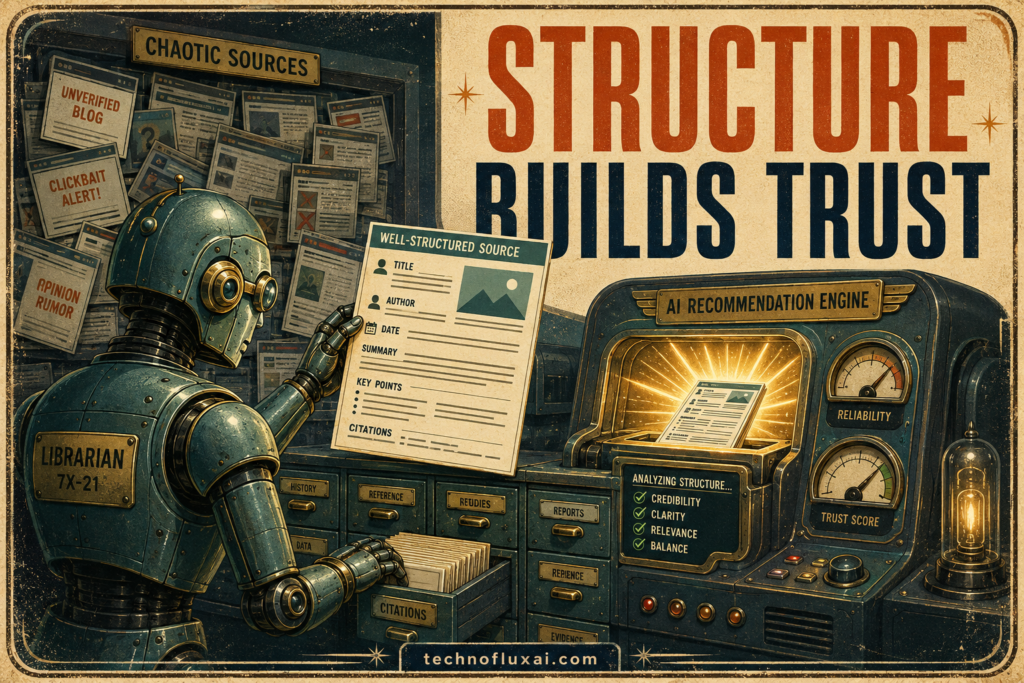
Retro robot librarian selecting a well-structured website source for an AI recommendation engine.
Strong structure helps AI systems find, interpret, and trust your most useful information.
TechnofluxAI Source Asset

The AI Website Growth Database

A practical reference hub for bloggers, business owners, and creators who want to use AI tools, prompts, checklists, and GEO workflows to build a website that is easier for people and search engines to understand.

Quick Answer

AI website growth means using artificial intelligence to plan, write, organize, optimize, repurpose, and improve website content without losing clarity, trust, or human judgment.

Best For

New website owners, bloggers, local businesses, coaches, affiliate publishers, service providers, and creators who want a repeatable AI-powered publishing system.

Use This Page For

Tool selection, prompt ideas, SEO planning, GEO basics, content workflows, publishing checklists, and turning one article into multiple useful assets.

Why this database exists

Most beginners do not have a tool problem. Their bigger issue is organization. They save random prompts, test random AI apps, publish disconnected posts, and hope search engines understand what their site is about.

This database gives you a cleaner way to think. Instead of chasing every new AI feature, you can build a simple website growth system with tools, terms, prompts, checklists, and repeatable workflows.

The reader pain point

AI can help you move faster, but speed is not enough. Without a system, it can also create messy content, weak strategy, duplicate ideas, and pages that sound useful but do not truly answer the reader.

What this page will help you understand

You will learn which AI tool categories matter, what GEO terms mean, how prompts should be used, what to check before publishing, and how to create repeatable workflows for website growth.

Database note: This page is designed as a living reference. Update the tool examples, links, and workflows as your website grows. The strongest version of this asset is not a one-time article. It is a maintained knowledge hub.

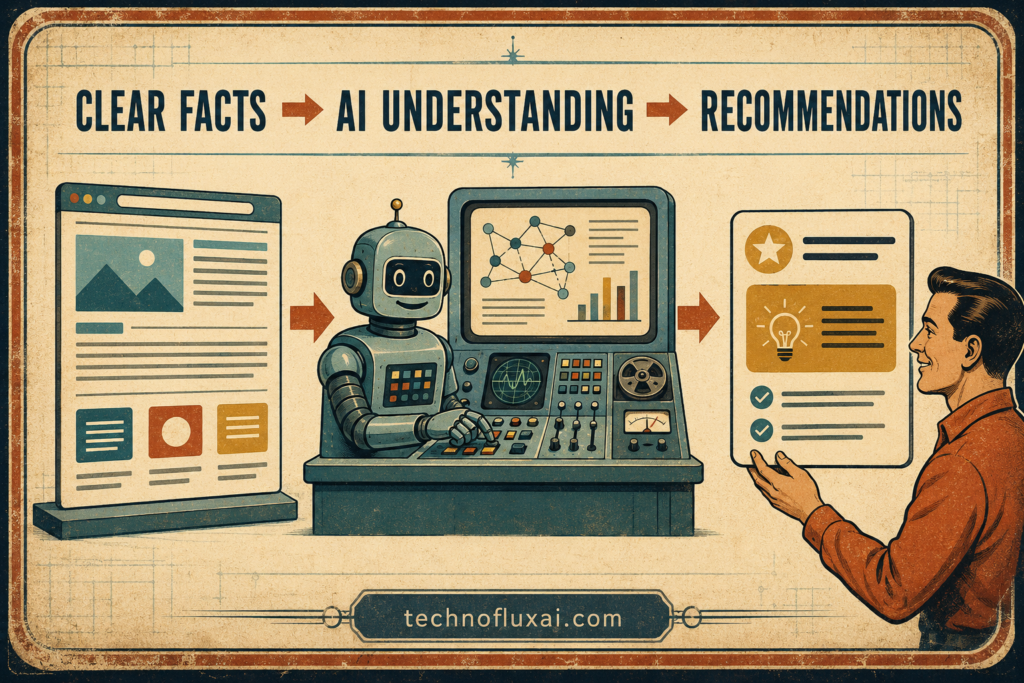
Diagram showing clear website facts moving through AI understanding to useful recommendations.
The path to AI visibility starts with clear facts and ends with useful recommendations.
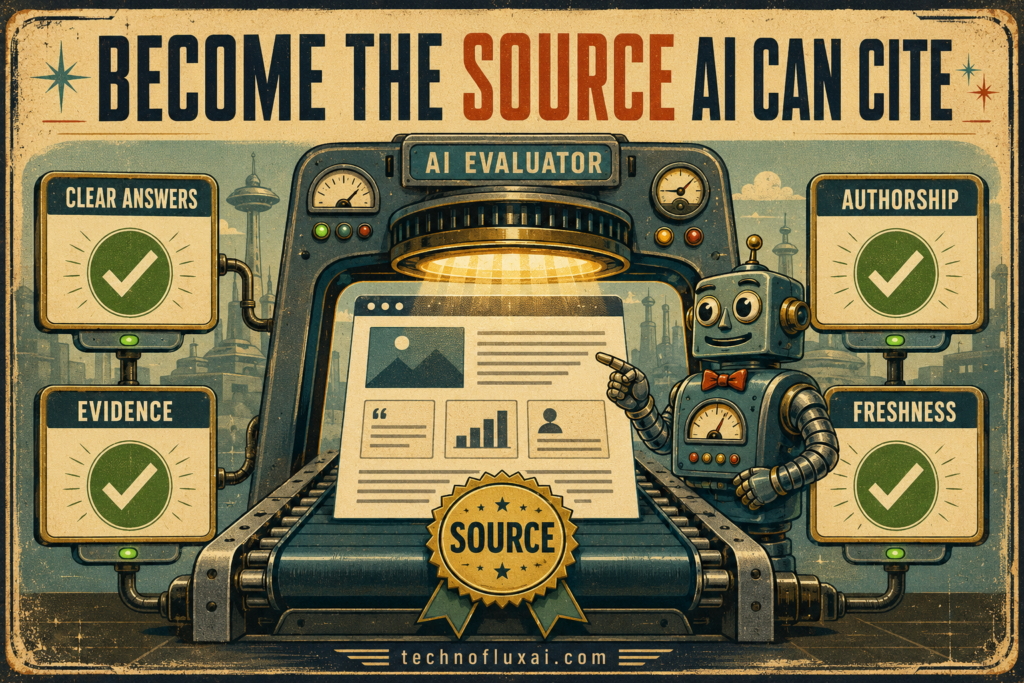
Retro AI evaluator checking a website for clear answers, evidence, authorship, and freshness.
Clear answers, supporting evidence, visible authorship, and updated information make a website easier for AI systems to trust.
“`html
Main Database

The Five-Part AI Website Growth System

A useful AI website system does not start with a random tool. It starts with a clear structure. Use these five database sections to plan content, build better pages, and make your website easier to understand.

01. Tools

Choose the right AI tool category for the job.

02. Terms

Understand the language of SEO, GEO, and AI search.

03. Prompts

Use prompts as workflow starters, not final answers.

04. Checklists

Publish with fewer gaps and stronger structure.

05. Workflows

Repeat the process that turns ideas into assets.

1. AI Tools Directory for Website Owners

An AI tools directory is one of the most useful database assets a website can publish, but it only works when it is specific. A generic list of best AI tools is too broad. A stronger directory answers a narrower question: which AI tools help website owners plan, create, optimize, publish, update, and repurpose content?

AI Writing Assistants

Best website use: Outlines, article drafts, FAQs, summaries, and rewrites.

Beginner warning: Edit every draft before publishing.

Good output example: A clear blog outline based on search intent.

AI Research Assistants

Best website use: Topic discovery, source gathering, and competitor review.

Beginner warning: Verify important claims before publishing.

Good output example: A source-backed article brief.

SEO Platforms

Best website use: Keyword research, site audits, ranking checks, and content planning.

Beginner warning: Keyword volume is not the same as buyer intent.

Good output example: A keyword cluster for a content hub.

Image Generators

Best website use: Featured images, article visuals, and social graphics.

Beginner warning: Avoid fake logos, fake UI, and unreadable text.

Good output example: A branded neon dashboard image.

Automation Tools

Best website use: Move content between apps, forms, sheets, and publishing tools.

Beginner warning: Automation should support quality, not replace it.

Good output example: A workflow that logs new article ideas into a content tracker.

Analytics Tools

Best website use: Track traffic, conversions, page engagement, and content updates.

Beginner warning: Give new pages enough time before judging them.

Good output example: A monthly content improvement report.

Directory Field: Best For

Explain the real website use case in plain language. For example, say that a tool is best for turning rough article notes into a structured first draft.

Directory Field: Difficulty

Use simple labels like beginner, intermediate, or advanced. Clear difficulty labels help readers decide whether a tool fits their current skill level.

Directory Field: Website Workflow

Show where each tool fits inside the process. A useful directory connects tools to research, outlining, drafting, editing, designing, publishing, updating, or repurposing.

2. GEO and AI Search Glossary

GEO stands for generative engine optimization. In simple terms, it means shaping your website content so AI-powered answer systems can understand what your page is about, who it helps, and which questions it answers.

A glossary is a strong source asset because it gives clear definitions. Search engines and readers both benefit from pages that define confusing terms in plain language, connect related concepts, and show practical examples.

GEO

Generative engine optimization is the practice of making content easier for AI answer engines to interpret, summarize, and connect to user questions.

Example: Add clear definitions, FAQs, comparison sections, and step-by-step explanations to a guide.

AEO

Answer engine optimization focuses on creating content that directly answers specific questions in a concise, useful way.

Example: Place a quick answer box near the top of an article.

Search Intent

Search intent is the reason someone searches. The person may want to learn, compare, buy, fix, choose, or understand something.

Example: Best AI tools for bloggers shows comparison intent.

Topical Authority

Topical authority means your website has enough useful connected content around a subject to be seen as a serious resource.

Example: A site with AI tools, prompt guides, glossary pages, and workflow tutorials around AI website growth builds topical depth.

Entity SEO

Entity SEO is about making the people, brands, tools, topics, and relationships on your site clear and consistent.

Example: Connect TechnofluxAI with AI websites, creator workflows, GEO, prompts, and publishing systems.

Content Hub

A content hub is a central page that organizes many related resources around one topic.

Example: This AI Website Growth Database can link to tool reviews, prompt pages, glossary entries, and checklists.

Glossary Page Template

Use this format for each term in your AI search glossary:

  1. Plain-English definition: Explain the term without sounding academic.
  2. Why it matters: Show how it affects a website owner.
  3. Simple example: Make the concept concrete.
  4. Beginner action: Give one thing the reader can do today.
  5. Related terms: Link to connected glossary pages.
  6. Common mistake: Explain what people usually misunderstand.

3. AI Prompt Library for Creators and Website Owners

A prompt library is useful when it saves the reader time and teaches them how to think. A weak prompt library tells people to copy a prompt. A strong one explains the purpose, use case, required context, and output review process.

Prompt Rule

Treat prompts like instructions for a skilled assistant, not magic words. Better context, goals, audience details, format rules, and constraints usually create better output.

Blog Post Planning Prompt

Use when: You have a topic but need structure.

Create a beginner-friendly blog outline for the topic: [topic]. The target reader is [reader]. The search intent is [intent]. Include a quick answer, H2 sections, examples, FAQs, internal link ideas, and a final takeaway. Avoid generic filler.

GEO Improvement Prompt

Use when: Your article needs clearer answer-engine structure.

Review this article for GEO clarity. Identify missing definitions, unclear claims, weak examples, missing FAQs, poor section structure, and opportunities to make the content easier for AI answer engines and human readers to understand.

Website Page Checklist Prompt

Use when: You are about to publish a page.

Create a publishing checklist for this page type: [homepage/blog post/service page/product page]. Include SEO title, meta description, H1, headings, internal links, CTA, image alt text, FAQ, mobile readability, and update notes.

Repurposing Prompt

Use when: You want more value from one article.

Turn this article into 10 social media assets: one YouTube Shorts hook, one TikTok caption, one LinkedIn post, one Facebook post, two Pinterest titles, two newsletter teaser lines, and two short quote-style posts. Keep the tone practical and human.

4. Website Publishing Checklist Library

Checklists turn scattered advice into action. They are also perfect for a database because each checklist can become its own page. A homepage checklist, blog post checklist, service page checklist, product page checklist, and local SEO checklist can all support different search intents while linking back to this hub.

Blog Post Checklist

  • Clear H1 that matches the topic.
  • Quick answer near the top.
  • Useful H2 sections with real examples.
  • Internal links to related guides.
  • FAQ section based on beginner questions.
  • Featured image with descriptive alt text.
  • Final takeaway and CTA.

Service Page Checklist

  • Clear service name in the H1.
  • Problem, solution, and outcome explained quickly.
  • Who the service is for.
  • Process steps.
  • Proof, examples, or portfolio links.
  • FAQ section that removes objections.
  • Strong CTA above and below the fold.

AI-Ready Page Checklist

  • Topic is obvious from the first screen.
  • Definitions are written clearly.
  • Claims are not vague or exaggerated.
  • Examples show practical use.
  • Important sections use descriptive headings.
  • Related terms and pages are linked.
  • Page has an update path for future improvements.

Image SEO Checklist

  • Image supports the section, not just decoration.
  • Filename describes the topic.
  • Alt text explains the visual naturally.
  • Image is compressed before upload.
  • No fake logos or misleading screenshots.
  • Design matches brand style.
  • Image is usable on mobile.
“`
Advanced Implementation

How to make this database stronger over time

The first version of this page is the foundation. Long-term value comes from updating it, expanding it, linking it, and turning it into a trusted reference point for your website.

AI website workflow library

Workflows are where AI becomes useful. A workflow shows the order of operations. Instead of asking AI for a finished article and hoping it works, you break the job into smaller steps: research, outline, draft, edit, design, optimize, publish, and repurpose.

Workflow: Turn one idea into a full website asset

Step 1: Define the reader

Who is this page for, and what are they trying to solve?

Step 2: Pick the intent

Is the reader learning, comparing, buying, fixing, or planning?

Step 3: Build the outline

Use AI to organize the page, but keep the structure useful and specific.

Step 4: Draft in sections

Create the article one section at a time so it does not become generic.

Step 5: Add examples

Examples turn a page from something that sounds good into something readers can actually use.

Step 6: Publish and repurpose

Turn the page into social posts, video hooks, email teasers, and internal links.

Advanced tip 1: Give every database item the same structure

Consistency is what turns a list into a real database. When tools, terms, prompts, checklists, and workflows follow a similar pattern, readers can scan faster and search engines can understand the page more clearly.

For tools

Use tool name, category, best for, difficulty, free or paid status, website use case, beginner warning, alternative tools, and TechnofluxAI verdict.

For glossary terms

Use definition, why it matters, simple example, beginner action, related terms, and common mistake.

For prompts

Use prompt name, purpose, best use case, what to paste in, the prompt, editing notes, and output checklist.

For checklists

Use page type, when to use it, must-have items, optional upgrades, mistakes to avoid, and final publish check.

Advanced tip 2: Build internal links like a map

Internal links should help readers move to the next useful page. Use them to connect ideas, explain related terms, and guide people toward deeper resources.

Suggested internal links for this page

  • Link AI tools directory to a dedicated directory page.
  • Link GEO to a beginner GEO glossary page.
  • Link prompt library to a categorized prompt collection.
  • Link publishing checklist to a blog post checklist page.
  • Link content hub to a guide explaining hub-and-spoke content strategy.
  • Link AI image prompts to a visual branding or image prompt guide.

Advanced tip 3: Update the database on a schedule

A database page becomes stronger when it is maintained. Add a visible update date, review older recommendations, refresh examples, remove dead links, and improve sections based on real reader questions.

Monthly

Add new questions, improve weak definitions, and update internal links.

Quarterly

Review tool categories, refresh examples, and expand the prompt library.

After major changes

Update the page when AI search behavior, tools, or publishing workflows change.

Common mistakes to avoid

Mistake 1: Making the page too generic

A database should not sound like every other AI article. Make it specific to website growth, creators, publishing, prompts, and GEO.

Mistake 2: Listing tools without use cases

A tool name alone is not enough. Explain what the tool helps the reader do on their website.

Mistake 3: Publishing AI output without editing

AI drafts often need better examples, stronger opinions, cleaner headings, fact-checking, and a more human voice.

Mistake 4: Forgetting the beginner

A database becomes valuable when it explains confusing ideas simply. Avoid assuming the reader already understands SEO, schema, GEO, or content hubs.

Mistake 5: Building with no update plan

A living resource needs maintenance. Add update notes and revisit the page regularly.

Mistake 6: Hiding the best content too deep

Put the quick answer, database categories, and useful links near the top so readers understand the value immediately.

FAQ

What is an AI website growth database?

An AI website growth database is a structured resource that organizes AI tools, prompts, SEO terms, publishing checklists, and workflows for building and improving a website.

Is this better than a normal blog post?

For a source asset, yes. A normal post answers one question. A database page can answer many related questions and connect readers to deeper resources.

Can beginners use AI for SEO?

Yes, but beginners should use AI for structure, brainstorming, editing, checklists, and repurposing. Important claims, examples, links, and recommendations still need human review.

What is the difference between SEO and GEO?

SEO focuses on helping pages perform in search engines. GEO focuses on making content easier for AI-powered answer systems to understand, summarize, and connect to user questions. The two overlap because both reward clear, useful, well-structured content.

Should I create a separate page for every tool, prompt, and checklist?

Start with the main database page first. Then create separate pages for the items that deserve deeper explanations, have search demand, or support your main website topic.

How often should I update this kind of page?

Review it at least quarterly. Update sooner when tools change, workflows improve, or readers ask new questions that should be added to the database.

Final takeaway

The best AI website growth asset is not a random list of tools. It is a structured, useful, updated database that helps readers choose tools, understand terms, use prompts, follow checklists, and repeat workflows. Build this page as the command center, then expand each section into deeper supporting resources.

Build your AI website system with TechnofluxAI

Use this database as your starting point. Pick one section, turn it into a deeper guide, create useful internal links, and keep improving your site as your audience grows.

Start Your AI Website Growth Plan

TechnofluxAI cornerstone guides

Start here to build your AI toolkit

Explore our main guides for choosing AI tools, building better workflows, growing with AI, and putting these tools to real use.

More from Jon

Looking for something different? First, visit MistakenlyAI.com for AI-assisted recipes and easy cooking ideas. You can also visit TimewasterAI.com for shopping ideas, product finds, and affiliate content.

Home » The Flux ai news and tutorials » AI for Creators » The AI Website Growth Database: Tools, Prompts, Checklists, Workflows, and GEO Terms for Creators

GOOGLE PREFERRED SOURCE

Want more TechnofluxAI in Google?

Add TechnofluxAI as a Preferred Source to help Google show you more of our AI guides, tests, workflows, and research.

Leave a Comment