

Estimated reading time: 1 minute
Key Takeaways
- AI vocabulary includes key terms for understanding and effectively using AI tools and workflows.
- Familiarity with terms like prompt, LLM, and automation helps creators improve content creation and decision-making.
- The guide focuses on practical applications for beginners in blogging, marketing, and content generation.
- Creators should start by learning important terms relevant to their needs, rather than memorizing every term at once.
- Understanding AI vocabulary enables better questions, clearer communication, and more efficient workflows.
Quick Answer
AI vocabulary is the collection of words people use when talking about artificial intelligence, AI tools, prompts, automation, content creation, SEO, and AI search.
If you are a creator, blogger, marketer, or small business owner, you do not need to memorize every technical term. You need to understand the words that affect your workflow.
Terms like prompt, LLM, context window, AI hallucination, automation, AI SEO, and GEO matter because they help you use AI with more control.
The goal is simple: learn enough AI vocabulary to make better decisions, ask better questions, and build better workflows.
Introduction
AI can feel harder than it needs to because the language gets confusing fast.
One article says “LLM.” Another says “generative AI.” Someone else talks about “tokens,” “RAG,” “AI agents,” or “GEO.” Before you even use the tool, you are already decoding the vocabulary.
That is the problem this guide solves.
This AI vocabulary guide explains the most useful AI terms in plain English. It is built for creators, bloggers, marketers, website owners, and beginners who want practical understanding, not a computer science lecture.
TechnofluxAI is focused on practical AI workflows, SEO, GEO, automation, creator growth, and implementation, so this glossary is built around what people actually need to do next .
What Is AI Vocabulary?
AI vocabulary means the common words, phrases, and acronyms used to describe artificial intelligence.
Some terms explain the technology itself, like machine learning or large language model.
Some terms explain how people use AI, like prompt, workflow, or automation.
Other terms explain how AI affects search and content, like AI SEO, AI citation, and generative engine optimization.
The key is not to learn every term at once. The key is to understand the words that help you use AI better.
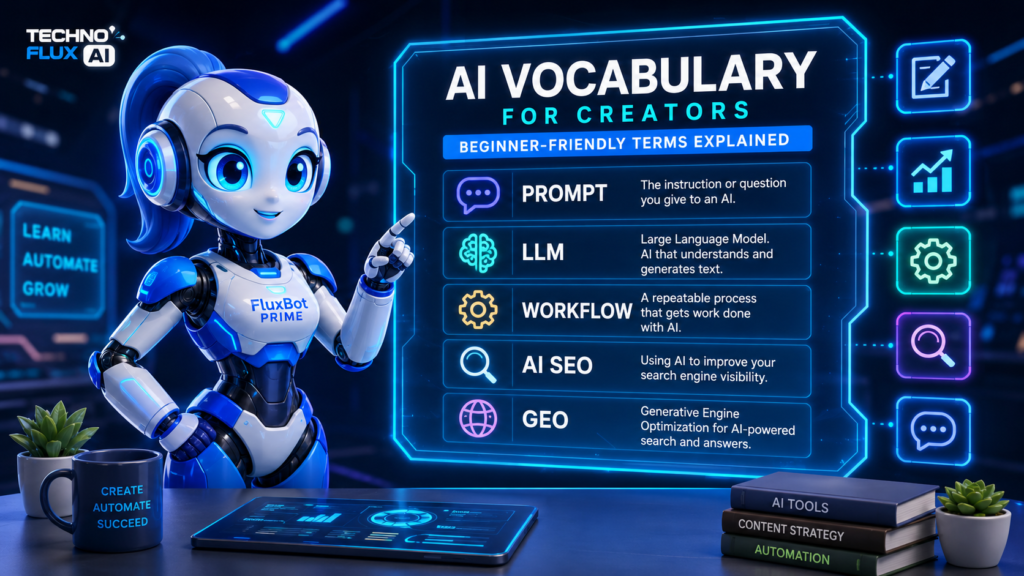
Why AI Vocabulary Matters for Creators
AI vocabulary matters because vague understanding leads to vague results.
If you do not know what a prompt is, you may ask AI weak questions.
you do not understand hallucinations, you may trust false information.
If you do not understand context, you may give the AI too little detail.
you do not understand AI SEO or GEO, you may miss how search is changing.
For creators, the real value of AI is not using a tool once. The value comes from placing AI inside a repeatable workflow. That matches the TechnofluxAI approach: AI tools are useful when they help people take practical action, not when they are treated like magic buttons .
Common AI Terms for Beginners
AI
AI stands for artificial intelligence. It refers to software systems that can perform tasks that usually require human intelligence, such as writing, summarizing, analyzing, organizing, predicting, or generating ideas.
For most creators, AI means tools that help with writing, research planning, content ideas, automation, images, video, coding, and productivity.
Artificial Intelligence
Artificial intelligence is the full term for AI.
It describes computer systems designed to perform tasks that seem intelligent. These systems do not “think” like humans, but they can process information and produce useful outputs.
Generative AI
Generative AI creates new content.
That content can include text, images, code, video, audio, summaries, outlines, and ideas.
Examples of generative AI tasks include:
- Writing a blog outline
- Creating an image prompt
- Summarizing a document
- Drafting an email
- Turning a long article into social posts
Machine Learning
Machine learning is a type of AI where systems learn patterns from data.
You do not need to understand the math to use AI tools well. For creators, the simple version is this: machine learning helps AI systems recognize patterns and make predictions based on what they have learned.
AI Model
An AI model is the system behind an AI tool.
When you use a chatbot, image generator, or writing assistant, the model is what processes your input and creates the output.
Different models can be better at different tasks. Some are stronger at writing. are better at coding. Some are better at image generation, voice, video, or analysis.
Large Language Model
A large language model, often called an LLM, is an AI model trained to understand and generate text.
LLMs are the technology behind many chatbots and writing assistants.
They can help with:
- Drafting
- Brainstorming
- Summarizing
- Rewriting
- Outlining
- Explaining
- Translating
- Coding
- Planning workflows
LLM
LLM stands for large language model.
When someone says “use an LLM,” they usually mean using a text-based AI model that can respond to prompts in natural language.
Natural Language Processing
Natural language processing, or NLP, is the field of AI focused on helping computers understand and work with human language.
Creators see NLP in tools that summarize articles, rewrite text, classify content, answer questions, or analyze search intent.
NLP
NLP stands for natural language processing.
You will often see this term in SEO, chatbot, and content automation discussions.
Prompt Engineering Terms
Prompt
A prompt is the instruction you give to an AI tool.
A weak prompt gives vague results.
A stronger prompt gives the AI a clear job, audience, goal, format, and constraints.
Weak prompt:
“Write about AI.”
Better prompt:
“Create a beginner-friendly outline for an article about AI vocabulary for creators. Explain common AI terms in plain English and include examples for bloggers, marketers, and small business owners.”
Prompt Engineering
Prompt engineering means writing better instructions for AI.
It does not need to be complicated. For most creators, prompt engineering means learning how to give AI the right context before asking for an output.
A good prompt usually includes:
- The task
- The audience
- The goal
- The format
- The tone
- The constraints
- The example or source material
Context
Context is the background information you give AI before it responds.
If you want better answers, give better context.
Instead of saying:
“Write a blog post.”
Say:
“I am writing for beginner bloggers who are confused by AI terminology. The article should explain terms in plain English, avoid jargon, and include practical examples.”
Context Window
The context window is the amount of information an AI model can consider at one time.
If a chat or document gets too long, the AI may lose track of earlier details. This is why long workflows work better when you organize information clearly.
Token
A token is a piece of text that an AI model reads or generates.
A token can be a word, part of a word, punctuation, or other text unit. You do not need to count tokens manually for normal content work, but the concept matters because tokens affect how much text an AI system can process.
System Prompt
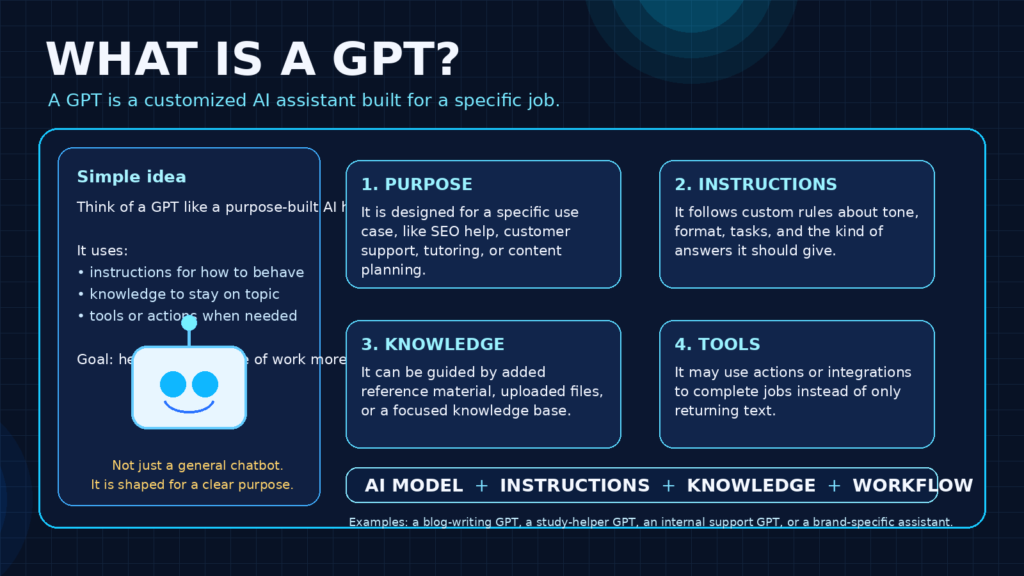
A system prompt is a higher-level instruction that tells an AI assistant how to behave.
For example, a custom assistant might have instructions to write in a certain tone, follow a brand style, or format content in a specific way.
Custom GPT
A Custom GPT is a customized version of ChatGPT designed for a specific use case.
For creators, a Custom GPT can help with brand writing, content planning, SEO briefs, customer support, product research, or internal workflows.
AI Content Creation Terms
AI Writing Assistant
An AI writing assistant helps with writing tasks.
It can help create outlines, improve drafts, summarize notes, rewrite sections, generate title ideas, or repurpose content.
The mistake is asking it to do the whole job at once. AI writing works better when used step by step.
AI Content Workflow
An AI content workflow is a repeatable process for using AI during content creation.
Example workflow:
- Choose the topic.
- Define the reader.
- Build the outline.
- Draft one section at a time.
- Add human examples.
- Verify important claims.
- Edit for clarity.
- Repurpose into social posts.
This fits the TechnofluxAI style because every article should help the reader understand what to actually do next .
AI Content Generator
An AI content generator creates text, images, video, or audio from a prompt.
This can be useful, but it can also create generic content if the prompt is weak or the workflow is rushed.
Repurposing
Repurposing means turning one piece of content into several smaller pieces.
For example, you can turn one blog post into:
- A LinkedIn post
- A short video script
- A Pinterest pin idea
- An email newsletter
- A carousel outline
- A YouTube description
AI is very useful for repurposing because the source content already exists. You are not asking it to invent everything from scratch.
Multimodal AI
Multimodal AI can work with more than one type of input or output.
For example, a multimodal AI tool may understand text, images, screenshots, audio, video, or files.
This matters for creators because workflows are no longer limited to text.
AI SEO and GEO Terms
AI SEO means using AI to support search engine optimization.
This can include keyword research, content briefs, title ideas, internal linking suggestions, schema planning, content refreshes, and technical SEO checks.
AI SEO does not mean letting AI publish unverified content. It means using AI to improve the workflow.
SEO
SEO stands for search engine optimization.
It is the process of improving content and websites so they can be found through search engines.
For creators, SEO usually includes:
- Choosing the right keywords
- Matching search intent
- Writing useful content
- Adding internal links
- Improving page structure
- Creating helpful titles and descriptions
- Updating old content
GEO
GEO stands for generative engine optimization.
It focuses on making content easier for AI-powered search systems and answer engines to understand, summarize, and cite.
GEO is closely related to clear structure, direct answers, strong definitions, source-backed claims, and useful examples.
Generative Engine Optimization
Generative engine optimization is the full phrase for GEO.
The basic idea is simple: write content that AI systems can understand and reference accurately.
That means using clear headings, concise explanations, direct answers, FAQ sections, and trustworthy sources.
AI Search
AI search refers to search experiences where AI summarizes, answers, or organizes information for the user.
This changes how creators think about content because the goal is not only to rank. The goal is also to be understandable, useful, and citation-worthy.
AI Citation
An AI citation happens when an AI answer references or links to a source.
Creators can improve citation potential by writing clear, accurate, well-structured content with direct answers and reliable sourcing.
Zero-Click Search
Zero-click search happens when a user gets an answer without clicking through to a website.
AI answers, featured snippets, knowledge panels, and quick summaries can all reduce clicks.
This does not mean content is useless. It means creators need stronger brand authority, better internal linking, and content that earns trust quickly.
AI Automation Terms
Automation
Automation means using software to complete repeated tasks with less manual work.
Examples:
- Sending form submissions to a spreadsheet
- Turning blog ideas into a task list
- Sending email reminders
- Creating social drafts from a content calendar
- Moving leads into a CRM
AI Automation
AI automation combines AI with automated workflows.
Example:
A form submission comes in. AI summarizes the request. The summary goes into a project management tool. A task is created automatically.
Workflow
A workflow is a repeatable process.
A content workflow might include research, outline, draft, edit, optimize, publish, and promote.
An automation workflow might include trigger, action, condition, review, and output.
TechnofluxAI’s brand is workflow-driven, so this term matters across almost every article and tutorial .
Trigger
A trigger is the event that starts an automation.
Examples:
- A new email arrives.
- A form is submitted.
- A new row appears in a spreadsheet.
- A file is uploaded.
- A task changes status.
Action
An action is what happens after the trigger.
Examples:
- Send a message.
- Create a task.
- Generate a summary.
- Add a tag.
- Update a spreadsheet.
- Send a notification.
No-Code Automation
No-code automation lets people build workflows without writing code.
This is useful for creators, small business owners, and marketers who want to save time without hiring a developer.
More Advanced AI Terms
RAG
RAG stands for retrieval-augmented generation.
In plain English, RAG means the AI retrieves information from a source before generating an answer.
This can help an AI assistant answer based on a specific knowledge base, document library, website, or internal resource.
Retrieval-Augmented Generation
Retrieval-augmented generation is the full phrase for RAG.
It is useful when you want AI to use specific information instead of relying only on its general training.
Embedding
An embedding is a way of turning information into a format that AI systems can compare and search.
You may hear this term when people talk about semantic search, vector databases, or AI knowledge bases.
Vector Database
A vector database stores information in a way that helps AI systems find related meaning, not just exact keyword matches.
This matters for advanced AI search, chatbots, and knowledge-base tools.
Fine-Tuning
Fine-tuning means adjusting an AI model for a specific task or style using additional training.
Most creators do not need fine-tuning. They usually need better prompts, better examples, and better workflows first.
AI Agent
An AI agent is an AI system designed to take steps toward a goal.
Instead of only answering one prompt, an agent may plan, use tools, check information, and complete multi-step tasks.
For creators, AI agents may become useful for research, customer support, content planning, lead handling, or internal business workflows.
Common AI Acronyms
Here are common AI acronyms in plain English:
| Acronym | Meaning | Simple Explanation |
|---|---|---|
| AI | Artificial Intelligence | Software that performs tasks that seem intelligent |
| LLM | Large Language Model | AI model that understands and generates text |
| NLP | Natural Language Processing | AI field focused on human language |
| ML | Machine Learning | AI systems learning patterns from data |
| RAG | Retrieval-Augmented Generation | AI retrieves source information before answering |
| API | Application Programming Interface | A way for software tools to connect |
| GEO | Generative Engine Optimization | Optimizing content for AI-powered answer systems |
| SEO | Search Engine Optimization | Improving content so it can be found in search |
| UX | User Experience | How easy and helpful something feels to use |
| CMS | Content Management System | A platform for managing website content |
How to Actually Use This AI Vocabulary
Do not try to memorize every term.
Start with the terms that affect your current workflow.
If you are writing blog posts, learn:
- Prompt
- Context
- AI writing assistant
- AI content workflow
- AI SEO
- Hallucination
- Repurposing
you are building automations, learn:
- Workflow
- Trigger
- Action
- No-code automation
- AI automation
- API
Iyou are focused on search, learn:
- SEO
- AI SEO
- GEO
- AI search
- AI citation
- Zero-click search
Iyou are building custom AI tools, learn:
- Custom GPT
- RAG
- Embedding
- Vector database
- Knowledge base
- AI agent
The point is not to sound technical. The point is to understand enough to make better decisions.
Practical Example: Using AI Vocabulary in a Workflow
Imagine you want to write a blog post about beginner email marketing.
A weak workflow looks like this:
“Write me a blog post about email marketing.”
A better workflow uses the vocabulary from this guide:
- Define the audience.
- Give the AI more context.
- Write a clear prompt.
- Ask for an outline first.
- Draft one section at a time.
- Check for hallucinations.
- Improve the article for SEO.
- Repurpose the article into social posts.
- Add internal links.
- Publish after human editing.
This is how AI vocabulary becomes useful. The words help you control the process.
Mistakes to Avoid
Mistake 1: Trying to Learn Every AI Term at Once
You do not need to become an AI engineer to use AI well.
Start with practical terms. Learn more when your workflow needs it.
Mistake 2: Using AI Words Without Understanding Them
Do not add terms like RAG, agents, or embeddings just because they sound advanced.
Use plain English first. Technical terms should make the idea clearer, not more confusing.
Mistake 3: Trusting AI Outputs Without Verification
AI can produce confident but incorrect answers. This is often called a hallucination.
Always verify important facts, especially pricing, product features, legal information, financial claims, health topics, statistics, and current events.
Mistake 4: Asking Vague Prompts
Weak prompts create weak outputs.
Give the AI a role, audience, goal, format, and context.
Mistake 5: Treating AI Like a Shortcut Instead of a Workflow Tool
AI is most useful when it helps with a process.
Use it to plan, organize, draft, summarize, improve, and repurpose. Do not expect one prompt to replace strategy.
TechnofluxAI Take
Most beginners do not struggle with AI because the tools are impossible to use.
They struggle because the language makes the tools feel more complicated than they are.
Once you understand the basic vocabulary, AI becomes easier to control. You can ask better questions, build better workflows, and spot weak answers faster.
The goal is not to sound like an AI expert. The goal is to know what to do next.
What Should I Actually Do?
Start with 10 terms:
- AI
- Generative AI
- LLM
- Prompt
- Context
- Hallucination
- Workflow
- Automation
- AI SEO
- GEO
Then use those terms in one real project.
Pick one article, one email sequence, one content calendar, or one automation. Use AI to help with the workflow, not the whole job at once.
Ask for structure first. Add context. Draft in sections. Verify the output. Then publish or use the final result with your own judgment.
FAQ
What is AI vocabulary?
AI vocabulary is the set of words and phrases used to explain artificial intelligence, AI tools, prompts, automation, content creation, search, and AI workflows.
What are the most important AI terms for beginners?
The most important AI terms for beginners are AI, generative AI, LLM, prompt, context, token, hallucination, workflow, automation, AI SEO, and GEO.
What does LLM mean?
LLM stands for large language model. It is a type of AI model that can understand and generate text.
What is a prompt in AI?
A prompt is the instruction you give an AI tool. Better prompts usually include the task, audience, goal, format, and context.
What is AI SEO?
AI SEO means using artificial intelligence to support search engine optimization tasks like keyword research, content briefs, internal linking, title ideas, and content updates.
What is GEO in AI search?
GEO stands for generative engine optimization. It means improving content so AI-powered search systems can understand, summarize, and cite it more accurately.
What is an AI hallucination?
An AI hallucination is when an AI tool gives information that sounds confident but is wrong, unsupported, or made up.
Do creators need to learn technical AI vocabulary?
Creators do not need to learn every technical AI term. They should learn the terms that help them write better prompts, build better workflows, verify outputs, and understand how AI affects content and search.
Verification Notes
AI terminology changes as tools, models, and search systems evolve. Before publishing, verify any current product names, model names, pricing details, tool features, or platform-specific claims through official sources.
This article avoids specific pricing, model comparisons, and unsupported statistics so it can stay evergreen longer.
? Creator AI Tools Update
AI creator tools are evolving quickly in 2026. Content creators now use AI systems for video editing, voice generation, thumbnails, workflow automation, scripting, image generation, social media planning, and AI-assisted publishing across multiple platforms.
Modern creators are combining AI tools with workflow systems to publish content faster, stay more consistent, improve engagement, and scale content production without large teams.
- AI video tools speed up content creation workflows
- Workflow automation helps creators stay consistent
- Short-form video content continues dominating social traffic
- AI image systems improve thumbnails and visual branding
- Cross-platform publishing workflows are becoming essential
Conclusion
AI vocabulary is not about memorizing jargon.
It is about understanding the words that help you use AI with more control.
Start with the basics: prompt, context, LLM, hallucination, workflow, automation, AI SEO, and GEO. Then apply those terms inside one real workflow.
The more clearly you understand the language, the easier it becomes to use AI as a practical tool instead of a confusing shortcut.

About the Author
Jon Hicks
Founder of TechnofluxAI.
I’m the creator behind TechnofluxAI, focused on breaking down powerful AI tools, emerging trends, and practical strategies to help creators and entrepreneurs stay ahead in a rapidly evolving digital world.
Follow TechnofluxAI for the latest AI tools & strategies