

Estimated reading time: 14 minutes
Key Takeaways
- AI workflow automations streamline repetitive tasks by integrating AI tools and ensuring human oversight.
- For creators, they help reduce busywork like drafting, summarizing, and organizing, while maintaining personal touch.
- Start with one task, map the steps, introduce AI, and ensure a human review before any output is finalized.
- Avoid common mistakes like automating before understanding the workflow or using AI for every step without review.
- Building simple, repeatable systems ultimately enhances efficiency without diminishing quality or strategy.
Quick Answer
AI workflow automations are repeatable systems that use AI and automation tools to handle parts of your work without requiring you to manually repeat every step.
For creators, bloggers, marketers, and small business owners, this might mean turning one idea into a content brief, sending lead details into a CRM, summarizing customer emails, creating first-draft social posts, or organizing research notes.
The best way to use AI workflow automations is not to automate everything at once. Start with one repetitive task, map the steps, add AI where it helps, and keep a human review step before anything important gets published, sent, or approved.
AI works best when it supports a clear workflow. It gets weaker when you treat it like a magic button. That matches the TechnofluxAI approach: use AI as part of practical systems, not as a one-click shortcut.
Introduction
Most creators do not need more AI tools.
They need a better way to connect the tools they already use.
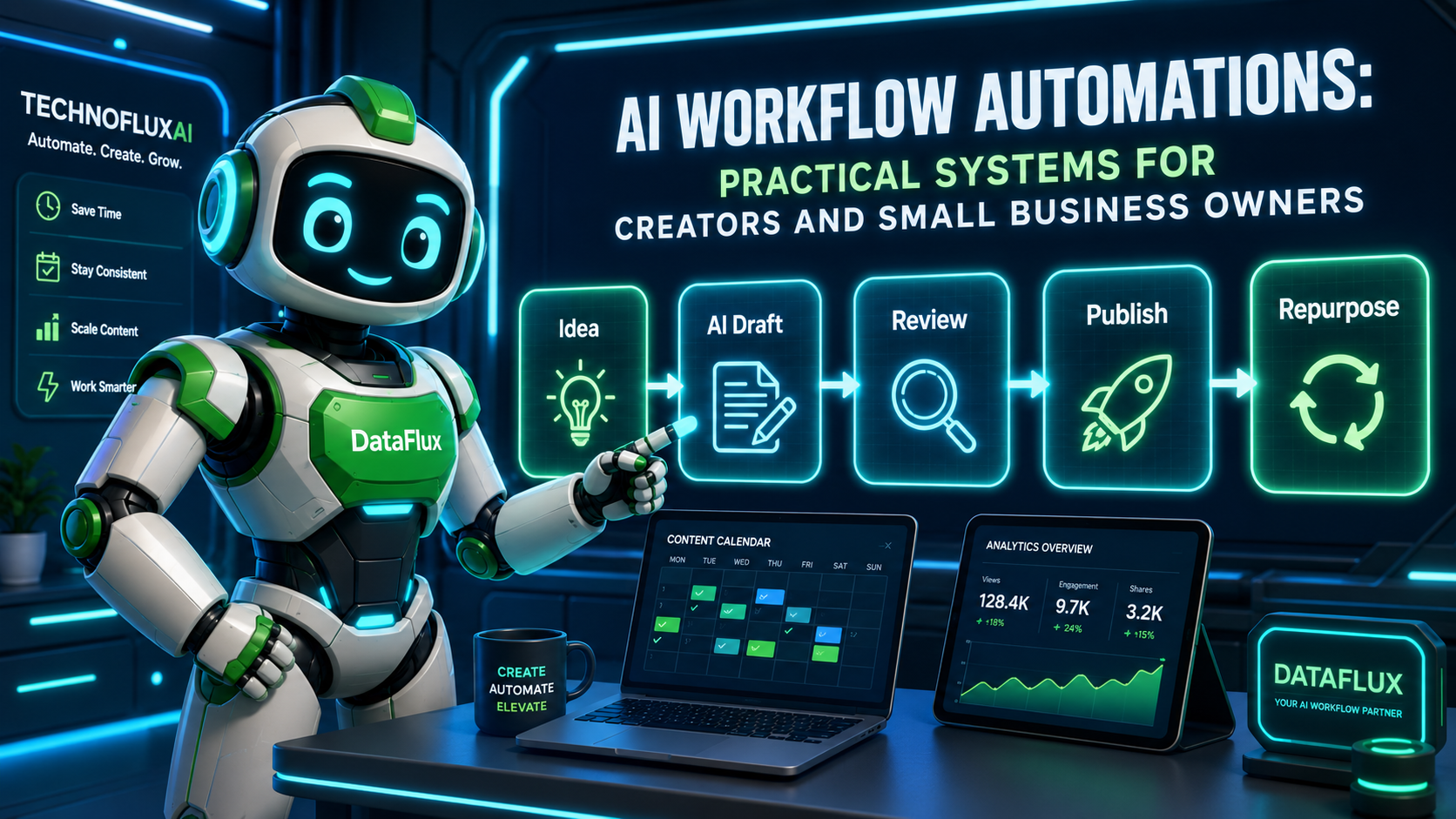
That is where AI workflow automations become useful. Instead of opening ChatGPT, writing one random prompt, copying the answer, editing it, pasting it somewhere else, and repeating the same process tomorrow, you build a repeatable system.
The goal is simple: reduce manual busywork without removing your judgment.
An AI workflow automation should help you move faster through the boring middle of your work. It should not replace your strategy, your voice, your customer understanding, or your final review.
For TechnofluxAI readers, this topic fits directly into the brand’s focus on AI workflows, automation, SEO, creator growth, affiliate marketing, and practical implementation.
What Are AI Workflow Automations?
AI workflow automations are systems that combine three things:
- A repeated task
- An AI step
- An automation step that moves information from one place to another
A regular automation might send a form response to a spreadsheet.
An AI workflow automation might take that same form response, summarize the request, classify the lead, draft a reply, and notify you in Slack or email.
The difference is that AI adds interpretation. It can summarize, classify, rewrite, organize, suggest, and draft. Automation moves that output through your system.
Here is a simple example:
A client fills out a website form.
The automation sends the form details to an AI tool.
The AI summarizes what the client needs.
The system creates a task in your project board.
You review the summary and decide what to do next.
That is an AI workflow automation.
Not magic. Not autopilot. Just a smarter system.
Why AI Workflow Automations Matter for Creators
Creators lose a lot of time to small repeatable tasks.
Not the big creative work. The small friction points.
Things like:
- turning rough notes into outlines
- rewriting content for different platforms
- sorting ideas
- summarizing research
- organizing client requests
- drafting email replies
- creating content briefs
- checking a post against a publishing checklist
- turning one article into social content
AI workflow automations help by removing some of that repeated setup work.
Instead of starting from zero every time, you build a repeatable path.
That matters because most creators are not short on ideas. They are short on clean systems.
AI Workflow Automation vs Regular Automation
Regular automation follows strict rules.
For example:
“When someone fills out this form, send the response to this spreadsheet.”
AI workflow automation adds judgment-like processing.
For example:
“When someone fills out this form, summarize their request, identify the topic, estimate urgency, draft a response, and send it to me for review.”
The AI step makes the workflow more flexible.
But it also adds risk.
AI can misunderstand context, make assumptions, or produce weak drafts. That is why strong AI workflow automations include human review before anything public or customer-facing happens.
Best AI Workflow Automation Examples
1. Blog Post Planning Workflow
This is useful for bloggers, niche site owners, and affiliate marketers.
Workflow:
A new keyword goes into a spreadsheet.
AI creates a search intent summary.
AI drafts a content brief.
The system creates a task in Trello, Notion, or your project tool.
You review the brief before writing.
This helps you avoid starting every article from a blank page.
The mistake to avoid is letting AI choose the entire strategy without your input. You still need to check the keyword, reader intent, internal links, and monetization angle.
2. Content Repurposing Workflow
This is useful for YouTubers, bloggers, newsletter writers, and social media creators.
Workflow:
You publish a blog post.
AI extracts the main points.
AI drafts three social posts, one email teaser, and five short-form video hooks.
You edit the drafts and schedule the best ones.
This turns one finished piece of content into multiple assets.
The key is to repurpose after the main content is strong. If the original article is thin, the repurposed content will be thin too.
3. Lead Intake Workflow
This is useful for freelancers, consultants, local businesses, and service providers.
Workflow:
A prospect fills out a contact form.
AI summarizes the request.
AI labels the lead by service type.
The system creates a CRM entry.
AI drafts a reply for you to approve.
This saves time without handing your sales process fully to AI.
Do not let AI send replies automatically unless the message is low-risk and carefully tested. For most small businesses, review first.
4. Email Cleanup Workflow
This is useful for creators and small business owners who get too many emails.
Workflow:
Incoming emails are sorted by type.
AI summarizes longer messages.
Important emails are flagged.
Low-priority messages are moved into a review folder.
You check the priority list once or twice per day.
This gives you more control over your inbox.
The point is not to ignore people. The point is to reduce email noise so you can focus on the messages that matter.
5. Affiliate Content Workflow
This is useful for affiliate marketers and niche site owners.
Workflow:
You add a product or tool idea to your content tracker.
AI helps create a comparison outline.
AI drafts pros, cons, and use cases based only on verified notes you provide.
You add your own judgment and source checks.
The article is added to your publishing queue.
This workflow is helpful, but it needs careful review.
Never let AI invent product claims, prices, ratings, or results. Affiliate content needs trust. One fake detail can weaken the whole article.
How to Build Your First AI Workflow Automation
Step 1: Pick One Repetitive Task
Do not start by asking, “How can I automate my whole business?”
That is too broad.
Start with one repeated task.
Good beginner options include:
- summarizing emails
- creating article briefs
- turning blog posts into social captions
- organizing content ideas
- drafting follow-up emails
- sorting leads
- creating weekly task summaries
Choose something you already do often.
The best first automation is usually boring. That is a good sign. Boring tasks are easier to systemize.
Step 2: Map the Manual Workflow
Before adding AI, write down how the task works now.
For example, a blog planning workflow might look like this:
- Find keyword
- Check search intent
- Create outline
- Add internal links
- Draft article
- Edit
- Add images
- Publish
- Repurpose
Now ask: where does AI actually help?
Maybe AI should help with the outline, FAQ ideas, content brief, and repurposing. But maybe you should still choose the keyword, check sources, write the final opinion, and approve the post.
That is how you build a useful automation.
Step 3: Add AI to One Step First
Beginners often try to automate too many steps at once.
That creates messy systems.
Start with one AI step.
Example:
“When I add a keyword to my spreadsheet, AI creates a content brief.”
That is enough for version one.
Once that works, you can add another step, such as creating a task in your project management tool.
Step 4: Add a Human Review Point
This is the step many people skip.
Do not let AI publish, email, approve, reject, delete, or make important decisions without review.
A human review point might be:
- approve the draft
- check the facts
- edit the tone
- verify pricing
- confirm the customer request
- review the recommended task
- compare the AI output against your checklist
AI can move the work forward. You still own the final decision.
Step 5: Test the Workflow With Real Examples
Do not judge the automation after one test.
Run it with five to ten real examples.
Check:
- Did the AI understand the task?
- Did it miss important details?
- Was the output too long?
- Was the output too generic?
- Did it save time?
- Did it create new cleanup work?
- Where did human review matter most?
A good AI workflow automation should reduce friction. If it creates more work than it saves, simplify it.
Step 6: Create a Simple Workflow Checklist
Every automation needs a checklist.
For example:
AI Content Brief Checklist
- Keyword included
- Search intent identified
- Reader problem explained
- Suggested H2s included
- Internal link ideas added
- FAQ ideas included
- Verification notes included
- Human review completed
This keeps your system consistent.
The checklist is what turns a random AI output into a repeatable workflow.
Practical AI Workflow Automation Templates
Template 1: Blog Brief Automation
Trigger: New keyword added to spreadsheet
AI action: Create content brief
Automation action: Add task to project board
Human review: Approve outline before drafting
Best for: Bloggers, SEO writers, affiliate marketers, niche site owners
Template 2: Social Repurposing Automation
Trigger: New blog post published
AI action: Extract key points and draft social posts
Automation action: Save drafts to content calendar
Human review: Edit before scheduling
Best for: Creators, coaches, small business owners, YouTubers
Template 3: Lead Summary Automation
Trigger: New contact form submission
AI action: Summarize request and label service type
Automation action: Create CRM entry or task
Human review: Approve response
Best for: Freelancers, consultants, agencies, local businesses
Template 4: Inbox Summary Automation
Trigger: New email in priority inbox
AI action: Summarize message and suggest response
Automation action: Add to review folder or task list
Human review: Send or edit reply
Best for: Busy creators, founders, service providers
Template 5: Weekly Planning Automation
Trigger: End of week
AI action: Summarize completed tasks and unfinished items
Automation action: Create next-week planning note
Human review: Choose priorities
Best for: Solopreneurs, marketers, small teams
TechnofluxAI
Practical AI for creators and website owners
Learn how to use AI, improve AI search visibility, build smarter workflows, and test what actually works.
Explore our other sites
TimewasterAI
— product reviews, buying guides, and useful finds.
Tina Trends
— fashion, beauty, pets, lifestyle, and fun discoveries.
Mistakenly Delicious
— simple recipes and practical cooking ideas.
Mistakes to Avoid
Mistake 1: Automating Before You Understand the Workflow
If the manual process is messy, automation makes the mess move faster.
Map the workflow first. Then add AI.
Mistake 2: Using AI for Every Step
AI does not need to touch everything.
Use it where it helps with language, summaries, classification, drafts, and organization. Keep strategy and final approval with a human.
Mistake 3: Publishing AI Output Without Review
This is risky for blog posts, affiliate content, customer emails, legal topics, financial topics, medical topics, and product comparisons.
AI can sound confident while being wrong.
Mistake 4: Building a Workflow That Is Too Complicated
A five-tool automation can look impressive and still be fragile.
Start simple.
A spreadsheet, one AI step, and one project management task is enough for a first workflow.
Mistake 5: Forgetting the Reader or Customer
Automation should improve the experience.
If it makes your content colder, your emails less personal, or your service less thoughtful, the workflow needs work.
TechnofluxAI Take
The biggest mistake creators make with AI workflow automations is trying to build the “perfect system” before they build a useful one.
You do not need a giant automation map on day one.
You need one repeatable workflow that saves time without lowering quality.
Start with the task you avoid because it feels annoying. Maybe it is turning notes into outlines. summarizing emails.or repurposing blog posts. Build one small automation around that task, test it, and improve it.
That is how AI becomes part of your business instead of another tool you forget to use.
What Should I Actually Do?
Start with this simple plan:
Choose one workflow you repeat every week.
Pick a task that has a clear input and output.
For example:
- Input: blog keyword
- Output: content brief
Or:
- Input: contact form submission
- Output: lead summary
Then build a basic version.
Do not connect ten tools yet,automate publishing yet, let AI make final decisions.
Create one AI-assisted step, review the output, and ask one question:
“Did this save time without lowering quality?”
If yes, improve it.
If no, simplify it.
Your first AI workflow automation should feel boring, useful, and repeatable. That is the win.
FAQ
What are AI workflow automations?
AI workflow automations are repeatable systems that use AI to process information and automation tools to move that information between apps, tasks, or documents.
What is an example of an AI workflow automation?
A simple example is adding a blog keyword to a spreadsheet, having AI create a content brief, and automatically sending that brief to a project management board for review.
Are AI workflow automations good for beginners?
Yes, but beginners should start small. Choose one repetitive task, add one AI step, and keep a human review point before publishing or sending anything important.
What tasks can creators automate with AI?
Creators can use AI workflow automations for content briefs, social media drafts, email summaries, lead intake, research organization, repurposing content, and weekly planning.
Should AI automations publish content automatically?
Usually, no. It is safer to use AI to draft, summarize, organize, and suggest. A human should review important content before it is published.
What tools do I need for AI workflow automations?
You usually need an AI tool, a place to store information, and an automation tool that connects apps. The exact tools depend on your workflow.
Are AI workflow automations the same as AI agents?
Not always. AI workflow automations usually follow a defined process. AI agents may have more autonomy and may make decisions across multiple steps. Beginners should usually start with simple workflows before building agents.
Verification Notes
Before publishing this article, verify any tool-specific claims, pricing, feature names, model names, API limits, and integration details through official sources.
If you mention specific platforms such as ChatGPT, Claude, Zapier, Make, n8n, Notion, Trello, Airtable, or Google Workspace, check their official documentation and pricing pages on the day of publishing.
Do not publish claims about current AI model capabilities, costs, limits, or integrations unless they have been verified.
Conclusion
AI workflow automations are useful when they help you repeat good work with less friction.
They are not a replacement for your strategy, judgment, or voice.
Start with one repeated task. Map the manual process. Add AI to one useful step. Keep a human review point. Then test the workflow with real examples.
That is how creators and small business owners should use AI workflow automations: not as a shortcut around the work, but as a practical system for doing the work better.
TechnofluxAI
Practical AI for creators and website owners
Learn how to use AI, improve AI search visibility, build smarter workflows, and test what actually works.
Explore our other sites
TimewasterAI
— product reviews, buying guides, and useful finds.
Tina Trends
— fashion, beauty, pets, lifestyle, and fun discoveries.
Mistakenly Delicious
— simple recipes and practical cooking ideas.

About the Author
Jon Hicks
Founder of TechnofluxAI.
I’m the creator behind TechnofluxAI, focused on breaking down powerful AI tools, emerging trends, and practical strategies to help creators and entrepreneurs stay ahead in a rapidly evolving digital world.
Follow TechnofluxAI for the latest AI tools & strategies