
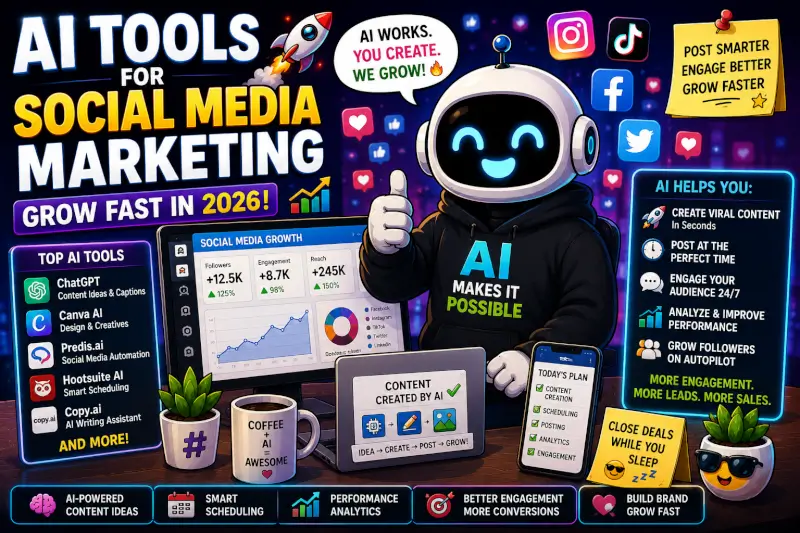
Quick answer: AI tools can make social media marketing easier by helping with ideas, captions, visuals, video production, repurposing, planning, and repetitive workflow tasks.
The real advantage isn’t automatic growth. It’s reducing production friction so you can spend more time improving the ideas, content, and strategy behind what you publish.
Keeping up with social media can turn into a full-time job surprisingly fast.
You need ideas. Then you need captions, images, videos, edits, different formats, and a reason for someone to stop scrolling long enough to care.
That’s where AI tools for social media marketing can actually be useful.
Instead of expecting AI to run your social accounts for you, you can use it to speed up specific parts of the workflow:
- Brainstorm content ideas and angles.
- Create first drafts of captions and hooks.
- Turn longer content into short-form ideas.
- Create or edit visual assets.
- Help structure short-form video scripts.
- Organize a content calendar.
- Review performance data and identify patterns.
The goal is not to publish as much AI-generated content as possible. It’s to make the parts of social media that slow you down easier to manage without removing your own judgment, voice, or experience.
This post may contain affiliate links. If you click one and make a purchase, I may earn a commission at no extra cost to you.
What Are AI Tools for Social Media Marketing?
AI social media tools are software products that use artificial intelligence to assist with one or more parts of content production, planning, editing, publishing, or analysis.
Some focus on writing. Others focus on images, video, editing, automation, or analytics.
That distinction matters because there isn’t one tool you need for every part of the job.
Useful for brainstorming, hooks, captions, scripts, rewrites, and content planning.
Useful for graphics, carousels, thumbnails, layouts, and visual variations.
Useful for editing, captions, short-form production, generated clips, and repurposing.
Useful for organizing publishing schedules and reviewing what your audience responds to.
Where AI Helps Most
AI tends to be most useful when it removes repetitive work rather than replacing the part that requires judgment.
For example, asking AI for 20 variations of a hook can save time. Deciding which hook fits your audience still requires you.
Generating a first-pass video script can speed things up. Knowing whether that script is accurate, interesting, and worth publishing is still your job.
That’s the balance I would aim for: use AI for speed, but keep humans responsible for the value.
One Thing I have Learned while building TechnofluxAi is that Ai tools usually sound easier to use than they are in the real world. I like to try things myself, see where I get stuck, and figure out what actually saves time instead of just repeating promisies.That’s the approach I use throughout this site: keep what works, point out what doesn’t, and explain things in a way that makes sense for someone who is still learning. I started out searching for an image creator. That was my first interaction with Ai. I was frustrated by the vast tool list without any real direction on which tool was best. Then I realized how powerful this tool was .and was going to be in the future. Making mistakes has helped me in the choice of articles I write.

AI Tools You Can Use for Social Media Marketing
You don’t need a giant stack of software. A few tools that solve specific problems are usually more useful than signing up for everything at once.
ChatGPT: Ideas, Hooks, Captions, and Planning
ChatGPT can be useful at the beginning of the content process when you need help turning a rough idea into something more structured.
You can use it to:
- Brainstorm social post ideas.
- Create several hook variations.
- Draft captions.
- Turn an article into short-form content ideas.
- Outline short video scripts.
- Build a basic content calendar.
- Rewrite one message for different platforms.
I wouldn’t publish the first draft automatically. The useful part is getting past the blank page, then editing the result so it sounds like you.
Canva: Graphics and Social Visuals
Canva can help with the visual side of social content, especially when you need repeatable designs rather than starting from scratch for every post.
Common uses include:
- Social graphics.
- Carousel layouts.
- Thumbnails.
- Branded templates.
- Image variations.
- Resizing designs for different platforms.
A reusable visual system is usually more valuable than constantly chasing a completely different design for every post.
CapCut: Short-Form Video Editing
CapCut can fit well into a short-form video workflow when editing is the part slowing you down.
Creators commonly use tools like this for:
- TikTok videos.
- Instagram Reels.
- YouTube Shorts.
- Captions and text overlays.
- Trimming and arranging clips.
- Reformatting content for vertical video.
The editor can speed up production, but the topic, opening, pacing, and usefulness of the finished video still matter more than the editing tool itself.
Pollo AI: AI Video Experiments
Pollo AI can be useful when you want to experiment with AI-generated video as part of a social content workflow.
Potential uses include:
- Testing AI-generated video concepts.
- Creating visual clips for social content.
- Experimenting with different creative directions.
- Producing supporting visuals when appropriate.
AI-generated visuals work best when they support an actual idea. Generating more clips by itself doesn’t make the content more useful.
AI video creation option for experimenting with generated social media visuals.
Visit Pollo AI →Everneed AI: Content Workflow Support
Everneed AI is another option for AI-assisted content creation and planning.
The important question isn’t whether a tool offers a long feature list. It’s whether it removes a real bottleneck in your workflow.
An AI option for content-related workflows.
Visit Everneed AI →A Simple AI Social Media Workflow
Step 1: Start With One Useful Idea
Don’t begin by asking AI to “make content.”
Start with something specific:
- A question your audience keeps asking.
- A lesson you’ve learned.
- A mistake people make.
- A workflow worth demonstrating.
- A product or feature you’re testing.
- An article or video you’ve already created.
AI works much better when you give it a useful starting point.
Step 2: Generate Several Angles
Use AI to explore different ways to present the same core idea.
For example, one topic could become:
- A short tutorial.
- A mistake-to-avoid post.
- A before-and-after example.
- A short video script.
- A carousel.
- A question-and-answer post.
Step 3: Create the Main Piece
Choose the strongest format and build that piece first.
That might mean writing the full caption, recording the original video, creating the graphic, or publishing the article that everything else will come from.
Step 4: Repurpose Instead of Starting Over
One useful piece of original content can often be adapted into several platform-specific formats.
Original Idea → Main Content → Short Video → Social Post → Carousel → Follow-Up
Repurposing can save time without turning your feed into duplicate content, as long as each version is adapted to the platform and audience.
Step 5: Review Before Publishing
Check every AI-assisted post for:
- Factual accuracy.
- Your actual voice.
- Unnecessary repetition.
- Generic wording.
- Claims you can’t support.
- Platform fit.
- A clear reason someone should care.
Step 6: Learn From the Results
Don’t assume posting more automatically means better results.
Look at what people actually respond to. Which topics get saves? Which videos hold attention? Which posts generate comments, clicks, replies, or useful conversations?
Use that information to decide what you create next.
What I’ve Learned From Building TechnofluxAI
From building TechnofluxAI, I’ve learned pretty quickly that consistency matters.
AI can make that consistency easier because it reduces some of the repetitive work behind content creation.
Instead of spending the entire session trying to think of an idea, I can use AI to help brainstorm possibilities, organize an idea, build a rough draft, or turn something I’ve already created into another format.
But I’ve also learned that more output isn’t automatically better output.
If the idea is weak, AI can help produce a weak idea faster.
If the information is wrong, AI can make the mistake sound polished.
If everything starts sounding the same, publishing more of it isn’t much of an advantage.
For me, the useful part is using AI to remove friction while keeping the actual decisions human.
That’s a much better way to think about AI than expecting it to create growth by itself.
What Beginners Actually Need
If you’re just getting started, you probably don’t need five different writing tools, three schedulers, two video generators, and a complicated automation system.
A simple setup can cover most of the basics:
- One AI assistant for ideas, writing, and planning.
- One design tool for graphics.
- One video editor if short-form video is part of your strategy.
- A basic way to track what you’re publishing and what performs well.
Add another tool only when you can explain the problem it’s going to solve.
Common AI Social Media Mistakes
Publishing the First AI Draft
AI-generated text often looks finished before it actually is. Edit it. Remove generic language. Check the facts. Make sure it sounds like something you would genuinely say.
Focusing on Volume Before Value
Posting more isn’t automatically a social media strategy.
Increasing output can help you test ideas faster, but only if the additional content still gives people a reason to watch, read, save, share, click, or respond.
Using the Same Content Everywhere
Repurposing doesn’t mean copying and pasting the exact same thing across every platform.
A strong YouTube Short may need a different opening when adapted to Instagram. A blog section may need to become a much shorter idea before it works as a social post.
Letting AI Invent Experience
Don’t let an AI tool claim you’ve tested a product, achieved a result, interviewed someone, or experienced something that didn’t happen.
Your real experience is more useful than manufactured authority.
Automating Before You Understand the Workflow
Automation works better after you know which parts of the process are actually repetitive.
Build the process manually first. Then automate the steps that consistently waste time.
Frequently Asked Questions
What are AI tools for social media marketing?
They’re tools that use AI to assist with tasks such as brainstorming, writing, image creation, video production, editing, planning, automation, or analysis.