
Estimated reading time: 8 minutes
Trying to manage content, meetings, deadlines, and client work across five different apps gets exhausting fast.
That is exactly the problem Motion AI tries to solve.
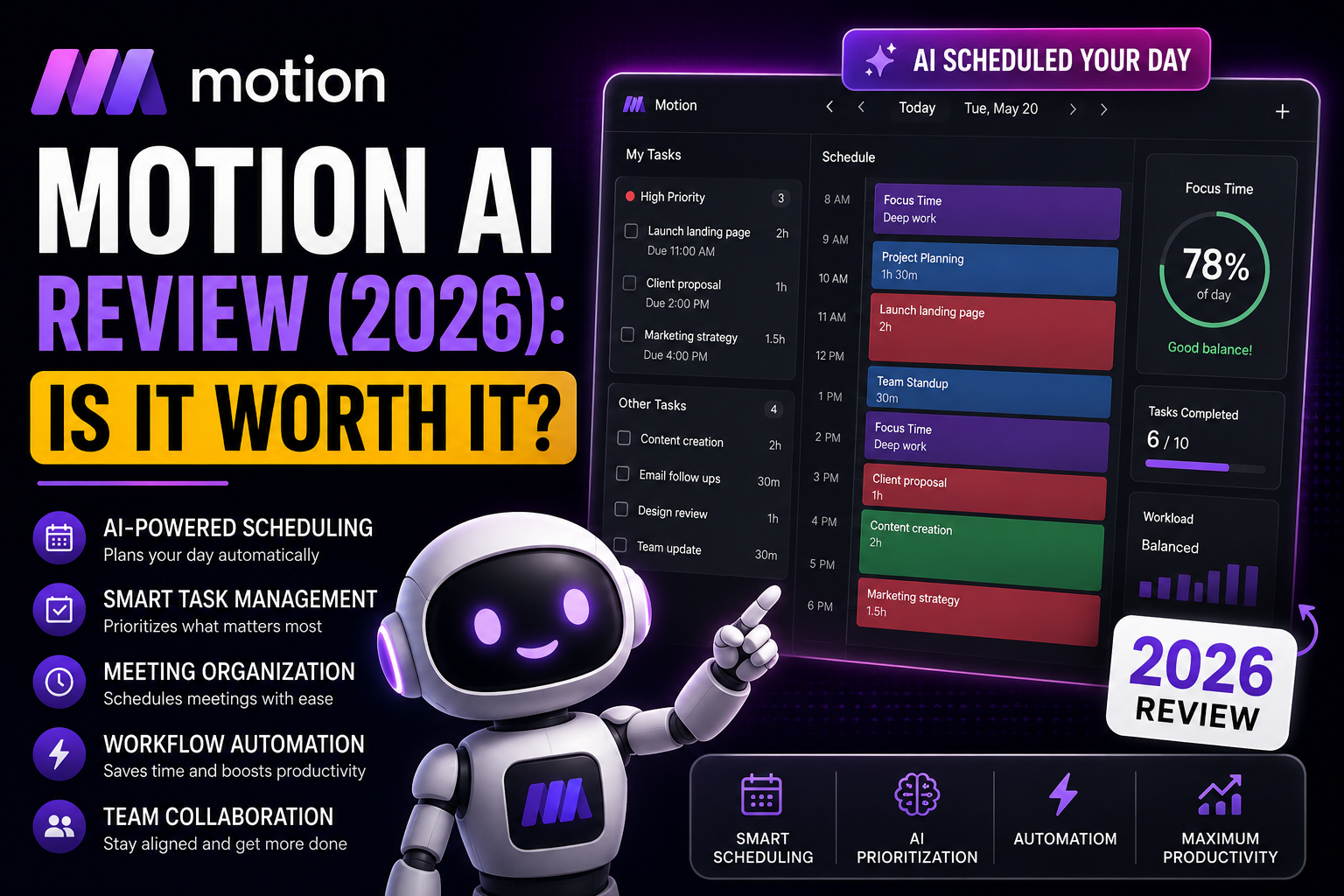
Instead of manually planning your day, Motion automatically builds your schedule for you. The platform uses AI to organize tasks, move deadlines, schedule focus time, and adjust your calendar when things change.
For creators, freelancers, agencies, and busy professionals, that can remove a huge amount of mental clutter.
I tested Motion as part of a broader AI workflow system for content creation, SEO scheduling, affiliate marketing, and project management. The biggest difference compared to traditional productivity apps is simple:
Motion actively manages your workload instead of forcing you to manage everything yourself.
If your workflow feels chaotic, Motion can genuinely help.
Quick Answer
Motion AI is best for:
- creators
- freelancers
- remote teams
- agencies
- business owners
- people managing multiple projects
The platform combines:
- AI scheduling
- task management
- workflow planning
- meeting organization
- calendar automation
into one system.
The biggest strength is the automated scheduling engine.
As deadlines, meetings, and tasks change, Motion reorganizes your schedule automatically.
That saves time and reduces planning fatigue.
The Real Problem With Most Productivity Apps
Most productivity apps still rely heavily on manual organization.
You create tasks.
move tasks.
rebuild schedules.
update priorities.
reorganize deadlines.
Eventually the system becomes another job.
This is especially frustrating for:
- content creators
- SEO publishers
- affiliate marketers
- agencies
- small business owners
because priorities constantly change.
A single delayed project can destroy your entire schedule for the week.
That is where Motion feels different.
Instead of acting like a digital notebook, it acts more like an AI assistant that continuously reorganizes your workload.
How Motion AI Actually Works
Motion connects your:
- calendar
- tasks
- meetings
- projects
- deadlines
into one workflow system.
You create tasks with:
- deadlines
- priorities
- estimated work time
- project labels
Then Motion automatically builds your day around them.
If something changes, the schedule updates automatically.
That sounds simple, but it creates a very different experience compared to traditional task apps.
AI Scheduling
This is the core feature.
Motion automatically places tasks into open calendar slots based on:
- urgency
- deadlines
- workload
- availability
- meeting conflicts
Instead of wondering:
“What should I work on next?”
Motion already decided.
For people with overloaded schedules, this removes a surprising amount of stress.
Automated Daily Planning
Most creators waste more time switching between tasks than actually doing the work.
Motion helps reduce that problem.
The platform automatically creates a daily workflow based on your priorities and available time.
That means less time planning and more time executing.
For example, a creator workflow inside Motion might look like this:
Research → Writing → Editing → Pinterest → TikTok → SEO Updates
The platform keeps reorganizing the schedule as deadlines move.
Meeting Scheduling
Motion also includes meeting scheduling tools.
Features include:
- booking links
- calendar syncing
- team availability
- automatic scheduling
- focus-time protection
This reduces a lot of back-and-forth communication.
It also helps prevent meetings from destroying productive work blocks.
Motion AI for Content Creators
This is where Motion becomes especially useful.
Creators often manage:
- blog posts
- YouTube videos
- TikTok content
- affiliate campaigns
- SEO updates
- social media
- research
- editing
- publishing schedules
across multiple platforms at once.
That gets messy fast.
Motion works well because it centralizes the workflow.
Instead of using:
- sticky notes
- random reminders
- scattered apps
- mental tracking
you get one organized scheduling system.
For creators building consistent publishing systems, that matters a lot.
Example Creator Workflow
Here is a realistic creator workflow using Motion:
Morning:
- keyword research
- content outlining
- SEO planning
Afternoon:
- article writing
- image creation
- affiliate updates
Evening:
- Pinterest scheduling
- TikTok uploads
- analytics review
Motion automatically reorganizes unfinished tasks when schedules shift.
That is one of the platform’s biggest advantages.
Motion AI for Businesses
Businesses can also benefit heavily from workflow automation.
Motion works well for:
- agencies
- remote teams
- sales teams
- marketing departments
- client management
- project tracking
As companies grow, organization becomes harder.
Deadlines overlap.
Meetings pile up.
Tasks get forgotten.
Motion helps reduce that chaos by automating parts of the planning process.
For smaller businesses without dedicated operations teams, that can save a huge amount of time.
What Motion AI Does Well
Reduces Planning Fatigue
This is probably the biggest benefit.
Many people are mentally exhausted before work even starts because they spend too much time organizing tasks.
Motion reduces those decisions.
Combines Multiple Systems
Instead of using:
- separate calendars
- scheduling apps
- task managers
- meeting software
Motion combines many of those functions together.
That simplifies workflows.
Works Well for Fast-Moving Schedules
Static task apps struggle when priorities constantly change.
Motion handles changing schedules much better because the AI continuously reorganizes tasks automatically.
Where Motion AI Struggles
No tool is perfect.
Learning Curve
New users may initially feel overwhelmed.
Motion is more advanced than a simple checklist app.
The automation system takes some time to understand.
Pricing
Motion costs more than basic productivity apps.
For casual users, the price may feel unnecessary.
For creators or businesses managing complex workflows, the time savings may justify the cost.
Less Manual Control
Some people enjoy manually organizing schedules.
Motion automates much of the planning process, which may feel restrictive for users who prefer total control.
Motion AI vs Traditional Productivity Apps
Traditional productivity tools usually function like digital notebooks.
You manually manage:
- schedules
- deadlines
- task order
- planning
Motion behaves differently.
The AI actively participates in organizing your workflow.
That creates a more dynamic system.
For busy creators and businesses, this can feel far more efficient.
My Personal Experience With Motion
What stood out most during testing was not the task management.
It was the reduction in mental clutter.
That matters more than people realize.
When managing:
- SEO workflows
- affiliate content
- publishing schedules
- AI experiments
- social content
- website updates
the hardest part is often deciding what deserves attention first.
Motion helped reduce that friction.
The platform is not magic.
You still need discipline.
But it does reduce the amount of manual planning required to stay organized.
I also think tools like Motion will become more important as AI search, GEO, and content automation continue evolving.
Creators are producing more content than ever now.
Workflow systems matter more than simply having access to AI tools.
Is Motion AI Worth It?
For many creators and businesses, yes.
Motion is especially useful if:
- your workflow feels chaotic
- you miss deadlines
- you manage multiple projects
- your schedule constantly changes
- you feel overwhelmed by organization
The platform is less useful for people with very simple workflows.
But for busy creators, agencies, freelancers, and businesses, the automation can save a significant amount of time each week.
? AI Workflow & Search Update
AI productivity and workflow tools are evolving rapidly in 2026. Modern platforms now combine automation, AI scheduling, content planning, project management, and workflow systems into unified productivity ecosystems for creators, businesses, marketers, and remote teams.
- AI scheduling systems are becoming more advanced
- Workflow automation is improving creator productivity
- AI search optimization favors structured content systems
- Businesses are combining AI agents with workflow platforms
Frequently Asked Questions
What is Motion AI used for?
Motion AI helps automate scheduling, task management, workflow organization, and calendar planning using AI.
Does Motion automatically schedule tasks?
Yes. Motion places tasks into available calendar slots automatically based on deadlines and priorities.
Is Motion AI good for creators?
Yes. Many creators use Motion for content scheduling, SEO workflows, publishing calendars, and project organization.
Can businesses use Motion AI?
Yes. Motion works well for agencies, remote teams, and businesses managing multiple projects and deadlines.
Is Motion better than traditional task apps?
Motion focuses much more heavily on automation and AI scheduling compared to traditional productivity apps.
Final Thoughts
Motion AI is one of the better workflow automation platforms available right now.
The biggest advantage is not the AI itself.
It is the reduction in planning friction.
Instead of constantly reorganizing your workload manually, Motion continuously adjusts schedules for you.
For creators and businesses trying to scale content, automation, SEO workflows, and publishing systems, that can make a real difference.
As AI-powered workflows continue growing, tools like Motion will likely become even more valuable.

About the Author
Jon Hicks
Founder of TechnofluxAI.
I’m the creator behind TechnofluxAI, focused on breaking down powerful AI tools, emerging trends, and practical strategies to help creators and entrepreneurs stay ahead in a rapidly evolving digital world.
Follow TechnofluxAI for the latest AI tools & strategies