

Estimated reading time: 10 minutes
Build Your Site With WordPress.com
WordPress.com combines WordPress, hosting, security, updates and site management in one platform. It can be a convenient option for creators, bloggers and small businesses that want a simpler way to launch and manage a website.
Explore WordPress.com →Affiliate disclosure: TechnofluxAI may earn a commission if you make a qualifying purchase through this link, at no extra cost to you.
TechnofluxAI Guide for Site Owners
7 AI Clients Explained for Site Owners
For website owners, AI clients are becoming the new command center. Instead of jumping between tools, tabs, plugins, dashboards, spreadsheets, and support inboxes, you can use an AI client to complete website tasks through one guided interface.
Quick Answer
An AI client is a tool or interface that helps you ask AI to perform useful tasks, such as writing content, analyzing site data, helping customers, improving SEO, creating images, managing workflows, or automating repetitive website work.
Why Site Owners Care
Most site owners do not need more random AI tools. What they really need are AI clients that solve real problems: better pages, faster publishing, smarter support, cleaner analytics, and more consistent content.
What You’ll Learn
This guide breaks down seven practical AI client types, what each one does, where it fits in your website workflow, and how to choose the right one without overcomplicating your stack.
The Real Pain Point
Running a website already means handling content, traffic, updates, search visibility, user questions, lead generation, analytics, and design decisions. The right AI clients can reduce that mental load, but only when you understand what each type is actually meant to do.
Start Here
Before adding another plugin or subscription, map the AI client to the job you actually need done.
Explore more AI tools for site owners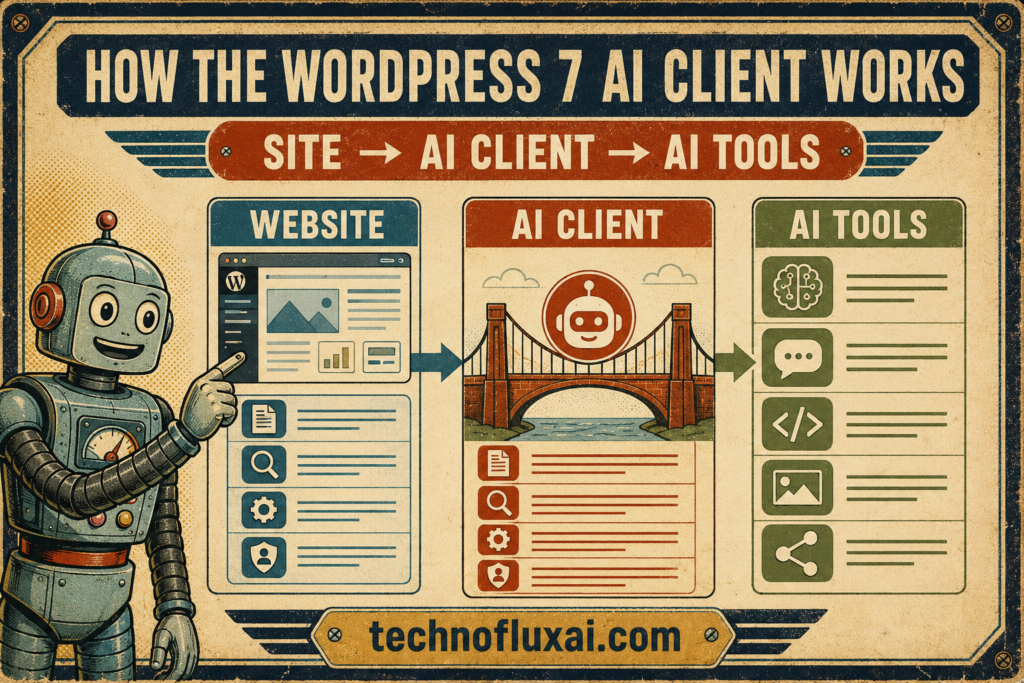
Main Guide
The 7 AI Client Types Every Site Owner Should Understand
Think of an AI client as a specialized helper. Some are built for writing, while others are designed for support, analytics, creative work, automation, or sales. The mistake is treating every AI tool like it does the same job.
1. Content AI Client
This type of client helps you plan, draft, rewrite, structure, and improve website content.
Best for: Blog posts, landing pages, product descriptions, FAQs, email drafts, and content refreshes.
2. SEO AI Client
With an SEO AI client, you can organize keywords, improve page structure, identify missing sections, and make your content easier for search engines and answer engines to understand.
Best for: Title tags, meta descriptions, internal links, topic clusters, content briefs, and optimization checklists.
3. Customer Support AI Client
This client answers common visitor questions, routes support requests, and helps users find the right page, product, or resource.
Best for: Service businesses, ecommerce stores, membership sites, course sites, and lead generation websites.
4. Analytics AI Client
Instead of only showing charts, an analytics AI client helps explain what your website numbers actually mean.
Best for: Traffic summaries, conversion insights, page performance, content audits, and campaign review.
5. Workflow AI Client
Workflow clients connect tasks together and help turn one action into a repeatable system.
Best for: Publishing workflows, content calendars, lead follow-ups, task routing, and admin automation.
6. Creative AI Client
Creative clients help produce visuals, design directions, thumbnails, ad concepts, social graphics, and brand-friendly image prompts.
Best for: Featured images, blog graphics, Pinterest pins, YouTube thumbnails, ads, and product visuals.
7. Sales AI Client
For conversion-focused websites, a sales AI client can help qualify leads, suggest offers, draft follow-ups, and improve service or product pages.
Best for: Service pages, quote requests, consultations, product recommendations, and email nurturing.
How to Choose the Right AI Client
Step 1: Pick the Job
Do not start with the tool. Start with the task: writing, support, SEO, analytics, design, automation, or sales.
Step 2: Check the Input
Ask what the AI needs to work well: your pages, brand voice, FAQs, analytics, product info, or customer data.
Step 3: Review the Output
Strong AI clients produce usable drafts, summaries, recommendations, workflows, or assets you can review quickly.
Step 4: Keep Control
Use AI to speed up decisions, not replace your judgment. Always review facts, tone, links, offers, and final publishing details.
Warning Card: Do Not Automate Everything at Once
Connecting too many tools before your workflow is clear is the fastest way to make AI messy. Start with one client, one task, and one measurable improvement. For example, begin with “improve blog publishing speed” before trying to automate your entire website operation.
Implementation Layer
How to Use AI Clients Without Losing Your Website’s Voice
The best site owners do not use AI clients to sound generic. Instead, they use them to remove friction, organize thinking, and publish better work faster.
Advanced Tip 1: Build a Brand Prompt
Create a short instruction file that explains your audience, tone, offers, forbidden phrases, preferred formatting, and common calls to action. Use it every time your AI client creates content.
Advanced Tip 2: Save Reusable Workflows
Turn common tasks into repeatable prompts. Examples include “refresh this old blog post,” “create a local SEO page,” “summarize this analytics report,” or “turn this article into social posts.”
Advanced Tip 3: Keep a Human Review Layer
Although AI clients can speed up production, your final review should still check accuracy, brand fit, user intent, internal links, product claims, and whether the page actually helps the reader.
Common Mistakes to Avoid
- Using AI clients without giving them your brand voice or audience context.
- Publishing AI-generated content without checking facts, links, and page structure.
- Buying too many AI tools before fixing your basic website workflow.
- Letting AI write vague content that does not answer a real search question.
- Ignoring internal links, calls to action, and conversion paths after the content is created.
FAQ: AI Clients for Site Owners
What is an AI client?
An AI client is an interface or tool that lets you use AI to complete a specific kind of task, such as writing, SEO, support, analytics, creative work, sales, or automation.
Do site owners need more than one AI client?
Sometimes, but not always. A small site may only need one strong general AI client and one SEO workflow. Larger sites may benefit from separate clients for content, support, analytics, and automation.
Can AI clients replace plugins?
Not completely. Plugins usually add features to your website. AI clients help you think, create, analyze, and automate. The best setup uses both carefully instead of stacking tools randomly.
Are AI clients good for WordPress users?
Yes, especially for content planning, SEO improvements, image prompts, customer support scripts, product descriptions, and workflow checklists. WordPress users should still review everything before publishing.
What is the best AI client to start with?
Start with the client that solves your biggest bottleneck. If publishing is slow, begin with content. When traffic is weak, focus on SEO. If visitors ask the same questions repeatedly, support should come first.
Final Takeaway
AI clients are not magic buttons. They are practical website helpers that make your site easier to manage, your content more consistent, and your workflow less scattered when each client is matched to the right job.
Start small. Pick one client, improve one workflow, and expand only when you can clearly see the benefit.
Get help building your AI website workflow
About the Author
Jon Hicks
Founder of TechnofluxAI.
I’m the creator behind TechnofluxAI, focused on breaking down powerful AI tools, emerging trends, and practical strategies to help creators and entrepreneurs stay ahead in a rapidly evolving digital world.
Follow TechnofluxAI for the latest AI tools & strategies