

Estimated reading time: 1 minute
Build Your Site With WordPress.com
WordPress.com combines WordPress, hosting, security, updates and site management in one platform. It can be a convenient option for creators, bloggers and small businesses that want a simpler way to launch and manage a website.
Explore WordPress.com →Affiliate disclosure: TechnofluxAI may earn a commission if you make a qualifying purchase through this link, at no extra cost to you.
Best AI Agent Tools for WordPress Site Owners in 2026
WordPress AI tools have moved beyond simple blog post generators. In 2026, the most useful tools can help edit pages, automate workflows, build layouts, optimize SEO, troubleshoot code, and connect your site to AI agents that understand your actual WordPress environment.
Quick Answer
The best AI agent stack for most WordPress site owners is not one tool. Use an editor assistant for writing, an SEO AI tool for optimization, an automation agent for repetitive workflows, and a site-aware agent only when you are comfortable giving AI limited permission to change your site.
Best Overall Picks
Start with WordPress.com AI Assistant or Jetpack AI Assistant for content, Rank Math Content AI for SEO, Uncanny Automator for automation, SiteGround AI Agent for hosted site management, and Elementor Angie if you build heavily with Elementor.
The Real Problem for WordPress Owners
Most WordPress users do not need another generic chatbot. They need help with real site work: updating pages, improving posts, fixing SEO gaps, creating images, organizing content, building landing pages, connecting forms to email tools, managing WooCommerce tasks, and reducing admin busywork without breaking the site.
This guide breaks down the best AI agent tools for WordPress site owners in 2026 by use case, not hype. You will learn which tools fit content, SEO, automation, design, development, WooCommerce, and site management workflows.
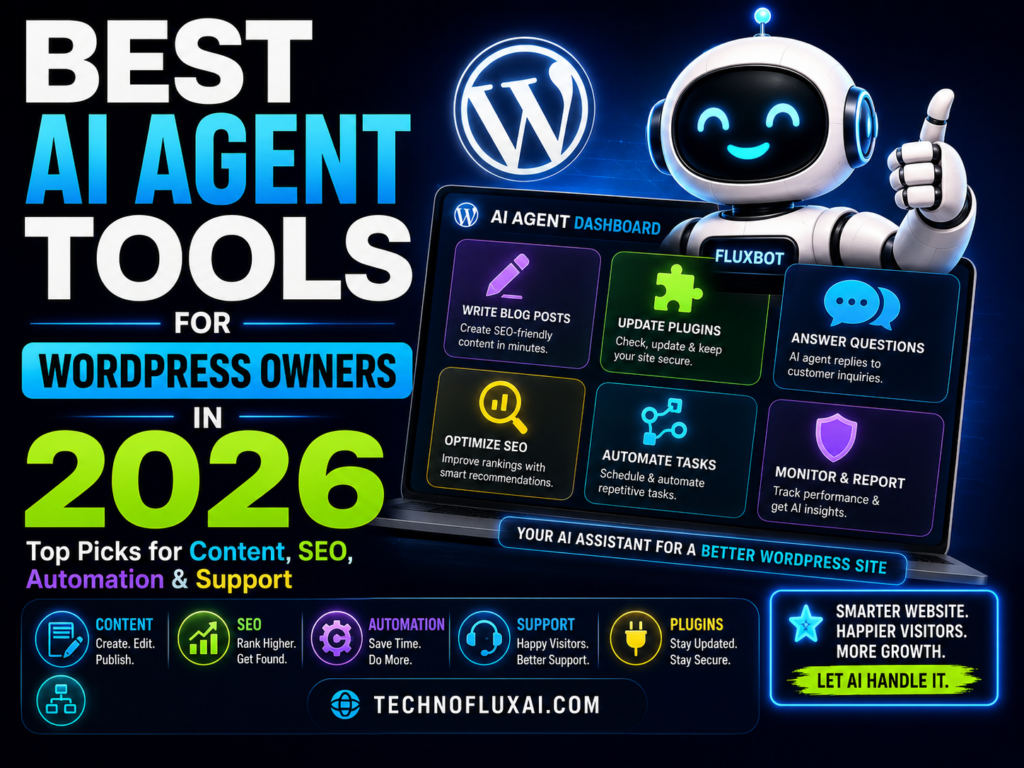
The Best AI Agent Tools for WordPress Site Owners
The phrase “AI agent” gets used loosely, so here is the practical definition for WordPress owners: an AI agent should be able to understand a task, use site context, take or prepare actions, and help you complete a real workflow. Some tools are true site agents. Others are AI assistants that handle one part of the WordPress workflow extremely well.
Content Agents
Help write, rewrite, summarize, translate, structure, and improve content inside the editor.
SEO Agents
Help improve search visibility, content structure, schema, metadata, internal linking, and keyword coverage.
Site Agents
Connect directly to WordPress and can help create, update, publish, edit, or manage site elements.
1. WordPress.com AI Assistant: Best for Built-In Site Editing
WordPress.com AI Assistant is one of the most important tools to watch because it works directly inside the WordPress.com editing experience. It can help with writing, editing, translation, images, and site adjustments from a prompt-based interface. For users who want AI inside the native WordPress experience instead of another plugin dashboard, this is the cleanest starting point.
Best For
- WordPress.com users
- Creators who want prompt-based editing inside the site editor
- Bloggers who need writing, rewriting, and translation help
- Site owners who prefer native tools over third-party plugin stacks
2. Jetpack AI Assistant: Best for Content Inside the Block Editor
Jetpack AI Assistant is a strong option for site owners who already write inside the WordPress block editor. It can generate blog posts, pages, structured lists, and tables, which makes it useful for publishing workflows where speed and structure matter. It is not the same as a full site-management agent, but it is practical for content production.
Use It For
Drafting posts, creating outlines, turning notes into sections, building tables, and improving readability.
Avoid Using It For
Publishing unreviewed articles, making factual claims without checking sources, or replacing your brand voice completely.
3. Rank Math Content AI: Best for SEO-Focused WordPress Owners
Rank Math Content AI is best for site owners who care about organic traffic and want SEO help directly connected to their WordPress publishing process. It is especially useful when you need support with content optimization, SEO suggestions, metadata, schema thinking, and keyword-focused improvements.
TechnofluxAI Take
Use Rank Math Content AI as an optimization layer, not a writer you blindly obey. Let it point out SEO gaps, then use human judgment to make the page more useful, more specific, and more trustworthy.
4. Uncanny Automator and Uncanny Agent: Best for WordPress Workflow Automation
Uncanny Automator is one of the strongest choices for site owners who want WordPress automation without writing code. It connects WordPress plugins, apps, webhooks, triggers, and actions. In 2026, its AI direction is especially interesting because it pairs automation with a WordPress-aware assistant and agent-style workflow building.
Example Automations
- When a form is submitted, create a draft post and notify the editor.
- When a WooCommerce customer buys a product, add them to an email sequence.
- When a post is published, send the summary to social or email tools.
- When a membership level changes, update tags, courses, and access rules.
- When a lead arrives, ask AI to categorize it and route it to the right workflow.
5. SiteGround AI Agent: Best for Hosted WordPress Site Management
SiteGround AI Agent is different from a writing plugin because it connects directly to a WordPress installation and can execute real site changes. That makes it useful for owners who want conversational help with practical admin work such as content, plugins, WooCommerce, users, and maintenance tasks.
Permission Warning
Any AI tool that can change your live WordPress site needs strict boundaries. Start with low-risk tasks, review changes before publishing, avoid giving broad administrator access unless necessary, and keep backups active.
6. Elementor Angie: Best for Elementor Site Builders
Elementor Angie is designed for WordPress users who build with Elementor and want an agent that understands site context. It is positioned as a native WordPress agent that can read site context through MCP and help plan, write, test, deploy, and build Elementor-related assets from plain-language requests.
Use It If
Your site relies on Elementor layouts, widgets, visual apps, custom post types, or page-builder workflows.
Skip It If
You use Gutenberg, Bricks, Divi, Kadence, GeneratePress, or a custom block-based workflow and do not depend on Elementor.
7. CodeWP: Best for WordPress Code Help and Troubleshooting
CodeWP is useful for site owners and developers who need WordPress-specific code help, snippets, troubleshooting, and plugin-aware guidance. It is not the first tool a beginner should use to edit live production files, but it can be valuable when you need help with PHP snippets, WooCommerce logic, plugin behavior, or custom functionality.
Safe Code Workflow
1. Ask AI to explain the goal before writing code.
2. Generate the smallest possible snippet.
3. Test on staging, not the live site.
4. Check for security, permissions, and performance issues.
5. Keep a rollback plan before deployment.
6. Document what changed and why.
8. WordPress MCP Adapter and AI Plugin: Best for Developers and Advanced Site Owners
The WordPress MCP Adapter matters because it points toward a future where AI clients can interact with WordPress through defined abilities instead of guessing from the outside. This is not the easiest tool for a casual blogger, but developers, agencies, and advanced site owners should watch it closely because it gives WordPress a more structured path toward safe agent workflows.
Best Advanced Use Cases
- Connecting AI clients to WordPress abilities
- Building custom agent workflows for client sites
- Creating controlled tools for content, publishing, or admin actions
- Testing future WordPress AI building blocks before they become mainstream
How to Choose the Right AI Agent Stack for Your WordPress Site
The best WordPress AI setup depends on what kind of site you run. A blogger needs different AI help than a WooCommerce store. An agency needs different guardrails than a solo creator. The goal is to build a stack that saves time without creating publishing, security, or quality problems.
Best Tool Stack by Site Type
Bloggers and Publishers
Jetpack AI Assistant, Rank Math Content AI, and a clear human editing workflow.
Affiliate Site Owners
Rank Math Content AI, Uncanny Automator, product comparison templates, and strict fact checking.
WooCommerce Stores
SiteGround AI Agent or automation tools for admin tasks, plus AI-assisted product descriptions and customer workflows.
Agencies and Developers
WordPress MCP Adapter, CodeWP, Elementor Angie for Elementor builds, and staging-first deployment rules.
AI Agent Safety Rules for WordPress
AI agents are more powerful than normal writing tools because they can prepare or perform actions. That means your safety process matters. Do not connect an agent to your live site with broad permissions and then hope it behaves perfectly.
WordPress AI Agent Safety Checklist
- Use staging for layout, code, plugin, and database changes.
- Back up the site before giving an AI agent write access.
- Give the agent the lowest permission level that can complete the task.
- Require human approval before publishing, deleting, or changing live content.
- Document which tool changed what.
- Review generated code before installing it.
- Never paste private customer data into tools without checking privacy terms.
- Keep security plugins, backups, and update logs active.
Common Mistakes to Avoid
Mistake 1: Installing Too Many AI Plugins
Every plugin adds complexity. Pick tools by workflow, not curiosity.
Mistake 2: Letting AI Publish Without Review
AI can draft quickly, but factual accuracy, brand voice, legal risk, and reader trust still need human review.
Mistake 3: Giving Agents Full Admin Access
An agent should not receive more permission than the task requires. Start with limited roles and approval gates.
Mistake 4: Confusing AI Content With SEO Strategy
More content does not automatically mean more traffic. Search performance still depends on usefulness, intent, structure, authority, and internal links.
FAQ
What is the best AI agent tool for WordPress beginners?
For beginners, the safest starting point is an editor-based assistant such as Jetpack AI Assistant or WordPress.com AI Assistant. These tools help with content and editing without requiring custom code or complex automation.
What is the best AI agent for WordPress automation?
Uncanny Automator is one of the strongest options for workflow automation because it connects WordPress plugins, apps, triggers, actions, and AI-assisted workflow building.
Can AI agents safely edit my WordPress site?
They can be useful, but safety depends on permissions, backups, staging, approval steps, and how much access the agent receives. Never give broad write access to a live site without review controls.
Is Rank Math Content AI enough for WordPress SEO?
No AI SEO tool is enough by itself. Rank Math Content AI can help with optimization, but you still need original insight, strong internal linking, helpful examples, accurate information, and a clear publishing strategy.
Should I use AI agents on WooCommerce?
Yes, but carefully. AI can help with product descriptions, customer workflows, inventory-related admin support, and automation. Avoid giving AI uncontrolled access to orders, refunds, private customer data, or pricing rules.
What is the future of WordPress AI agents?
The future is likely permission-based, site-aware, and workflow-specific. Tools will become more useful when they can understand WordPress abilities, respect user roles, keep audit trails, and ask for approval before risky actions.
Final Takeaway
The best AI agent tools for WordPress site owners in 2026 are the ones that fit a real workflow. Use AI to reduce repetitive work, improve content structure, speed up SEO checks, automate routine actions, and assist with site changes. Do not let AI become an unsupervised administrator of your website.
WordPress AI Action Step
Pick one AI tool for content, one for SEO, and one for automation. Test them on low-risk workflows before allowing any AI agent to change important pages, plugins, products, users, or live site settings.
Build Your WordPress AI WorkflowWant more TechnofluxAI in Google?
Add TechnofluxAI as a Preferred Source to help Google show you more of our AI guides, tests, workflows, and research.