
Estimated reading time: 7 minutes
How to Track AI Overviews and AI Mode in Google Search Console
AI search is changing how people discover websites, but tracking it does not have to feel confusing. Inside Google Search Console, site owners now have a dedicated way to review visibility from generative AI features in Search.
Quick Answer
You can track AI Overviews and AI Mode in Google Search Console by opening the Generative AI performance report under the Performance area. From there, review impressions, top pages, countries, dates, and device visibility from Google’s generative AI search features.
The Pain Point
Many creators see search clicks moving around and wonder whether AI Overviews are helping, hurting, or hiding their content. Standard SEO reports do not always make that easy to understand at a glance.
What You Will Learn
This guide explains what the new AI visibility report shows, what it leaves out, how to read the numbers, and how to turn the data into a simple weekly SEO workflow.
Best Use
Treat the report as an AI visibility signal. For the best results, compare it with your normal Search Console performance data, page updates, and content quality reviews.
Start with one question: which pages are gaining AI impressions, and are those pages strong enough to earn the next click?
What the Generative AI Performance Report Actually Shows
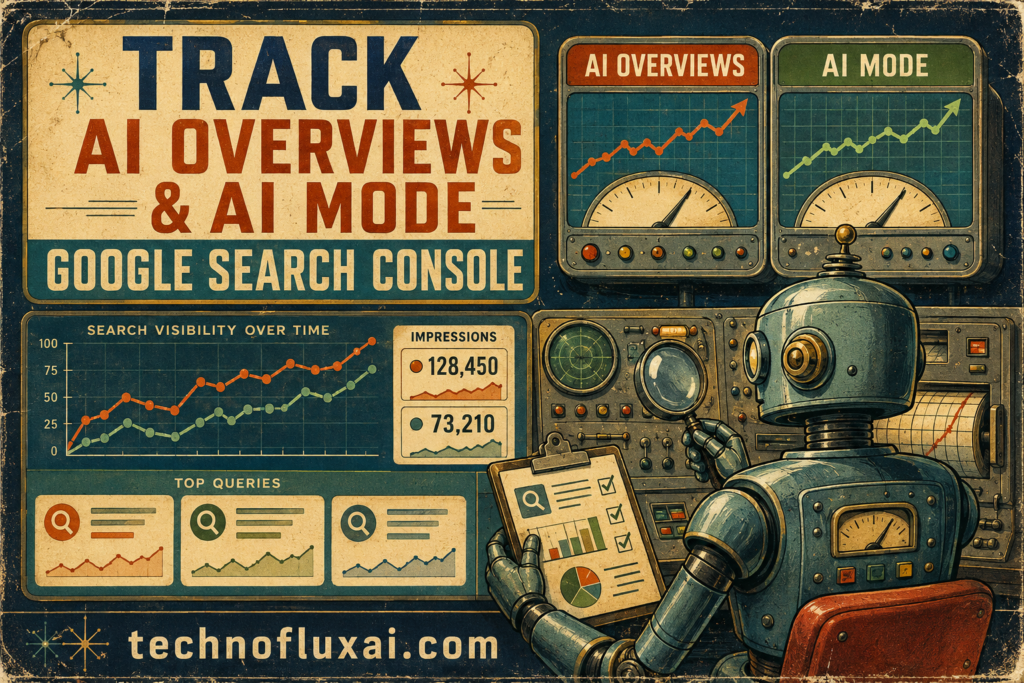
The Generative AI performance report shows how often your pages appear inside Google’s generative AI search features. Instead of only watching classic blue-link rankings, you can review whether your content is visible inside AI-powered search experiences.
Impressions
Impressions show how often links to your site appeared in supported generative AI features. When the trend rises over time, Google may be surfacing your pages more often inside AI experiences.
Pages
The Pages view helps you identify which URLs are being used most often. For content planning, this is usually one of the most useful parts of the report.
Countries
Country data shows where AI search visibility is coming from. For sites with an international audience, this can reveal which regions are already responding to your content.
Devices
Device data helps you see whether your AI search visibility is stronger on mobile or desktop. Because many AI search sessions happen on small screens, mobile readability still matters.
How to Check AI Overviews and AI Mode Visibility
- Open Google Search Console and choose the correct verified property.
- Go to the Performance area and look for the Generative AI performance report.
- Start with the default impression trend to understand whether visibility is rising, flat, or declining.
- Switch to the Pages view to find which URLs appear most often in AI search features.
- Compare countries and devices to understand where the visibility is strongest.
- Review the same pages in your normal Search results report to compare AI visibility with traditional organic performance.
A Simple Weekly AI Search Tracking Workflow
Step 1: Review the Trend
Look at the last 7, 28, and 90 days. A short spike may be noise, while a steady rise across several weeks deserves closer attention.
Step 2: Sort by Page
Identify the pages with the most AI impressions. Those URLs may already be trusted enough to support an AI-generated answer.
Step 3: Improve the Winners
Strengthen your top visible pages with clearer answers, original examples, updated sections, tighter formatting, and stronger topical coverage.
Step 4: Watch the Gap
When a page gets AI impressions but weak organic clicks, improve the title, intro, usefulness, and page experience so the searcher has a reason to continue.
How to Read AI Visibility Without Overreacting
Warning Card: Do Not Treat One Spike as a Strategy
AI search layouts can change, and visibility can move quickly. One good day does not prove that a page is now fully optimized for AI search. Focus on patterns across weeks instead of single-day excitement.
Practical Example
Imagine you run a tutorial site and your article about beginner website SEO starts gaining AI impressions. That signal suggests Google may be using the page as a supporting source inside AI search.
Your next move is not to rewrite everything. Start by improving the article’s opening answer, adding clearer examples, updating outdated steps, and making the page easier to scan.
AI Overviews vs AI Mode Tracking
AI Overviews
AI Overviews usually appear inside the regular Google Search experience. These summaries explain a topic and may include links that support the answer.
AI Mode
AI Mode is more conversational and can involve follow-up questions. Visibility in this area can show that your content supports deeper search sessions.
Creator-Friendly Rule
Track AI visibility by page first, not by ego. Page-level data shows what Google is already willing to surface, giving you a practical place to improve.
Advanced Tips for Turning AI Search Data Into Better SEO Decisions
AI visibility data becomes valuable when it helps you improve content with purpose. Instead of chasing every impression, focus on the pages that are becoming useful sources and make those pages stronger.
Build an AI Visibility Scorecard
Track your top AI-visible pages each week. Include impressions, page updates, content type, topic, and whether organic clicks changed after improvements.
Refresh Source-Like Pages
Pages that explain definitions, steps, comparisons, and decisions often make strong AI search candidates. Add direct answers, real examples, and clearer formatting to help them perform better.
Compare AI Visibility to Business Value
High AI impressions can be useful, but visibility with strong conversion intent matters more. Prioritize pages that support subscribers, leads, sales, or loyal readers.
Common Mistakes to Avoid
Mistake 1: Tracking Only Total Impressions
Total impressions are helpful, but they are too broad by themselves. For better content decisions, review which pages are gaining visibility and why those pages might be useful.
Mistake 2: Ignoring Traditional SEO
AI search does not replace crawlability, indexing, helpful content, clean structure, fast pages, or strong topic coverage. Those fundamentals still support discoverability.
Mistake 3: Updating Every Page at Once
Random edits make tracking harder. Update a focused group of pages, record the changes, then review the trend after enough data builds.
Mistake 4: Confusing Visibility With Clicks
AI impressions show exposure. Clicks, engagement, leads, and conversions still need separate review through your normal analytics process.
FAQ
Can I see every query that triggered an AI Overview?
Not in the simple way many site owners want. Use the available AI visibility data alongside your normal Search Console query and page reports to make careful comparisons.
Why do I not see the Generative AI report?
Your property may not have access yet, or the site may not have enough impressions from supported generative AI search features.
Should I optimize differently for AI Mode?
Start with strong SEO fundamentals. After that, improve clarity, depth, examples, original insight, and answer quality on pages that already have visibility.
Is AI visibility always good?
AI visibility is usually useful, but it should be judged against your goals. Some pages can appear often without delivering meaningful traffic, leads, or revenue.
Final Takeaway
Tracking AI Overviews and AI Mode in Google Search Console is not about chasing a new SEO shortcut. It helps you see where your content is already being surfaced, improve pages with real potential, and build a repeatable review process before competitors understand the pattern.
Next Step
Open your AI visibility report, sort by top pages, and choose three URLs to improve this week. Focus on clearer answers, stronger examples, and more useful sections.