

Estimated reading time: 8 minutes
TechnofluxAI Review Workflow
How to Test an AI Tool Before You Recommend It
Recommending an AI tool is not just about liking the landing page. Before you tell readers, clients, or followers to spend money on software, you need a simple testing process that checks whether the tool actually solves the problem it claims to solve.
Quick Answer
To test an AI tool before recommending it, define the use case, run real tasks, compare the output against alternatives, check accuracy, review pricing, inspect privacy details, document limits, and only recommend it when the tool performs well for a specific audience.
Why This Matters
AI tool reviews can damage trust when they are based on hype instead of real testing. Your audience needs to know what the tool is good at, where it struggles, and who should avoid it.
Best For
Use this workflow for affiliate reviews, YouTube scripts, blog comparisons, client recommendations, software roundups, newsletter picks, and internal business tool decisions.
The Real Problem
Too many AI tool recommendations are based on feature lists, screenshots, or commission potential. That is not enough. A strong recommendation should come from hands-on testing, clear notes, real examples, and honest limits.
What This Guide Will Help You Do
You will learn how to evaluate an AI tool with a repeatable testing workflow, separate useful features from marketing claims, and create recommendations your audience can actually trust.
Read the AI research workflow guide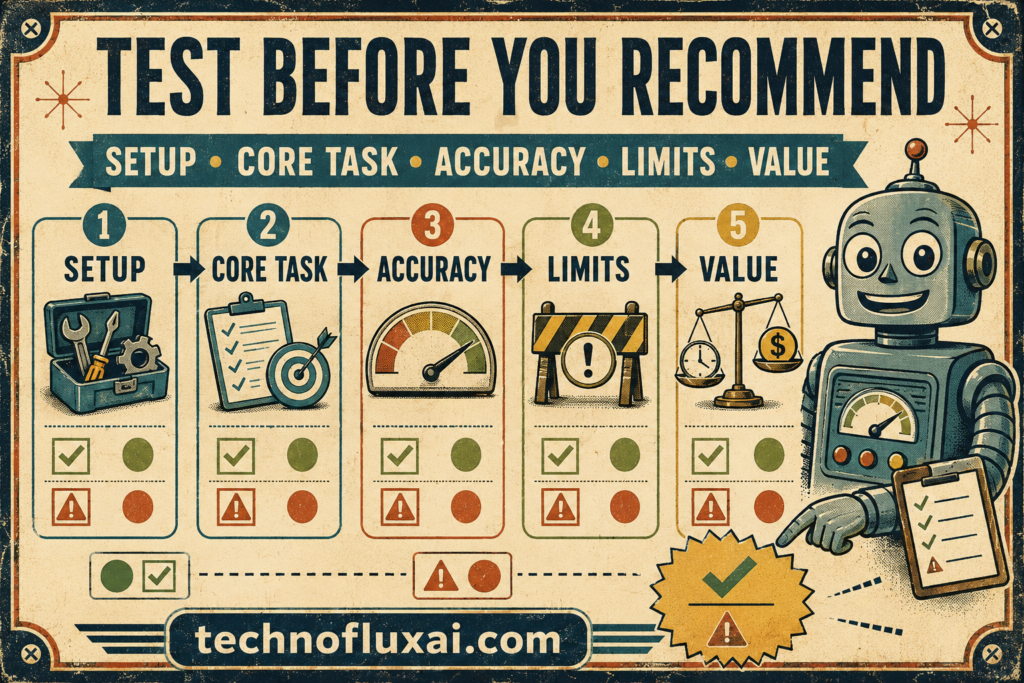
Testing Workflow
A Practical AI Tool Testing Workflow
The goal is not to find a perfect AI tool. Your job is to find out whether the tool is useful for a specific task, a specific person, and a specific budget.
Step 1: Define the Use Case
Start with the job the tool is supposed to do. A vague test like “is this AI tool good?” will not give you a useful answer.
Example: Instead of testing “AI writing,” test “can this tool create a helpful first draft for a beginner-friendly WordPress tutorial?”
Step 2: Create Real Test Tasks
Use tasks that match what your audience would actually do. Avoid testing only the tool’s best demo feature, because demos are usually designed to look clean.
Try this: Test one easy task, one normal task, and one messy real-world task with incomplete information.
Step 3: Check Output Quality
Look beyond whether the output sounds impressive. Strong AI output should be accurate, useful, clear, editable, and matched to the user’s intent.
Score it on: Accuracy, structure, usefulness, originality, formatting, tone control, and how much editing it needs.
Step 4: Verify Important Claims
If the tool gives facts, recommendations, citations, calculations, summaries, or product details, check them before trusting the output.
Watch for: Fake citations, outdated information, confident guesses, missing context, and numbers without clear sources.
Step 5: Test the Workflow Fit
A tool can produce decent output and still be annoying to use. Check whether it fits into the way your audience already works.
Review: Setup time, learning curve, exports, integrations, templates, team features, browser access, and mobile usability.
Step 6: Compare It Against Alternatives
A recommendation is stronger when readers understand the tradeoff. Compare the tool with at least one similar option or a manual workflow.
Ask: Is this tool faster, clearer, cheaper, easier, or more reliable than the alternative?
Step 7: Review Pricing and Limits
Pricing can change the entire recommendation. Check plan limits, usage caps, export restrictions, watermarking, team seats, free trials, and cancellation details.
Important: A tool can be good but still not worth recommending if the best features are locked behind an expensive plan.
Step 8: Document the Pros, Cons, and Best Fit
Do not end your review with “this tool is great.” Explain who should use it, who should skip it, what it does well, and what still needs improvement.
Best format: Best for, not best for, strongest feature, biggest limitation, pricing note, and final recommendation.
AI Tool Testing Scorecard
Use Case Fit
Does the tool solve the exact problem your audience has?
Output Quality
Is the result accurate, useful, clear, and easy to edit?
Workflow Ease
Can a normal user get value without fighting the interface?
Value
Does the price make sense compared with the time or quality gained?
Creator Example
A YouTuber reviewing an AI video tool should test script creation, scene generation, editing controls, export quality, rendering time, watermark limits, and whether the final result is usable without heavy cleanup.
Website Owner Example
A blogger reviewing an AI SEO tool should test keyword suggestions, content briefs, internal link recommendations, title ideas, optimization guidance, and whether the tool helps create a better page for real readers.
Warning Card: Do Not Recommend Based on Hype
A viral AI tool is not automatically useful. Before recommending it, test the actual workflow your audience cares about. If the tool only works well in perfect demo conditions, say that clearly.
Recommendation Layer
How to Turn Testing Into a Trustworthy Recommendation
A good AI tool review does not pretend every feature is perfect. It helps the reader understand whether the tool is worth their time, money, and attention.
Advanced Tip 1: Use the Same Test Across Tools
When comparing AI tools, give each one the same task. This makes the comparison fairer and helps readers see real differences in output quality, speed, ease of use, and editing time.
Advanced Tip 2: Screenshot Your Process
Save screenshots, output samples, prompt examples, pricing notes, and failed attempts. These details make your review feel tested instead of copied from a product page.
Advanced Tip 3: Add a Clear Recommendation Boundary
Instead of saying “everyone should use this,” explain the boundary. For example: “best for solo creators,” “not ideal for teams,” or “only worth it if you publish weekly.”
Common Mistakes to Avoid
- Recommending a tool after only reading the landing page.
- Ignoring pricing limits, usage caps, exports, or cancellation friction.
- Only testing the easiest task instead of a realistic workflow.
- Calling a tool “best” without comparing it to alternatives.
- Failing to mention who should not use the tool.
- Publishing affiliate recommendations without explaining your testing process.
FAQ: Testing AI Tools Before Recommending Them
How long should I test an AI tool before recommending it?
Test it long enough to complete the main task your audience cares about. For simple tools, that may mean a few focused tests. For business-critical tools, you should test across multiple real workflows.
Should I pay for the tool before reviewing it?
If the free plan does not show the real value, testing the paid plan may be necessary. At minimum, make it clear which plan you tested and whether important features were locked behind a paid tier.
Can I recommend an AI tool I have not personally used?
It is better not to frame it as a personal recommendation unless you have tested it. If you are only summarizing public information, say that clearly and avoid strong claims about performance.
What should I include in an AI tool review?
Include the use case, test tasks, output quality, pros, cons, pricing notes, best-fit audience, limitations, alternatives, and final recommendation.
What is the biggest red flag when testing AI tools?
The biggest red flag is polished output that looks good but fails on accuracy, sources, privacy, exports, or real workflow use.
Final Takeaway
Testing an AI tool before recommending it protects your audience and your reputation. A strong review is specific, honest, and based on real tasks instead of marketing promises.
Use the tool, test the workflow, verify the results, document the limits, and recommend it only when you can explain exactly who it helps.
Build a better AI tool review workflowWant more TechnofluxAI in Google?
Add TechnofluxAI as a Preferred Source to help Google show you more of our AI guides, tests, workflows, and research.