

Estimated reading time: 11 minutes
AI for normal humans
AI feels overwhelming because we have seen this movie before
I have always loved technology, especially computers. Not in a casual “I like gadgets” way. For me, it has always been the kind of curiosity where one program leads to another, then another, and before long you have learned five tools, three weird file formats, and some piece of software nobody around you has ever heard of.
My first real memory of the internet was dial-up. AOL felt slow, strange, and exciting all at the same time.
You would start connecting and hear that long modem song:
bbeeeeeppebeee… beeep beeep… shhhhhshhshshshshshshshshshshhhhhh… beeep beep…
After what felt like seven minutes, you finally got online. AOL would open and say, “You’ve got mail.” From there, you could send email, read your one or two messages, maybe poke around a little, and that was about it.
Still, something about it felt huge.
From that slow AOL connection, I went into assembly language, Win32Dasm, Flash, Poser, Cubase, Reason, Photoshop, and a long list of other tools and programs. Every few years, there was another thing to learn. Another wave showed up. Another “this is probably going to matter” moment arrived.
Now the thing is AI.
The simple answer: start with one AI tool
If you are asking, “How do I start using ChatGPT or AI without getting overwhelmed?” my honest answer is simple:
Start with one AI source. Use it for real things. Personalize it. Expand only when you have a reason.
ChatGPT is the one I use the most because it fits the way I think and work. Other AI tools are awesome too, so this is not about saying one tool is the only option. The problem is that when you are new, jumping between too many AI tools can turn into a mess fast.
I know because I do it.
Sometimes I will have two, three, or four AI chats going at the same time. One chat might create a better prompt for another chat. Then I feed that answer into a third chat and compare what comes back. It can be useful, but it can also make your brain feel like you opened 47 browser tabs and forgot which one was playing music.
For beginners, I would not start there. Pick the one AI assistant that solves your needs and feels good to use. Learn how it responds, where it helps, and where it gets things wrong. Build from there.
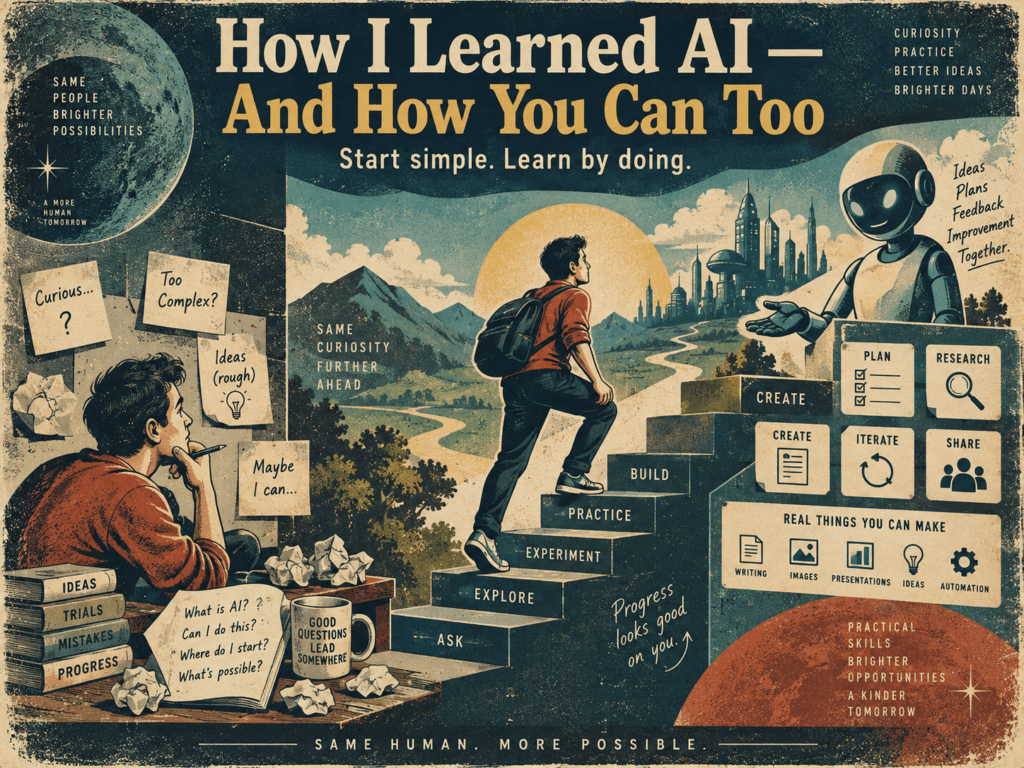
Give your AI some context before you expect great answers
Plenty of people open ChatGPT, type one random question, get a basic answer, and think, “That’s it?”
The better results usually come when you stop treating AI like a magic search box and start treating it like a helper that needs to understand you.
One of the best things you can do early is personalize it. Use the settings. Add Custom Instructions if they are available. Turn on Memory if you want ChatGPT to remember useful details. You can also open a fresh chat and talk to it like you are explaining yourself to a new assistant.
Tell it who you are
Share your work, hobbies, goals, writing style, experience level, and the kind of help you usually need.
Tell it how to respond
Ask for short answers, detailed answers, step-by-step help, beginner language, technical depth, or a certain tone.
Tell it what to avoid
Mention the things you dislike, such as fluff, fake confidence, giant lists, robotic language, or skipped sources when facts matter.
You can even use the microphone. Click the mic in the chat area and just start talking. It does not have to be perfect. Say something like:
Example voice setup prompt:
“My name is [your name]. I’m interested in [your interests]. I think a lot about [your goals or problems]. I like answers that are [your preferred style]. I do not like [things you dislike in answers]. This is me. Summarize what you learned about me and turn it into instructions I can give back to you.”
That last part matters. Let ChatGPT turn your rambling thoughts into clean instructions, then copy those instructions into your personalization settings, a project, or a custom workflow.
Use a second chat as your editor, not your new boss
Once you get comfortable, using more than one AI chat can help. The trick is to give each chat a purpose.
For example, one chat can help you explain yourself in a messy way. A second chat can clean that into a better prompt.
A simple two-chat workflow
- Chat 1: Dump your thoughts naturally. Do not worry about grammar or order.
- Ask Chat 1: “Summarize me and create clear instructions for how an AI assistant should help me.”
- Chat 2: Paste that summary and ask, “Improve these instructions. Make them clearer, practical, and not too long.”
- Back to Chat 1: Paste the improved version into your settings or use it as your starting prompt.
This is not about making AI complicated. The goal is to use AI to explain yourself better.
Many people struggle with prompts because they think they need to sound technical. You do not. Talk normally, then let AI help turn normal human thoughts into a better structure.
When you repeat a task, make a dedicated AI helper
This is where AI starts to feel less like a toy and more like a real tool.
In my case, I have made different GPTs and call them by the names I created for them. DataFluxSEO is one example. It has files and instructions that tell it my rules for article production: structure, sources, ethical posting, what to do, what not to do, and how to keep the content useful instead of generic.
Different jobs need different helpers. A recipe GPT can follow recipe and food rules. An image GPT can stick to image creation guidelines. A TikTok GPT can help organize short-form content ideas and data.
Recipe helper
Keeps track of food preferences, format, substitutions, and practical cooking instructions.
Image helper
Follows style rules, prompt formats, brand colors, and image guidelines.
SEO helper
Checks intent, structure, sources, article quality, and whether the page actually helps readers.
Depending on your ChatGPT plan or workspace, you may be able to create custom GPTs directly. If that option is not available, do not let it stop you. A reusable instruction document, a strong starter prompt, Custom Instructions, or an organized project can still get you moving.
The point is not the button you click. What matters is building a helper that understands the job before you ask it to do the job.
Do not try to master all of AI at once
AI is changing daily. That pace is exciting, but it can also make you feel like you are already behind before you even start.
You are not behind.
Nobody needs to understand every model, every new feature, every benchmark, every image generator, every agent system, and every AI startup that launched this morning. Trying to chase all of it is a fast way to get overwhelmed and quit.
The better move is to pick one useful problem and let AI help with that first.
Start small. Rewrite an email. Explain a bill. Plan dinner. Summarize messy notes. Compare two tools. Get five better questions to ask before making a decision.
That is how you learn. Not by reading 900 opinions about AI, but by using it on something real in your own life.
Beginner AI setup checklist
Here is the simple version I would recommend to someone starting today:
- Choose one AI assistant. I like ChatGPT, but choose the one you enjoy using and can stick with.
- Use it for simple real tasks. Emails, summaries, brainstorming, planning, learning, and organizing notes are good places to start.
- Personalize it. Tell it who you are, what you care about, and how you want answers.
- Create reusable instructions. Ask the AI to summarize your preferences into a clean instruction set.
- Build task helpers later. Once you repeat a task often, create a dedicated workflow, project, or GPT if your account supports it.
- Check important facts. AI can be useful and still be wrong. For prices, medical, legal, financial, or current information, verify with trusted sources.
You do not need a perfect setup. You need a starting point.
AI is not going away, so get comfortable at your own speed
Dial-up internet was slow, noisy, and kind of ridiculous when it showed up. Even so, it opened a door. Most people did not understand where it was going, but they knew something had changed.
AI feels like that to me.
This technology is not perfect. It can be confusing, overwhelming, and surrounded by too many tools, too many opinions, and too many people acting like you need to become an expert overnight.
You do not.
Jump aboard where you can. Ask questions. Try things. Make mistakes. Build one useful habit at a time, and have fun with it.
A good first prompt to try
“I am new to AI and I do not want to get overwhelmed. Ask me 10 simple questions about my life, work, interests, and goals. Then suggest 5 practical ways I can use ChatGPT this week.”
That is enough to begin.
For more practical AI guides, tool breakdowns, and beginner-friendly help, you can find more articles here on TechnofluxAI.
AI is not going away. You do not have to master all of it, but it is in your best interest to master the parts that matter to you.

About the Author
Jon Hicks
Founder of TechnofluxAI.
I’m the creator behind TechnofluxAI, focused on breaking down powerful AI tools, emerging trends, and practical strategies to help creators and entrepreneurs stay ahead in a rapidly evolving digital world.
Follow TechnofluxAI for the latest AI tools & strategies