
Estimated reading time: 13 minutes
You don’t need to rebuild your website for robots. You need to make the useful information on your site clear enough that both a person and an AI agent can understand what you offer, who it is for, what it costs, what the limitations are, and why your claims should be trusted.
I spent a lot of time trying to make SEO work for TechnofluxAI. Then AI search became impossible to ignore, so I started working on GEO too.
Better answers. Better structure. Clearer headings. More useful examples. Stronger internal linking. Making sure a page could make sense to Google, ChatGPT, Perplexity, Gemini, and, most importantly, the person actually reading it.
Then August arrived and our search exposure dropped to almost nothing.
I’m not going to pretend I can point at one change and tell you exactly why that happened. Search doesn’t work that neatly. But it reinforced something I’ve become increasingly convinced of:
Chasing the next optimization trick is a terrible foundation for a website.
SEO still matters. AI search visibility matters. But there’s another change happening underneath both of them.
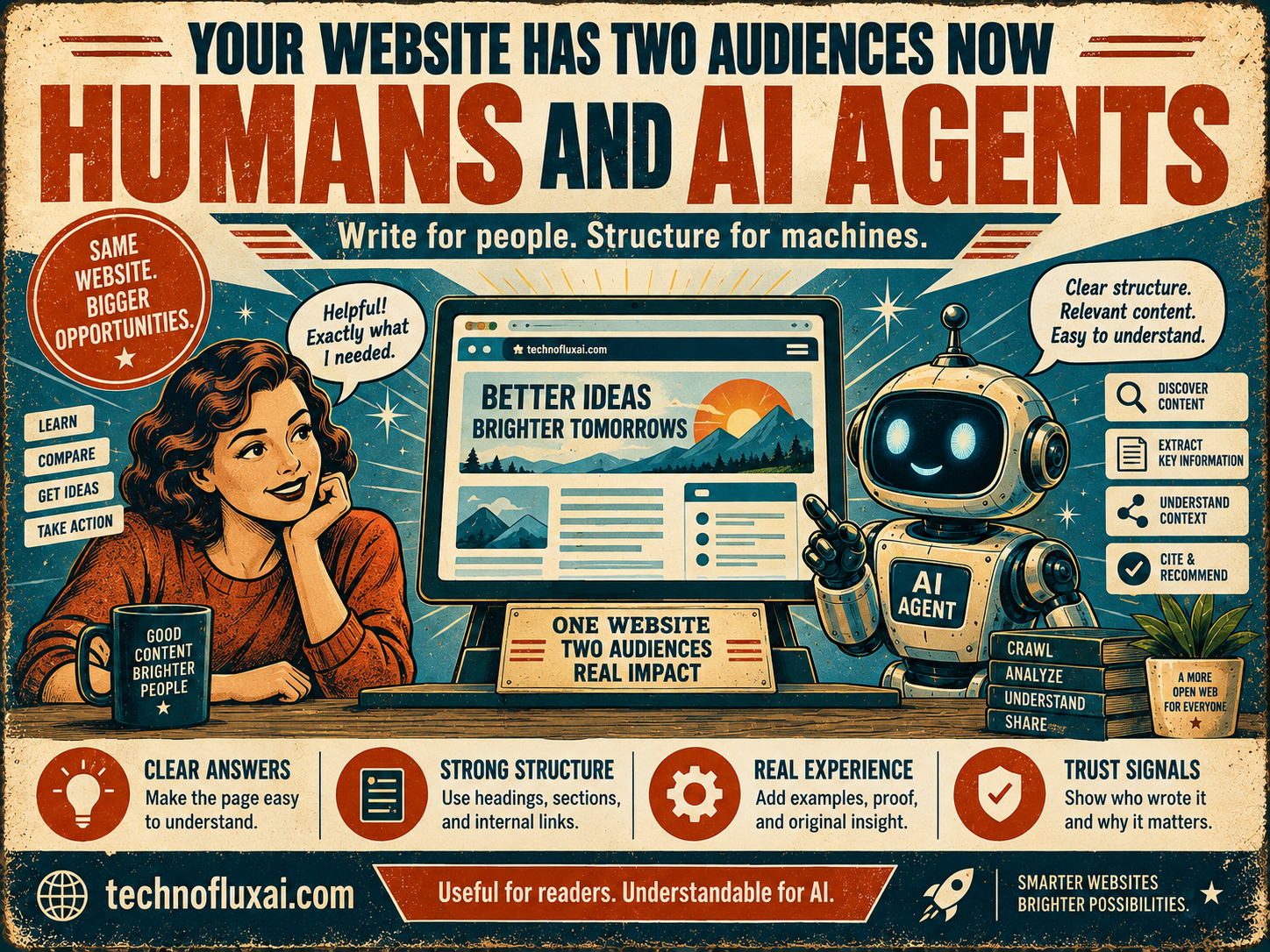
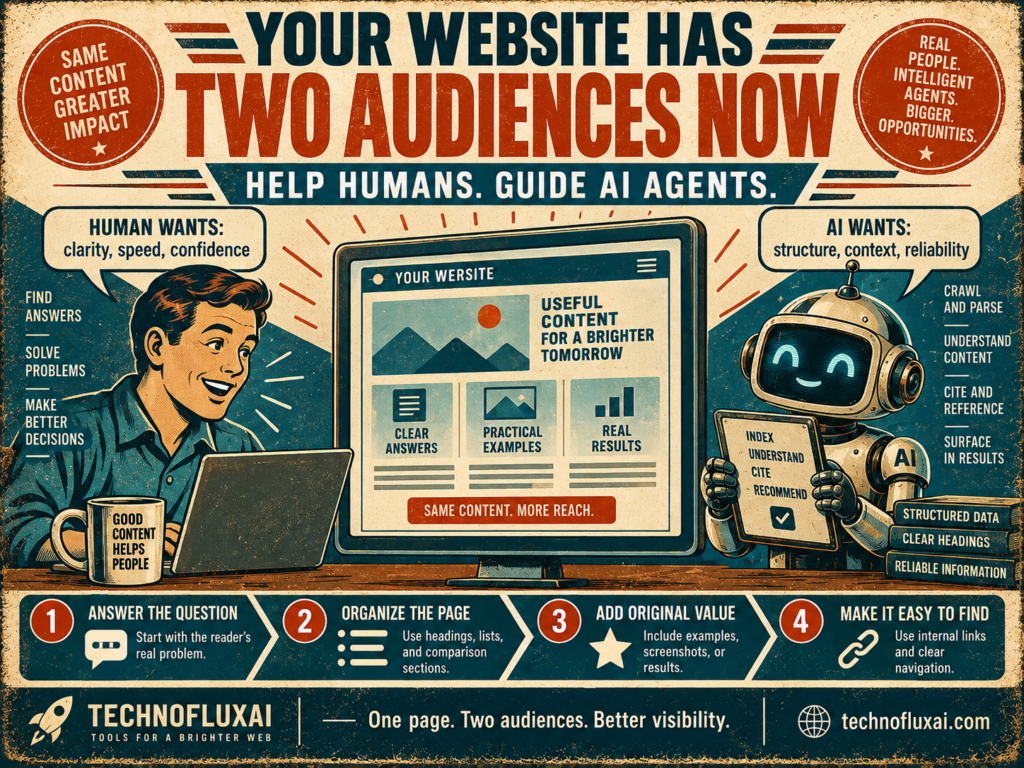
Your website increasingly has two audiences.
Audience 1: People
Readers, shoppers, creators, business owners, subscribers, and customers who open your page and decide for themselves whether it helps.
Audience 2: AI systems and agents
Systems that may discover, retrieve, read, compare, summarize, or interact with information on the web while helping someone complete a task.
That doesn’t mean the second audience replaces the first.
It means a person may no longer be the first thing interpreting your page.
Your Next Visitor Might Be Acting for Someone Else
We’ve already spent years thinking about search crawlers. They find pages, index information, and help determine what can appear in search.
AI agents introduce a slightly different idea.
An agent can be working toward a user’s goal.
That goal might be researching several products, comparing specifications, finding a restaurant, checking availability, gathering information for a purchase, or narrowing twenty choices down to the three that fit a person’s requirements.
Google’s current guidance on generative AI search now talks specifically about these agentic experiences. It describes browser agents that may analyze the visual version of a page, inspect its underlying structure, and use accessibility information while completing tasks.
That caught my attention because it moves the conversation beyond:
“Can AI find my article?”
A better question is starting to emerge:
“If an AI system reaches my page, can it actually understand what matters?”
The Solution Is Not Writing for Machines
This is where I think website owners can make the whole subject more complicated than it needs to be.
You do not need two versions of every article.
You don’t need one paragraph for humans and a strange robotic paragraph underneath it for AI.
And I definitely don’t think the answer is stuffing pages with awkward “AI optimized” language.
Create genuinely useful information for the person first. Then organize the important facts clearly enough that machines can understand them without having to guess.
Conveniently, that usually makes the page better for the human too.
A Simple Example: Best AI Video Tools for Solo Creators
Imagine we publish an article called Best AI Video Tools for Solo Creators.
A human visitor might land on it thinking:
“Which tool is easiest? How much does it cost? Can I use it for TikTok? What does Jon actually recommend?”
For that reader, I want clear headings, quick answers, screenshots, personal experience, pricing context, advantages, drawbacks, and a simple path toward making a decision.
Now imagine someone gives an AI assistant a much more specific job:
“Find me an AI video tool under $30 per month that works well for faceless TikTok videos.”
The system now needs facts it can separate and compare.
- What does each product actually do?
- Who is it designed for?
- What is the current price?
- Which features matter for this particular use case?
- What are the meaningful limitations?
- Is the information current?
- Is this the publisher’s experience or a general factual claim?
- What evidence supports the recommendation?
Notice how little of that requires “robot writing.”
It requires specificity.
Weak Information Forces Everyone to Guess
Here’s the kind of product description that doesn’t help much:
“HeyGen is amazing and has tons of cool features that creators will love.”
A person still has questions. An AI system does too.
Amazing for what?
Which creators?
What can I actually make with it?
Here’s a more useful version:
“HeyGen is best suited for creators who want AI avatar videos without filming themselves. It can be used for presenter-style videos, generated voice, translations, and short-form video workflows. For TikTok or YouTube Shorts creators who don’t want to record themselves on camera, the main appeal is producing an on-screen presenter without having to film every clip.”
Then make the decision information obvious:
AI avatar videos
TikTok, Shorts, tutorials and presenter-style clips
Heavier video production can increase cost
We use it for short creator videos and avatar experiments.
That block works for both audiences.
A person can scan it in five seconds.
A system comparing tools has clearly labeled facts and context to work with.
Before and After: Stop Making the Answer Hide
This may be the biggest practical change I’m making in my own thinking.
Before: Traditional Blog Padding
“AI tools are changing everything, and there are many options available for creators today. Choosing the best tool can seem difficult because every platform offers different features…”
It isn’t technically wrong.
It just isn’t doing much.
After: Give the Reader the Decision Framework
“Creators who don’t want to appear on camera have three practical AI video options: avatar video, text-to-video, and AI-assisted editing. The right option depends mostly on whether you need a presenter, original generated footage, or a faster way to edit footage you already have.”
Now I can immediately explain those three choices.
That’s better for a reader because we’ve shortened the distance between the question and the useful part.
It’s also easier for another system to identify the actual claim being made.
What Should You Actually Change on a Website?
If I were reviewing one of my own pages for both humans and AI systems, I’d start here.
1. Answer the main question early
Don’t make somebody read 700 words before discovering your actual answer. Give them the conclusion, then explain the reasoning.
2. Make comparisons explicit
If Tool A is easier but Tool B has better editing controls, say that clearly. Don’t bury the distinction across six paragraphs.
3. Separate facts from your experience
“The company offers this feature” and “I found this feature useful” are different claims. Label personal experience as personal experience.
4. Add the limitations
Real recommendations include reasons somebody might skip the product. Limitations make the article more useful and make the recommendation easier to interpret.
5. Keep volatile information current
Prices, plan limits, model names and product features can change quickly. Put dates around information where freshness affects the decision.
6. Use real page structure
Descriptive headings, readable paragraphs, lists, tables when they genuinely help, useful image alt text and sensible navigation aren’t fancy AI tricks. They’re good website design.
7. Make important information accessible
If the important answer only appears after a broken script, behind an unnecessary interaction, inside an image with no supporting text, or through a page that automated systems cannot reach, you’ve created another failure point.
8. Check crawler and bot access intentionally
Know what your robots.txt rules, CDN, firewall and bot protection are allowing or blocking. Don’t assume every legitimate automated visitor can reach the page just because it loads normally in your browser.
Don’t Confuse AI Agents With Another SEO Checklist
I think this distinction matters.
Google is currently telling publishers that traditional SEO fundamentals still apply to its generative AI search features. It also says you don’t need special AI markup or an llms.txt file to become eligible for those Google experiences.
So I’m not interested in inventing fifty new technical requirements just so we can call them “agent SEO.”
The useful technical work is much less exciting:
- Keep pages crawlable where you want them discovered.
- Use clear page structure.
- Don’t accidentally block legitimate systems with security rules.
- Keep important information available in normal page content.
- Use structured data when it accurately represents the page and has a real purpose.
- Make your website usable on mobile and desktop.
- Publish information somebody would actually want to retrieve.
That’s less glamorous than discovering a secret GEO file.
It’s also much closer to building a good website.
What I Would Not Do
The arrival of AI agents is going to produce plenty of new advice, services, checklists and probably a few miracle fixes.
After watching search change as much as it has, I’m trying to be more careful about that.
- I wouldn’t rewrite good articles into robotic language.
- I wouldn’t create dozens of near-identical pages for every AI-style query variation.
- I wouldn’t add unsupported claims because they sound easy for an AI to quote.
- I wouldn’t assume schema can rescue weak content.
- I wouldn’t publish huge volumes of AI-generated articles just to cover more prompts.
- I wouldn’t treat every unexplained traffic drop as proof of a new AI-search theory.
That last one matters to me personally.
We worked hard on SEO. We worked hard on GEO. Then in August our exposure dropped dramatically.
When something like that happens, the temptation is to change everything immediately.
But if I rebuild the site every time somebody announces a new ranking theory, I’ll never know which improvements helped and which ones just created more noise.
A Better Two-Audience Test
Instead of asking, “Is this optimized for AI?”, I’m starting with eight simpler questions.
- Can a person tell what this page is about almost immediately?
- Does the page answer the main question without unnecessary buildup?
- Are important facts stated clearly rather than implied?
- Can somebody distinguish facts, opinions and personal experience?
- Are comparisons and limitations easy to find?
- Is time-sensitive information visibly current?
- Can legitimate search and AI systems actually access the important content?
- Does this page contain something worth retrieving that isn’t just another summary of everybody else’s summaries?
If a page passes those questions, we’re probably improving it for both audiences at once.
The Most Important Part Is Still the Part AI Can’t Manufacture for You
Clear formatting is useful.
Technical accessibility is useful.
Good headings are useful.
None of them give an article a reason to exist.
The harder part is having something worth extracting in the first place.
That could be a test you actually ran, a screenshot from your workflow, a pricing change you verified, an unusual limitation you discovered, a useful prompt, an original comparison, or simply a better explanation of a confusing subject.
Google has started using the phrase “non-commodity content” in its own guidance for generative AI search.
I actually like that way of thinking about it.
If an AI system can produce essentially the same article without needing your website, why does your version need to exist?
That’s a harder question than “Did I use the keyphrase enough?”
It’s also a much more useful one.
AI Agent Website Traffic May Not Look Like Normal Traffic
There’s another reason I think website owners need to understand this shift.
We are used to thinking about success as a visit.
Somebody searches. They click. Analytics records the session. Maybe they read another page or buy something.
AI-mediated discovery can interrupt that neat sequence.
A system may retrieve information from your site and use it to help answer a person’s question before that person decides whether to visit you directly.
An interactive agent may also perform parts of a research or comparison task on the user’s behalf.
That means “AI agent website traffic” is worth watching, but raw sessions won’t necessarily tell the whole story.
I would still monitor normal search visibility, landing-page traffic and conversions. But I would also watch whatever first-party AI visibility data platforms make available, referral sources that can be identified, server logs where useful, and whether important pages are actually accessible to the systems you intend to allow.
This is one of those areas where measurement is still developing, so I’d rather admit what we can’t measure cleanly than invent a dashboard number and pretend it’s precise.
Do You Need to Optimize Your Website for AI Agents?
Yes, if by “optimize” you mean making the site easier to access, understand, evaluate and use.
No, if you mean turning every page into something written for a machine instead of a person.
I think the best direction is much simpler:
Write for people. Structure the information so machines don’t have to guess.
If a creator can scan your recommendation in five seconds and understand who a tool is for, that is good.
If an AI system can inspect the same section and accurately identify the tool, use case, limitation, price context and source of the recommendation, that’s good too.
We don’t need to choose between those two outcomes.
Your Website Still Needs a Reason to Be the Source
The web isn’t disappearing.
But the path between a person asking a question and a website providing part of the answer is getting more complicated.
Your next website visitor might open the page, scroll through it, click a screenshot and read every recommendation.
Or an AI assistant may read the page first, understand what you’ve published, compare it with other sources and use that information while helping somebody make a decision.
Either way, your job is remarkably similar.
Make sure the information it finds is worth using.
That’s the part I’m focusing on as we work our way back from the visibility loss we saw in August.
Not another trick.
Better pages. Better evidence. Clearer answers. More of our own experience.
Useful to the human who visits us directly and useful to the systems increasingly standing between that human and the rest of the web.
Pick one important page on your site and read it twice: once as a person trying to make a decision and once as a system trying to extract the answer. Wherever either reader has to guess, that’s your next edit.
TechnofluxAI
Practical AI for creators and website owners
Learn how to use AI, improve AI search visibility, build smarter workflows, and test what actually works.
Explore our other sites
TimewasterAI
— product reviews, buying guides, and useful finds.
Tina Trends
— fashion, beauty, pets, lifestyle, and fun discoveries.
Mistakenly Delicious
— simple recipes and practical cooking ideas.