
Estimated reading time: 11 minutes
Quick Answer
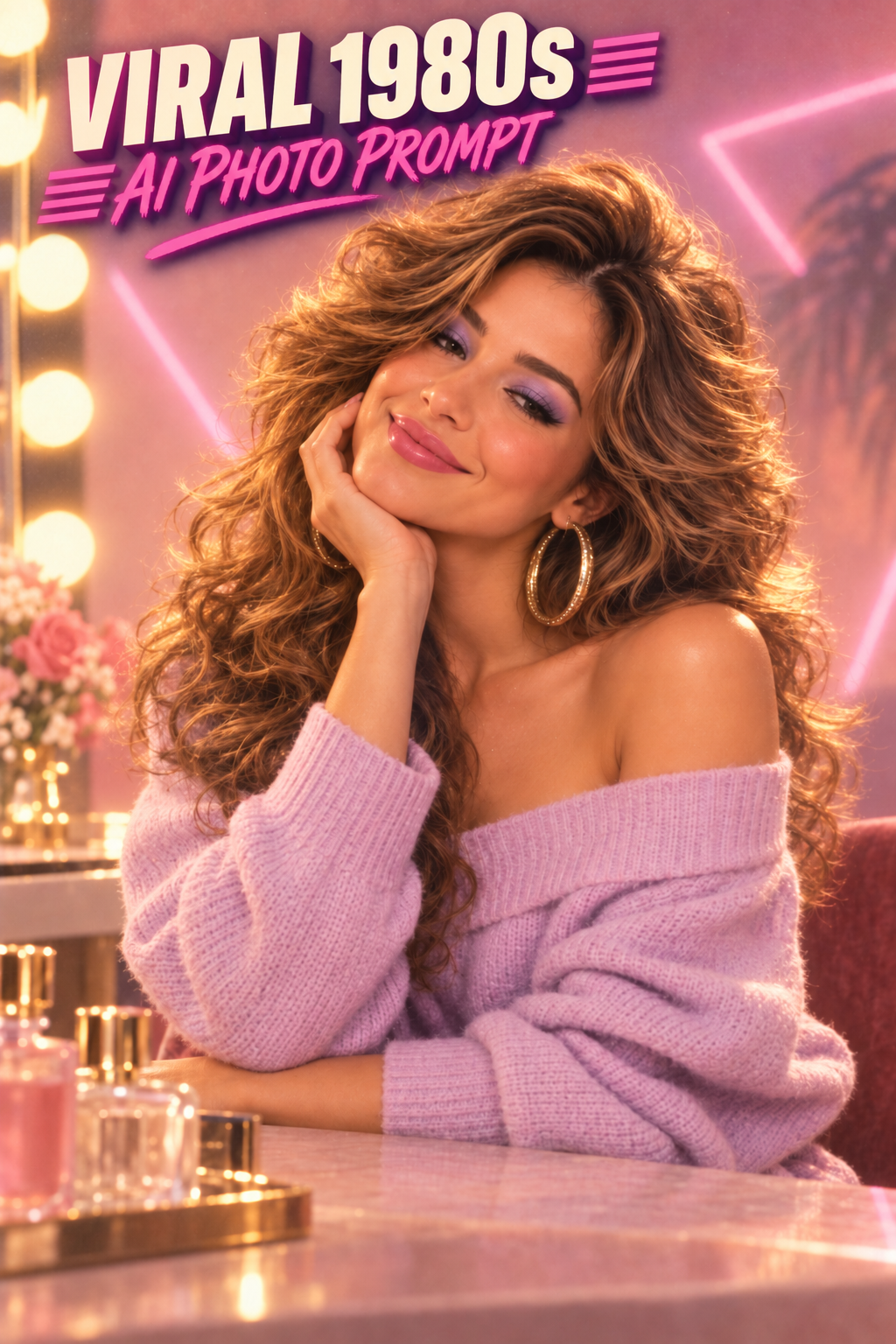
If you want the 1980s AI photo look in ChatGPT, you do not need a complicated prompt with fifty camera settings. Upload a clear photo, tell ChatGPT which parts of your face need to stay recognizable, then describe the hair, clothing, lighting, background, and film look you want changed.
The prompt below is built to do exactly that. You can copy it as-is, then try the mall portrait, rock-star, or neon arcade variations later in the post.
Copy-and-Paste 1980s AI Photo Prompt
Using my uploaded photo as the identity reference, transform me into a realistic portrait photographed in the mid-1980s. Preserve my recognizable facial structure, skin tone, eye shape, eyebrows, nose, mouth, jawline, and overall identity.
Change the styling to authentic 1980s fashion with era-appropriate hair, clothing, grooming or makeup, and accessories. Use professional portrait photography with warm directional lighting, subtle flash, slightly soft focus, realistic skin texture, gentle analog film grain, muted vintage color, and the look of a professionally printed photograph from the 1980s.
Remove modern objects, modern logos, smartphones, contemporary hairstyles, LED lighting, and anything else that makes the image look current.
Keep the finished image realistic and believable. Do not make it cartoonish, overly glamorous, heavily airbrushed, or like a costume. It should look like the same person genuinely photographed in the 1980s.
How to Make a 1980s AI Photo in ChatGPT
The basic workflow is simple:
- Open ChatGPT and start a new conversation.
- Tap or click the attachment button and upload a clear photo of yourself.
- Paste the 1980s AI photo prompt above.
- Ask ChatGPT to create or edit the image using your uploaded photo as the reference.
- Check the face before worrying about smaller details such as clothing or background.
- If the face changed too much, use the correction prompt later in this article instead of starting over.
ChatGPT currently allows you to upload an existing image and describe how you want it changed, which makes this kind of before-and-after transformation much easier than trying to describe yourself from scratch.
A sharp photo with your face clearly visible gives the model more useful information to work with. Sunglasses, extreme angles, heavy beauty filters, tiny faces, dark shadows, and crowded group photos can make identity preservation harder.
Why a Detailed Prompt Helps
You could simply type, “Make me look like I am in the 1980s.”
Sometimes that works.
The problem is that you have given the AI permission to make almost every creative decision itself. It may change your hairstyle, age, face shape, makeup, clothing, skin texture, background, pose, and even the overall person more than you expected.
A better prompt separates two things:
- What should stay: your recognizable identity.
- What should change: the era, styling, lighting, clothing, environment, and photographic look.
That is the same basic principle I like for broader AI creator workflows: give AI a clear job instead of making it guess the entire process. The AI Creator Workflow: From Idea to Published Post goes deeper into that idea.
1980s AI Photo Prompt Variations
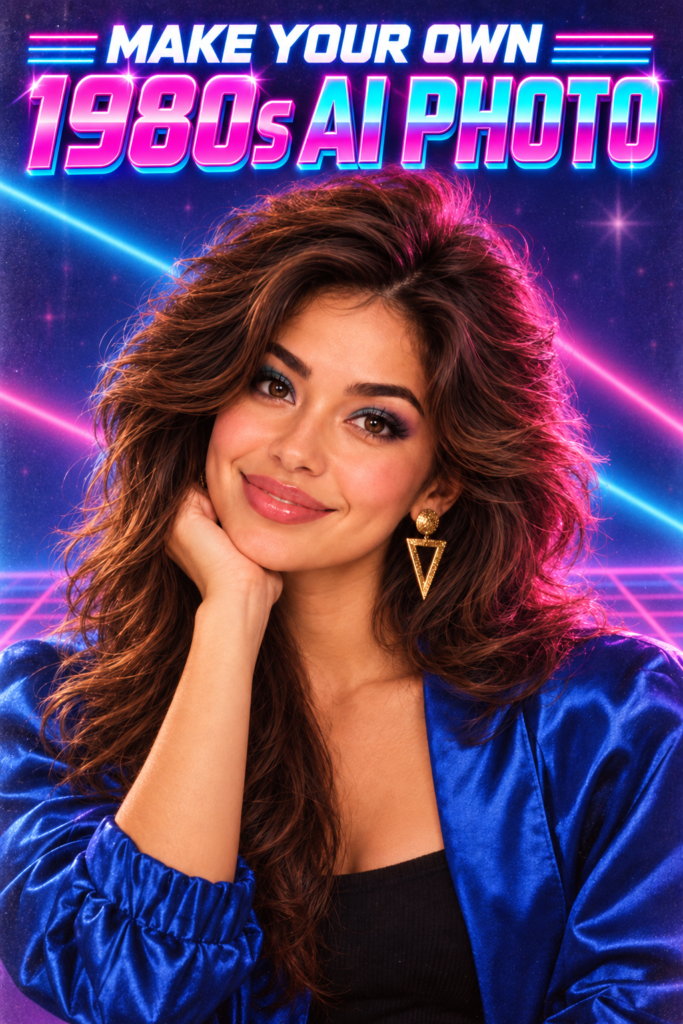
The same basic identity-preservation approach can produce several different 1980s looks without completely rebuilding the prompt.
The main difference between each variation is the styling, setting, clothing, lighting, and photographic treatment.
Male 1980s Portrait Prompt
Using my uploaded photo as the identity reference, create a realistic mid-1980s portrait while preserving my recognizable face, skin tone, eyes, nose, mouth, jawline, and natural proportions.
Give me era-appropriate men’s hair and clothing, such as a denim jacket, leather jacket, bomber jacket, polo shirt, or layered casual outfit. Use warm studio lighting, subtle camera flash, natural skin texture, mild lens softness, analog film grain, and realistic 1980s color reproduction.
The final result should look like an authentic portrait taken during the 1980s rather than a modern person wearing a retro costume.
Female 1980s Portrait Prompt
Using my uploaded photo as the identity reference, create a realistic mid-1980s studio portrait while preserving my recognizable face, skin tone, facial proportions, eyes, nose, mouth, and jawline.
Add believable 1980s styling with voluminous era-appropriate hair, tasteful period makeup, subtle jewelry, and a jewel-toned blouse, sweater, jacket, or blazer. Use soft studio flash, gentle diffusion, analog film grain, natural skin texture, and slightly warm printed-photo color.
Keep the result realistic and flattering without dramatically reshaping my face or turning the styling into a costume.
American Mall Portrait Variation
The American mall portrait style creates one of the most immediately recognizable 1980s looks, especially when paired with period-correct studio lighting and backdrops.
Turn my uploaded photo into a realistic American shopping-mall portrait studio photograph from around 1986.
Preserve my recognizable facial identity and natural proportions. Use a mottled blue-gray or brown studio backdrop, soft key lighting, subtle fill flash, slightly formal posing, period-correct hair and clothing, mild lens softness, analog film grain, and the look of a professionally printed mall portrait.
Avoid modern fashion, smartphones, LED lighting, contemporary logos, current hairstyles, and anything that would reveal that the photograph was created today.
1980s Rock-Star Variation
A convincing rock-star portrait works best when it uses the broader visual language of 1980s music photography instead of copying a specific musician.
Using my uploaded photo as the identity reference, transform me into an original 1980s rock performer photographed during a professional promotional photo shoot.
Preserve my recognizable face and natural proportions. Add dramatic era-appropriate hair, a leather, denim, metallic, or stage-inspired outfit, smoky concert lighting, magenta and blue backlighting, subtle haze, strong contrast, analog film grain, and the energy of a vintage music-magazine portrait.
Keep the character original. Do not copy the face, costume, hairstyle, or exact appearance of a specific real musician.
Neon Arcade Variation
Using my uploaded photo as the identity reference, place me inside a believable American video arcade in the 1980s.
Preserve my recognizable face. Surround me with original retro arcade cabinets, glowing CRT screens, patterned carpet, neon magenta and cyan lighting, period-correct casual clothing, slight atmospheric haze, subtle film grain, and realistic analog photography.
Avoid smartphones, modern game systems, flat-panel displays, modern LED strips, current fashion, and recognizable copyrighted video-game characters.
A More Realistic 1980s Look
Retro AI images can quickly become exaggerated when too many familiar 1980s visual clichés are combined in the same scene.
Big hair, neon, shoulder pads, arcade machines, lasers, palm trees, pink fog, and chrome graphics can all fit the era, but real photographs from the 1980s were often much more restrained.
A more natural result can come from adding a realism instruction to the prompt.
“Keep the styling restrained and historically believable. Avoid exaggerated 1980s stereotypes. Make this look like an ordinary photograph genuinely taken during the decade.”
One AI Photo Can Become Multiple Creator Assets
A single AI photo transformation can be repurposed across several creator formats instead of being treated as a one-off image.
- A Pinterest before-and-after pin.
- A TikTok or YouTube Short showing the transformation.
- An Instagram or Facebook comparison post.
- A tutorial screenshot inside a blog post.
- A thumbnail or opening hook for a prompt tutorial.
- A comparison post featuring several retro prompt styles.
This fits the broader TechnofluxAI approach of turning one useful idea into several assets instead of constantly creating disconnected content.
The AI Creator Setup Hub covers the practical gear and workflow side of creating videos, tutorials, images, Shorts, TikToks, and blog content.
How to Fix an AI Photo That Doesn’t Look Like You
This is the part that can ruin an otherwise great AI transformation.
The clothes look right. The hair looks right. The background looks right.
But the face looks like your second cousin.
Do not immediately throw away the whole image.
If you like the styling, tell ChatGPT to preserve everything else and only correct the identity.
Face-Fix Prompt
Keep the current 1980s styling, clothing, lighting, background, pose, composition, and film look, but correct the face so it matches my uploaded reference photo more closely.
Preserve my original face shape, eyes, eyebrows, nose, mouth, jawline, skin tone, and recognizable proportions.
Do not beautify, age, de-age, slim, widen, or reshape my facial features.
The finished image should look like the same person from my reference photo genuinely photographed in the 1980s, not a different person with vaguely similar features.
If the Face Is Still Wrong
- Upload a clearer reference photo.
- Choose a photo taken closer to eye level.
- Avoid reference photos with heavy filters.
- Reduce hair, hats, glasses, or makeup that covers important facial features.
- Keep the new pose closer to the original camera angle.
- Ask for one correction at a time.
That last point matters.
If the face is wrong, the lighting is wrong, the jacket is wrong, and you also want a completely different background, fixing everything in the same instruction can send the image in another direction again.
Privacy Warning Before Uploading Your Photo
Before uploading a face photo to any AI service, think about what you are comfortable sharing. Be especially careful with private family photos, photographs of children, client images, identification documents, or photos of another person who has not agreed to the use.
For individual ChatGPT accounts, OpenAI says submitted content can include images and files and may be used to improve its models depending on your settings.
If you do not want new ChatGPT conversations used for model improvement, OpenAI currently provides an Improve the model for everyone setting under Settings → Data Controls that can be turned off.
Temporary Chat is another option. OpenAI says temporary chats are not used to improve its models while they remain temporary and stay out of regular chat history, although a copy may be retained for up to 30 days for safety purposes.
Settings and policies can change, so check the current privacy and data-control information before uploading anything sensitive.
Can Creators Use a ChatGPT AI Photo Commercially?
Potentially, yes, but there is an important difference between having rights to your ChatGPT output and having unlimited rights to everything that might appear inside an image.
OpenAI’s current terms state that, as between you and OpenAI and to the extent permitted by applicable law, you retain your rights in your input and own the output.
That still does not give you a free pass to use somebody else’s photograph, celebrity likeness, trademark, copyrighted character, logo, or other protected material however you want.
OpenAI’s current service terms for image and video capabilities also say you should not reproduce another person’s likeness without the necessary consent and rights.
- Use a photo you own or have permission to use.
- Avoid building the result around someone else’s identity.
- Avoid copyrighted characters and logos when commercial use matters.
- Review the final image instead of assuming AI output is automatically risk-free.
- Remember that similar AI outputs may be generated for other people.
The Better Way to Use a Trend Like This
AI photo trends move fast.
That does not mean the content has to be disposable.
The useful part is figuring out what actually worked.
Which reference photo produced the best face?
Which wording kept the identity intact?
Did the mall portrait work better than the neon arcade?
Did ChatGPT follow a short correction prompt better than one giant rewritten prompt?
Those details turn a temporary trend into something more useful than another page containing twenty prompts copied from everybody else.
It is also why I would rather build one focused article around a real problem than pump out another giant “100 AI tools you need right now” list.
If you want to understand how AI apps, models, platforms, and workflows fit together before adding more tools to your setup, see AI Tool Hierarchy Explained.
Final Prompt Tip
Start with the main 1980s AI photo prompt at the top of the page before trying to make it more complicated.
Generate the first image.
Look at what actually went wrong.
Then correct that specific problem.
That usually gives you more control than stuffing every possible instruction into one enormous prompt before you have even seen the first result.
Try the Prompt
Upload a clear portrait, copy the main prompt, and see what ChatGPT does with it. Then try the mall portrait, rock-star, or neon arcade version. If the face changes too much, use the face-fix prompt before starting over.
TechnofluxAI
Practical AI for creators and website owners
Learn how to use AI, improve AI search visibility, build smarter workflows, and test what actually works.
Explore our other sites
TimewasterAI
— product reviews, buying guides, and useful finds.
Tina Trends
— fashion, beauty, pets, lifestyle, and fun discoveries.
Mistakenly Delicious
— simple recipes and practical cooking ideas.
Want more TechnofluxAI in Google?
Add TechnofluxAI as a Preferred Source to help Google show you more of our AI guides, tests, workflows, and research.