
Disclosure: As an Amazon Associate, TechnofluxAI earns from qualifying purchases. This helps support the site at no additional cost to you.
Building with AI is easier when your setup actually supports the work.
You do not need a perfect studio or expensive gear.
All you need a simple setup that helps you create faster, record cleaner, edit easier, and stay consistent.
This page is our TechnofluxAI creator setup hub.
It covers the gear and tools that help AI creators make videos, tutorials, music, images, workflow content, YouTube Shorts, TikToks, and blog content without turning the process into a mess.
Quick Answer
Table of contents
The best AI creator setup starts with five things:
A good microphone.
Decent lighting.
A webcam or phone stand.
Comfortable headphones.
A clean desk workflow.
Start small. Upgrade only when the setup slows you down.
What Is an AI Creator Setup?
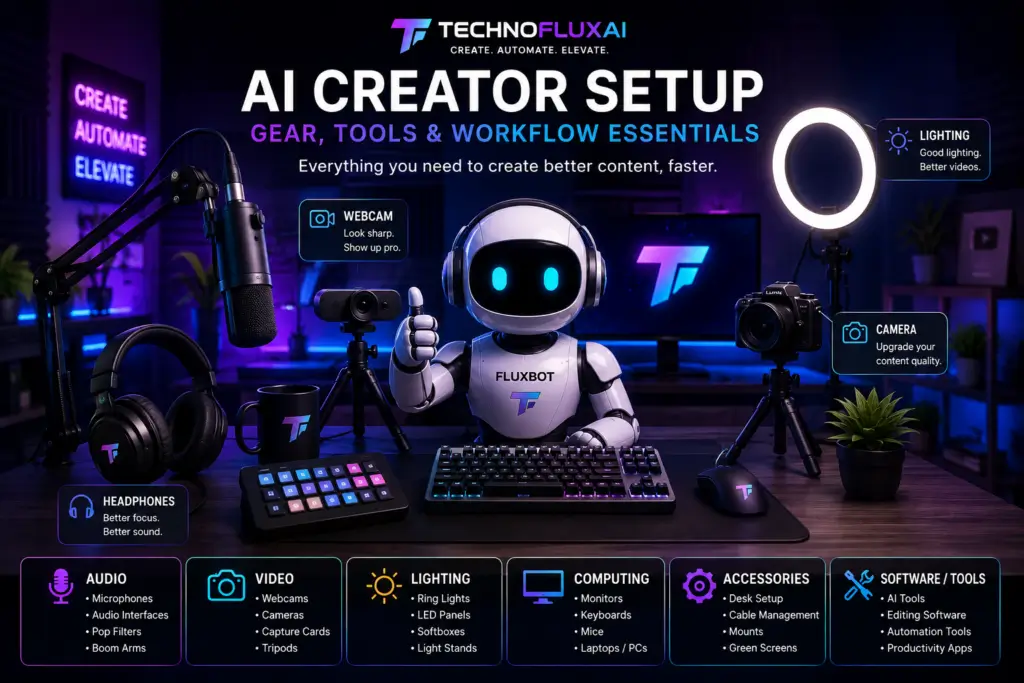
An AI creator setup is the gear, software, and workflow you use to make content with AI.
That could mean making videos with ChatGPT, Suno, Leonardo AI, CapCut, HeyGen, Canva, or other creator tools.
The goal is simple:
Create faster.
Look better.
Sound better.
Stay organized.
Why Your Setup Matters
Bad gear does not always ruin content.
But bad audio, messy lighting, and slow workflows make everything harder.
A better setup helps you:
Record tutorials faster.
Make cleaner TikToks.
Create better YouTube videos.
Film product demos.
Build AI workflows.
Make your brand look more serious.
For TechnofluxAI, the setup matters because the brand is visual. FluxBot, AI tools, creator workflows, and automation content all work better when the presentation feels clean and futuristic.
Why Trust TechnofluxAI?
I use AI tools, content creation software, automation platforms, and creator workflows every day. The products on this page are selected because they can help creators build videos, tutorials, AI content, podcasts, and online businesses more effectively.
Best Gear for AI Creators
Disclosure: As an Amazon Associate, TechnofluxAI earns from qualifying purchases.
? Blue Yeti USB Microphone
TechnofluxAI Creator Pick ⭐
The Blue Yeti is one of the most popular microphones for creators. It works well for YouTube videos, AI tutorials, podcasts, voiceovers, livestreams, and online meetings.
Why I Recommend It
- Easy USB setup
- No audio interface required
- Excellent sound quality
- Multiple recording modes
- Works with Windows and Mac
Best For
- YouTube creators
- AI tutorials
- Podcasting
- Streaming
- Voiceovers
? 18-Inch LED Ring Light Kit
TechnofluxAI Creator Pick ⭐
Good lighting can completely transform your videos. This 18-inch LED Ring Light Kit features adjustable brightness, a sturdy tripod stand, remote control, and smartphone support, making it an affordable upgrade for creators producing YouTube videos, TikToks, livestreams, tutorials, and AI-generated content.
? Check Current Price on Amazon
Why I Recommend It
- Large 18-inch ring light for even lighting
- Dimmable LED brightness controls
- Adjustable color temperature up to 6700K
- Includes tripod stand and remote control
- Works with smartphones, webcams, and cameras
Best For
- YouTube creators
- TikTok videos
- AI tutorials and demonstrations
- Livestreaming and podcasts
- Video calls and online meetings
My Take
Most creators focus on cameras first, but lighting often makes the biggest difference. A quality ring light can make a basic webcam look dramatically better and helps create a cleaner, more professional appearance for videos and livestreams.
? Adjustable Phone Mount Arm
TechnofluxAI Creator Pick ⭐
If you create TikToks, YouTube Shorts, tutorials, livestreams, or AI workflow videos, a good phone mount can make recording much easier. This adjustable desk-mounted arm keeps your phone stable, frees up desk space, and helps you capture overhead shots, tutorials, and creator content from almost any angle.
? Check Current Price on Amazon
Why I Recommend It
- Flexible positioning for phones and content creation
- Desk-mounted design saves workspace
- Perfect for overhead recording setups
- Great for TikTok, YouTube Shorts, and tutorials
- Helps create stable, professional-looking videos
Best For
- TikTok creators
- YouTube Shorts
- AI tutorials
- Product demonstrations
- Desk setup videos
My Take
This is one of those inexpensive upgrades that makes content creation much easier. Instead of balancing a phone on random objects, you get a stable setup that lets you focus on creating.
? HD Webcam
TechnofluxAI Creator Pick ⭐
A quality webcam is one of the easiest ways to improve video calls, livestreams, tutorials, and creator content. Whether you’re recording AI walkthroughs, hosting meetings, or creating YouTube videos, a dedicated webcam often delivers better image quality and flexibility than a built-in laptop camera.
? Check Current Price on Amazon
Why I Recommend It
- Sharper video quality than most built-in webcams
- Ideal for tutorials and livestreams
- Simple plug-and-play setup
- Works with popular video platforms
- Great addition to any creator desk setup
Best For
- YouTube creators
- AI tutorials
- Livestreaming
- Zoom and online meetings
- Content creators building a home studio
My Take
If you’re showing your face on camera, a dedicated webcam is one of the fastest ways to improve production quality. Combined with good lighting and a decent microphone, it creates a much more professional setup.
? Sony WH-CH520 Wireless Headphones
TechnofluxAI Creator Pick ⭐
Whether you’re editing videos, creating AI content, listening to generated music, recording voiceovers, or working through long creator sessions, a comfortable pair of wireless headphones can make a huge difference. The Sony WH-CH520 delivers solid sound quality, long battery life, and all-day comfort without breaking the bank.
? Check Current Price on Amazon
Why I Recommend It
- Wireless Bluetooth connectivity
- Comfortable lightweight design
- Long battery life for extended work sessions
- Great for video editing and content creation
- Trusted Sony audio quality
Best For
- YouTube creators
- AI music generation
- Video editing
- Podcast listening and review
- Remote work and online meetings
My Take
Creators spend a lot of time listening to audio. Whether you’re reviewing AI-generated music, editing videos, recording voiceovers, or simply staying focused while working, a comfortable set of headphones is one of the most-used tools on any creator desk. Sony has a strong reputation for delivering quality audio at an affordable price, making these a great choice for beginners and experienced creators alike.
?️ Desktop File Organizer & Paper Tray
TechnofluxAI Creator Pick ⭐
A clean workspace helps creators stay productive. This desktop organizer keeps paperwork, notes, project outlines, invoices, content calendars, and creator resources organized and easy to find. Less clutter means more time creating and less time searching for important documents.
?️ Check Current Price on Amazon
Why I Recommend It
- Helps reduce desk clutter
- Keeps documents organized and accessible
- Great for content calendars and project planning
- Simple desktop storage solution
- Creates a cleaner creator workspace
Best For
- Content creators
- YouTubers
- Bloggers
- Remote workers
- Small business owners
My Take
Most creator setup guides focus on microphones, cameras, and software, but organization matters too. Whether you’re tracking affiliate programs, content ideas, SEO plans, invoices, or workflow notes, having a dedicated place for documents can make your workspace feel more professional and productive.
For creators managing multiple projects, a simple desk organizer is one of the easiest ways to keep everything under control.
Best Starter Setup Under $200
If you are just starting, keep it simple.
Start with:
Budget USB microphone.
Ring light.
Phone tripod or desk mount.
Basic headphones.
Desk mat or cable organizer.
That is enough to make better videos, tutorials, and workflow content without overspending.
Best Setup for TikTok and YouTube Shorts
For short-form content, focus on speed.
You need gear that lets you create quickly.
Best short-form setup:
Phone mount.
Ring light.
Microphone.
CapCut.
AI video tools.
Reusable visual templates.
The goal is to reduce friction.
If recording takes too long, you will avoid it.
Best Setup for AI Workflow Tutorials
For tutorials, your screen matters.
Helpful gear:
Second monitor.
Comfortable keyboard.
Good microphone.
Screen recording software.
Headphones.
Clean browser bookmarks.
This setup is better for:
AI tool reviews.
Automation tutorials.
SEO workflows.
GEO guides.
Creator tool walkthroughs.
My Recommendation
Do not buy everything at once.
Start with the one thing that improves your weakest point.
If your audio sounds bad, buy a microphone first.
your videos look dark, buy lighting first.
If your desk feels chaotic, fix your workspace first.
The best setup is the one that helps you publish more.
Common Mistakes
Buying expensive gear before you have a content workflow.
Copying YouTubers with huge studios.
Ignoring audio quality.
Buying too many gadgets.
Not building a simple recording routine.
Forgetting that consistency beats perfection.
Related Guides
Best Microphones for AI Creators
Best Lighting for TikTok Creators
Best Monitors for AI Workflows
Best Budget Creator Setup Under $500
Best AI Tools for YouTube Creators
Best AI Tools for TikTok Creators
AI Workflow Setup Guide
FAQ
Do I need expensive gear to start as an AI creator?
No. Start with a microphone, lighting, and a simple phone mount. Upgrade later.
What should I buy first?
Buy the item that fixes your biggest problem. For most creators, that is a microphone or lighting.
Can I use my phone for AI creator videos?
Yes. A phone with good lighting can work very well for TikTok, YouTube Shorts, and behind-the-scenes content.
Is Amazon good for creator gear?
Yes. Amazon is useful for physical creator gear like microphones, lights, stands, desks, headphones, and accessories.
What is the best setup for TechnofluxAI-style content?
A clean desk, strong lighting, clear audio, screen recording tools, AI software, and a repeatable workflow.