

Estimated reading time: 9 minutes
How Creators Can Turn Product Photos Into Short Videos With AI
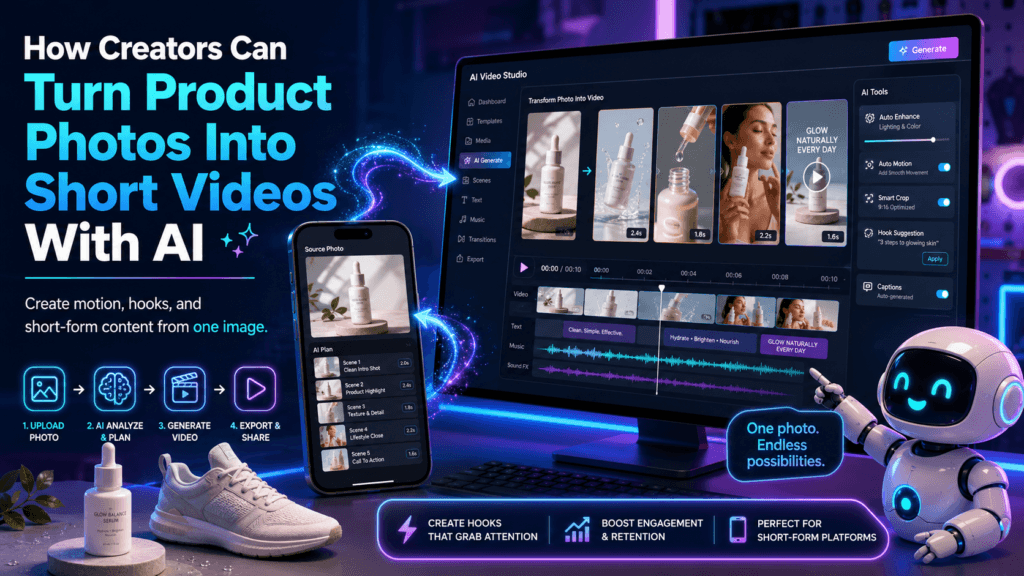
A single product photo used to be just a static image. Now, creators can use AI video tools to turn that photo into a short moving clip with camera motion, background movement, lighting effects, product reveals, and quick promotional scenes.
Quick Answer
Creators can turn product photos into short videos by uploading a clean product image to an AI image-to-video tool, describing the scene and camera motion, generating a short clip, reviewing the result for product accuracy, and editing the best version into a simple promo.
Why It Matters
Short video is useful for product pages, ads, tutorials, reels, email campaigns, landing pages, and creator content. AI makes it possible to test motion ideas before paying for a full studio shoot.
The Creator Pain Point
Product videos usually require planning, lighting, camera gear, editing, backgrounds, props, and time. That can slow creators down, especially when they need fresh content for multiple products, seasonal campaigns, or quick product tests.
AI does not replace strong product strategy, but it does help creators move faster. Instead of waiting for a full shoot, you can start with one good product photo and test several short video concepts in minutes.
What This Article Helps You Do
This guide explains how to prepare product photos, write better AI video prompts, choose simple motion styles, avoid common AI mistakes, and build a repeatable workflow for short product videos that look useful instead of random.
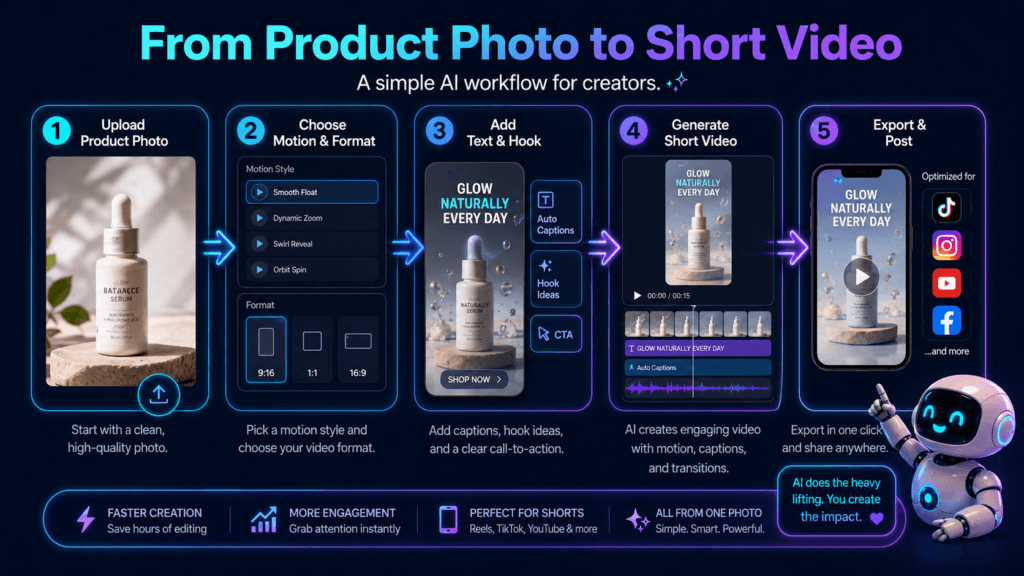
The Simple AI Workflow for Turning Product Photos Into Videos
The best AI product videos usually start with a clear photo, a simple motion idea, and a prompt that protects the product’s real shape. The goal is not to make the most dramatic video possible. The goal is to make the product look clear, appealing, and believable.
Step 1
Start with a clean product photo on a simple background.
Step 2
Choose one short video purpose: reveal, demo, lifestyle, ad, or detail shot.
Step 3
Write a prompt that describes motion, lighting, background, and product accuracy.
Step 4
Generate multiple versions and keep the one with the least distortion.
Step 5
Edit the clip with a hook, product benefit, caption, music, and call to action.
Step 1: Use a Product Photo That AI Can Understand
AI video tools work better when the product image is clean and easy to read. A blurry, cluttered, low-light product photo gives the AI too many chances to guess wrong. A sharp image with clear edges gives the model a stronger reference.
Use this product photo checklist:
- The product is sharp and not cut off.
- The product shape is easy to see.
- The logo or label is visible if it matters.
- The background is not too busy.
- The lighting shows the real material and color.
- There are no extra objects that could confuse the AI.
Step 2: Pick the Right Type of Short Product Video
Step 3: Write a Prompt That Controls the Motion
A weak image-to-video prompt says, “Make this product video.” A better prompt tells the AI what camera movement to use, what should stay accurate, what the background should feel like, and how dramatic the motion should be.
Weak Prompt
“Turn this product into a cool video.”
Better Prompt
“Create a 6-second product video from this photo. Keep the product shape, color, label, and packaging accurate. Add a slow camera push-in, soft studio lighting, subtle background glow, and realistic shadows. Do not change the logo, text, proportions, or material.”
Step 4: Use Short Clips Instead of One Long AI Video
Most creators get better results by generating several short clips instead of trying to create one perfect long video. A 4-to-8-second AI clip is easier to control, easier to review, and easier to combine with captions or voiceover.
Try this simple clip structure:
- Clip 1: Product reveal with smooth camera motion.
- Clip 2: Close-up of texture, design, packaging, or key detail.
- Clip 3: Lifestyle or use-case scene.
- Clip 4: Final product hero shot with a clear call to action.
Step 5: Review the AI Video Before Publishing
AI product videos can look impressive at first glance but still contain small product mistakes. Always review the final clip before using it in a serious campaign.
Product Accuracy Checklist
- Did the product shape stay the same?
- Did the label or logo become distorted?
- Did the product color change?
- Did the AI add fake features?
- Did the package size or proportions shift?
- Does the video make a claim the product cannot support?
- Would a real customer still recognize the product?
TechnofluxAI
Practical AI for creators and website owners
Learn how to use AI, improve AI search visibility, build smarter workflows, and test what actually works.
Explore our other sites
TimewasterAI
— product reviews, buying guides, and useful finds.
Tina Trends
— fashion, beauty, pets, lifestyle, and fun discoveries.
Mistakenly Delicious
— simple recipes and practical cooking ideas.
Advanced Tips for Better AI Product Videos
Once you understand the basic workflow, the difference between average AI product videos and strong AI product videos comes down to control. The more clearly you control the product, camera movement, background, lighting, and final edit, the more useful the video becomes.
Advanced Implementation Guidance
- Use one motion idea per clip. A slow push-in, smooth rotation, or gentle pan is easier to control than a complicated scene.
- Protect the product in the prompt. Tell the AI not to change the shape, label, logo, color, size, packaging, or material.
- Create different clips for different goals. Use one clip for attention, one for detail, one for lifestyle context, and one for the call to action.
- Keep the background simple. Busy backgrounds make the product easier to distort or lose.
- Use captions after generation. Do not rely on AI video generation to create clean readable text inside the video.
- Export for the platform last. Create the best master clip first, then crop or resize it for vertical, square, or horizontal placement.
- Keep a prompt library. Save prompts that work for hero shots, product rotations, close-ups, and lifestyle scenes.
Common Mistakes to Avoid
Mistake 1: Starting with a bad product photo
AI cannot reliably fix every blurry, cropped, or confusing product image. A clean source photo gives the video model a better anchor.
Mistake 2: Asking for too much motion
Fast movement, spinning cameras, explosions, liquid effects, and dramatic scene changes can make the product warp or lose accuracy.
Mistake 3: Trusting the first result
Generate several versions. The best AI product video is often not the first one. Compare clips for product accuracy, motion quality, and usefulness.
Mistake 4: Letting AI invent product claims
Do not let an AI-generated video imply waterproofing, medical benefits, durability, speed, safety, or performance claims unless those claims are true and approved.
Creator Workflow Example
Imagine a creator has one clean photo of a skincare bottle. Instead of filming a full product shoot, they generate three short AI clips:
- Clip 1: The bottle on a clean bathroom counter with soft morning light.
- Clip 2: A close-up camera move across the bottle label and cap.
- Clip 3: A final hero shot with the product centered and subtle background glow.
Then they edit those clips together with captions such as “simple daily routine,” “lightweight feel,” and “available now.” The AI creates the motion, but the creator still controls the story.
FAQ: Turning Product Photos Into AI Videos
Can AI turn one product photo into a video?
Yes. Many image-to-video tools can use a single product photo as the starting point for a short animated clip with camera motion, lighting changes, or scene movement.
Will the product always stay accurate?
No. AI video tools can distort product shapes, labels, logos, colors, and details. Always review the output before publishing or using it in paid marketing.
What kind of product photo works best?
A sharp, well-lit product photo with clear edges and a simple background usually works best. The product should not be cropped, hidden, or surrounded by distracting objects.
How long should an AI product video be?
For most creator content, short clips around 4 to 8 seconds are easier to control. You can combine several short clips into a longer product promo if needed.
Should creators add text inside the AI prompt?
Usually, no. It is better to generate the video first and add clean captions, pricing, product names, and calls to action later in a video editor.
Can AI product videos replace real product shoots?
Sometimes they can help with quick promos, concept testing, and simple content. For high-end campaigns, regulated products, detailed demos, or exact product behavior, real shoots and human review still matter.
Final Takeaway
AI gives creators a faster way to turn product photos into short videos, but the best results still come from clear creative direction. Start with a strong product photo, choose one video goal, keep the motion simple, protect product accuracy in the prompt, and review every clip before publishing.
The winning creator workflow is not “upload and hope.” It is photo, prompt, generate, review, edit, and publish with intention.
CTA Block
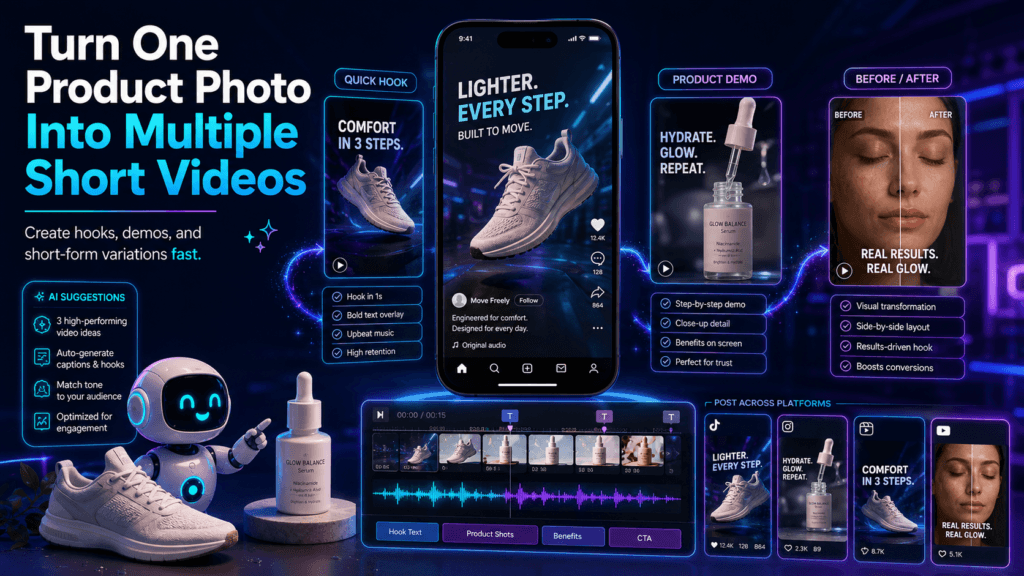
Creators who learn this workflow can turn one product photo into multiple short video concepts for ads, product pages, reels, tutorials, and brand storytelling.
Start with one product image, generate three short clips, and choose the version that keeps the product most accurate.