

Estimated reading time: 7 minutes
How to Clean Documents Before Uploading Them to an AI Assistant
Uploading a messy document to an AI assistant can lead to weak summaries, missed details, privacy risks, and confusing answers. A few minutes of cleanup can make the difference between a useful AI response and a frustrating one.
Quick Answer
Before uploading a document to an AI assistant, remove sensitive information, delete irrelevant pages, fix confusing formatting, add clear file names, separate mixed topics, and tell the AI exactly what you want it to do with the file.
Why It Matters
AI assistants read patterns, structure, and context. If your document contains clutter, duplicate sections, hidden notes, random screenshots, or private data, the assistant may focus on the wrong information or expose details you did not mean to share.
Who This Helps
This workflow is useful for reports, contracts, research notes, blog drafts, meeting transcripts, spreadsheets exported as PDFs, client documents, course materials, business plans, and long messy files.
Think of document cleanup as AI pre-processing. You are not just making the file prettier. You are helping the assistant understand what matters, ignore what does not, and give you a more accurate result.
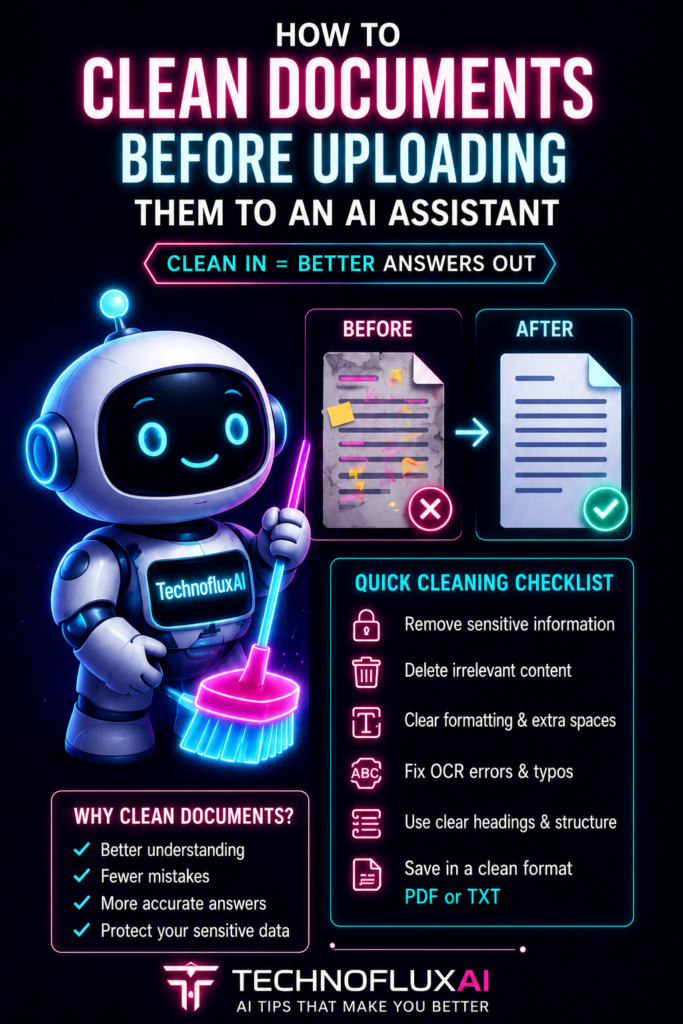
The Simple Rule: Clean the File Before You Prompt the AI
Most people blame the AI when the answer is bad. Sometimes that is fair. But many weak AI outputs happen because the uploaded file is messy, incomplete, duplicated, poorly labeled, or packed with information the user did not actually want analyzed.
A clean document gives the assistant a cleaner signal. It reduces confusion, improves summaries, makes extraction easier, and helps the AI understand which sections are important.
Messy Upload
A file named “final-final-new2.pdf” with old notes, repeated pages, hidden comments, private details, unclear headings, and three unrelated topics.
Clean Upload
A clearly named document with only the needed pages, readable headings, removed sensitive data, organized sections, and a specific instruction for the AI.
Step 1: Remove Sensitive Information First
Before uploading anything to an AI assistant, check whether the document contains private, confidential, or unnecessary personal information. This is the most important cleanup step because once sensitive data is included, the risk is already inside the workflow.
Remove or Redact These Details:
- Passwords, API keys, login details, and recovery codes.
- Social Security numbers, tax IDs, account numbers, and payment details.
- Private addresses, phone numbers, emails, and personal identifiers.
- Client names or company names when they are not needed for the task.
- Medical, legal, HR, financial, or confidential business information.
- Internal notes, comments, tracked changes, and hidden metadata.
Step 2: Delete Irrelevant Pages and Sections
AI assistants can process a lot of information, but more information is not always better. Extra pages create noise. If you want the AI to summarize chapter three, do not upload the whole book unless the surrounding context is truly needed.
Quick Cleanup Checklist
- Remove blank pages.
- Delete duplicate pages.
- Remove old drafts if the final version is included.
- Cut unrelated appendices.
- Separate different projects into different files.
- Keep only the content needed for the AI task.
Step 3: Fix the Document Structure
Structure helps the AI understand the document. Clear headings, short sections, tables that make sense, and consistent labels make the file easier to analyze.
Use Headings
Break the document into clear sections such as Summary, Timeline, Issues, Requirements, Notes, and Next Steps.
Fix Lists
Turn long comma-heavy paragraphs into bullets when the content contains tasks, features, risks, or examples.
Label Tables
Give tables simple titles and make sure column names are clear before asking the AI to analyze them.
Remove Clutter
Delete decorative text boxes, repeated headers, old comments, broken formatting, and unnecessary footers.
Step 4: Rename the File Clearly
File names matter because they help you stay organized and help you explain the task more clearly. A clean file name should describe what the document is, the version, and the date when useful.
Weak File Name
document-new-final-REAL.pdf
Better File Name
client-proposal-cleaned-v2-2026-08.pdf
Step 5: Add a Short Context Note
A clean document still needs a clear instruction. Before you ask the AI to analyze the file, tell it what the document is, what you want, what to ignore, and what format the answer should use.
Copy-and-Paste Prompt Template
I uploaded a cleaned document about [topic]. Please focus on [specific sections or goal]. Ignore [anything not relevant]. I want you to [summarize, extract, compare, rewrite, check, or organize] the document and return the answer as [bullets, table, checklist, memo, email draft, or action plan].
Advanced Tips for Better AI Document Results
Once the basics are handled, you can make your uploads even more effective by preparing the document around the task. The best version of a file for summarizing may not be the best version for legal review, data extraction, rewriting, or creating a presentation.
Choose the Right Cleanup Style
- For summaries, remove clutter and keep the main argument, sections, and conclusions.
- For extraction, keep labels, tables, dates, names, and repeated fields consistent.
- For rewriting, preserve the original meaning but remove comments, old drafts, and confusing edits.
- For research, keep citations, source titles, page numbers, and supporting context.
- For business analysis, keep metrics, assumptions, definitions, timelines, and decision points.
Common Mistakes to Avoid
Mistake 1: Uploading Everything
A giant file with unrelated pages can make the AI focus on the wrong details. Upload only what the task requires.
Mistake 2: Leaving Private Data
Do not rely on the AI to ignore sensitive information. Redact it before upload when it is not necessary.
Mistake 3: Mixing Multiple Tasks
Asking the AI to summarize, rewrite, fact-check, extract, compare, and format everything at once can reduce quality.
Mistake 4: Forgetting the Goal
A clean file is only half the workflow. The AI still needs a clear goal, audience, output format, and success criteria.
FAQ
Should I remove personal information before uploading a document to AI?
Yes. Remove or redact personal, private, confidential, financial, legal, medical, login, and client-sensitive information unless it is truly required for the task.
Is a PDF better than a Word document for AI uploads?
It depends on the task. PDFs are useful for preserving layout, while Word documents can be easier to edit and rewrite. The best format is the one that keeps the text readable and the structure clear.
Should I upload one big file or several smaller files?
Several smaller files are often better when the topics are different. One clean file is better when the content belongs together and the AI needs the full context.
Do file names matter when using an AI assistant?
Yes. Clear file names help you manage versions, explain the task, avoid uploading the wrong document, and keep your AI workflow organized.
What should I do after uploading the cleaned document?
Give the AI a clear instruction. Tell it what the document is, what you want analyzed, what to ignore, and what format you want the answer in.
Final Takeaway
Cleaning a document before uploading it to an AI assistant is one of the easiest ways to get better results. Remove sensitive data, cut the clutter, organize the structure, name the file clearly, and give the assistant a focused task. Cleaner input creates clearer output.
Make AI Work Cleaner
Better AI results start before the prompt. Build a document cleanup habit, and every upload becomes easier to summarize, analyze, rewrite, and trust.
Start Your AI Document Cleanup