
Estimated reading time: 16 minutes
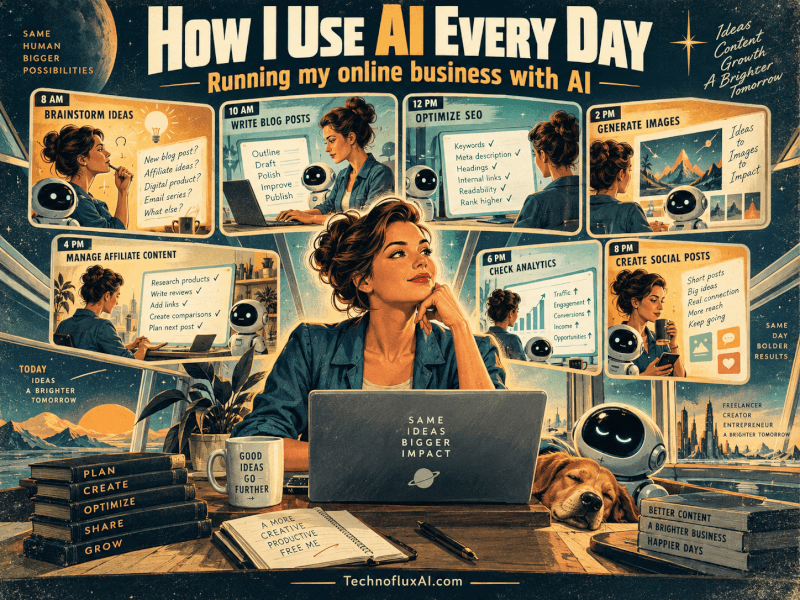
I use AI almost every day to help run my online businesses. Over time, how I use AI every day has expanded far beyond asking ChatGPT to help me write something.
That can mean researching an article before breakfast, figuring out why something is broken in WordPress, turning one article into Pinterest and Facebook content, writing an avatar script, researching products or deciding whether the latest idea in my head deserves to become another website.
But there is an important distinction I think gets lost in a lot of conversations about using AI for business: AI doesn’t run my business. AI helps me run my business.
Quick Answer: How I Use AI Every Day
I use AI throughout a normal working day for research, article planning, writing, SEO, GEO, social media, images, video concepts, affiliate research, website troubleshooting and planning.
AI helps me move faster, but I still decide what is worth doing, edit the work, verify important information and choose what actually gets published.
What Using AI Every Day Actually Looks Like
During 2026 I’ve been building several different online projects, and AI has gradually found its way into almost every part of that work.
TechnofluxAI.com covers AI tools, AI education, workflows, SEO, GEO and creator-focused content. MistakenlyAI.com is focused on recipes and food content.
TimewasterAI.com is built around affiliate and product-discovery content. I also work with Tina Trends, an AI-created personality I’m developing for product discovery, entertainment and creator content.
Those projects are different enough that there isn’t one magic prompt I run every morning that somehow takes care of everything.
My AI daily workflow changes depending on what I’m building that day.
Some mornings I’m researching an AI feature. On another day I might be developing a recipe idea, looking at products, troubleshooting a website problem or working out how an article could become a short video.
That’s one reason I don’t think of AI as a single-purpose writing tool anymore.
It’s closer to a combination of research assistant, brainstorming partner, editor, SEO assistant, troubleshooting partner and occasionally the coworker I argue with because it has confidently misunderstood what I asked for.
Early Morning: Research and Content Planning
I often start early, and research is usually one of the first places AI enters the day.
Instead of immediately telling AI to write an article, I use it to help me figure out whether there is an article worth writing in the first place.
I might have a rough idea, a new AI feature I’ve noticed, a product category I’m curious about or a question that keeps coming up.
From there, I can use AI to expand the idea and pressure-test it before I spend hours creating something.
- What questions would somebody actually have about this?
- What information would they need before making a decision?
- What are other articles likely to leave out?
- Does this belong in an article I already have?
- Is there anything I should personally test before writing?
That last question matters.
AI can give me twenty article ideas in seconds. That doesn’t make all twenty good ideas.
I still have to decide whether I can add something useful.
Sometimes the better decision is to update an existing article. Sometimes I need to test something first.
Sometimes I look at the idea again and decide it isn’t worth spending the day on. That’s already part of using AI well: knowing when not to use what it gives you.
Writing Without Letting AI Replace My Voice
I use AI to help shape content, not to replace the experience or judgment behind it.
AI is obviously useful for writing, but I don’t want TechnofluxAI to become a website filled with articles that sound like an instruction manual written by a committee.
I usually get better results when I give AI something real to work with: my observations, questions, rough notes, opinions, tests or the way I would explain something myself.
Then AI can help organize it.
It can clean up repetition, fix awkward transitions, help structure the article and point out places where a reader may need more explanation.
What I don’t want is for it to erase the reason I was writing the article in the first place.
I Reject AI Wording All the Time
Sometimes it becomes too polished. Sometimes it adds a dramatic conclusion to something that isn’t dramatic.
Sometimes every paragraph starts sounding like a motivational speech.
And sometimes it decides that the answer to every problem is apparently to “streamline your workflow.”
At that point, editing isn’t optional.
The useful part of an AI content creation workflow isn’t asking a machine to have the experience for you. It’s giving your real experience better structure and making it easier for somebody else to understand.
TechnofluxAI
Practical AI for creators and website owners
Learn how to use AI, improve AI search visibility, build smarter workflows, and test what actually works.
Explore our other sites
TimewasterAI
— product reviews, buying guides, and useful finds.
Tina Trends
— fashion, beauty, pets, lifestyle, and fun discoveries.
Mistakenly Delicious
— simple recipes and practical cooking ideas.
How I Use AI Every Day for SEO and AI Search
I use AI for SEO mainly to research, organize and clarify content—not to stuff keywords into a page.
It can help me develop title ideas, meta descriptions, related search phrases, article structure and internal-link opportunities.
It can also help identify questions I haven’t answered clearly enough.
I also work on GEO: making content clear and well-structured so AI-powered search and answer systems have an easier time understanding what the page actually says.
I don’t see that as writing a strange second version of an article for robots.
I try to make the important answer obvious for the human reader first.
If a section asks a question, I want the next paragraph to answer it. If I’m comparing something, I want the differences to be clear.
If I’m sharing personal experience, I want readers—and AI systems—to be able to tell that it is my experience rather than a universal fact.
My Basic SEO/GEO Rule
Write the best answer I can for a human first. Then make sure the structure is clear enough that search engines and AI systems can understand the answer without guessing.
Any current claims about search features, ranking systems or platform policies should be checked against the latest official documentation before publication.
Creating Images, Avatars and Videos
AI helps me move an idea from text into visuals and video, but the finished content still needs human decisions.
I use AI to develop image concepts, work on prompts and create alt text. The same article idea can also become the starting point for a video.
For avatar content, I can use AI to help develop a script and then use HeyGen as part of the avatar-video process.
I use CapCut when assembling and editing short-form videos.
Again, AI isn’t pressing one giant button that says “make my content.”
A script may look fine on a page and sound terrible when spoken out loud. A visual idea can make perfect sense in a prompt and look ridiculous once generated.
A thirty-second video can still have five seconds that need to disappear.
The faster AI makes the first draft, the more important it becomes to actually review what it produced.
Turning One Idea Into Content for Multiple Platforms
One of the most useful parts of my AI daily workflow is repurposing one good idea without copying the same post everywhere.
If I publish a strong article, the useful ideas inside it don’t have to stay trapped on one webpage.
I can use the article as source material for Pinterest titles and descriptions, a Facebook post, an X post, an Instagram caption, a Reddit discussion angle, a TikTok script or a YouTube Short.
But I don’t want the exact same paragraph copied everywhere.
AI for Social Media Still Needs Platform Judgment
Different platforms have different expectations.
Something that works as a search-focused headline may sound awkward on Facebook. A Pinterest description isn’t automatically a good TikTok hook.
A Reddit post that reads like advertising probably isn’t going to create much of a conversation.
AI helps me adapt the idea instead of simply duplicating it.
The Workflow Is Usually Closer to This
Start with one useful idea. Develop the full version. Pull out the strongest questions, examples and observations.
Then rewrite those pieces for the platform where they are going. AI speeds up the adaptation; it doesn’t eliminate the need to understand the platform.
Using AI for Affiliate Marketing
I use AI for affiliate marketing mostly as a research and organization assistant, not as a substitute for product knowledge.
For projects such as TimewasterAI, I can use AI to help research product categories, organize comparisons, develop product-showcase concepts and figure out what questions a shopper might have before buying.
I can also use it to develop ideas for Amazon or Walmart product content, platform-specific descriptions and affiliate disclosures.
What AI cannot do is magically turn secondhand information into first-hand product experience.
If I haven’t personally tested a product, I shouldn’t write as though I have.
I also need to check details such as current prices, specifications, availability and merchant information because those can change.
Affiliate content is especially vulnerable to becoming generic because it’s easy to repeat the same product descriptions everybody else has.
So the useful question isn’t just, “Can AI write this?”
It’s, “What am I adding that gives somebody a reason to read this instead of the merchant page?”
Building Tina Trends
Tina Trends is one of the more unusual ways I’m using AI because the challenge isn’t just creating content—it’s maintaining a recognizable character.
Tina is an AI-created personality I’m developing for product discovery, entertainment and creator content.
AI can help with character ideas, scripts, product concepts, captions and video ideas, but there still needs to be consistency behind the character.
If every prompt turns Tina into a completely different person, there isn’t much of a character.
I have to decide what fits, what doesn’t, what sounds natural and what direction the project should take.
This is another place where AI can generate far more possibilities than I can realistically use. The job becomes choosing.
Using AI to Help Manage Multiple Websites
AI helps me switch between different kinds of work without treating every task as if I’m starting from zero.
Running several sites means there is always something else that could use attention.
I can work on an article, switch to internal links, look at a WordPress problem, research another topic and then plan social content.
It is particularly helpful when I need to keep track of the logic behind a task.
If I’m reviewing internal links, for example, I can give AI a group of related pages and ask it to help identify which connections make sense for the reader.
That doesn’t mean I add every suggested link.
Internal linking shouldn’t become another numbers exercise. A link should help somebody understand the subject or move naturally to the next useful page.
AI as a Troubleshooting Partner
Some of my most practical uses of AI have nothing to do with content creation at all.
Websites break.
WordPress does something unexpected. HTML doesn’t display the way I thought it would.
A layout looks fine on desktop and strange on mobile. A setting changes and suddenly I need to figure out where the problem is coming from.
AI can help me work through those problems logically.
I can describe what happened, share code or explain what I changed and use AI to narrow down likely causes.
Sometimes the first suggestion fixes it.
Sometimes the first suggestion creates a completely different problem.
That’s why I don’t blindly paste every piece of code an AI gives me into a live website and hope for the best. Troubleshooting works best when AI helps me understand the problem, not just copy an answer.
Where AI Gets Things Wrong
AI can be useful and still be wrong, outdated, overly confident or completely off track.
If you use AI long enough, you stop being surprised when it confidently gives you an answer that needs checking.
It can misunderstand what I’m asking. It can make an assumption I never made. It can turn a simple question into a ten-step process.
It can also write something that technically makes sense but doesn’t sound anything like me.
Sometimes it produces generic advice because I haven’t given it enough context.
Other times I can give it plenty of context and it still wanders off in another direction.
Important: An AI Answer Is Not the Same as Verification
I use AI to help identify claims that need checking. Current pricing, product specifications, software features, policies and dates should be verified against reliable sources before I publish them.
AI is very good at producing an answer. That isn’t the same as producing the right answer.
Why Human Judgment Still Matters
The most important part of my AI business workflow is still the part I do myself: making decisions.
I decide which topics are worth pursuing.
I decide when a draft doesn’t sound right.
I decide which products belong in an article, whether an idea fits the website and whether something needs more research.
I publish the content. I work on the websites. I create and edit the videos. I change direction when something isn’t working.
AI doesn’t run my business. AI helps me run my business.
The distinction matters because a business is a chain of decisions.
AI can give me more options and help me examine those options faster. It doesn’t remove my responsibility for choosing among them.
The AI Productivity Problem Nobody Talks About
AI can make me more productive, but it can also make it ridiculously easy to start too many things.
I’ve experienced this myself.
When creating a website, article, video concept, graphic or business idea becomes much faster, starting another project doesn’t feel like such a big decision.
You can research another niche. You can build another site.
You can create another character. You can make another content plan.
Suddenly you’ve saved time and somehow given yourself twice as much work.
I think deciding what not to pursue is becoming just as important as learning how to create faster.
Productivity isn’t just doing more things faster. Sometimes it means refusing to start idea number seventeen because ideas one through four still need attention.
What I’ve Learned From Using AI Every Day
The biggest lesson I’ve learned isn’t how to write the perfect prompt. It’s that AI gets more useful when I know what I want from it.
A vague request usually produces vague work.
If I know the reader, the problem, what I’ve already learned, what needs verification and what I want the finished piece to accomplish, AI has much better material to work with.
Speed Can Hide Bad Decisions
Just because I can create an article today doesn’t mean I should publish it today.
Just because AI gives me ten monetization ideas doesn’t mean any of them fit the project.
Just because a script sounds good in text doesn’t mean it works as a video.
Faster creation still needs slower judgment sometimes.
Frequently Asked Questions
How do I use AI every day?
I use AI for research, planning, writing support, SEO, GEO, social media, image and video ideas, affiliate research, WordPress troubleshooting and business planning. I still review the work, verify important facts and make the final decisions.
Can AI help run an online business?
Yes, AI can help with many individual business tasks. In my workflow, it acts more like an AI business assistant than an automatic business manager.
How do I use AI for content creation?
I use AI to research questions, organize ideas, develop outlines, improve drafts and repurpose finished content. My own experience, opinions and judgment still need to be part of the finished work.
Can AI help with SEO?
I use AI for SEO research, titles, descriptions, article structure, internal-link ideas and identifying unanswered reader questions. I don’t use it simply to repeat keywords or mass-produce pages.
Should I let AI write everything for me?
I don’t. AI can help create and edit drafts, but I still want the finished article to contain my experience, judgment and voice. Important factual claims also need verification.
What are the biggest problems with using AI every day?
AI can be wrong, generic, outdated or overconfident. It can also make creating new projects so easy that you end up giving yourself more work instead of less.
How I Use AI Every Day: My Bottom Line
Using AI every day hasn’t removed me from my businesses. In many ways, it has made my decisions more important.
I can research faster. I can turn rough notes into something organized faster.
I can create more variations, investigate problems, repurpose content and explore ideas much faster than I could without it.
But somebody still has to decide what matters.
That’s me.
If you’re trying to use AI for an online business, I wouldn’t start by asking how much of the business you can automate. I’d start by asking where an AI business assistant could make one real task easier without taking the decision away from you.
What Should I Actually Do?
Start with one real task tomorrow. Don’t try to automate your entire business.
1. Pick something you already need to do.
Choose an article idea, product-research task, website problem, social post or another real item from your to-do list.
2. Give AI the context.
Explain what you’re trying to accomplish, who it is for and what you’ve already done.
3. Ask for one useful next step.
Use AI to research questions, organize notes, suggest an outline, diagnose a problem or develop a few options.
4. Review the answer instead of automatically accepting it.
Look for bad assumptions, generic wording, mistakes and facts that need verification.
5. Add your judgment.
Keep the useful parts, reject the rest and add what you know that the AI doesn’t.
6. Verify anything important.
Check changing facts, prices, specifications, policies, dates and other important claims against reliable sources.
7. Finish the work yourself.
Edit it, publish it, test it, create the video, fix the page or make the decision. Then decide whether AI actually made that task better.