
Estimated reading time: 13 minutes
SEO vs GEO: What Changes?
SEO helps search engines rank your content. GEO helps AI-powered search systems understand, surface, and cite it.
| Traditional SEO | GEO / AI Search Optimization |
|---|---|
| Primary goal: Improve visibility in search results | Primary goal: Improve visibility in AI-powered search and answers |
| Focuses heavily on search queries and keywords | Focuses on topics, entities, questions, and intent |
| Optimizes titles, headings, links, and page structure | Adds clear answers, context, evidence, and source-friendly information |
| Measures rankings, impressions, clicks, and traffic | Also watches AI visibility, mentions, citations, and referrals |
| Builds authority through quality content and links | Builds on that authority with clear expertise, evidence, and context |
| Remains essential | Complements SEO rather than replacing it |
Bottom line: SEO helps people find your content in search. GEO helps AI systems understand, summarize, and recommend it.
Build Your Site With WordPress.com
WordPress.com combines WordPress, hosting, security, updates and site management in one platform. It can be a convenient option for creators, bloggers and small businesses that want a simpler way to launch and manage a website.
Explore WordPress.com →Affiliate disclosure: TechnofluxAI may earn a commission if you make a qualifying purchase through this link, at no extra cost to you.
AI Search / WordPress GEO
Google’s Generative AI Optimization Guide: 10 Actions for WordPress Sites
I found this out the hard way, like a lot of site owners probably did. My focus was SEO: keywords, slugs, descriptions, internal links, external links, tools like Ubersuggest, and all the normal optimization work.
Then Google started changing how pages and sites show up in search. The old game was mostly: How do I rank higher? Now the bigger question is becoming: How do I become a trusted source for AI answers?
The quick answer
GEO, or Generative Engine Optimization, means making your WordPress content easier for AI systems to understand, trust, cite, summarize, and recommend. Instead of replacing SEO, it adds another layer on top of it.
Google’s own guidance is pretty clear on this point: AI Overviews and AI Mode still rely on Google Search fundamentals. Your content needs to be crawlable, indexable, eligible to show a snippet, useful to humans, and consistent with what is actually visible on the page.
But here is the part a lot of people miss: it is not good enough anymore to just have a strong SEO checklist. Search engines are not always sending people to your site blindly. Increasingly, they try to answer the question inside the search result itself. When your site is not useful as a source, summary, citation, example, or comparison, you can get left out of the answer.
You need to structure content so both people and AI systems can quickly understand what you know, why it is trustworthy, and why it deserves to be used as a source. That is the real shift.
SEO vs GEO
Pros and Cons of GEO for WordPress Sites
GEO can help your content become a trusted source for AI answers, but it also changes how site owners need to think about visibility, proof, and reader value.
Bottom line: GEO is not a replacement for SEO. It makes your content more useful, trustworthy, and easier for AI systems to use as a source.
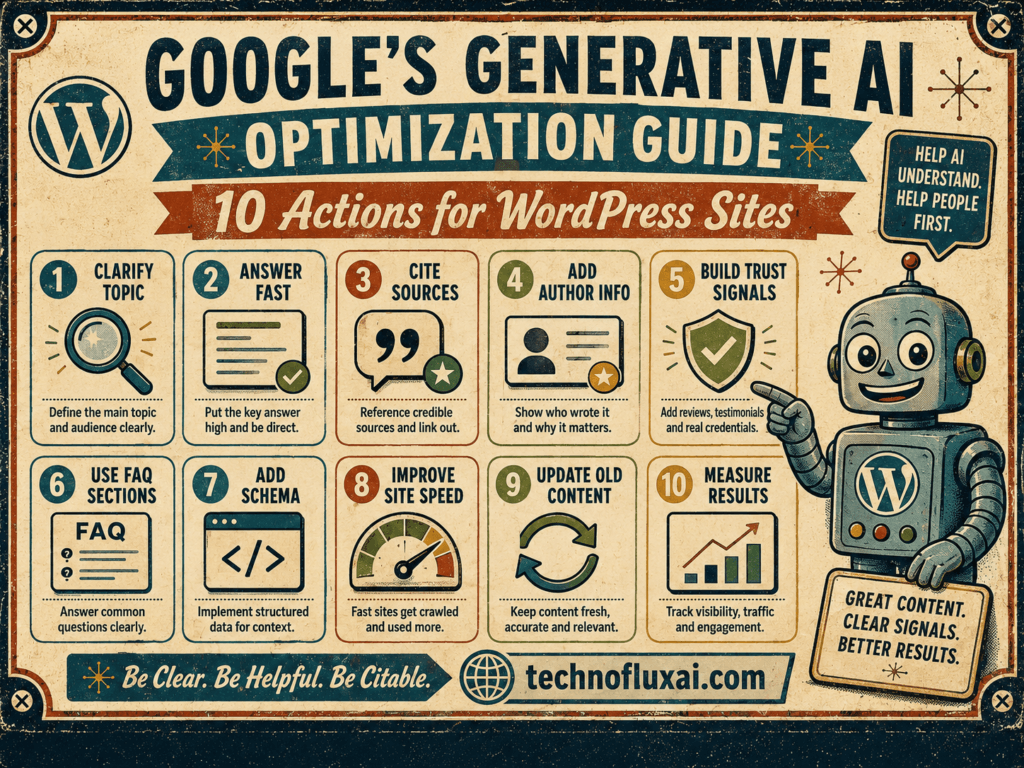
10 GEO Actions for WordPress Sites
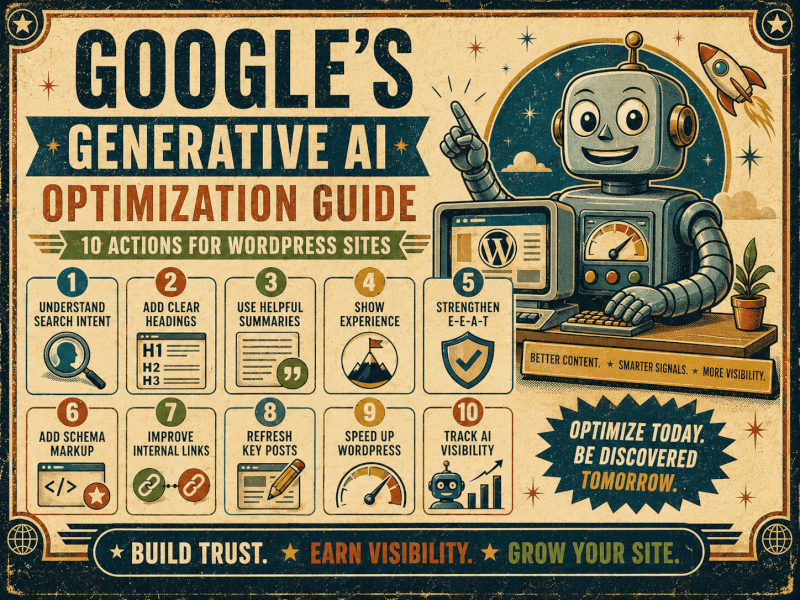
These are not magic tricks. Think of them as practical changes that make your content easier for people and AI systems to understand. The goal is simple: keep your SEO foundation strong, then add proof, structure, identity, and original value.
1. Keep SEO as the base
Do not throw SEO away. Keep using clear titles, slugs, meta descriptions, internal links, external links, image alt text, clean categories, and useful headings.
2. Answer the question early
If the article is about the best tool for digging holes, name the tool in the first paragraph. Lead with the problem and the solution.
3. Use question-based sections
Instead of vague headings like “Features,” choose headings that match real search intent and AI answer patterns.
4. Add evidence
Use screenshots, testing dates, pricing sources, product documentation, examples, methods, comparisons, and notes from your actual workflow.
5. Create reusable source cards
Build a reusable WordPress card for source links, official docs, testing notes, and update dates. After that, add it to posts quickly without rebuilding it every time.
6. Use schema where it fits
Use Article, Breadcrumb, Product, Review, Video, Organization, or other schema only when it accurately matches the visible page content.
7. Build topic clusters
Do not publish isolated posts. Connect related ideas: AI video tools, HeyGen, Leonardo, CapCut, TikTok workflows, comparisons, and tutorials.
8. Make your site identity clear
Show who creates the content, what your site covers, what you test, and why readers should trust your point of view.
9. Give readers a reason to choose you
Google’s Preferred Sources feature gives publishers a way to encourage readers to select their site as a preferred source where the feature is available.
10. Upgrade thin content
Stop scaling generic AI pages. Add something only you can provide: testing, mistakes, opinions, screenshots, workflows, comparisons, or real examples.
Turn Broad Articles Into Clear Question-and-Answer Sections
AI systems are trying to answer questions. Real readers are doing the same thing. That is why your headings should match the question.
Instead of vague headings like this:
- Features
- Pricing
- Ease of Use
Use headings like this:
- Does HeyGen work for TikTok videos?
- How much does HeyGen cost?
- Can beginners use HeyGen?
This helps the reader scan the page, and it helps search and AI systems understand what each section actually answers.
Show Evidence Instead of Just Making Claims
A weak article says, “This tool is easy to use.” A stronger article says, “I tested this on July 12, 2026, using a 30-second vertical TikTok script. Here is what worked, what failed, and what I would change next time.”
Details like that matter. They give readers confidence, and they give AI systems more specific information to understand and summarize.
Reusable WordPress source card idea
Create a reusable block with fields for official documentation, pricing source, last checked date, screenshots used, test method, and what changed since the last update. Save it as a reusable pattern so you can add it to every review, tutorial, or comparison post.
Use Structured Data Where It Actually Fits
Schema can help Google understand a page, but it is not a GEO cheat code. For an article, use Article schema. Pages with breadcrumbs can use Breadcrumb schema. Product reviews should only use review-related markup when the review content is real, visible, and accurate.
Do not add fake Review schema, fake FAQ markup, or Product schema to a page that does not actually contain product information. That is not optimization. It is asking for problems.
Strengthen Your Site’s Identity and Topical Authority
One of the biggest GEO mistakes is publishing random articles that do not connect to anything else on your site. A better approach is to build clusters.
For example, if your site covers AI video tools, one article about HeyGen is fine. A stronger cluster might look like this:
Example topic cluster
AI video tools → HeyGen → Leonardo AI → CapCut → TikTok workflows → comparisons → tutorials → prompts → real test results
This tells readers what your site is about. It also gives search engines and AI systems a clearer map of your expertise.
Give Readers a Reason to Choose Your Site as a Preferred Source
This is one of the more interesting changes. Google now gives publishers a way to encourage readers to choose their sites as preferred sources. When readers select a publication as a preferred source, Google says that content can be highlighted with a preferred badge in Top Stories and, where available, in AI Mode and AI Overviews.
That does not mean every WordPress blog will suddenly get special treatment. Loyal readers still matter more. If someone trusts your site, give them a clear reason to come back, subscribe, bookmark, or choose you as a preferred source when that option applies.
Practical CTA example
“If TechnofluxAI helps you understand AI tools without the hype, consider adding us as a preferred source in Google when the option is available. It helps you find our updates faster, and it helps independent publishers stay visible in AI search.”
Stop Scaling Thin AI Content
This is where a lot of sites are going to get into trouble. AI can help with structure, research organization, outlines, formatting, and editing. However, a pile of generic pages with no testing, no judgment, no screenshots, no examples, and no real value will not build authority. It will build noise.
Before you publish a new WordPress post, ask:
- Did I answer the main question early?
- Did I add something that was not already available everywhere else?
- Did I link to official sources where facts, prices, or policies matter?
- Did I include screenshots, examples, testing notes, or a real workflow?
- Does this article connect to the rest of my site?
- Would I personally trust this page if I landed on it from Google?
What Google’s Guide Really Means for WordPress Site Owners
Google is not saying you need to chase every new GEO trick. In fact, Google specifically warns that a lot of AEO and GEO “hacks” are not supported by how Google Search actually works.
The real move is more boring, but more useful: make your site technically sound, keep your content crawlable, write for people, add original value, update your facts, show your sources, and make your expertise obvious.
Final Takeaway
SEO is not dead. It is the foundation. WordPress site owners now need to think about GEO too, not as some secret formula, but as a better way to create content that AI systems can understand and readers can trust.
The old question was, “How do I rank?” A better question now is, “Why would Google, ChatGPT, Perplexity, Claude, Gemini, or any AI answer engine use my page as a source?”
If you can answer that honestly, your content is probably moving in the right direction.

About the Author
Jon Hicks
Founder of TechnofluxAI.
I’m the creator behind TechnofluxAI, focused on breaking down powerful AI tools, emerging trends, and practical strategies to help creators and entrepreneurs stay ahead in a rapidly evolving digital world.
Follow TechnofluxAI for the latest AI tools & strategies