

Best Free AI Tools for Creators in 2026
You do not need an expensive software stack to start using AI.
Many popular AI platforms offer free access, limited free plans, or free features that are enough to test the tool and build a basic creator workflow.
For bloggers, YouTubers, freelancers, and small business owners, the most useful approach is usually to start with a few tools that solve specific problems instead of trying to use everything at once.
- ChatGPT or Gemini for writing and brainstorming
- Perplexity or NotebookLM for research
- Canva for graphics and social content
- CapCut for video editing
- Zapier or Make for basic automation
Start With Free Plans First
Free plans are useful because they let you test whether a tool actually fits your workflow before paying for it.
The important distinction is that not every tool marketed as “free” offers unlimited use. Some platforms limit generations, exports, storage, model access, or premium features.
That is why it is better to think in terms of tools you can try for free rather than assuming every feature is permanently free.
ChatGPT
ChatGPT is a useful general-purpose starting point for creators.
It can help with:
- Brainstorming
- Article outlines
- Email drafts
- Content planning
- Rewriting
- Explaining difficult topics
Its strength is flexibility. You can use the same tool for writing, planning, coding help, and general problem solving.
Gemini
Gemini is Google’s AI assistant and can be useful for writing, research, summarization, and general productivity.
It may be especially useful for people already working with Google products and services.
One Thing I have Learned while building TechnofluxAi is that Ai tools usually sound easier to use than they are in the real world. I like to try things myself, see where I get stuck, and figure out what actually saves time instead of just repeating promisies.That’s the approach I use throughout this site: keep what works, point out what doesn’t, and explain things in a way that makes sense for someone who is still learning. I started out searching for an image creator. That was my first interaction with Ai. I was frustrated by the vast tool list without any real direction on which tool was best. Then I realized how powerful this tool was .and was going to be in the future. Making mistakes has helped me in the choice of articles I write.
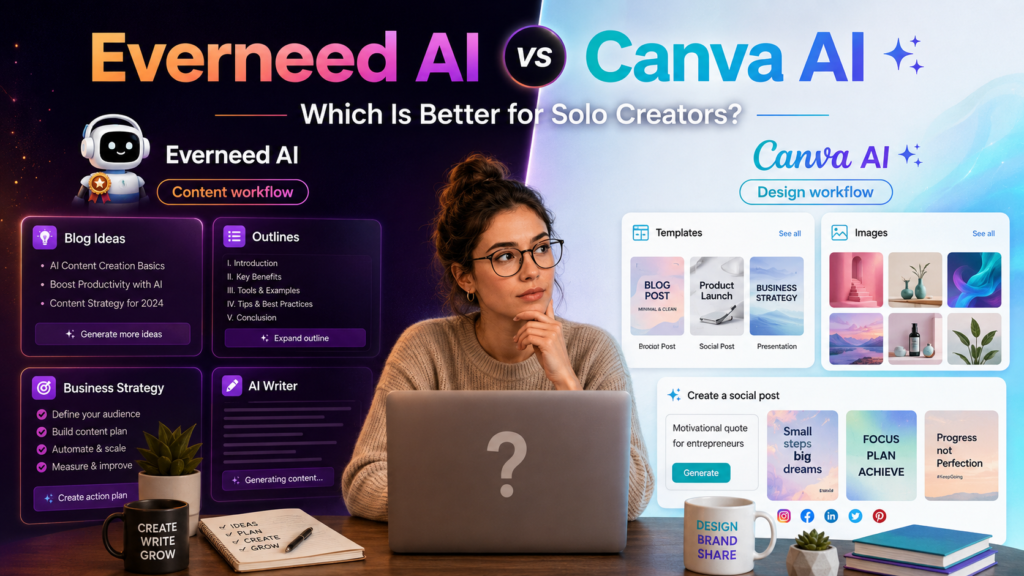
Canva
Canva is one of the easiest tools for creators who need graphics without learning advanced design software.
You can use it for:
- Blog graphics
- Social media posts
- YouTube thumbnails
- Presentations
- Simple image editing
- AI-assisted design features
Its templates make it especially useful for beginners who want to move quickly.
CapCut
CapCut is useful for creators working with TikTok, YouTube Shorts, Reels, and other short-form video.
It can help with editing, captions, templates, clips, effects, and other parts of the video workflow.
Perplexity
Perplexity is useful when the job is research rather than writing from scratch.
Its main advantage is helping users find answers with source links, making it useful for gathering information before creating content.
NotebookLM
NotebookLM is useful when you already have source material you want to work with.
Instead of asking general questions, you can use it to explore and summarize information from your own documents and research material.
Leonardo AI and Other Image Tools
Creators who need custom visuals can also explore image-generation platforms such as Leonardo AI, Adobe Firefly, Ideogram, and similar tools.
Free access varies by platform, so check the current limits before building a workflow around one of them.
Video and Audio Tools
AI can also help with video editing, voice, and music.
Examples from the original tool list include:
- CapCut
- Runway
- Pika
- Descript
- VEED
- ElevenLabs
- Suno
- Udio
These platforms do not all offer the same type of free access, so treat them as tools to evaluate rather than assuming every feature is free.
Suno
Suno lets users generate music and songs from text prompts.
Creators may use it for:
- Music ideas
- Experimental audio
- Song concepts
- Background music drafts
Build a Small AI Stack Instead of Collecting Tools
A long list of AI products looks impressive, but most creators do not need dozens of subscriptions or accounts.
A better approach is to choose one tool for each job you actually do.
- Writing: ChatGPT or Claude
- Research: Perplexity or NotebookLM
- Design: Canva
- Video: CapCut
- Automation: Zapier or Make
If one of those tools solves a real problem consistently, then it may be worth considering a paid plan later.
What to Check Before Choosing a Free AI Tool
- What features are included in the free plan?
- Are there daily or monthly usage limits?
- Can you export your work?
- Are commercial-use rights clear?
- Does the tool save enough time to justify learning it?
- Will you actually use it more than once?
Do Not Assume Free Means Unlimited
Free AI plans can change.
A tool that offers generous access today may reduce limits later, while another platform may add a new free tier.
For that reason, always check the current pricing or plan page before depending on a tool for an important workflow.
Why Free AI Tools Matter for Creators
Free access lowers the barrier to experimenting with AI.
You can test writing assistants, image generators, video tools, automation platforms, and research tools without committing to a large monthly software bill.
That makes it easier to figure out what actually improves your workflow before spending money.
Helpful TechnofluxAI Guides
Sources
Final Thoughts
You do not need 101 AI tools.
You need a small group of tools that help with the work you actually do.
Start with free access, test each tool on a real task, and keep only the ones that genuinely save time or improve the result.
A simple AI stack you understand is more useful than a giant list of tools you never actually use.