AI Agent Escalation Rules: When a Human Should Take Over

Estimated reading time: 9 minutes

TechnofluxAI Agent Systems

AI Agent Escalation Rules: When a Human Should Take Over

AI agents can answer questions, route tasks, qualify leads, summarize requests, and complete repeatable workflows. They should not handle every situation alone. Strong escalation rules tell the agent when to stop, when to ask for help, and when a human should take over.

Quick Answer

An AI agent should escalate to a human when the request involves risk, uncertainty, emotion, money, legal or medical concerns, account access, customer dissatisfaction, unclear instructions, or a decision the agent is not authorized to make.

Core Problem

Many businesses design AI agents around what the agent can do, but forget to define what the agent should not do. That gap creates bad answers, frustrated users, and avoidable risk.

What This Guide Will Help You Understand

You will learn how to define human handoff triggers, build practical escalation categories, protect customer trust, and create a clear workflow for AI agents that need human review.

AI agent escalation workflow infographic showing when complex cases, missing data, legal or financial risk, customer frustration, and final approval require human intervention.
Clear escalation rules help AI agents know when to stop, hand off the task, and bring a human into the workflow.

Escalation Framework

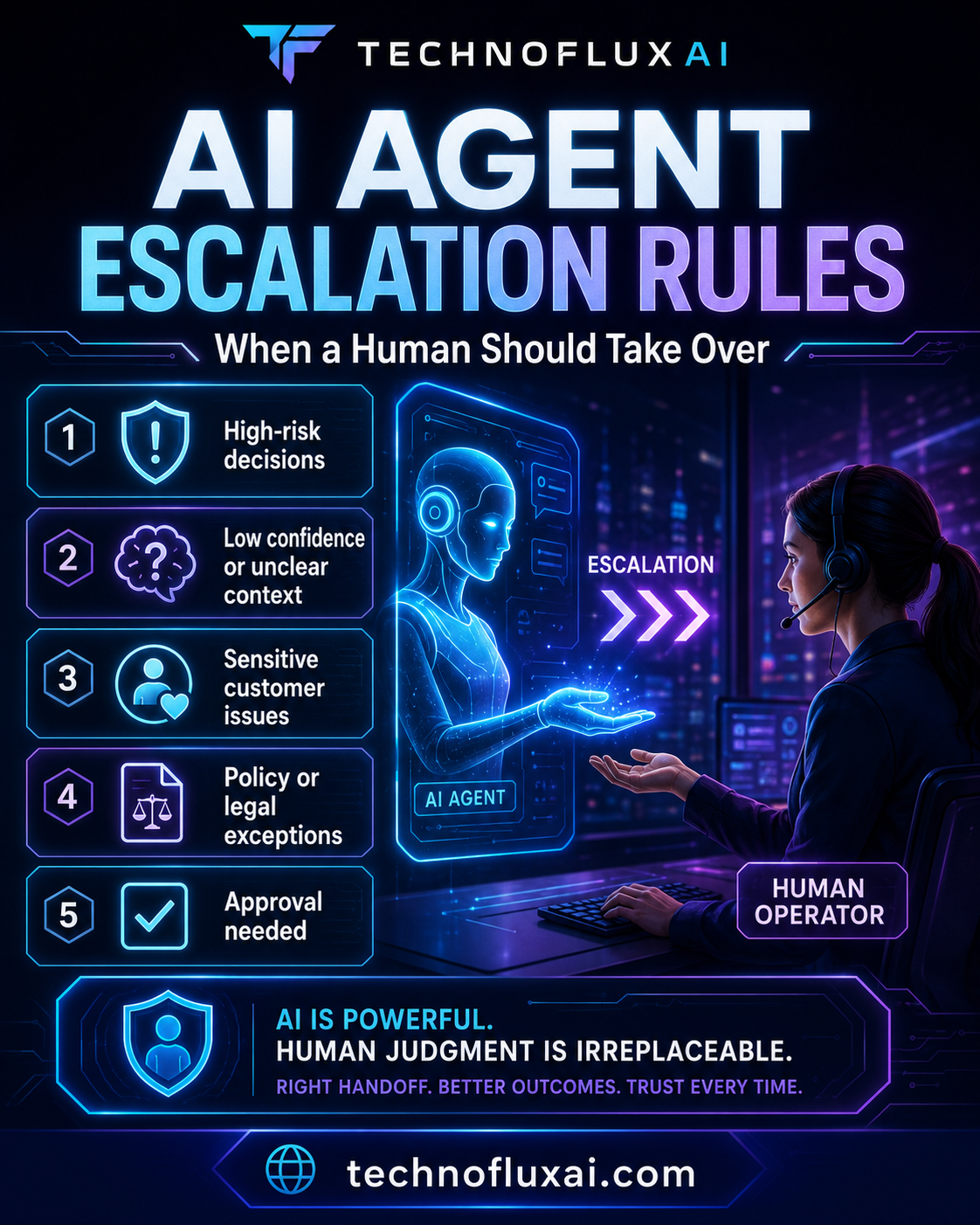
The 7 Situations Where an AI Agent Should Escalate

A good AI agent does not need to pretend it can handle everything. The safest agent knows its boundaries, collects useful context, and hands the right issue to the right human.

1. High-Risk Requests

Escalate anything involving legal, medical, financial, safety, compliance, security, or policy-sensitive decisions.

2. Angry Customers

Frustrated, upset, confused, or repeat-contact users often need empathy, judgment, and authority that the agent should not fake.

3. Account Access

Password issues, billing access, identity verification, private data, and account changes need strict handoff controls.

4. Money Decisions

Refunds, discounts, chargebacks, contract changes, pricing exceptions, and compensation should follow approved human review.

Rule 1: Escalate When the Agent Is Not Authorized

Every AI agent needs an authority boundary. The agent may be allowed to answer basic questions, collect information, summarize a request, or suggest next steps. It should not approve refunds, change contracts, promise outcomes, make exceptions, or override company policy unless the business has clearly allowed it.

The simplest test is this: if a junior employee would need manager approval, the AI agent should probably escalate too.

Authority Checklist

  • Can the agent answer this from approved knowledge?
  • Is the action clearly allowed in the agent instructions?
  • Could the response affect money, access, safety, or legal exposure?
  • Would a human employee need approval for the same action?
  • Is the customer asking for an exception to a rule?
  • Could the answer create a promise the business must honor?

Rule 2: Escalate When Confidence Is Low

Low confidence is not always obvious. Sometimes the agent has partial information, conflicting sources, missing context, vague user instructions, or a request that does not match any known workflow.

Instead of guessing, the agent should ask one clarifying question or escalate with a clean summary for the human reviewer.

Agent Can Continue

The question is simple, the source is approved, the answer is low-risk, and the workflow is clear.

Agent Should Clarify

The user gave incomplete details, but one direct question can safely resolve the missing information.

Agent Should Escalate

The request is risky, unclear after clarification, outside policy, emotionally charged, or requires human judgment.

Rule 3: Escalate When the User Is Frustrated

AI agents often make frustrated users more frustrated when they keep repeating scripts. Escalation rules should detect emotional signals such as anger, urgency, disappointment, confusion, cancellation threats, repeated complaints, or phrases like “I already tried that.”

Customer Emotion Triggers

  • The user says they are angry, upset, disappointed, or done.
  • The user has contacted support more than once for the same issue.
  • The conversation includes cancellation, refund, chargeback, or complaint language.
  • The user says the AI is not helping.
  • The issue affects a deadline, launch, event, payment, or customer obligation.

Rule 4: Escalate When Personal Data or Access Is Involved

AI agents should be careful around account information, private records, payment details, personal identifiers, customer files, passwords, and permission changes. The agent can collect safe context, but sensitive verification and account actions should follow a controlled human-approved process.

Safe Agent Behavior

  1. Explain that the issue needs secure review.
  2. Collect only the minimum safe details needed for routing.
  3. Avoid requesting passwords, full payment details, or unnecessary private data.
  4. Create a concise handoff summary for the human team.
  5. Tell the user what will happen next without making promises the team may not keep.

Rule 5: Escalate When the Agent Detects a Policy Exception

Exceptions are where automation gets risky. A user may ask for a refund outside the normal window, a discount that is not listed, a special delivery arrangement, a custom contract term, or access that the policy does not clearly allow.

The agent can explain the standard policy, but a human should decide whether to make an exception.

Warning: Escalation Is Not Failure

A good handoff protects the customer, the team, and the business. The goal is not to make the AI agent answer everything. The goal is to make sure the right work reaches the right level of judgment.

Implementation Layer

How to Build Human Handoff Rules Into Your AI Agent

Escalation rules work best when they are written into the agent’s instructions, connected to the right workflow, and tested with real user scenarios before launch.

Define Triggers

List the exact conditions that require handoff, including risk, uncertainty, user emotion, restricted actions, and sensitive information.

Create Handoff Notes

Teach the agent to summarize the user’s issue, what it already tried, what is still unresolved, and why the case needs human review.

Test Edge Cases

Run realistic support, sales, billing, onboarding, and complaint scenarios to make sure the agent escalates at the right time.

AI Agent Escalation Instruction Template

Copy This Into Your Agent Rules

Escalate to a human when:

  • The request involves legal, medical, financial, safety, privacy, compliance, or security risk.
  • The user is angry, disappointed, confused, urgent, or has already tried the suggested solution.
  • The user asks for a refund, discount, account change, policy exception, contract change, or special approval.
  • The agent does not have enough approved information to answer confidently.
  • The issue involves personal data, account access, billing information, identity verification, or private files.
  • The answer could create a promise, commitment, guarantee, or business obligation.
  • The user directly asks for a human.

What the Agent Should Say During Escalation

The handoff message should be calm, direct, and useful. Avoid blaming the AI, over-apologizing, or making vague promises. The agent should tell the user that the issue needs human review and explain what information is being passed along.

Example Handoff Message

“This needs a human review because it involves account-specific details and a possible exception to our normal process. I’m going to pass along a summary of what you shared, the issue you need solved, and the steps already discussed so the team can review it clearly.”

Common Mistakes to Avoid

  • Escalating too late: Waiting until the user is angry can damage trust.
  • Escalating everything: Too many handoffs defeat the purpose of automation.
  • Using vague triggers: “Escalate complex issues” is weaker than listing exact conditions.
  • Skipping the handoff summary: Humans should not have to reread the entire conversation from scratch.
  • Letting the agent make promises: The agent should not guarantee refunds, timelines, approvals, or outcomes unless those promises are approved.
  • Failing to test edge cases: Real users will ask messy, emotional, and unexpected questions.

FAQ: AI Agent Escalation Rules

What are AI agent escalation rules?

AI agent escalation rules are instructions that tell an AI when to stop handling a request and hand it to a human. They usually cover risk, uncertainty, customer emotion, restricted actions, sensitive data, and authority limits.

When should a human take over from an AI agent?

A human should take over when the request is high-risk, emotionally sensitive, unclear, outside policy, account-specific, money-related, or beyond the agent’s authority.

Should an AI agent escalate when the user asks for a person?

Yes. If a user clearly asks for a human, the agent should respect that request and move into the approved handoff process.

How do you prevent too many escalations?

Separate low-risk questions from high-risk decisions. Give the agent clear approved answers for simple issues, but require human review for exceptions, sensitive data, emotional complaints, and uncertain cases.

What should be included in a human handoff summary?

The summary should include the user’s issue, key details, what the agent already asked or answered, why escalation is needed, and the next action requested from the human team.

Final Takeaway

AI agent escalation rules protect your users and your business. The goal is not to make the agent answer everything. The goal is to make the agent useful, safe, honest, and smart enough to know when a human should take over.

Build Safer AI Agent Workflows

Before launching an AI agent, write down the handoff triggers, the approved handoff message, the human owner, and the summary format. That simple system can prevent most automation failures.

Build an AI Agent Workflow

TechnofluxAI cornerstone guides

Start here to build your AI toolkit

Explore our main guides for choosing AI tools, building better workflows, growing with AI, and putting these tools to real use.

More from Jon

Looking for something different? First, visit MistakenlyAI.com for AI-assisted recipes and easy cooking ideas. You can also visit TimewasterAI.com for shopping ideas, product finds, and affiliate content.

Home » The Flux ai news and tutorials » AI News (The Flux) » AI Agent Escalation Rules: When a Human Should Take Over

GOOGLE PREFERRED SOURCE

Want more TechnofluxAI in Google?

Add TechnofluxAI as a Preferred Source to help Google show you more of our AI guides, tests, workflows, and research.

Leave a Comment