

Estimated reading time: 8 minutes
GPT-5.6 for Creators: Which Model and Effort Level Should You Use?
GPT-5.6 for creators is not about always choosing the biggest model or the highest reasoning mode. A smarter approach is matching the model and effort level to the job: fast ideas need speed, publishing work needs quality, and complex creator-business decisions need deeper reasoning.
Quick Answer
Choose Luna or Instant for quick brainstorming, Terra or Medium for normal creator work, and Sol with High, Extra High, or Pro for complex strategy, research, audits, scripts, launches, and long-form systems.
Creator Pain Point
Many creators waste time by using heavy reasoning for simple tasks or fast modes for work that actually needs judgment. The result is a slower workflow, weaker drafts, and inconsistent content.
What This Guide Will Help You Understand
This guide explains how creators should think about GPT-5.6 model choice, effort levels, speed, quality, cost, and workflow fit. Instead of asking, “Which model is best?” you will learn to ask, “What kind of creative decision am I making right now?”
That one shift can make your AI workflow faster, cleaner, and much easier to repeat.
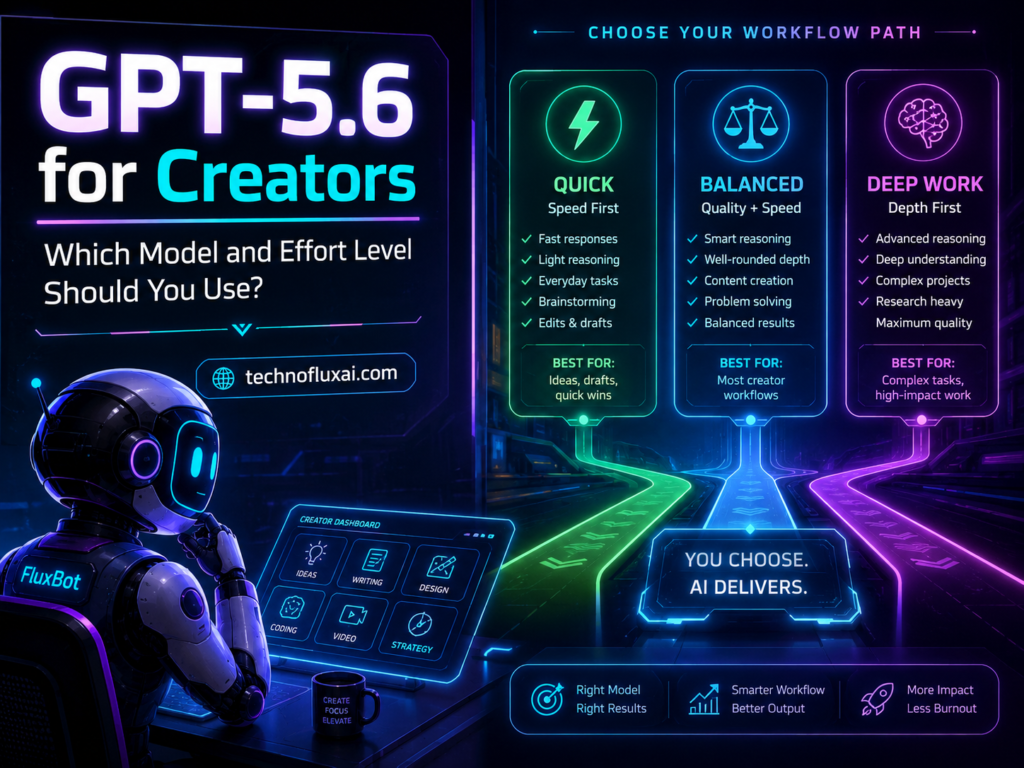
How to Choose the Right GPT-5.6 Model for Creator Work
The best GPT-5.6 for creators depends on the task. A TikTok caption, a YouTube script, a product launch plan, and a full blog content system all need different levels of AI support. Think of GPT-5.6 like a creative studio with separate stations for fast drafting, balanced production, and deep strategy.
GPT-5.6 Luna
Choose Luna for fast, simple, repeatable creator tasks. It works well for quick hooks, caption variations, headline ideas, short summaries, comment replies, and early brainstorming.
GPT-5.6 Terra
Terra fits balanced creator production. It is a strong option for blog drafts, newsletters, outlines, content calendars, reusable prompt templates, and everyday editing.
GPT-5.6 Sol
Sol is the better pick for high-stakes creative and business work. Reach for it when you need strategy, deep research, brand positioning, content audits, monetization plans, technical guides, or complex long-form projects.
Effort Levels Explained for Creators
Effort level controls how much thinking the model should do before and during the answer. Higher effort can improve reasoning, structure, and decision quality, but it is not always the right choice. Simple creator tasks often feel slower and overbuilt when the setting is too high. Complex content systems, on the other hand, can lose important details when the effort level is too low.
Instant: Fast Ideas and Simple Drafts
Instant works best when the task is low-risk and easy to judge. Good examples include brainstorming 20 video hooks, rewriting a caption, naming a lead magnet, or turning one idea into five post angles.
Medium: Everyday Creator Production
Medium is ideal for the normal work of publishing: blog sections, newsletter drafts, video outlines, landing page copy, content calendars, and structured editing. For most creators, this is the safest default.
High: Strategy, Research, and Multi-Step Work
High makes sense when the model needs to compare options, preserve details, follow a framework, or think through consequences. This setting is useful for SEO strategy, offer positioning, audience research, script improvement, and content gap analysis.
Extra High or Pro: Demanding Creator-Business Decisions
Extra High or Pro is useful when mistakes are expensive, the work is long, or the task requires several layers of reasoning. Strong use cases include a full course outline, YouTube channel strategy, product launch plan, advanced SEO cluster, business model review, or deep content audit.
Practical Creator Workflow: Match the Model to the Stage
A Simple 5-Step GPT-5.6 Creator Workflow
- Idea dump: Start with Luna or Instant to generate angles, hooks, titles, and rough concepts.
- Selection: Move to Terra or Medium to compare the strongest ideas and choose the best direction.
- Production: Draft the actual article, script, email, or carousel with Terra or Sol on Medium.
- Improvement: Switch to Sol on High to critique structure, strengthen examples, improve SEO, and remove weak sections.
- Final review: Use Sol on High, Extra High, or Pro for complex checks such as brand consistency, conversion flow, and audience fit.
Best GPT-5.6 Setup by Creator Task
| Creator Task | Recommended Model | Effort Level | Why It Works |
|---|---|---|---|
| TikTok hooks | Luna | Instant | Fast variation matters more than deep reasoning. |
| Blog post draft | Terra or Sol | Medium | This setup gives you enough reasoning for structure without overcomplicating the draft. |
| YouTube script | Sol | High | Scripts need pacing, retention logic, examples, and transitions. |
| SEO content cluster | Sol | High or Extra High | The model must organize search intent, internal links, and topic coverage. |
| Product launch plan | Sol or Sol Pro | Extra High or Pro | Launch planning needs sequencing, risk checks, offer clarity, and audience logic. |
Creator Rule of Thumb
Start lower than you think. Move up when the task needs deeper reasoning, stronger structure, better judgment, or fewer mistakes. The highest effort level is a tool, not a default setting.
Advanced GPT-5.6 Tips for Serious Creators
Once you understand the basic model choices, the next step is building a repeatable creator system. GPT-5.6 works best when you give it a clear role, a defined output, useful context, and a quality standard. Your model choice matters, but the workflow around it matters just as much.
Use Two Passes
Start with a faster setting to create options, then switch to a stronger setting to judge and improve them. This keeps the workflow quick without sacrificing quality.
Separate Creation From Editing
Avoid asking the model to brainstorm, draft, fact-check, edit, and optimize in one messy prompt. Split the job into stages so the output is easier to control.
Save Your Best Prompts
Repeatable systems help creators move faster without starting from scratch every time. Save prompts for blog posts, YouTube scripts, shorts, newsletters, product pages, and content audits.
Common Mistakes When Using GPT-5.6 for Creators
Mistake 1: Using High Effort for Everything
High effort is useful, but it can slow down simple creative work. Quick captions, hooks, titles, and short rewrites usually only need fast modes.
Mistake 2: Asking for Final Content Too Early
A better workflow moves from idea to angle, then structure, draft, edit, and optimize. Skipping straight to final content often produces generic output.
Mistake 3: Giving No Audience Context
The same topic should sound different for beginners, business owners, developers, parents, creators, or executives. Give GPT-5.6 a clear audience before asking for serious content.
Mistake 4: Treating AI Output as Finished Work
GPT-5.6 can speed up creation, but creators still need taste, judgment, examples, lived experience, and final review. Strong content feels directed, not dumped.
FAQ: GPT-5.6 for Creators
What is the best GPT-5.6 model for creators?
For most creators, Terra or Sol is the best daily choice. Terra is useful for balanced production, while Sol is better for strategy, long-form content, research, scripts, and complex planning.
Should creators always use the highest effort level?
No. Choose higher effort when the task needs reasoning, comparison, planning, or careful review. Lower effort works better for fast drafts, captions, hooks, short ideas, and simple rewrites.
Is GPT-5.6 good for SEO content?
Yes, especially when you give it a focus keyphrase, search intent, audience, outline, internal link targets, and quality rules. For SEO strategy and content clusters, Sol with High or Extra High effort is usually the stronger setup.
Which effort level should I use for YouTube scripts?
Medium works well for a basic script draft. High is better when you need stronger pacing, hooks, retention structure, examples, objections, and call-to-action flow.
What is the easiest GPT-5.6 workflow for beginners?
Start with Instant for ideas, Medium for drafts, and High for final improvement. This three-step system is simple, fast, and strong enough for most creator workflows.
Final Takeaway
GPT-5.6 for creators works best when you stop chasing the strongest setting and start choosing the right setting. Fast modes are useful for volume, balanced modes help with production, and deeper reasoning supports strategy, editing, research, and important creative decisions.
Build a Smarter Creator Workflow
Treat GPT-5.6 as a creative system, not just a chatbot. Start with the task, choose the right model, set the right effort level, and review the output like a creator with a real audience.
Build Your AI Workflow