
Estimated reading time: 14 minutes
TechnofluxAI Small Business Guide
AI Agent Permissions Checklist for Small Businesses
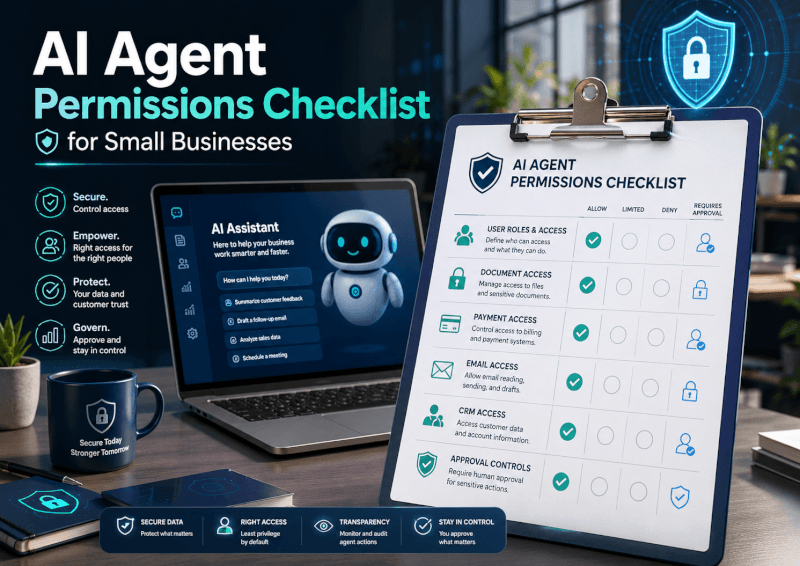
AI agents can save hours by handling emails, research, scheduling, documents, customer replies, and repetitive admin work. But the moment an AI agent can access your business apps, files, payments, inbox, or customer data, permissions become a serious business decision.
Quick Answer
Small businesses should give AI agents the minimum access needed to complete a task, separate low-risk and high-risk actions, require human approval for sensitive steps, and review permissions on a regular schedule.
Why This Matters
A helpful AI assistant becomes risky when it can send messages, change files, access private records, make purchases, or act without review.
What You’ll Learn
You’ll learn which permissions are safe, which need approval, which should be avoided, and how to build a simple AI agent access policy for your business.
Main Checklist
The AI Agent Permission Levels Every Small Business Should Use
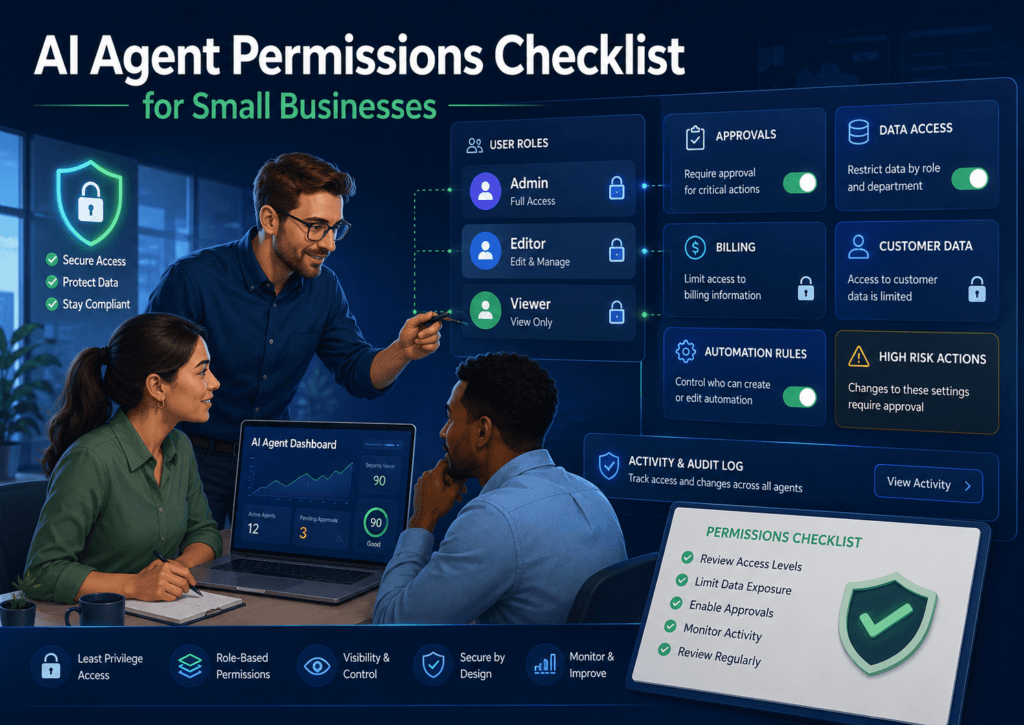
The easiest way to manage AI agent risk is to think in permission levels. Not every AI task deserves the same access. A research agent does not need payment access. A scheduling agent does not need your full customer database. A writing assistant does not need permission to delete files.
Level 1: View Only
The agent can read information but cannot edit, send, delete, approve, or publish anything.
Level 2: Draft Only
The agent can prepare emails, documents, replies, summaries, or task updates, but a human must approve them.
Level 3: Limited Action
The agent can complete narrow actions inside approved apps, such as creating calendar events or updating task statuses.
Level 4: Sensitive Action
The agent can send messages, modify records, access customer data, trigger workflows, or interact with money. This needs strict approval rules.
AI Agent Permissions Checklist
Before connecting an AI agent to your business tools, walk through this checklist.
Access Scope
- Does the agent only access the apps it actually needs?
- Can access be limited to one folder, inbox, project, or workspace?
- Can the agent work with sample data instead of live business data?
Action Limits
- Can the agent draft instead of send?
- Can it suggest instead of change?
- Can it create tasks without deleting or closing them?
Human Approval
- Who approves customer-facing messages?
- Who reviews financial or legal actions?
- What actions always require manual confirmation?
Risk Controls
- Can permissions be revoked quickly?
- Are activity logs available?
- Is sensitive customer or payment data protected?
Practical Example: Email Assistant Permissions
Let’s say your small business wants an AI agent to help manage customer emails. Here is a safer setup:
Allowed
Read selected support emails, summarize customer issues, draft replies, tag common questions, and suggest next steps.
Needs Approval
Sending replies, offering refunds, changing order details, escalating complaints, or making promises to customers.
Avoid
Full inbox access, deleting emails, sending messages without review, accessing payment details, or handling legal disputes alone.
Step-by-Step Setup Workflow
- Define the job. Write down exactly what the AI agent should do.
- List required tools. Only connect the apps needed for that job.
- Choose the lowest permission level. Start with view-only or draft-only access.
- Add approval gates. Require human confirmation for sending, deleting, buying, publishing, or changing customer records.
- Test with low-risk data. Run the agent on examples before giving it real access.
- Monitor logs. Review what the agent reads, creates, changes, and suggests.
- Schedule permission reviews. Remove access that is no longer needed.
TechnofluxAI
Practical AI for creators and website owners
Learn how to use AI, improve AI search visibility, build smarter workflows, and test what actually works.
Explore our other sites
TimewasterAI
— product reviews, buying guides, and useful finds.
Tina Trends
— fashion, beauty, pets, lifestyle, and fun discoveries.
Mistakenly Delicious
— simple recipes and practical cooking ideas.
Advanced Implementation
How to Keep AI Agent Permissions Safe as Your Business Grows
The biggest AI agent mistake is treating permissions like a one-time setup. Your tools, team, customers, and workflows change. Your agent permissions should change with them.
Use Separate Agents
Do not give one agent access to everything. Use one agent for content, one for customer support, one for scheduling, and one for internal research when possible.
Create Permission Expiration Dates
Temporary projects should have temporary access. Remove permissions when the campaign, client job, or workflow is finished.
Document Your Rules
Create a simple AI permissions policy that explains what agents can do, what requires approval, and who is responsible for reviews.
Common Mistakes to Avoid
- Giving full admin access too early. Start small and expand only when needed.
- Letting agents send customer messages without review. A bad reply can damage trust quickly.
- Connecting payment tools without approval gates. Purchases, refunds, invoices, and subscriptions need extra caution.
- Ignoring old integrations. Remove agents from tools they no longer use.
- Skipping logs. If you cannot see what the agent did, you cannot manage the risk.
FAQ: AI Agent Permissions for Small Businesses
Should I let an AI agent send emails for my business?
For most small businesses, start with draft-only access. Let the agent write replies, but require a person to review and send them.
Can an AI agent access customer data?
Only if the task truly requires it. Limit the data it can see, avoid unnecessary personal details, and use approval rules for customer-facing actions.
What is the safest permission level for beginners?
View-only or draft-only access is safest. These levels allow the agent to help without giving it control over business actions.
How often should I review AI agent permissions?
Review permissions monthly for active automations and immediately after employee changes, tool changes, client changes, or workflow changes.
Final Takeaway
AI agents are powerful because they can act for you. That is also why permissions matter. A smart small business does not block AI automation completely. It builds guardrails so agents can help without creating unnecessary risk.
CTA
Want a safer AI workflow? Start by choosing one business task, setting the agent to draft-only mode, and reviewing the results before expanding permissions.
Want more TechnofluxAI in Google?
Add TechnofluxAI as a Preferred Source to help Google show you more of our AI guides, tests, workflows, and research.