

Instead of chasing every new tool, the goal here is to help you understand what AI can actually do, choose the right tools for the job, build practical workflows, and avoid wasting time on software you don’t need.
If you’re new to AI, start with one problem.
Maybe you want help writing better content. Maybe you need a faster research workflow. Maybe you’re trying to create images, automate repetitive tasks, improve SEO, or understand how AI search is changing visibility.
You don’t need to learn everything at once.
Choose What You Want to Do With AI
AI for Blogging
Use AI for research, outlines, writing assistance, editing, content workflows, and publishing.
AI for Content Creators
Explore tools and workflows for creators working with text, visuals, video, and other content formats.
AI Automation
Find ways to reduce repetitive work and connect AI tools into practical workflows.
AI in Action
See practical uses of AI across images, creative work, experiments, and real workflows.
Learn AI
Start with beginner-friendly tutorials, prompts, explanations, and step-by-step guides.
AI Tools Directory
Browse tools by use case instead of searching through random lists.
Good First Guides
If you’re not sure where to begin, these are more useful than opening ten AI tools and trying to learn them all at once.
How to Use ChatGPT for Beginners
A practical starting point if you’re still learning how to work with AI assistants.
ChatGPT vs. Other AI Tools
Understand why different AI tools fit different tasks instead of assuming one tool does everything best.
Best Free AI Tools
Explore free options before paying for another monthly subscription.
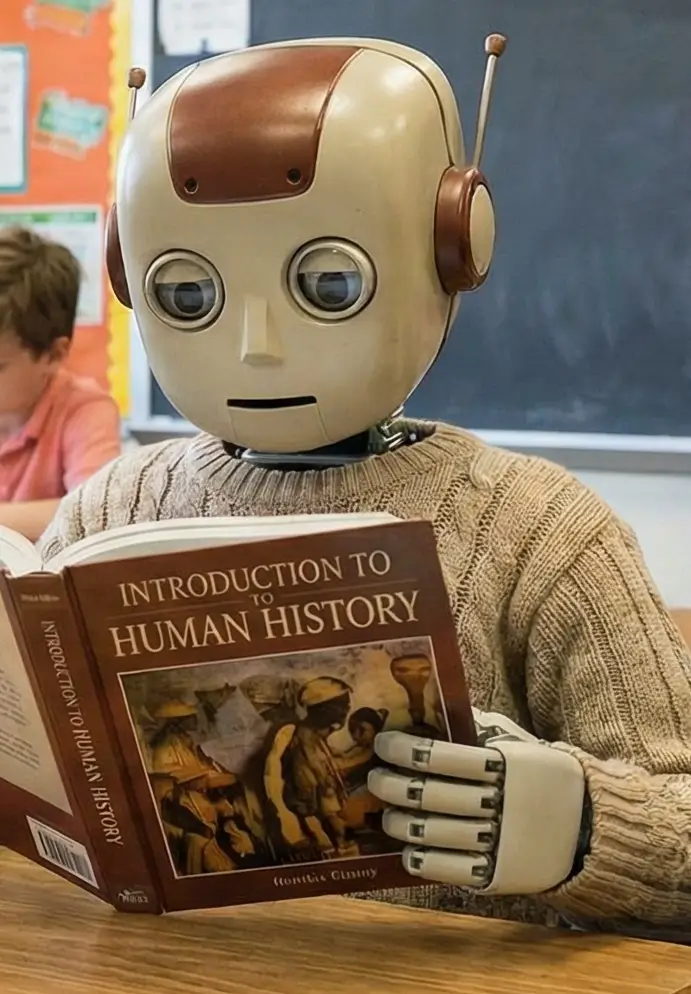
One Thing I have Learned while building TechnofluxAi is that Ai tools usually sound easier to use than they are in the real world. I like to try things myself, see where I get stuck, and figure out what actually saves time instead of just repeating promisies.That’s the approach I use throughout this site: keep what works, point out what doesn’t, and explain things in a way that makes sense for someone who is still learning. I started out searching for an image creator. That was my first interaction with Ai. I was frustrated by the vast tool list without any real direction on which tool was best. Then I realized how powerful this tool was .and was going to be in the future. Making mistakes has helped me in the choice of articles I write.
How to Find the Right AI Tool
New AI tools appear constantly, and many promise the same things.
That makes tool discovery harder than it should be.
A better approach is to start with the job you need done and work backward.
If You Need Help Writing
Look for tools that can help with research organization, outlines, drafting, rewriting, editing, and content planning.
If You Need Better Visuals
Focus on tools for image generation, graphics, thumbnails, editing, or creative asset production.
If You Need Video Help
Look for tools that fit scripting, editing, repurposing, captions, or short-form production.
If You Need to Save Time
Look at automation tools and workflows instead of adding another general-purpose chatbot.
If You Need Better Search Visibility
Focus on SEO, content optimization, AI-search visibility, and research tools.
If You’re Still Learning
Start with beginner tutorials before paying for specialist software.
Don’t Choose a Tool Because Everyone Is Talking About It
Popular AI tools such as ChatGPT, Gemini, Claude, Midjourney, and Suno do very different jobs.
That means asking “what is the best AI tool?” usually isn’t specific enough.
A more useful question is:
For example, a creator researching an article has a different problem from someone generating artwork. A blogger trying to improve search visibility has a different problem from a musician experimenting with AI audio.
The tool should match the workflow.
Use Reviews to Answer Specific Questions
A useful review should do more than repeat the company’s feature list.
When TechnofluxAI covers a tool, the important questions are:
- What does the tool actually do?
- Who is it useful for?
- What problem does it solve?
- What are its important limitations?
- How does it fit into a real workflow?
- What overlaps with tools you may already use?
- Is a free plan enough to test it?
- When is paying for it justified?
That is more useful than calling every new release a “game changer.”
Use Comparisons When Two Tools Solve the Same Problem
Comparisons are most useful when the tools genuinely compete for the same job.
The right comparison should focus on the decision:
- Which workflow is each tool designed for?
- Where do their features overlap?
- What does one do that the other does not?
- Which limitations matter?
- Who would actually benefit from switching?
Feature counts alone rarely answer those questions.
Use Prompts as Starting Points, Not Magic Formulas
Prompt collections can save time, especially when you’re learning how to communicate with AI.
But a copied prompt isn’t valuable simply because it is long.
A useful prompt usually gives the AI enough context to understand:
- The task
- The intended audience
- The information it should use
- The constraints it should respect
- The format you want back
- What it should not invent
The best prompt is often the one that gives the AI the right information, not the one with the most complicated wording.
Start With Free Tools When It Makes Sense
You don’t need a large monthly AI budget to learn what works for you.
Free tiers and limited plans can be enough to test a workflow before committing to another subscription.
Upgrade when the limitation becomes a real problem, not because the pricing page says the paid plan is “for professionals.”
You can browse current options in our free AI tools guide.
Build a Workflow, Not a Collection of Apps
Using more tools isn’t automatically more productive.
A simple creator workflow might look like this:
- Research: collect reliable source material and understand the topic.
- Organize: use an AI assistant to structure notes and identify gaps.
- Create: write, design, record, or build the main asset.
- Edit: improve accuracy, clarity, and presentation.
- Optimize: check SEO, formatting, accessibility, or distribution needs.
- Repurpose: turn the finished work into supporting formats when useful.
- Measure: see what actually helped before adding another tool.
The goal isn’t to use AI at every step.
The goal is to use it where it makes the work better or removes unnecessary friction.
Who TechnofluxAI Is For
TechnofluxAI is built primarily for people doing real work with AI, especially creators and smaller online businesses that don’t have time to test everything themselves.
Bloggers
Research, writing assistance, SEO workflows, content refreshes, and publishing systems.
Content Creators
Ideas, scripts, images, video workflows, repurposing, and creative experimentation.
Solo Site Owners
Practical AI workflows that reduce repetitive work without requiring a large team.
Small Online Businesses
Research, content, automation, marketing workflows, and smarter tool decisions.
What You’ll Find on TechnofluxAI
- Beginner-friendly AI tutorials
- Practical AI workflows
- AI tool guides and reviews
- Tool comparisons
- Prompt examples
- AI blogging workflows
- AI automation guides
- AI search and visibility topics
- Experiments and practical testing
- Creator-focused AI use cases
What We Don’t Want This Site to Become
TechnofluxAI isn’t meant to be an endless feed of AI news or a giant collection of thin tool roundups.
The useful question isn’t “what launched today?”
It’s whether a tool, feature, or workflow helps someone create better work, save meaningful time, understand AI more clearly, improve visibility, or make a better decision.
A Better Way to Learn AI
Instead of trying to master every model and platform, choose a real task you already do.
Then test AI against that task.
- Choose one job you want to improve.
- Try one AI tool that appears suited to it.
- Compare the AI-assisted workflow with your normal process.
- Notice what genuinely improved.
- Notice what became worse or required more checking.
- Keep the parts that help.
- Drop the parts that don’t.
That’s much more useful than signing up for every new tool because it is trending.
Frequently Asked Questions
What are AI tools for creators?
AI tools for creators are software products that can assist with tasks such as writing, research, design, image generation, video, audio, editing, automation, and content planning.
Different tools specialize in different jobs, so the useful choice depends on the type of work you’re doing.
Which AI tool should beginners start with?
A general-purpose AI assistant is usually a practical starting point because it lets you experiment with several kinds of tasks before paying for specialist software.
Once you know where AI actually helps your workflow, it becomes easier to choose more specialized tools.
Do I need to pay for AI tools?
No.
Many tools offer free access, trials, or limited plans that are sufficient for learning the basics and testing whether a workflow is useful.
Paid plans make more sense when a specific limitation is getting in the way of work you already know you want to do.
Are AI-generated articles good for SEO?
AI can help with research organization, outlines, editing, structure, and other parts of the content process.
But simply generating an article does not make it useful or search-worthy. Accuracy, originality, firsthand input, clear explanations, and genuine reader value still matter.
What is prompt engineering?
Prompt engineering is the practice of giving an AI system instructions and context that help it produce a more useful result.
Good prompts usually explain the task, relevant information, audience, constraints, and desired output rather than relying on vague requests.
Can AI replace creators?
AI can automate or accelerate parts of creative work.
It does not supply your real experiences, taste, judgment, relationships with an audience, testing, or reasons for making a particular creative decision.
Those human contributions are often what make the final work worth paying attention to.
Where to Go Next
Start Here
Begin with the fundamentals and practical creator use cases.
Browse AI Tools
Explore the larger directory when you already know what kind of tool you’re looking for.
Learn AI
Continue with tutorials, prompts, beginner guides, and practical lessons.
Build an AI Blogging Workflow
See how AI can fit into a practical content process instead of replacing the whole process.
Final Thought
AI changes quickly, but the basic rule doesn’t.
Start with the problem, not the tool.
Use AI where it genuinely helps, verify important information, keep your own judgment in the process, and build workflows you actually understand.
That’s what TechnofluxAI is here to help with.

About the Author
Jon Hicks
Founder of TechnofluxAI.
I’m the creator behind TechnofluxAI, focused on breaking down powerful AI tools, emerging trends, and practical strategies to help creators and entrepreneurs stay ahead in a rapidly evolving digital world.
Follow TechnofluxAI for the latest AI tools & strategies