
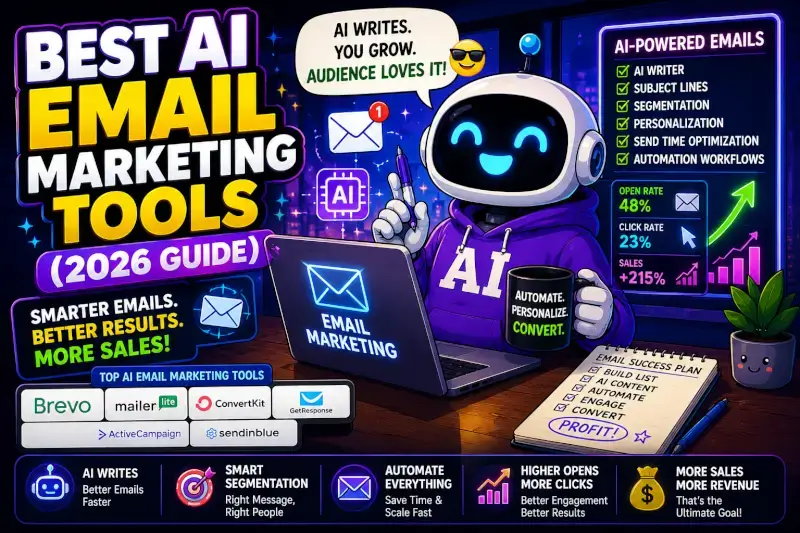
The best AI tool for email marketing depends on whether you need help writing emails, managing subscribers, building automations, or running an entire email program.
That’s an important distinction because ChatGPT and Jasper can help create copy, while platforms such as Kit, ActiveCampaign, HubSpot, Brevo, and Omnisend can also manage lists, campaigns, segmentation, automations, and other parts of the actual email workflow.
Quick answer: Kit is worth considering for creators and newsletters, ActiveCampaign for more advanced automation, Omnisend for ecommerce, Brevo for small-business email and automation, HubSpot when email needs to connect closely with CRM data, and ChatGPT when you mainly need help researching, drafting, or improving email copy.
The mistake is assuming every product with AI features belongs in the same category.
An AI writing assistant doesn’t replace an email marketing platform. And an email platform with AI features doesn’t automatically make every campaign better.
Best AI Email Marketing Tools by Use Case
What AI Can Actually Help With in Email Marketing
Draft subject lines, body copy, calls to action, welcome emails, and follow-up sequences.
Help organize subscribers into useful groups based on available customer or behavioral data.
Trigger welcome sequences, follow-ups, reminders, and other messages based on defined actions.
Adapt content using subscriber information when your platform and data support it.
Help identify patterns in campaign data and surface possible areas to investigate.
Generate variations of subject lines, calls to action, positioning, and campaign concepts for testing.
Important: AI can suggest a stronger subject line or send time, but it cannot guarantee a higher open rate, click rate, conversion rate, or revenue. Your audience, offer, deliverability, timing, targeting, and message still matter.
The most useful AI email workflow is one where automation removes repetitive work without removing your judgment.
One Thing I have Learned while building TechnofluxAi is that Ai tools usually sound easier to use than they are in the real world. I like to try things myself, see where I get stuck, and figure out what actually saves time instead of just repeating promisies.That’s the approach I use throughout this site: keep what works, point out what doesn’t, and explain things in a way that makes sense for someone who is still learning. I started out searching for an image creator. That was my first interaction with Ai. I was frustrated by the vast tool list without any real direction on which tool was best. Then I realized how powerful this tool was .and was going to be in the future. Making mistakes has helped me in the choice of articles I write.

1. Kit: A Strong Fit for Creators and Newsletters
If you remember ConvertKit, the first update to make is the name: the platform is now called Kit.
Kit remains focused heavily on creators, newsletters, subscriber growth, email sequences, landing pages, forms, tagging, and visual automations.
Its newer AI tools extend that workflow with features such as AI-assisted subject lines and connections that allow supported AI tools to work with Kit data and actions.
Best fit: Bloggers, newsletter publishers, educators, creators, and digital-product businesses that want email to remain at the center of the audience relationship.
Kit also offers a free plan, although more advanced automation features may require a paid tier.
2. ActiveCampaign: For More Advanced Automation
ActiveCampaign makes more sense when your email program has moved beyond a simple newsletter and you want deeper automation and personalization.
Its current AI features include AI-assisted campaign creation, content and image generation, predictive sending, automation tools, and other features tied to customer behavior and campaign data.
That gives it a different role from a simple AI copywriter.
Best fit: Businesses that already have enough subscribers, campaigns, customer data, and automation needs to justify a more sophisticated marketing system.
3. Omnisend: For Ecommerce Email Marketing
Omnisend is much easier to evaluate when the business model is clear: ecommerce.
Its AI features currently cover areas including email writing, subject lines, audience segmentation, forms, customer insights, and product recommendations.
That’s useful because an online store often has more customer behavior to work with than a simple newsletter.
- Welcome campaigns
- Abandoned-cart messages
- Product recommendations
- Customer segmentation
- Post-purchase communication
If you don’t run an online store, much of that specialization may not matter to you.
4. Brevo: For Small-Business Email and Automation
Brevo combines email marketing with automation and other communication channels, including SMS.
Its AI features now extend into content generation, segmentation, automation assistance, and send-time optimization.
That makes it worth considering when you want more than a newsletter platform but don’t necessarily need a large enterprise marketing stack.
Best fit: Small businesses that want email, basic automation, segmentation, and other customer communication tools in one system.
5. HubSpot: When Email Needs CRM Context
HubSpot becomes more interesting when the email isn’t operating by itself.
Its email tools can work alongside CRM information, marketing data, sales activity, segmentation, analytics, and broader customer workflows.
HubSpot also offers AI-assisted email creation, including generating subject lines and email content within its marketing and sales environment.
Where the value comes from: If all you need is a newsletter, a large CRM platform can be more than necessary. HubSpot becomes more compelling when email is one part of a broader sales and customer-management system.
6. Mailchimp: Familiar General-Purpose Email Marketing
Mailchimp remains a widely used email marketing platform for campaigns, subscriber management, automation, templates, segmentation, and reporting.
For a beginner, one advantage is that it’s designed as an email marketing platform first, rather than requiring you to assemble an email system from several separate tools.
I’d compare its current plan limits and automation features carefully with Kit, Brevo, and the other platforms you’re considering before moving an existing list.
7. ChatGPT: For Email Research and Writing
ChatGPT belongs on this list, but in a different category.
It isn’t your email list, campaign sender, subscriber database, or deliverability platform.
It’s useful upstream of those systems.
- Brainstorming subject-line directions
- Creating first drafts
- Rewriting an email for clarity
- Creating variations for testing
- Analyzing customer feedback or campaign data you provide
- Developing a welcome-sequence outline
I’d avoid asking for a “high-converting sales email” and expecting the first generated draft to understand your customer automatically.
The better prompt includes the audience, offer, objections, context, voice, and goal.
8. Jasper: For Dedicated Marketing Content Workflows
Jasper is more specialized around marketing content and brand workflows.
That can make sense for teams producing a large volume of marketing material across email and other channels.
For a solo creator who only needs help writing a newsletter once a week, it may be more software than necessary.
Decision rule: Choose a specialized marketing-writing platform because its workflow solves a problem you already have, not because it can technically generate an email.
For many smaller businesses, the email platform you already use plus a general AI assistant may be enough.
How to Choose an AI Video Tool for TikTok
Start with what you already have.
Look at generation-focused tools that can help turn the idea into an initial video.
Prioritize editing, captions, reframing, cleanup, and faster finishing.
A repurposing tool such as OpusClip may be more useful than a text-to-video generator.
Look at generative video tools designed to create new visual footage.
Decide whether you actually need an avatar, generated visuals, stock-based video, narration, or a combination of them.
A Better AI Workflow for TikTok
Instead of asking one AI tool to make an entire video and publishing whatever comes out, I’d break the process into stages.
That keeps AI in the workflow without handing the entire creative decision to the software.
What I’d Test Before Paying
The original article compared feature lists. A more useful comparison would be to give several tools the same real assignment.
Take one 30-second script and create the same vertical video with three different AI workflows. Compare generation time, manual editing time, visual consistency, captions, audio, export quality, usable output, and total cost.
That would tell us much more than comparing marketing-page feature lists, and it’s the kind of test I’d like to add to this article later.
Frequently Asked Questions
Can AI generate TikTok videos from text?
Yes. Some AI video tools can generate an initial video or video scenes from a prompt or script. The amount of editing required afterward varies considerably by tool and by the type of video you’re making.
What should beginners look for in an AI TikTok video tool?
Prioritize an easy editing workflow, vertical-video support, captions, usable exports, and the AI feature you actually need. A long feature list isn’t useful if most of those features never enter your workflow.
Can AI create faceless TikTok videos?
Yes. Faceless content can use generated visuals, stock footage, screen recordings, animation, AI avatars, narration, or combinations of those formats. You don’t necessarily need a dedicated “faceless video” tool.
Can AI automatically add captions?
Yes. Several editing and repurposing tools can generate captions from speech. Automatic captions should still be reviewed before publishing because names, technical terms, punctuation, and unusual speech can be transcribed incorrectly.
Can AI turn a YouTube video or podcast into TikTok clips?
Yes. AI repurposing tools can identify sections of longer content, reframe them vertically, add captions, and prepare shorter clips. You should still review whether the selected segment makes sense without the context of the original video.
Will AI-generated videos get more TikTok views?
AI can make parts of video production faster, but it doesn’t guarantee reach or engagement. The idea, execution, audience fit, pacing, originality, and usefulness of the finished content still matter.
Use AI to Remove the Slow Parts
The most useful AI video tool isn’t necessarily the one that generates the most content automatically.
It’s the one that removes the slowest part of your current workflow.
If you’re starting from a script, use generation where it helps. If you already record long videos, repurpose them. If editing takes too long, automate repetitive editing work. If narration is the bottleneck, solve the audio problem.
Don’t optimize for the most AI.
Optimize for a faster workflow that still produces content worth watching.

About the Author
Jon Hicks
Founder of TechnofluxAI.
I’m the creator behind TechnofluxAI, focused on breaking down powerful AI tools, emerging trends, and practical strategies to help creators and entrepreneurs stay ahead in a rapidly evolving digital world.
Follow TechnofluxAI for the latest AI tools & strategies