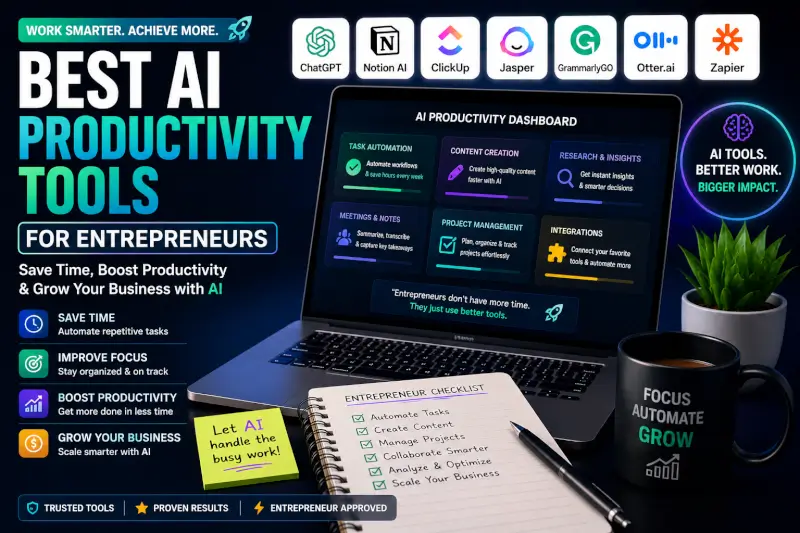
The best AI productivity tool for an entrepreneur is the one that removes a real bottleneck from the workday.
That could mean drafting and research, automating repetitive processes, organizing business knowledge, planning your day, managing projects, or turning meetings into usable notes and action items.
Quick answer: ChatGPT is a flexible starting point for general AI work. Zapier makes more sense when repetitive processes span multiple apps. Notion is useful when your projects and business knowledge already live there. Motion focuses on planning and scheduling work, while ClickUp becomes more relevant when AI needs access to an existing project-management workspace.
The goal isn’t to collect productivity apps.
Every new tool also creates another login, another interface, another subscription, and potentially another place where your business information lives.
For a solo entrepreneur or small team, a smaller stack that solves specific problems can be more useful than ten overlapping AI subscriptions.
Best AI Productivity Tools by Business Problem
What Counts as an AI Productivity Tool?
This is where a lot of these lists get messy.
A useful productivity app isn’t automatically an AI productivity tool. Calendly, for example, can eliminate the back-and-forth involved in scheduling meetings, but that’s a different reason to use it than choosing an AI assistant or an AI automation platform.
For this guide, I’m more interested in tools where AI plays a meaningful role in the workflow.
Research, analysis, brainstorming, summarization, drafting, and working through information.
Move information between systems, classify inputs, trigger actions, and automate repeatable processes.
Search business information, summarize meetings, organize documentation, and retrieve context.
Prioritize tasks, organize schedules, and adjust plans as deadlines or priorities change.
A useful filter: Don’t ask, “Which AI productivity tools should I buy?” Ask, “What keeps wasting my time every week?” The answer gives you a much better starting point.
Once you know the bottleneck, comparing tools gets much easier.
One Thing I have Learned while building TechnofluxAi is that Ai tools usually sound easier to use than they are in the real world. I like to try things myself, see where I get stuck, and figure out what actually saves time instead of just repeating promisies.That’s the approach I use throughout this site: keep what works, point out what doesn’t, and explain things in a way that makes sense for someone who is still learning. I started out searching for an image creator. That was my first interaction with Ai. I was frustrated by the vast tool list without any real direction on which tool was best. Then I realized how powerful this tool was .and was going to be in the future. Making mistakes has helped me in the choice of articles I write.

1. ChatGPT: For General AI Work
ChatGPT makes sense as a starting point because an entrepreneur can use the same AI assistant across several different types of work.
That might include researching a topic, analyzing information, drafting an email, working through a business problem, creating an outline, summarizing a document, or developing a repeatable workflow.
- Turn rough notes into a usable document
- Analyze uploaded business information
- Research and compare options
- Draft emails and customer communication
- Develop processes and checklists
The limitation is also its flexibility. A general AI assistant doesn’t automatically know how your business works, and important output still needs context, verification, and judgment.
2. Notion: For Business Knowledge and Workspace AI
Notion has moved well beyond the basic “AI writing inside your notes” description in the original article.
Its current AI features include workspace assistance, AI Meeting Notes, connected search, research features, and agents that can perform work using context from a Notion workspace and connected tools.
That makes the most sense when your projects, documents, databases, and company knowledge already live in Notion.
Best fit: An entrepreneur or team already using Notion as a central workspace and wanting AI to work with that existing context.
I wouldn’t move an entire business into Notion just because it has more AI features now. The value comes from combining the AI with information and workflows you already maintain there.
3. Zapier: For Automating Work Between Apps
Zapier is another product that has changed enough that describing it as a simple app connector undersells what it does now.
Traditional Zaps still connect triggers and actions across apps, but Zapier also supports AI steps, agents, data, forms, and other tools for building more complete automated workflows.
A useful automation might take an incoming form submission, classify it, store the information, notify the right person, and trigger the next action without manually copying information between systems.
- Does the task happen frequently?
- Are the steps predictable?
- What happens when the automation fails?
- Does the time saved justify the setup and usage cost?
That last point matters because AI-powered automation can have usage-based costs. A complicated workflow isn’t automatically a productive workflow.
4. Motion: For Automatically Planning Your Workday
Motion focuses more directly on the problem of having too many tasks and not knowing when to do them.
Its AI task manager can schedule work based on factors such as deadlines, priorities, dependencies, and available time, then adjust the schedule as circumstances change.
That can be useful if a large part of your day is spent manually reorganizing a calendar and task list.
Best fit: Someone whose main productivity problem is deciding what to work on and continually rebuilding a schedule around changing priorities.
If you already have a simple calendar and task system that works, adding another planning platform may create more overhead than it removes.
5. ClickUp: For AI Inside Project Management
ClickUp makes more sense for entrepreneurs who need project management rather than just a personal AI assistant.
ClickUp Brain can work with information from tasks, documents, conversations, and other workspace context. Its current AI direction also includes agents and more complete workflow assistance.
The advantage is context: AI can be more useful when it understands the actual projects and work inside the system.
The tradeoff: A feature-rich project platform can become its own project to manage. Solo entrepreneurs with simple workflows may not need that much system.
6. Otter: For Meeting Notes and Transcripts
If meetings are where information keeps disappearing, an AI meeting tool solves a more specific problem.
Otter can transcribe conversations and help turn meetings into searchable notes and summaries.
The value isn’t simply having a transcript. It’s reducing the need to manually reconstruct what was discussed, what was decided, and what needs to happen next.
Before recording or transcribing meetings, make sure your participants know what is being captured and that your use complies with applicable privacy and recording requirements.
7. Grammarly: For Everyday Business Writing
Grammarly is narrower than ChatGPT, and that can actually be the reason to use it.
If the problem is polishing emails, proposals, documents, and everyday communication, you may not need a larger AI workflow.
Its writing assistance can help with clarity, tone, grammar, revisions, and other routine editing tasks.
Best fit: Someone who spends a lot of time writing across different apps and wants assistance close to the writing itself.
What About Calendly, Trello, and Superhuman?
They’re still useful products for the right workflow, but I wouldn’t force them into the main list just to reach ten tools.
Calendly can eliminate scheduling back-and-forth. Trello can provide straightforward visual project management. Superhuman may appeal to people whose inbox itself is a major productivity bottleneck.
Those are legitimate productivity problems.
The important question for this article is whether AI is actually central to why you’d choose the tool. If it isn’t, it belongs in a broader productivity comparison rather than being labeled an essential AI tool.
How I’d Build an AI Productivity Stack
I wouldn’t start by installing seven tools.
I’d start by watching where the time goes for a week.
Start with a general AI assistant and learn how to give it enough context to produce useful work.
Map the repeated process and test whether automation can remove the manual steps.
Fix the knowledge system before adding more AI. AI search is more useful when the underlying information is organized and current.
A scheduling tool becomes worth testing when planning itself is consuming meaningful time.
Meeting transcription and summaries may solve more than another general productivity app.
The Productivity Trap: Automating a Bad Process
AI can make an inefficient process run faster without making it better.
If you’re manually moving the same information between five apps, automation might help. But another possibility is that you shouldn’t need five apps in the first place.
Before you automate: Remove unnecessary steps, simplify the workflow, decide where the source of truth lives, and then automate what remains.
Otherwise you can end up paying AI to maintain complexity you created yourself.
A Simple Way to Test Whether a Tool Is Worth Paying For
The Experiment I’d Add to This Article
A list of features can only tell us so much.
A more useful TechnofluxAI test would take one realistic entrepreneur workday and compare a manual workflow with a small AI-assisted stack.
Track the time needed to research a topic, draft two emails, process meeting notes, update a project, and handle one repetitive admin workflow. Then repeat those jobs with AI assistance and measure setup time, AI time, correction time, final quality, and actual minutes saved.
Until that test is run, I wouldn’t publish a claim that one of these tools saved me a specific number of hours. That’s exactly the kind of result that should come from actual testing.
Frequently Asked Questions
What can entrepreneurs use AI productivity tools for?
Common uses include research, writing, summarizing information, organizing business knowledge, planning work, processing meeting notes, and automating repetitive workflows between applications.
Do entrepreneurs need several AI tools?
Not necessarily. One general AI assistant plus one specialized tool for a genuine bottleneck may be enough. Adding overlapping software can increase cost and complexity without improving the workflow.
Can AI automate repetitive business work?
Yes. Automation platforms can combine triggers, app actions, AI processing, and other steps to handle repeatable workflows. Important processes should still include monitoring and a plan for failures or incorrect output.
Can AI manage an entrepreneur’s schedule?
AI scheduling tools can help place tasks into available time and adjust plans based on priorities and deadlines. They still depend on accurate tasks, priorities, availability, and constraints from the user.
Are free AI productivity tools enough?
They can be enough for testing and lighter workflows. Paid plans become easier to justify when usage limits, integrations, automation, collaboration, or advanced AI features are preventing you from completing work efficiently.
Productivity Isn’t About Adding More AI
The point of these tools is to remove work that doesn’t deserve so much of your time.
Sometimes that means using AI. Sometimes it means automating a repetitive process. And sometimes the productive decision is deleting a tool or simplifying the process instead.
Start with the bottleneck, not the software.
Then make the tool prove that it deserves a permanent place in your workflow.

About the Author
Jon Hicks
Founder of TechnofluxAI.
I’m the creator behind TechnofluxAI, focused on breaking down powerful AI tools, emerging trends, and practical strategies to help creators and entrepreneurs stay ahead in a rapidly evolving digital world.
Follow TechnofluxAI for the latest AI tools & strategies