

Estimated reading time: 8 minutes
TechnofluxAI WordPress Workflow
How to Build an Approval Queue for AI-Drafted WordPress Posts
AI can help you create WordPress drafts faster, but speed creates a new problem: too many posts can move toward publishing before they are properly reviewed. An approval queue gives your AI-drafted content a safety checkpoint before it goes live.
Quick Answer
An approval queue for AI-drafted WordPress posts is a simple editorial workflow where AI-generated drafts are held for human review before publishing. The queue helps you check accuracy, SEO, formatting, originality, links, images, disclosures, and brand voice before readers ever see the post.
Best For
AI blogs, affiliate sites, agency content teams, solo creators, niche websites, local business blogs, and any WordPress site using AI to create first drafts.
The Real Problem
AI drafts can look finished before they are actually ready. They may have weak examples, missing internal links, unsupported claims, generic introductions, broken formatting, or SEO gaps. Without an approval queue, those problems can slip straight into your published blog.
What This Guide Will Help You Build
You will learn how to create a practical approval queue inside your WordPress publishing process, what review stages to include, which roles matter, and how to prevent AI-drafted posts from going live too early.
The goal is not to slow your content workflow down. The goal is to make AI content safer, cleaner, more useful, and easier to publish with confidence.
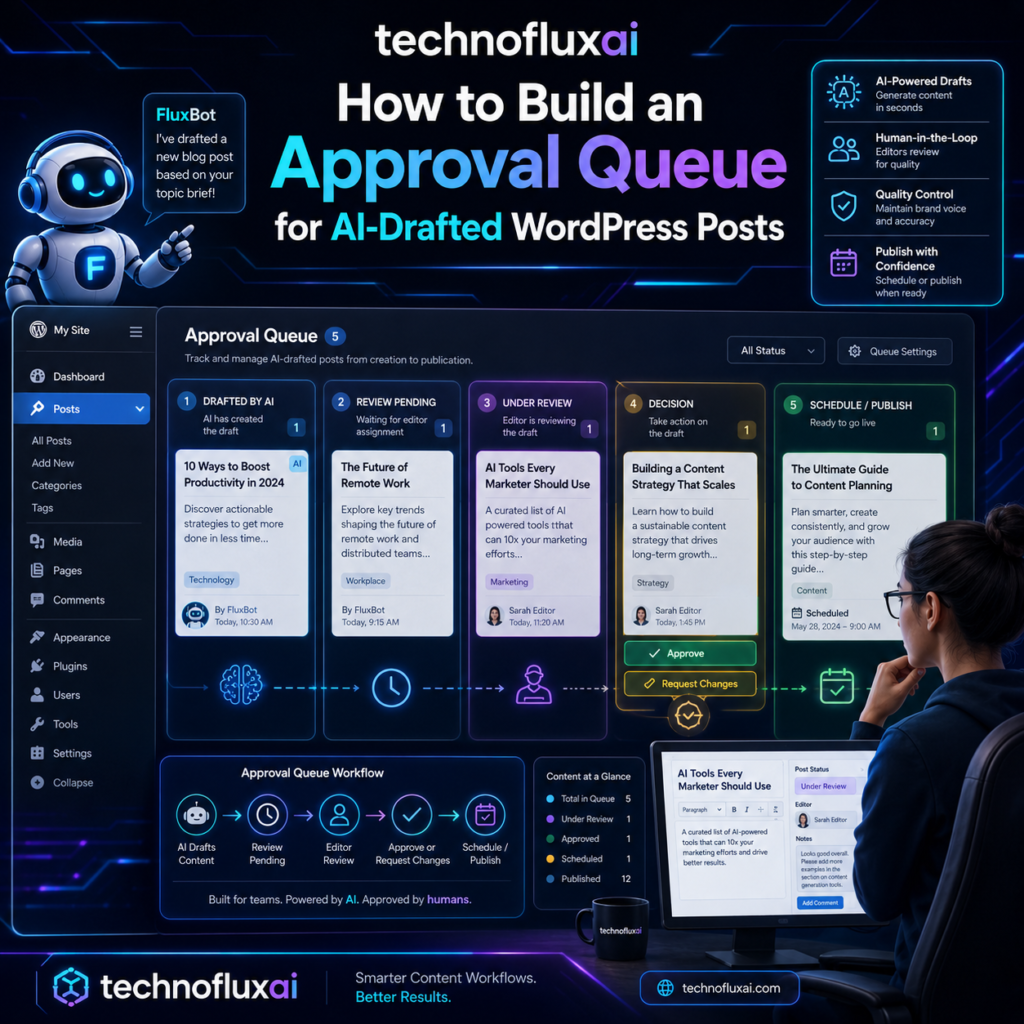
What Is an AI Content Approval Queue?
An AI content approval queue is a review system that keeps AI-drafted WordPress posts from being published until they pass specific checks. Instead of moving from AI draft to published post in one jump, each article moves through controlled stages.
A good approval queue does not treat AI as the final writer. It treats AI as the draft assistant. The human workflow still decides whether the post is accurate, helpful, well-structured, and ready for your audience.
Without a Queue
AI drafts sit in WordPress with no clear owner, no review status, and no consistent publishing rules.
With a Queue
Every draft has a stage, a reviewer, a checklist, and a clear next step before publishing.
The 6 Stages of an AI-Drafted WordPress Approval Queue
You can make this workflow simple or advanced, but every AI-drafted post should pass through these six basic stages before it goes live.
Approval Queue Stages
- AI Draft Created: The first draft is generated and saved in WordPress as a draft, never published directly.
- Content Review: A human checks whether the article answers the search intent and provides useful information.
- Fact and Claim Check: Any data, tool claims, pricing, dates, legal statements, or technical instructions are verified.
- SEO Review: The title, slug, meta description, headings, internal links, image alt text, and keyphrase placement are checked.
- Brand and Formatting Review: The post is edited for tone, readability, layout, CTA placement, and WordPress formatting.
- Final Approval: The publisher gives the final yes, schedules the post, or sends it back for revision.
Recommended WordPress Status Setup
WordPress already gives you basic statuses like Draft, Pending Review, Scheduled, and Published. For AI-heavy workflows, you may want more detail using editorial workflow plugins, custom statuses, project boards, or a shared spreadsheet.
| Queue Status | Meaning | Owner |
|---|---|---|
| AI Draft | Raw AI draft has been added to WordPress. | Writer or AI operator |
| Needs Human Edit | Draft needs rewriting, examples, cleanup, or stronger structure. | Editor |
| Fact Check | Claims, links, data, and instructions must be verified. | Reviewer |
| SEO Review | Yoast fields, headings, links, schema opportunities, and readability are checked. | SEO editor |
| Ready to Schedule | Post is approved and waiting for a publishing date. | Publisher |
| Published | Post is live and ready for monitoring or future updates. | Site owner |
Step-by-Step: Build the Approval Queue
Your queue does not need to be complicated. Start with a clear process, then upgrade the system when your content volume grows.
AI WordPress Approval Workflow
- Create a no-direct-publish rule: No AI-generated draft should be published without review.
- Choose your queue location: Use WordPress statuses, a Kanban board, a spreadsheet, or an editorial calendar plugin.
- Define required review stages: At minimum, include human edit, fact check, SEO review, and final approval.
- Assign ownership: Each stage should have one responsible person, even if you are a solo creator wearing every hat.
- Add a checklist to every post: Keep the checklist in the WordPress editor, project board, or content brief.
- Set a publishing rule: A post can only be scheduled when every checklist item is complete.
- Review results monthly: Track which drafts needed the most edits and improve your prompts or templates.
AI-Drafted Post Review Checklist
Content Quality
- Answers the main question clearly
- Avoids generic AI filler
- Includes practical examples
- Matches the reader’s skill level
SEO Review
- Focus keyphrase appears naturally
- SEO title and slug are clean
- Meta description is written
- Internal links are added
Trust Review
- Claims are checked
- Sources are added when needed
- AI use is disclosed if appropriate
- No misleading promises are included
Solo Creator Version
If you work alone, your approval queue can be simple. Create four columns: AI Draft, Editing, SEO Review, and Ready to Publish. Move every post through each column before it goes live.
The key is separation. Do not generate, edit, optimize, and publish in the same sitting. Give yourself at least one review pass with fresh eyes, especially for posts that include advice, product claims, tutorials, or affiliate links.
Important Rule
Never let “AI wrote it fast” become the reason you publish fast. AI can speed up drafting, but approval should still protect your audience, your SEO, and your brand reputation.
Advanced Tips for a Stronger AI Approval Queue
Once your basic queue is working, you can make it smarter. The best approval systems do more than catch mistakes. They teach you which prompts, topics, templates, and writers produce the cleanest drafts.
Track Revision Reasons
When a post gets sent back, note why. Common reasons include weak intro, missing sources, poor formatting, thin examples, or bad search intent match.
Score Draft Quality
Give each AI draft a simple score from 1 to 5. Over time, you will see which prompts create the strongest starting points.
Create Topic Risk Levels
A simple opinion post may need light review. A finance, health, legal, or technical tutorial needs stricter fact checking and source review.
Common Mistakes to Avoid
- Publishing directly from an AI tool: Always move drafts into a review system first.
- Only checking grammar: Grammar is not enough. You also need to check accuracy, usefulness, SEO, and intent.
- Letting every draft become a post: Some AI drafts should be rejected, merged, or rewritten from scratch.
- Skipping internal links: AI drafts often miss your existing content strategy unless you deliberately add internal links.
- Ignoring update dates: AI-drafted posts about tools, pricing, rules, or platforms may become outdated quickly.
- Using one approval standard for every topic: Higher-risk topics need a stricter review process.
FAQ: AI-Drafted WordPress Approval Queues
What is an approval queue for AI-drafted WordPress posts?
It is a workflow that holds AI-generated drafts for human review before they are published. The queue helps check quality, accuracy, SEO, formatting, and brand voice.
Can I build an approval queue inside WordPress?
Yes. You can use WordPress draft and pending review statuses, editorial workflow plugins, custom fields, or a connected project board to manage the queue.
Should AI-drafted posts be published automatically?
No. AI-drafted posts should be reviewed before publishing because they can contain errors, weak structure, missing context, or generic filler.
What should I check before approving an AI draft?
Check the article’s accuracy, search intent match, usefulness, readability, internal links, Yoast fields, image alt text, formatting, CTA, and brand voice.
Is this workflow only for teams?
No. Solo creators can use the same process with fewer stages. The main idea is to separate drafting, editing, SEO review, and final approval.
Final Takeaway
An approval queue turns AI-drafted WordPress posts from risky first drafts into controlled publishing assets. The system does not need to be complicated. Every post should have a status, a checklist, a reviewer, and a final approval step before it goes live.
Creator CTA
Before you publish your next AI-generated WordPress post, create a simple four-stage queue: AI Draft, Human Edit, SEO Review, and Ready to Publish.
Next step: Build your approval checklist once, then reuse it for every AI-assisted article.