

Estimated reading time: 35 minutes
Key Takeaways
- The article reviews the best AI email assistants for small businesses, focusing on their key features and ideal use cases.
- Google Gemini for Gmail and Microsoft Copilot for Outlook cater to users already integrated into their respective ecosystems.
- Superhuman excels in speed, while Shortwave offers an AI-native email experience for Gmail users.
- For inbox cleanup and filtering, SaneBox helps eliminate email noise, making it essential for small teams.
- Consider your current inbox and specific needs when selecting the best AI email assistant for your business.
Best AI Email Assistants at a Glance
| AI Email Assistant | Best For | Best Fit |
|---|---|---|
| Google Gemini for Gmail | Google Workspace users | Gmail inbox help |
| Microsoft Copilot for Outlook | Microsoft 365 teams | Outlook email help |
| Superhuman | Founders and sales teams | Premium inbox speed |
| Shortwave | Gmail power users | AI-native email workflow |
| SaneBox | Inbox cleanup | Filtering and reminders |
| Fyxer AI | Busy solo operators | Email triage and drafts |
| Gmelius | Gmail teams | Shared inboxes |
| Missive | Team collaboration | Assignments and internal comments |
| Hiver | Gmail-based support teams | Help desk inside Gmail |
| Front | Customer-facing teams | Shared customer communication |
| Zendesk AI | Scaling support teams | Ticketing and AI support |
What Is an AI Email Assistant?
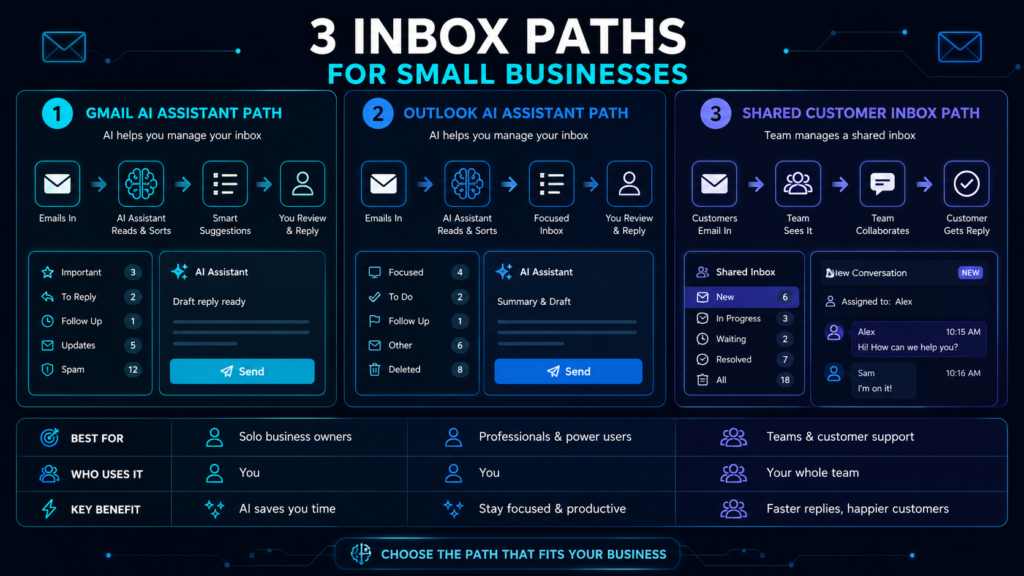
An AI email assistant is a tool that helps you manage your inbox with artificial intelligence. Some AI email assistants focus on writing better replies. Others summarize long email threads, clean up your inbox, remind you to follow up, route customer messages, or turn email into a team workflow.
For small businesses, the best use cases are simple:
Write better replies faster.
Summarize long customer or vendor threads.
Find important messages without digging through search results.
Keep sales leads and follow-ups organized.
Reduce newsletter and low-priority inbox clutter.
Help a small team manage shared inboxes like support@, sales@, or hello@.
AI email tools are especially useful when your inbox has become a mix of customer service, sales, operations, scheduling, and admin work.
1. Google Gemini for Gmail
Best for: Small businesses already using Google Workspace.
Google Gemini for Gmail is one of the easiest AI email assistants to try if your business already uses Gmail. It can help summarize long email threads, draft messages, suggest replies, and help users find information from previous emails. Google’s Gmail AI page highlights Gemini features for summarizing lengthy emails and helping users write email drafts.
This makes Gemini a natural first choice for small businesses that already use Gmail, Google Drive, Google Docs, Google Calendar, and Google Workspace.
The biggest advantage is that you do not have to move your team into a new inbox app. Gemini works inside the Google ecosystem, so it can feel like an upgrade to the tools your team already uses instead of another platform to manage.
Why it works for small businesses
Google Gemini for Gmail is useful when you want help writing replies, catching up on long threads, or quickly understanding what a customer, vendor, or client is asking.
It is especially helpful for business owners who get long back-and-forth email conversations and need a faster way to understand the main points before replying.
Best features
Email thread summaries.
AI-assisted drafting.
Suggested replies.
Help rewriting emails.
Inbox question answering in supported Gemini experiences.
Watch out for
Gemini is best for Gmail users. If your business uses Outlook, Microsoft Copilot will likely fit better. If your team needs shared inbox assignments, internal notes, or customer service ticketing, you may need a tool like Gmelius, Hiver, Front, or Zendesk instead.
Best choice if
Choose Google Gemini for Gmail if your business already runs on Google Workspace and you want AI help inside your current inbox.
2. Microsoft Copilot for Outlook
Best for: Small businesses already using Microsoft 365.
Microsoft Copilot for Outlook is the best starting point for small businesses that use Outlook and Microsoft 365. Copilot can summarize email threads in Outlook, and Microsoft’s support documentation explains that users can select a conversation and use Copilot to scan the thread and create a summary. Microsoft also documents Copilot’s ability to draft email messages inside Outlook.
This makes Copilot a practical choice for teams already using Outlook, Teams, Word, Excel, SharePoint, and OneDrive.
Instead of adding a separate email app, Copilot works inside the Microsoft environment. That matters for small businesses because tool switching can become a hidden productivity cost.
Why it works for small businesses
Copilot helps small teams deal with long email chains, write more polished replies, and understand conversations faster.
It is especially useful for companies that already use Microsoft 365 for documents, meetings, files, and internal communication.
Best features
Email thread summaries.
Drafting help.
Writing assistance.
Microsoft 365 ecosystem fit.
Works inside Outlook.
Watch out for
Copilot works best when your business is already committed to Microsoft 365. If your team mainly uses Gmail, Gemini, Shortwave, Gmelius, or Hiver may make more sense.
Best choice if
Choose Microsoft Copilot for Outlook if your small business already runs on Outlook and Microsoft 365.
3. Superhuman
Best for: Founders, executives, salespeople, consultants, and high-volume inbox users.
Superhuman is a premium email app built around speed. It is not just an AI writing tool. It is designed to help users move through email faster, follow up on time, and write with AI that sounds more like them. Superhuman describes its email product as a productivity-focused app for responding faster, following up on time, and writing with AI.
For small businesses, Superhuman is best when email speed directly affects revenue.
That could mean a founder following up with investors, a consultant responding to client leads, a salesperson managing prospects, or an agency owner trying to keep customer communication from falling behind.
Why it works for small businesses
Superhuman makes sense when your inbox is not just a communication tool. It is part of your sales, customer service, and daily operating system.
If faster replies help you close more work, keep clients happy, or stay on top of opportunities, a premium email tool may be worth considering.
Best features
Fast inbox workflow.
AI writing help.
Follow-up reminders.
Productivity-focused email design.
Useful for high-volume email users.
Watch out for
Superhuman is more of a premium productivity inbox than a shared support system. If you need team assignments, customer ticketing, or support analytics, look at Front, Hiver, Freshdesk, or Zendesk instead.
Best choice if
Choose Superhuman if you personally handle a lot of high-value email and want a faster inbox experience.
4. Shortwave
Best for: Gmail power users who want an AI-native email experience.
Shortwave is an AI email app built for people who want more than a standard Gmail inbox. Shortwave says its AI assistant can organize your inbox, write better emails, improve drafts, search for answers, analyze emails, and manage your calendar.
This makes Shortwave a strong option for small business owners who like Gmail but want a more modern, AI-first workflow.
Instead of simply adding AI writing to email, Shortwave tries to make the inbox feel more like a command center. You can use prompts to search, organize, schedule, write, and understand email faster.
Why it works for small businesses
Shortwave is useful when your inbox feels like a messy task list. It can help you organize conversations, find information, and turn email into something easier to act on.
It is a good fit for founders, creators, consultants, agencies, and Gmail-heavy teams that want a smarter inbox without fully moving into a help desk.
Best features
AI inbox organization.
AI writing and draft improvement.
AI-powered search.
Email analysis.
Calendar help.
Gmail-first workflow.
Watch out for
Shortwave is best for Gmail users. If your business uses Outlook, Copilot, Superhuman, Fyxer, or SaneBox may be a better fit.
Best choice if
Choose Shortwave if you want Gmail to feel more like an AI-powered productivity workspace.
5. SaneBox
Best for: Inbox cleanup, filtering, reminders, and reducing email noise.
SaneBox is one of the best AI email assistants for small business owners who do not want to switch inbox apps. It works as an email management layer that filters unimportant emails, helps with unwanted senders, and reminds users to follow up. SaneBox describes itself as an AI-powered inbox assistant that filters unimportant emails, unsubscribes from unwanted senders, and sends follow-up reminders.
This makes it a strong choice if your problem is not writing emails. Your problem is too many emails.
Small business inboxes often fill up with newsletters, receipts, notifications, cold pitches, vendor messages, and low-priority updates. SaneBox helps push the noise out of the way so the important messages are easier to see.
Why it works for small businesses
SaneBox is useful because it does not require a full workflow change. You can keep your current email provider and use SaneBox to help clean up the mess.
It is especially helpful for solo business owners, consultants, creators, freelancers, and small teams that want fewer distractions.
Best features
Filters low-priority email.
Helps unsubscribe from unwanted senders.
Follow-up reminders.
Works with many email accounts.
Does not require switching inbox apps.
Watch out for
SaneBox is not mainly a writing assistant. If you want AI-generated replies, look at Gemini, Copilot, Superhuman, Shortwave, Fyxer, or Gmelius.
Best choice if
Choose SaneBox if inbox clutter is your biggest email problem.
6. Fyxer AI
Best for: Busy solo operators who want email triage, draft replies, and meeting notes.
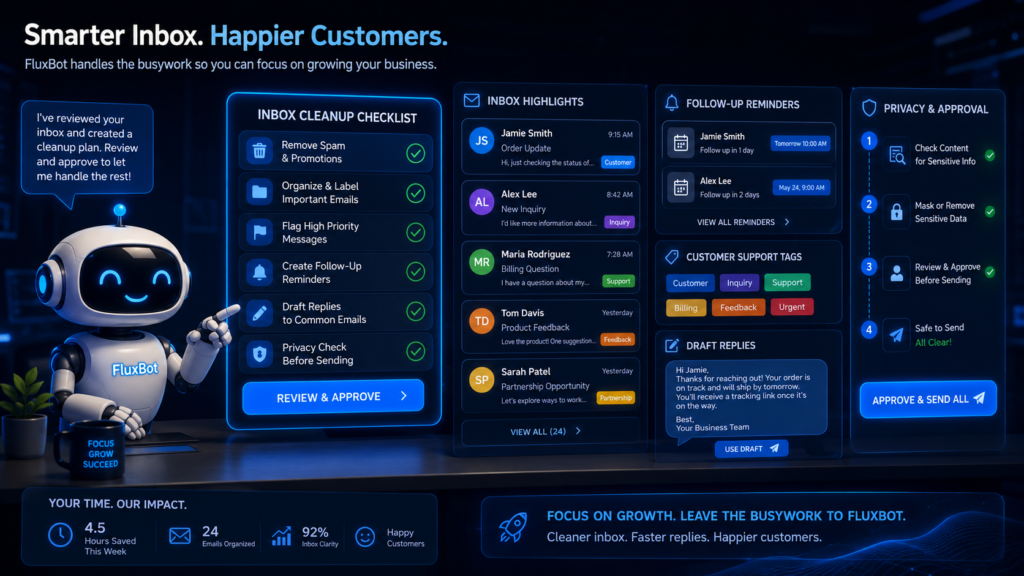
Fyxer AI is designed as an AI assistant that lives inside your inbox. Fyxer says it can organize your inbox, write draft replies in your tone, and take meeting notes. It also supports Gmail and Outlook.
This makes Fyxer interesting for small business owners who spend their day bouncing between email and meetings.
Think consultants, coaches, agency owners, real estate professionals, service providers, and founders. These users often need a tool that can help sort email, prepare replies, and keep track of meeting notes without forcing them into a heavy support platform.
Why it works for small businesses
Fyxer is useful when you want assistant-style help but are not ready to hire an admin.
It can help organize multiple inboxes, draft replies, and reduce the mental load of deciding what needs attention next.
Best features
Inbox organization.
Draft replies in your tone.
Meeting notes.
Gmail and Outlook support.
Scheduling help.
Inbox and meeting context.
Watch out for
Fyxer is more personal-assistant-style than full customer support platform. If your team needs ticket routing, service analytics, or customer support workflows, look at Front, Freshdesk, or Zendesk.
Best choice if
Choose Fyxer AI if you want help managing email and meetings without leaving Gmail or Outlook.
7. Gmelius
Best for: Gmail teams that need AI plus shared inbox workflows.
Gmelius is built for teams that work inside Gmail. Its AI assistant, Meli, can draft replies, schedule meetings, and sort emails. Gmelius also offers shared inboxes so teams can manage conversations together inside Gmail.
This makes Gmelius a strong option for small businesses that use Gmail but need more team structure.
A regular Gmail inbox can get messy when multiple people are answering customer messages. Team members may not know who replied, who owns the next step, or which messages still need attention. Gmelius helps turn Gmail into a more organized team inbox.
Why it works for small businesses
Gmelius is useful when your team shares customer, sales, operations, or support emails.
It gives Gmail-based businesses a way to collaborate without immediately moving into a larger help desk platform.
Best features
Shared inboxes for Gmail.
AI reply drafting.
Email sorting.
Meeting scheduling.
Team collaboration inside Gmail.
Watch out for
Gmelius is strongest for Gmail-based teams. Outlook-first businesses should compare Microsoft Copilot, Front, Zendesk, Freshdesk, or other shared inbox tools.
Best choice if
Choose Gmelius if your team uses Gmail and needs AI plus shared inbox organization.
8. Missive
Best for: Teams that need collaboration around email.
Missive is an inbox collaboration platform for teams. It helps teams manage email together with workflows, automations, templates, app integrations, and customizable collaboration tools. Missive also offers an AI assistant that works inside the inbox to read threads, check calendars, and draft replies with context.
Missive is a strong fit when email is a team activity, not just an individual inbox.
For example, an agency might need account managers, designers, and support staff to discuss a client email before replying. A service business might need one person to handle scheduling and another to answer billing questions. Missive helps teams collaborate behind the scenes without forwarding emails back and forth.
Why it works for small businesses
Missive helps prevent the classic shared inbox problem: nobody knows who is handling what.
It is useful when your team needs internal comments, assignments, templates, and workflow visibility.
Best features
Team inbox collaboration.
Internal comments.
Assignments.
Rules and automations.
Templates.
AI assistant inside the inbox.
App integrations.
Watch out for
Missive may be more than a solo user needs. If your main problem is personal inbox cleanup, start with SaneBox, Fyxer, Gemini, Copilot, or Shortwave.
Best choice if
Choose Missive if your team needs to discuss, assign, and manage emails together.
9. Hiver
Best for: Gmail-based customer support teams.
Hiver is an AI-powered customer service platform that can turn Gmail into a help desk. Hiver describes its Gmail product as a way to manage shared inboxes, handle complex requests, and respond faster with AI without leaving the inbox.
This is useful for small businesses that already use Gmail for customer support but need more structure.
A support inbox can become chaotic when multiple people are answering customers from the same account. Hiver helps make Gmail more support-friendly by adding shared inbox workflows and customer service structure.
Why it works for small businesses
Hiver is a good fit if your team wants help desk features without leaving Google Workspace.
It is especially useful for support@, hello@, billing@, or operations inboxes where multiple people need to see and manage incoming requests.
Best features
Shared inboxes inside Gmail.
AI support features.
Customer service workflows.
Team collaboration.
Gmail-native help desk feel.
Watch out for
Hiver is support-focused. If you only want personal writing help or inbox cleanup, it may be more than you need.
Best choice if
Choose Hiver if your support team uses Gmail and wants help desk structure without moving away from Google Workspace.
10. Front
Best for: Customer-facing teams that need shared communication, automation, and analytics.
Front is a customer service platform built around shared customer communication. Front describes itself as a modern CX platform that combines client communication, automation, analytics, and AI for customer-first teams. Its AI features include areas such as Autopilot, Copilot, Smart QA, and Smart CSAT.
Front is best for small businesses where email is part of a larger customer experience workflow.
This could include agencies, ecommerce brands, logistics companies, service businesses, software companies, and account management teams.
Why it works for small businesses
Front is useful when your team needs more than a shared inbox. It gives customer-facing teams a way to manage conversations, automate repetitive work, track performance, and improve the customer experience.
It is a stronger fit for teams that care about response speed, customer handoffs, internal visibility, and service quality.
Best features
Shared customer inboxes.
Customer communication workflows.
Automation.
Analytics.
AI support features.
Good for account management and support teams.
Watch out for
Front may be more complex than what a solo business needs. If you just want AI writing help, start with Gemini, Copilot, Superhuman, Shortwave, or Fyxer.
Best choice if
Choose Front if your team manages customer conversations across email and needs workflow visibility.
11. Zendesk AI
Best for: Growing support teams that need ticketing, routing, automation, and AI support.
Zendesk is a customer service platform, not just an AI email assistant. Zendesk’s AI platform focuses on AI agents, support automation, ticketing, and customer service workflows. Zendesk says its AI ticketing automation can help businesses improve response times, ticket resolution, and personalized support.
For small businesses, Zendesk makes sense when email has become a real support operation.
If you are dealing with growing ticket volume, customer history, routing, service levels, and reporting, Zendesk is more appropriate than a simple inbox assistant.
Why it works for small businesses
Zendesk is useful when your business has moved beyond a basic inbox and needs a more complete support system.
It can help organize customer requests, route tickets, support agents, and create a more scalable customer service process.
Best features
AI-powered support workflows.
Ticketing.
Routing.
Customer service automation.
Support analytics.
AI agents.
Good for scaling customer support.
Watch out for
Zendesk may be too heavy for a very small team or solo business. If you are still answering a few emails per day, start with a lighter tool.
Best choice if
Choose Zendesk AI if your inbox has turned into a full customer support queue.
How to Choose the Best AI Email Assistant for Your Small Business
The best AI email assistant is the one that solves your actual inbox problem.
Do not start with the tool that has the most features. Start with the problem that is costing you the most time.
If you use Gmail
Start with Google Gemini for Gmail if you want AI writing, summaries, and help inside your current inbox.
Choose Shortwave if you want a more AI-native Gmail experience.
Gmelius or Hiver if multiple people manage shared Gmail inboxes.
SaneBox if Gmail is too cluttered.
If you use Outlook
Start with Microsoft Copilot for Outlook if your business already uses Microsoft 365.
Fyxer if you want assistant-style inbox triage and meeting notes.
Superhuman if speed and follow-ups matter most.
Choose Front or Zendesk if email is part of customer support.
If you are a solo business owner
Look at Gemini, Copilot, Superhuman, Shortwave, SaneBox, or Fyxer.
You probably do not need a full help desk unless you are handling a lot of customer support requests.
If you have a small team
Look at Gmelius, Missive, Hiver, or Front.
Once more than one person is replying to the same inbox, you need assignments, internal notes, ownership, and visibility.
If you have a growing support team
Look at Zendesk, Front, Hiver, or Freshdesk-style support platforms.
At this stage, AI writing is only one piece of the puzzle. You also need ticket routing, customer history, automations, reporting, and quality control.
Best AI Email Assistant by Use Case
Best for Google Workspace
Google Gemini for Gmail
Best for small businesses that already use Gmail, Google Drive, Google Docs, and Google Calendar.
Best for Microsoft 365
Microsoft Copilot for Outlook
Best for teams already using Outlook, Teams, Word, Excel, and SharePoint.
Best for Inbox Speed
Superhuman
Best for founders, executives, consultants, and salespeople who need to process email quickly.
Best for AI-Native Gmail
Shortwave
Best for Gmail users who want AI search, inbox organization, writing help, and calendar assistance.
Best for Inbox Cleanup
SaneBox
Best for reducing email noise, filtering low-priority messages, and remembering follow-ups.
Best for Solo Operators
Fyxer AI
Best for business owners who want help with triage, draft replies, scheduling, and meeting notes.
Best for Gmail Shared Inboxes
Gmelius
Best for small teams that want shared inbox workflows inside Gmail.
Best for Team Collaboration
Missive
Best for teams that need internal comments, assignments, templates, and collaborative email workflows.
Best for Gmail-Based Support
Hiver
Best for support teams that want to turn Gmail into a help desk.
Best for Customer-Facing Teams
Front
Best for customer communication, account management, support workflows, and analytics.
Best for Scaling Support
Zendesk AI
Best for businesses that need full ticketing, support automation, routing, and AI customer service.
What Small Businesses Should Look For in an AI Email Assistant
1. Works with your current inbox
The best AI email assistant should fit the tools you already use. If your team is built around Gmail, start with Gmail-friendly tools. If your team is built around Outlook, start with Microsoft-friendly tools.
Switching platforms can create extra training, confusion, and setup time.
2. Helps with your real bottleneck
Some businesses need faster writing. Others need better filtering. Others need shared inbox assignments.
Before choosing a tool, ask one question:
What is the biggest email problem in the business right now?
If the answer is “too many low-value emails,” choose a filtering tool.
the answer is “I write the same replies all day,” choose a drafting tool.
And If the answer is “nobody knows who answered the customer,” choose a shared inbox tool.
3. Keeps humans in control
AI email assistants should help you draft, summarize, and organize. They should not blindly send important messages without review.
Keep a human approval step for customer complaints, refunds, contracts, billing questions, legal topics, health-related topics, and sensitive business conversations.
4. Supports follow-ups
Missed follow-ups cost small businesses money.
A good AI email assistant should help you remember leads, customer questions, proposals, invoices, and conversations that need another reply.
5. Makes shared inboxes less messy
If two or more people answer the same inbox, you need more than AI writing.
Look for assignments, comments, tags, collision detection, internal notes, and team visibility.
6. Has clear privacy and permission controls
Email contains sensitive business information. Before connecting any AI assistant, check what data it can access, how permissions work, whether admins can control access, and whether the tool fits your privacy needs.
Final Verdict: Which AI Email Assistant Should You Choose?
For most small businesses, the best AI email assistant is the one already closest to your workflow.
Choose Google Gemini for Gmail if your business uses Google Workspace.
Microsoft Copilot for Outlook if your business uses Microsoft 365.
Superhuman if you want a faster premium inbox.
Shortwave if you want Gmail to feel more AI-native.
SaneBox if you need inbox cleanup.
Fyxer AI if you want assistant-style email triage and meeting notes.
Gmelius if your Gmail team needs shared inbox workflows.
Missive if your team collaborates heavily around email.
Hiver if your support team wants to manage customer requests inside Gmail.
Front if your customer-facing team needs shared communication, automation, and analytics.
Zendesk AI if your support inbox has become a full ticketing operation.
The key is simple: do not buy an AI email assistant because it sounds impressive. Buy the one that removes the most friction from your daily inbox.
FAQ: AI Email Assistants for Small Businesses
What is the best AI email assistant for small businesses?
The best AI email assistant for most small businesses depends on the inbox they already use. Google Workspace users should start with Gemini for Gmail. Microsoft 365 users should start with Copilot for Outlook. Teams managing shared customer emails should compare Gmelius, Hiver, Missive, Front, and Zendesk.
What is the best AI email assistant for Gmail?
The best AI email assistants for Gmail include Google Gemini for Gmail, Shortwave, Gmelius, Hiver, SaneBox, and Fyxer AI. Gemini is best for built-in Gmail help, Shortwave is best for an AI-native inbox, and Gmelius or Hiver are better for shared Gmail inboxes.
What is the best AI email assistant for Outlook?
The best AI email assistant f