
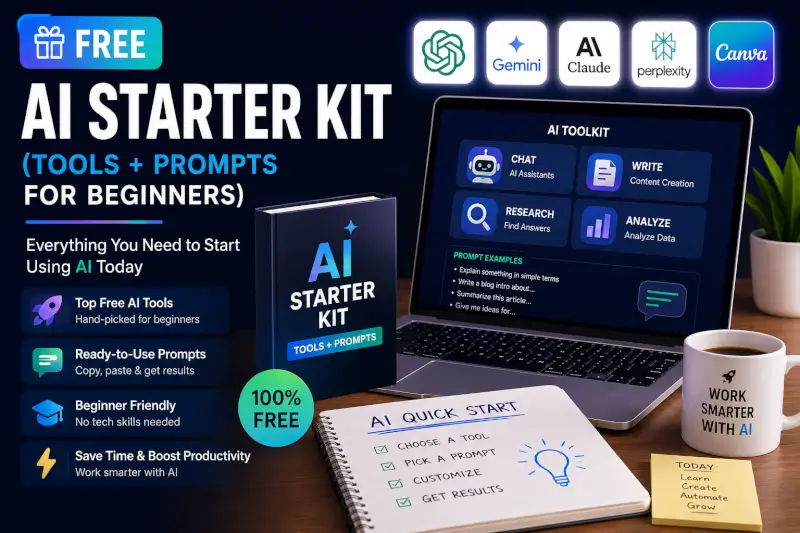
A practical starting point for bloggers, creators, and solo site owners who want to use AI without turning every task into a complicated tool stack.
If you’re new to AI, the hardest part usually isn’t finding a tool.
It’s knowing what to ask it to do.
This starter kit gives you a better starting point: practical prompts, beginner-friendly workflows, and simple rules for using AI without handing over your judgment.
You can use these prompts for blogging, research, SEO planning, tutorials, social content, repurposing, and creator workflows.
For a larger list of tools, visit the TechnofluxAI Ultimate AI Tools Directory.
What You’ll Get From This Starter Kit
Better Prompts
Prompts that include audience, goals, context, limitations, and output format instead of vague one-line requests.
Content Workflows
Use AI for research organization, outlining, editing, repurposing, and idea development.
SEO Support
Use AI to organize search intent, identify content gaps, and improve structure without pretending it knows current search volume or rankings.
Creator Systems
Turn one useful piece of content into scripts, social posts, newsletters, and supporting ideas.
Start With These TechnofluxAI Guides
The Prompt Formula I Recommend
A strong AI prompt usually has five parts:
- Task: What do you want the AI to do?
- Context: What information should it use?
- Audience: Who is the result for?
- Constraints: What should it avoid, verify, or preserve?
- Format: What should the output look like?
Before You Use Any Prompt
Give the AI enough real information to work with.
If you’re writing about a tool, include the current product information. If you’re creating a comparison, provide the criteria that matter. If you’re asking for a rewrite, paste the actual text.
The more grounded the input is, the more useful the output can be.

25 Practical ChatGPT Prompts for Creators and Bloggers
Content Creation Prompts
1. Build a useful article outline
Prompt:
“Create an article outline about [TOPIC] for [TARGET READER]. The main search intent is [INTENT]. Organize the outline around the questions the reader needs answered. Avoid filler sections. Include places where firsthand examples, screenshots, testing, or original analysis would improve the article.”
2. Turn research notes into a structure
Prompt:
“Organize the following research notes into a logical article structure. Do not add facts that are not present in the notes. Separate verified facts, opinions, open questions, and areas that still need research: [PASTE NOTES].”
3. Improve a weak introduction
Prompt:
“Rewrite this introduction so it answers the reader’s main question earlier, removes generic filler, and sounds natural. Preserve the original meaning and do not add new claims: [PASTE INTRO].”
4. Find missing reader questions
Prompt:
“Review this draft and identify important questions a beginner might still have after reading it. Do not rewrite the article yet. Group the missing questions by importance: [PASTE DRAFT].”
5. Simplify a difficult explanation
Prompt:
“Explain this section more clearly for [TARGET READER] without removing important technical meaning. Use a practical example if the supplied information supports one. Do not invent details: [PASTE TEXT].”
SEO and Search Intent Prompts
6. Analyze search intent
Prompt:
“For the topic [TOPIC], identify the likely search intent and the main decisions or questions a reader is trying to resolve. Do not estimate search volume or keyword difficulty unless I provide data.”
7. Create related keyphrase ideas
Prompt:
“Generate related phrases and question variations around [TOPIC]. Group them by intent: informational, comparison, how-to, and decision-making. Do not claim these have measurable search volume unless source data is provided.”
8. Improve title options
Prompt:
“Create 10 clear article titles for [TOPIC]. Prioritize accuracy and usefulness over hype. Avoid clickbait, fake urgency, and promises the article cannot support.”
9. Write meta description options
Prompt:
“Write 5 concise meta-description options for this article. Accurately describe what the reader will get and avoid unsupported claims: [PASTE ARTICLE SUMMARY].”
10. Find cannibalization risk
Prompt:
“Compare these article ideas and identify where their search intent overlaps. Recommend which topics could be merged and which deserve separate pages based only on distinct reader intent: [PASTE TITLES OR URL LIST].”
Research and Fact-Checking Prompts
11. Build a research checklist
Prompt:
“For an article about [TOPIC], create a research checklist of facts that should be verified before publication. Separate product facts, pricing, dates, features, statistics, and claims that need primary sources.”
12. Identify unsupported claims
Prompt:
“Review this draft and flag every sentence that makes a factual claim, performance claim, recommendation, statistic, or current-product statement that should be verified. Do not fact-check yet: [PASTE DRAFT].”
13. Separate fact from opinion
Prompt:
“Label the statements below as verified fact, interpretation, opinion, prediction, or unsupported claim. Explain which ones need evidence before publication: [PASTE TEXT].”
14. Create a fair comparison framework
Prompt:
“Build a comparison framework for [TOOL A] and [TOOL B]. Focus on use case, workflow, limitations, pricing structure, learning curve, integrations, and who each tool is designed for. Do not choose a winner without evidence.”
15. Turn source material into notes
Prompt:
“Summarize the following source into concise research notes. Preserve important terminology. Separate direct facts from your interpretation and note anything that remains unclear: [PASTE SOURCE].”
AI Tool and Workflow Prompts
16. Explain an AI tool to a beginner
Prompt:
“Explain [AI TOOL] to a beginner. Cover what it does, who it is for, one practical use case, what it does not replace, and one common mistake to avoid. Use only the product information I provide: [PASTE PRODUCT INFO].”
17. Design a simple workflow
Prompt:
“Design a simple workflow for using [TOOLS] to complete [TASK]. Give each tool one clear job. Minimize unnecessary overlap and explain where human review should happen.”
18. Find workflow bottlenecks
Prompt:
“Here is my current workflow: [PASTE WORKFLOW]. Identify the repetitive or slow steps where AI might help. Do not recommend a tool unless it clearly solves one of those bottlenecks.”
19. Turn a manual process into an automation plan
Prompt:
“Break this recurring process into steps and identify which parts could be automated safely. Keep human approval for decisions involving accuracy, publishing, money, customers, or irreversible actions: [PASTE PROCESS].”
20. Create a tool-testing plan
Prompt:
“Create a fair test for comparing [TOOL A], [TOOL B], and [TOOL C] on the same task. Define the input, scoring criteria, limitations, and what should be measured. Avoid subjective criteria unless clearly labeled.”
One Thing I have Learned while building TechnofluxAi is that Ai tools usually sound easier to use than they are in the real world. I like to try things myself, see where I get stuck, and figure out what actually saves time instead of just repeating promisies.That’s the approach I use throughout this site: keep what works, point out what doesn’t, and explain things in a way that makes sense for someone who is still learning. I started out searching for an image creator. That was my first interaction with Ai. I was frustrated by the vast tool list without any real direction on which tool was best. Then I realized how powerful this tool was .and was going to be in the future. Making mistakes has helped me in the choice of articles I write.
Repurposing and Multi-Platform Prompts
21. Turn an article into a YouTube script
Prompt:
“Turn this finished article into a YouTube script for [AUDIENCE]. Keep the facts and conclusions consistent with the article. Add a strong opening, clear sections, and natural transitions. Do not add claims that are not supported by the source: [PASTE ARTICLE].”
22. Create short-form video ideas
Prompt:
“Create 5 short-form video ideas from this article. Each should focus on one useful takeaway, mistake, example, or question. Avoid fake controversy and exaggerated hooks: [PASTE ARTICLE].”
23. Turn an article into a social post
Prompt:
“Turn this article into a concise social post for [PLATFORM]. Preserve my main conclusion and tone. Do not turn nuanced advice into an absolute claim: [PASTE ARTICLE].”
24. Create a newsletter version
Prompt:
“Convert this article into a short newsletter. Include one clear subject-line idea, a concise opening, the 3 most useful takeaways, and one natural CTA. Do not introduce new facts: [PASTE ARTICLE].”
25. Build a repurposing plan
Prompt:
“Create a repurposing plan from this finished article. Suggest only formats that make sense for the material. For each format, explain what should be reused, what should be rewritten, and what should not be copied directly: [PASTE ARTICLE].”
How to Get Better Results From These Prompts
The prompt itself is only part of the workflow.
- Give the AI real context. Paste notes, source material, drafts, examples, or product information.
- Define the audience. A beginner and an expert need different explanations.
- State what must not be invented. This matters for facts, testing, statistics, pricing, experience, and sources.
- Ask for structure first when the task is complex. Review the outline before generating a long draft.
- Use follow-up prompts. The first answer doesn’t need to be the final answer.
- Verify important claims. AI output is not a source.
- Edit for your voice. Remove phrases you wouldn’t normally say.
Prompts I Would Avoid
Some prompts sound productive but create weak content habits.
- “Write a high-ranking article.” AI cannot guarantee rankings.
- “Find low-competition, high-volume keywords.” That requires current search data, not guesswork.
- “Write a case study showing how someone achieved X.” Don’t invent results or experiences.
- “Make this viral.” Virality cannot be promised.
- “Write clickbait titles.” Better titles create interest without misleading the reader.
- “Write the entire article and optimize it automatically.” Research, fact-checking, originality, and editing still matter.
Frequently Asked Questions
What are ChatGPT prompts for creators?
They are instructions that give an AI assistant context about the task you want completed.
Useful prompts usually define the goal, audience, source material, constraints, and desired output.
Can prompts help with SEO?
Yes, but AI should be used for tasks such as organizing search intent, developing article structures, identifying missing questions, drafting metadata options, and reviewing content.
It should not invent search volume, keyword difficulty, rankings, traffic forecasts, or other SEO data that has not been provided.
Can beginners use these prompts?
Yes.
Beginners may actually benefit most from structured prompts because the instructions make it clearer what information the AI needs.
What kind of content can I create?
You can use the prompts to help with article planning, tutorials, scripts, newsletters, social posts, research organization, tool comparisons, workflows, and content repurposing.
Do I need to copy the prompts exactly?
No.
They work best as templates. Replace the placeholders, add your own context, and adjust the instructions to fit the job.
Can ChatGPT fact-check my article?
It can help identify claims that need verification and organize source material, but important facts should still be checked against reliable current sources.
Should I use AI to write every part of my content?
No.
Use it where it helps. Your firsthand experience, observations, screenshots, tests, opinions, and final judgment are often the parts that make the content worth reading.
Where to Go Next
More ChatGPT Prompts
Explore additional prompt ideas designed specifically for bloggers.
View Blogger PromptsAI Tools for Creators
Find tools that match real creator workflows instead of collecting random apps.
Explore Creator ToolsUltimate AI Tools Directory
Browse the larger directory when you know what kind of tool you’re looking for.
Browse AI ToolsThe Bottom Line
The best AI prompts aren’t magic commands.
They’re clear instructions built around real information.
Give the AI context, tell it what matters, define what it should not invent, and keep your own judgment in the workflow.
That’s a much better starter kit than a list of “viral” prompts that promise results nobody can guarantee.

About the Author
Jon Hicks
Founder of TechnofluxAI.
I’m the creator behind TechnofluxAI, focused on breaking down powerful AI tools, emerging trends, and practical strategies to help creators and entrepreneurs stay ahead in a rapidly evolving digital world.
Follow TechnofluxAI for the latest AI tools & strategies