

Estimated reading time: 9 minutes
Custom GPT Troubleshooting
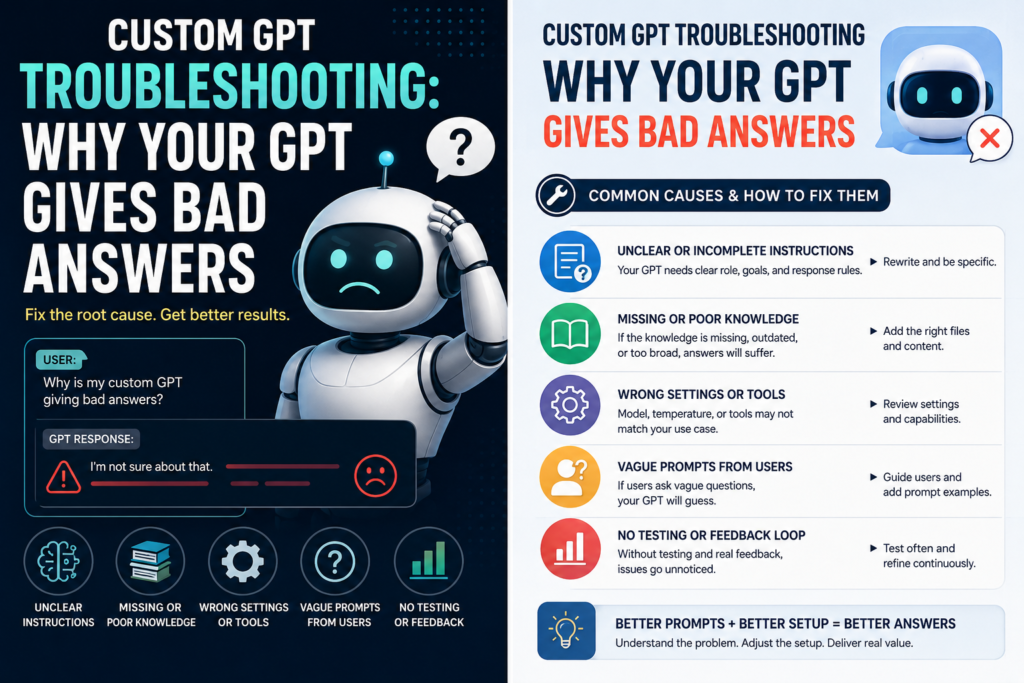
Custom GPT Troubleshooting: Why Your GPT Gives Bad Answers
A Custom GPT usually gives bad answers for one of six reasons: unclear instructions, weak examples, messy knowledge files, missing boundaries, broken tools or actions, or not enough testing with real user prompts.
Quick Answer
If your Custom GPT gives bad answers, do not immediately blame the model. First check the GPT’s role, task scope, response rules, knowledge files, tool instructions, examples, and test prompts. Most bad GPT behavior comes from vague setup, not from the GPT being “broken.”
Diagnose the Symptom First
Use the behavior you can see to choose the first thing to inspect. Change one variable at a time, then rerun the same test prompt.
| Symptom | Likely cause | First fix to test |
|---|---|---|
| Generic answers | Vague role or output rules | Specify audience, task, format, and success criteria |
| Rules are ignored | Conflicting instructions | Create a short priority order and remove duplicates |
| Wrong facts from files | Overlapping or outdated knowledge | Separate files by purpose and remove stale versions |
| Confident guessing | No clarification or uncertainty rule | Tell the GPT when to ask, verify, or say it is unsure |
| Works only with perfect prompts | Weak real-world testing | Test vague, incomplete, conflicting, and edge-case prompts |
The Pain Point
You built a GPT, added instructions, maybe uploaded files, tested it once, and it still gives generic, wrong, shallow, or inconsistent answers. That is frustrating because the GPT looks finished, but it does not behave like the expert assistant you imagined.
What This Guide Will Help You Fix
This guide breaks down the most common reasons a Custom GPT gives bad answers and gives you a practical troubleshooting workflow you can use before rebuilding everything from scratch.
You will learn how to diagnose instruction problems, clean up knowledge files, improve answer quality, test edge cases, and create a GPT that behaves more like a reliable specialist.
Soft internal link suggestion: Add a link here to your guide on “How to Write Better Custom GPT Instructions” or “How to Build a Custom GPT for Your Business.”
Why Custom GPTs Give Bad Answers
A Custom GPT is not automatically smart about your business, workflow, audience, or standards just because you gave it a name and a description. It needs a clear operating system: what role it plays, what it should do, what it should avoid, what sources it should use, and what a good answer looks like.
OpenAI describes GPTs as customizable versions of ChatGPT that can use instructions, knowledge, capabilities, apps, and actions. That means answer quality can break in several places: the instruction layer, the uploaded knowledge, the enabled tools, the action schema, or the way users ask questions.
Bad GPT Setup
“You are a helpful assistant for my business. Answer customers and help with content.”
Better GPT Setup
“You are a customer support GPT for a Shopify skincare brand. Use the uploaded policy files first. Answer in a friendly, concise tone. Do not invent return rules. Ask for order details when needed.”
Problem 1: The GPT Gives Generic Answers
Vague instructions create vague answers. If your GPT does not know the exact job, audience, tone, format, and boundaries, it will default to general ChatGPT behavior.
Instruction Fix
Replace broad instructions with specific operating rules. Tell the GPT who it serves, what tasks it handles, what sources to prioritize, how long answers should be, what format to use, and when to ask clarifying questions.
Weak Instruction
“Help me write blog posts.”
Strong Instruction
“Create beginner-friendly WordPress blog posts for AI creators. Always include SEO title, meta description, H2 structure, practical examples, FAQ, Next Step: Retest One Change at a Time, image ideas, and social copy.”
Problem 2: The GPT Ignores Important Rules
A GPT can get confused when your instructions fight each other. For example, you might tell it to be “short and direct” but also require “long detailed explanations with examples and complete workflows.” Both can be valid, but the GPT needs to know which rule wins.
Priority Stack Example
- Accuracy comes first. Do not invent details.
- Use uploaded knowledge when available. Mention when information is missing.
- Follow the required output format. Do not skip sections.
- Keep language beginner-friendly. Avoid unnecessary jargon.
- Be concise unless the user asks for depth.
Problem 3: The GPT Uses the Wrong Knowledge
Uploading files does not guarantee your GPT will use them perfectly. If your files are outdated, duplicated, badly named, full of conflicting instructions, or too broad, the GPT may pull the wrong detail or ignore important context.
Knowledge File Fix
- Name files clearly, such as Return Policy 2026 or Brand Voice Guide.
- Remove outdated drafts and duplicate versions.
- Add a short summary at the top of each file.
- Use headings inside files so information is easier to locate.
- Tell the GPT exactly when and how to use each file.
Example instruction: “When answering customer refund questions, use the file named ‘Return Policy 2026’ before giving an answer. If the policy does not cover the user’s situation, say that the policy does not specify and recommend contacting support.”
Problem 4: The GPT Guesses Instead of Asking
Bad answers often happen because the GPT tries to answer too quickly. If the user’s request is missing a key detail, a good GPT should ask one useful clarifying question instead of guessing.
Add This Rule
“If the request is missing information that materially changes the answer, ask one concise clarifying question. Do not ask multiple questions unless the user is clearly planning a complex project.”
Problem 5: The Output Style Changes Every Time
Examples are one of the fastest ways to improve Custom GPT quality. If you want a specific kind of output, show the GPT what good output looks like.
Without Examples
The GPT guesses your preferred style, length, formatting, tone, and structure.
With Examples
The GPT can imitate the pattern, improve consistency, and produce answers closer to your standard.
Problem 6: Tools or Actions Fail at the Wrong Time
If your GPT uses actions, APIs, browsing, file tools, or connected apps, you need to explain when to use them. A GPT may give a bad answer because it used a tool too early, skipped a tool it needed, or misunderstood what the action does.
Tool-Use Checklist
- Explain what each tool or action is for.
- Tell the GPT when to use the tool.
- Tell the GPT when not to use the tool.
- Define what to do if the tool fails.
- Require the GPT to summarize tool results clearly.
- Test the action with simple and messy user prompts.
Problem 7: It Works in Demos but Fails With Real Users
A GPT can look good when you test it with clean, obvious prompts. Real users are different. They ask short, vague, messy, incomplete, emotional, or oddly phrased questions.
Custom GPT Test Prompt Set
- Normal prompt: A clear request the GPT should handle easily.
- Vague prompt: A short request missing important details.
- Edge case: A request that is allowed but unusual.
- Out-of-scope prompt: A request the GPT should politely redirect.
- Knowledge prompt: A question that requires uploaded files.
- Format prompt: A request that tests whether the GPT follows your required structure.
Custom GPT Troubleshooting Workflow
Use This Fix-It Sequence
- Copy three bad answers your GPT gave.
- Label the problem: wrong, vague, too long, too short, off-brand, unsupported, or missing format.
- Check whether your instructions clearly prevent that problem.
- Check whether the GPT needed a knowledge file, tool, or action.
- Add one rule that fixes the specific failure.
- Add one example of the desired answer.
- Retest with the same prompt and two harder variations.
- Repeat until the GPT behaves consistently.
Advanced Fixes for Better Custom GPT Answers
Once the basics are fixed, you can improve your GPT by turning it into a more controlled workflow. The goal is to reduce guessing and increase repeatable behavior.
Use Output Templates
Tell the GPT exactly how to format common answers. For example: summary, recommendation, steps, warning, and next action.
Add Refusal Boundaries
Define what the GPT should not answer. A focused GPT is often more useful than one that tries to handle everything.
Create a Debug Mode
Add a builder-only command like “debug this answer” that asks the GPT to explain which instruction it followed and where the answer may have failed.
Common Mistakes That Make GPTs Worse
Avoid These Builder Mistakes
- Adding more instructions without organizing them. More text can create more confusion if the rules are not prioritized.
- Uploading too many files at once. Start with the most important files, test, then add more.
- Using outdated policy documents. Remove old versions so the GPT does not pull the wrong rule.
- Skipping examples. Examples often fix style and structure faster than extra explanation.
- Expecting the GPT to know your brand voice automatically. Provide voice rules and sample answers.
- Not testing out-of-scope requests. A good GPT should know what not to do.
- Blaming the model before checking the setup. Many quality issues come from unclear configuration.
FAQ: Custom GPT Troubleshooting
Why does my Custom GPT ignore my instructions?
Your instructions may be too vague, too long, conflicting, or missing priority rules. Rewrite them as clear commands with examples, boundaries, and a priority order.
Why does my GPT not use my uploaded knowledge files?
The files may be unclear, poorly named, outdated, or not referenced in the instructions. Tell the GPT exactly which files to use for which tasks and what to do when the answer is not found in the files.
Why does my GPT make things up?
It may not have enough source material, or it may not be instructed to say when information is missing. Add a rule that says: “Do not invent facts. If the information is not available, say what is missing and ask for the needed detail.”
How do I make my GPT sound less generic?
Add brand voice rules, forbidden phrases, sample answers, audience details, and formatting preferences. Generic GPTs usually have generic instructions.
Should I rebuild my GPT from scratch?
Not always. First diagnose the failure pattern. If the GPT is only failing in a few places, improve the instructions, examples, files, or tool rules. Rebuild only when the GPT’s purpose is too broad or the setup has become messy.
How many test prompts should I use?
Use at least 10 to 20 test prompts for a serious GPT. Include normal requests, vague requests, edge cases, knowledge-file questions, formatting tests, and out-of-scope prompts.
Final Takeaway
A Custom GPT gives better answers when it has a clear job, clean knowledge, strong examples, tool rules, and realistic testing. Do not treat bad answers as random. Treat them as clues. Every weak response tells you which part of the GPT setup needs to be tightened.
Next Step: Retest One Change at a Time
Want to build better Custom GPTs for your business, blog, or workflow? Explore more TechnofluxAI guides on GPT instructions, AI automation, knowledge files, and practical AI content systems.
TechnofluxAI
Practical AI for creators and website owners
Learn how to use AI, improve AI search visibility, build smarter workflows, and test what actually works.
Explore our other sites
TimewasterAI
— product reviews, buying guides, and useful finds.
Tina Trends
— fashion, beauty, pets, lifestyle, and fun discoveries.
Mistakenly Delicious
— simple recipes and practical cooking ideas.
Want more TechnofluxAI in Google?
Add TechnofluxAI as a Preferred Source to help Google show you more of our AI guides, tests, workflows, and research.