
Estimated reading time: 8 minutes
TechnofluxAI Content Systems
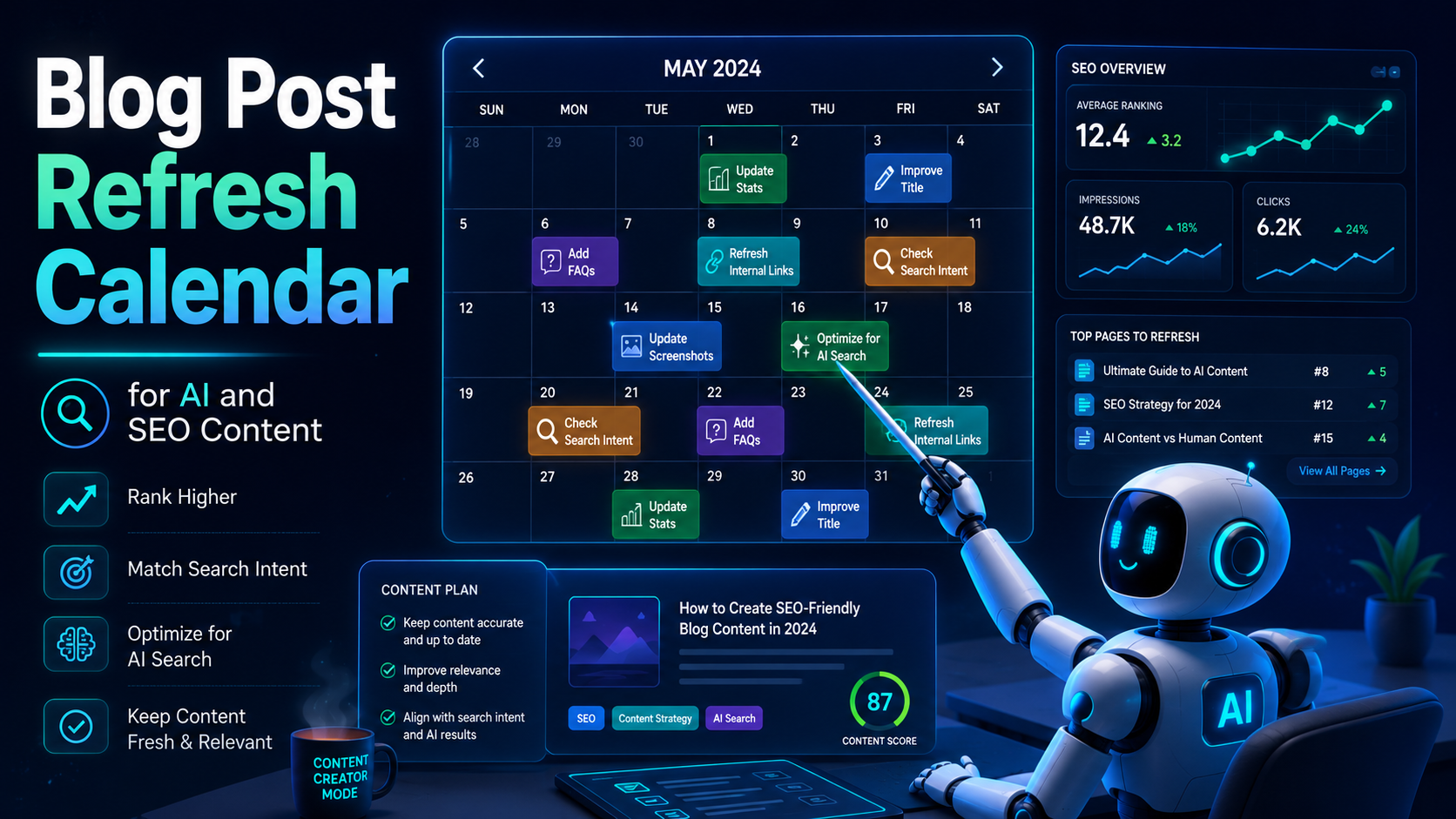
Blog Post Refresh Calendar for AI and SEO Content
Publishing a blog post is not the finish line anymore. AI tools change, search results shift, competitors update their pages, and readers expect current answers. A blog post refresh calendar helps you keep your content useful instead of letting it slowly become outdated.
Quick Answer
A blog post refresh calendar is a simple schedule that tells you which articles to review, when to update them, what to check, and how often each post needs maintenance based on search intent, traffic, topic volatility, and business value.
The Problem
Many creators keep publishing new AI and SEO content while older posts lose rankings, mention outdated tools, show old screenshots, or answer questions that searchers no longer ask the same way.
What This Helps You Do
You’ll learn how to sort posts by refresh priority, build a monthly update rhythm, use AI without creating lazy rewrites, and keep your blog ready for both SEO and AI-powered discovery.
Internal link suggestion: Link this post to your AI SEO strategy guide, your blog content planning article, and any tutorial about updating old posts for better rankings.
Why AI and SEO Content Needs a Refresh Calendar
Some blog posts can stay useful for years with only small edits, but AI and SEO content moves much faster. Tool interfaces shift, pricing changes, search features evolve, and ranking pages get replaced by stronger competitors. To stay trusted by both readers and AI answer engines, your content needs to remain clear, structured, specific, and current.
Without a Refresh Calendar
- Old posts quietly lose rankings
- Tool screenshots become outdated
- Affiliate links may point to weak offers
- Readers find advice that no longer works
- New content keeps getting prioritized while existing traffic fades
With a Refresh Calendar
- Priority posts are easier to identify
- Updates are based on traffic, opportunity, and risk
- AI tool content stays more accurate
- Rankings can improve without starting from scratch
- Your content library becomes cleaner, stronger, and more trusted
Step 1: Sort Your Blog Posts Into Refresh Categories
Every post should not follow the same update schedule. A tutorial about a fast-changing AI writing tool needs more attention than a general article about brainstorming blog ideas. Start by grouping each article into a refresh category so your time goes where it matters most.
High-Volatility Posts
These include AI tool reviews, pricing guides, feature comparisons, SEO algorithm discussions, prompt libraries, and software tutorials.
Refresh every: 30 to 60 days
Medium-Volatility Posts
This group covers SEO workflows, AI writing systems, content templates, beginner guides, and monetization tutorials.
Refresh every: 90 days
Low-Volatility Posts
Evergreen strategy articles, definitions, beginner explanations, opinion pieces, and foundational blogging advice usually need less frequent updates.
Refresh every: 6 to 12 months
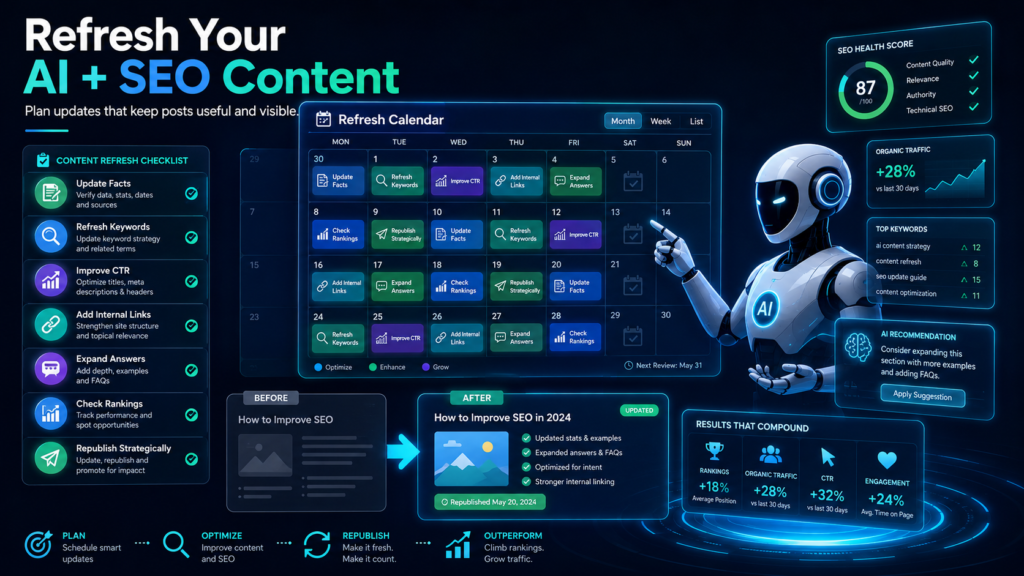
Step 2: Build a Simple Monthly Refresh Calendar
A strong refresh calendar should feel easy to maintain. Pick a realistic number of posts to review each month, then give every article a clear refresh reason. That small habit keeps updates consistent without turning content maintenance into another overwhelming project.
Example Monthly Refresh Schedule
- Week 1: Review top traffic posts and update anything outdated.
- Week 2: Refresh posts that are losing rankings, clicks, or impressions.
- Week 3: Improve posts that rank on page two or near the bottom of page one.
- Week 4: Update money pages, affiliate posts, AI tool reviews, and internal links.
Step 3: Decide What Each Post Actually Needs
A refresh does not always mean rewriting the entire article. One post may only need a stronger intro, while another needs updated screenshots, better examples, or a clearer CTA. Some pages should even be merged, redirected, or removed when they no longer serve a useful purpose.
Light Refresh
Fix outdated wording, update links, improve the meta description, add one new example, and check the headings for clarity.
Medium Refresh
Add useful sections, improve the search intent match, rewrite weak explanations, replace old screenshots, and strengthen internal links.
Full Rebuild
Rework the angle, rebuild the structure, add current examples, remove weak advice, improve the CTA, and refocus the article around a clearer reader problem.
Step 4: Use AI as an Assistant, Not as the Refresh Strategy
AI can speed up audits, summaries, comparisons, and section rewrites. It should not make the final strategy call for you. The strongest refreshes still need human judgment, especially when the article covers pricing, tool accuracy, recommendations, or personal experience.
Useful AI Prompts for Refreshing Blog Posts
- “Find sections in this article that sound outdated, vague, or unsupported.”
- “Suggest missing reader questions this post should answer.”
- “Turn this generic paragraph into a practical step-by-step explanation.”
- “Create a checklist readers can use after this section.”
- “Identify where this article needs examples, warnings, comparisons, or screenshots.”
Step 5: Track Every Refresh in One Place
Your refresh calendar should record what changed, why it changed, and when the post needs another review. That history keeps your content system organized and reveals patterns over time. You may find, for example, that AI tool reviews need frequent screenshot updates, while SEO tutorials mostly need better examples and stronger internal links.
Refresh Calendar Fields to Track
- Post title
- URL
- Primary keyword
- Content type
- Refresh priority
- Last updated date
- Next review date
- Refresh reason
- Changes made
- Internal links added
- CTA updated
- Performance notes
Advanced Refresh Rules for AI and SEO Content
Once you have a basic calendar, use priority rules to decide what gets refreshed first. This keeps you from wasting time polishing posts that do not affect traffic, trust, revenue, or topical authority.
Refresh Declining Winners First
If a post used to bring traffic and is now sliding, it deserves attention before a post that never performed. You already know the topic has potential.
Protect Money Pages
Affiliate reviews, product comparisons, service pages, and lead-generation posts should be checked more often because outdated details can cost trust and conversions.
Update for Answer Engines
Add direct answers, clean definitions, comparison tables, FAQs, and practical steps so AI systems can understand the article’s value more easily.
A Practical Refresh Priority Score
When you have too many posts to update, use a simple scoring system. Give each post a score from 1 to 5 in each category below, then refresh the highest total scores first.
Refresh Priority Scorecard
- Traffic value: Does the post already get visits?
- Revenue value: Does it support affiliate clicks, leads, sales, or email signups?
- Ranking opportunity: Is it close to page one or losing from a strong position?
- Outdated risk: Does the post mention tools, prices, screenshots, laws, dates, or fast-changing SEO advice?
- Topical authority: Does the post support an important cluster on your site?
Common Mistakes to Avoid
- Refreshing only when traffic crashes: By then, competitors may already own the search result.
- Changing the date without improving the content: That is not a real update, and it does not help readers.
- Using AI to rewrite everything blandly: A refresh should make the article more useful, not more generic.
- Ignoring internal links: Updated posts should connect readers to your newer, stronger content.
- Forgetting screenshots: AI tool posts can look old fast when the interface has changed.
- Updating low-value posts first: Start with posts tied to traffic, revenue, authority, or reader trust.
FAQ: Blog Post Refresh Calendars
How often should I refresh AI content?
Review fast-changing AI content every 30 to 60 days. This includes AI tool reviews, software comparisons, prompt guides, pricing articles, and tutorials with screenshots.
How often should I refresh SEO content?
Review tactical SEO content every 60 to 90 days and evergreen SEO strategy content every 6 to 12 months. Posts about algorithms, tools, SERP features, and ranking workflows usually need more frequent checks.
Should I update the publish date after refreshing a post?
Only update the visible date when you have made meaningful improvements. Small typo fixes usually do not justify presenting the article as freshly updated.
Can AI refresh my old blog posts automatically?
AI can help with audits, outlines, summaries, and rewrites, but you should still verify facts, pricing, screenshots, tool features, search intent, and final recommendations yourself.
What is the fastest refresh win?
Start with posts that already rank between positions 6 and 20. Improve the intro, add clearer answers, strengthen examples, update internal links, and make the content more complete for the search intent.
Final Takeaway
A blog post refresh calendar turns content maintenance into a system. Instead of guessing what to update, you can protect high-value posts, improve underperforming pages, keep AI and SEO advice current, and build a content library that gets stronger over time.
CTA
Want a cleaner AI content workflow? Build your refresh calendar first, then use TechnofluxAI guides to improve the posts that matter most.
Explore SEO Strategy Guides