

Estimated reading time: 4 minutes
How to Use AI to Update Old WordPress Blog Posts
Old WordPress blog posts can still be valuable. Some may already have Google impressions, backlinks, internal links, or steady traffic. But if the content is outdated, thin, or poorly organized, it may slowly lose rankings.
AI can help you refresh those older posts faster by finding weak sections, improving headings, updating SEO fields, adding FAQs, and making the article easier to read.
Quick answer: Use AI to audit old blog posts, identify outdated content, improve structure, rewrite weak sections, add helpful FAQs, and update the SEO title, meta description, slug, and internal links before republishing.
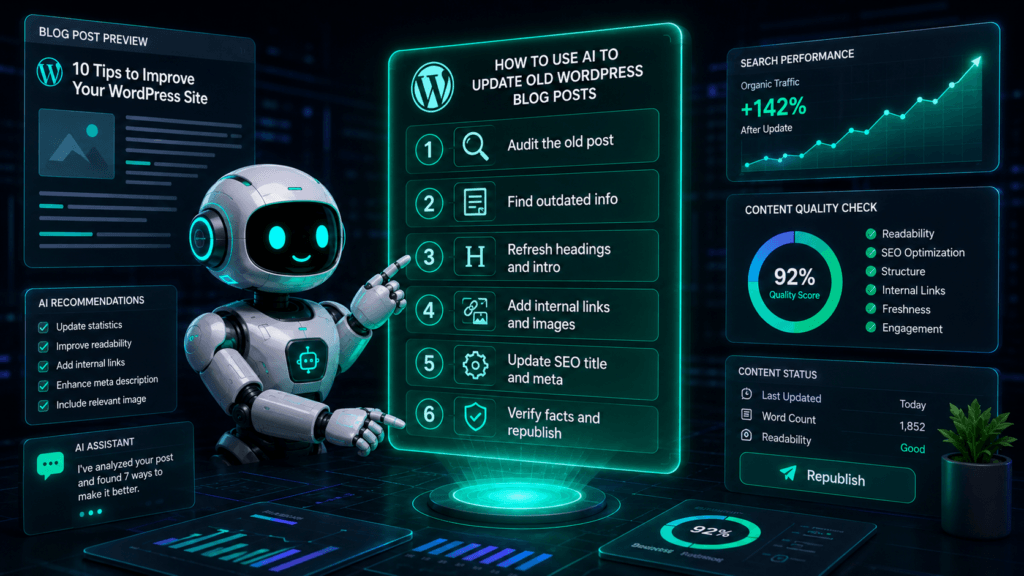
Step-by-Step: Refresh an Old Post With AI
1. Pick the right post to update
Start with a post that already has some SEO potential. Good candidates include posts with declining traffic, high impressions but low clicks, outdated screenshots, old tools, or rankings stuck on page two.
2. Ask AI to audit the post
Copy the post content into your AI tool and ask for an SEO and readability review. Do not ask for a full rewrite yet. First, get a clear update plan.
Prompt: Review this WordPress blog post for SEO, readability, and usefulness. Find outdated information, weak headings, missing sections, thin content, and opportunities to better match search intent. Give me a practical update plan before rewriting anything.
3. Improve the structure
Use AI to suggest better H2 and H3 headings. The goal is to make the article easier to scan and easier for search engines to understand.
- Make the introduction answer the topic faster
- Use clear H2 headings for the main ideas
- Add H3 headings for steps, examples, and tips
- Remove repeated or outdated sections
- Add FAQs when they help answer search intent
4. Rewrite weak sections
Instead of rewriting the entire post, use AI to improve only the sections that need work. This keeps your original voice while improving clarity and usefulness.
Prompt: Rewrite this section to make it clearer, more helpful, and beginner-friendly. Keep the tone practical and natural. Do not add hype, fluff, or unsupported claims.
Final SEO Checklist Before Updating the Post
Before you click update in WordPress, review everything manually. AI can speed up the editing process, but your final check is what protects quality, accuracy, and trust.
Update these SEO fields
SEO title: How to Use AI to Update Old WordPress Posts
Meta description: Learn how to use AI to refresh old WordPress posts, improve SEO, update content, add FAQs, and find easy ranking opportunities.
Focus keyphrase: use AI to update old WordPress blog posts
Slug: use-ai-update-old-wordpress-blog-posts
Before publishing, check this list
- Update outdated facts, tools, dates, and examples
- Check all internal and external links
- Add internal links to newer related posts
- Improve screenshots or images if they are outdated
- Make the introduction direct and useful
- Add helpful FAQs based on real search intent
- Check that the SEO title is close to 50–60 characters
- Check that the meta description is close to 140–160 characters
- Preview the post on mobile before updating
Bottom Line
AI is one of the fastest ways to refresh old WordPress blog posts. Use it to audit, organize, rewrite, and optimize your content, but always review the final version yourself before publishing.