
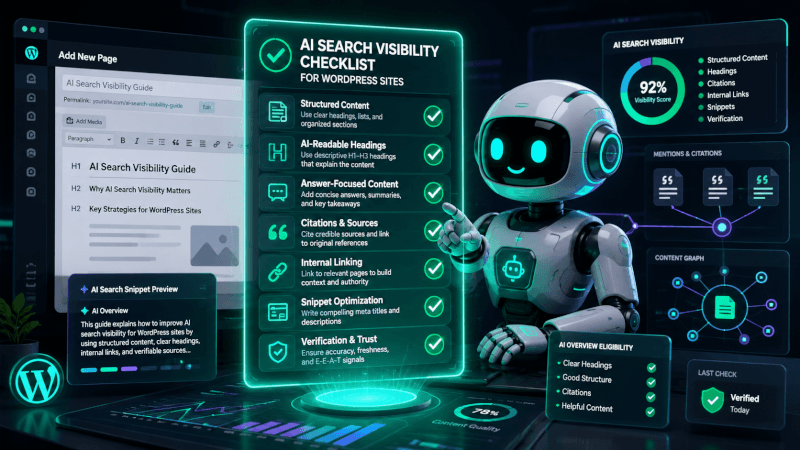
AI Search Visibility Checklist for WordPress Sites
AI search visibility is becoming more important for WordPress site owners because people are no longer finding answers only through traditional search results. They may also discover brands, products, tutorials, and recommendations through AI assistants, answer engines, and search summaries.
This checklist is for creators, bloggers, affiliate site owners, service businesses, and WordPress beginners who want their content to be easier for both search engines and AI systems to understand.
Quick Answer
An AI search visibility checklist for WordPress sites should focus on clear answers, structured content, helpful headings, schema markup, internal links, author trust signals, fast pages, and regularly updated information.
The goal is not to trick AI tools. The goal is to make your content easier to read, cite, summarize, and recommend by publishing useful information in a clean, organized format.
Best For
WordPress site owners who want stronger visibility in search engines, AI summaries, answer boxes, and conversational discovery tools.
Main Focus
Improve clarity, trust, structure, technical SEO, and answer quality before chasing advanced AI optimization tactics.
Why AI Search Visibility Matters
Traditional SEO still matters, but AI-driven search often rewards content that is easy to understand quickly. A page with clear definitions, direct answers, useful examples, and trustworthy context is easier for AI systems to interpret than a thin page built only around keywords.
For WordPress sites, this means your theme, plugins, content structure, schema, and editorial process all work together. A strong article should answer the main question early, support the answer with details, and make the page easy to scan.
- Use clear headings: Each major section should answer a real user question or explain a useful step.
- Add short answers: Include concise explanations near the top of the article for quick understanding.
- Show expertise: Add author information, editorial notes, practical examples, and update guidance where appropriate.
- Keep pages clean: Avoid cluttered layouts, broken formatting, excessive popups, and confusing navigation.
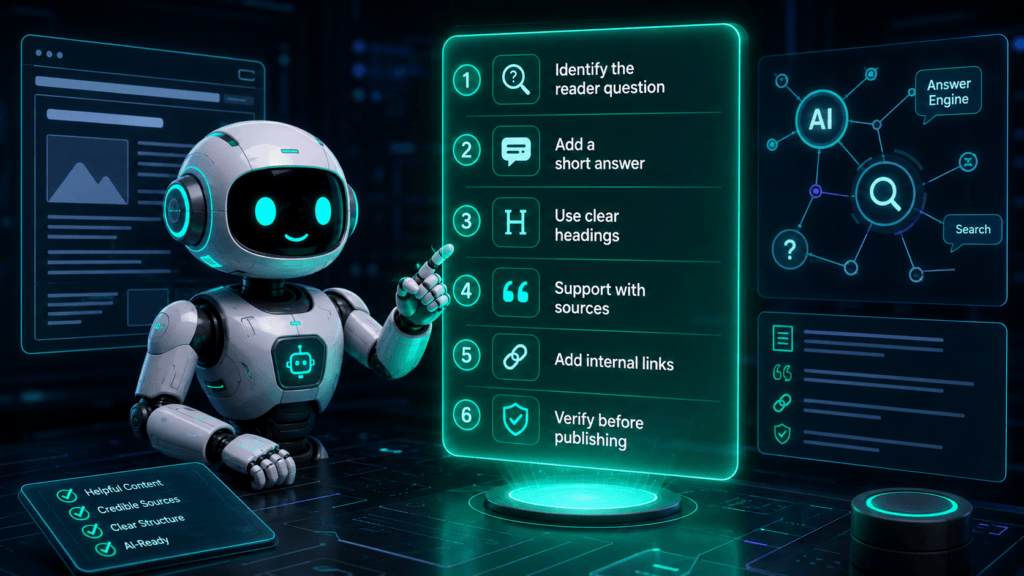
Step-by-Step AI Search Visibility Checklist
Use this workflow before publishing a new WordPress article or updating an older post. It helps make your content more useful for readers while also improving how clearly machines can understand the page.
- Define the main search intent. Decide whether the reader wants a definition, checklist, comparison, tutorial, review, or buying guide. Do not mix too many goals into one page.
- Place a direct answer near the top. Add a short “Quick Answer” section that explains the topic in plain language before going deeper.
- Use natural keyword synonyms. Include related phrases such as AI SEO checklist, WordPress AI visibility, answer engine optimization, GEO for WordPress, and AI search optimization where they fit naturally.
- Format headings as real questions or clear steps. Headings like “What Is AI Search Visibility?” or “How to Improve AI Search Visibility in WordPress” are easier to understand than vague headings.
- Add schema where appropriate. Consider Article schema, FAQ schema, HowTo schema, Breadcrumb schema, and Organization schema when they match the page content.
- Improve internal linking. Link to related posts, category pages, guides, product comparisons, and glossary content so readers and crawlers can understand the topic cluster.
- Strengthen trust signals. Add an author bio, update date, editorial notes, affiliate disclosure, sources, and verification guidance where relevant.
- Make the page fast and readable. Compress images, avoid plugin bloat, use readable fonts, and test the layout on mobile.
- Review the article for answer quality. Make sure the page gives useful advice, not just repeated keywords or generic AI-generated filler.
WordPress Settings to Review
| Area | What to Check |
|---|---|
| SEO Plugin | Confirm title tags, meta descriptions, schema settings, breadcrumbs, and XML sitemap options. |
| Permalinks | Use clean, descriptive URLs that match the article topic without unnecessary dates or random numbers. |
| Theme | Check mobile readability, heading structure, page speed, and whether the design supports long-form content. |
| Media | Add descriptive image file names, alt text, captions where helpful, and compressed file sizes. |
| Content Updates | Schedule reviews for articles that mention tools, plugins, product features, prices, or changing best practices. |
Important: Do not claim guaranteed AI search rankings. AI search systems change often, and visibility depends on content quality, site authority, technical health, user intent, and how different platforms choose sources.
SEO and GEO Angle
This topic is strong for TechnofluxAI because it connects traditional WordPress SEO with newer AI discovery habits. Readers want a practical checklist they can use without becoming technical SEO experts.
For GEO, or generative engine optimization, the article should focus on clear explanations, original examples, concise answers, and trustworthy formatting. AI systems are more likely to understand pages that define terms clearly, organize information logically, and avoid vague marketing language.
Content Elements to Include
- Definition section: Explain what AI search visibility means for WordPress users.
- Checklist section: Give readers a practical workflow they can follow before publishing.
- Examples: Show how a weak heading, meta description, or FAQ can be improved.
- FAQ section: Answer beginner questions in short, direct language.
- Verification guidance: Remind readers to check current plugin features, schema settings, and platform guidelines.
Monetization Ideas
This article could support ethical affiliate links or internal recommendations after claims are verified. Possible placements include WordPress SEO plugins, schema tools, page speed tools, hosting providers, keyword research tools, and content optimization platforms.
Any monetized section should include a clear affiliate disclosure. Do not claim hands-on testing unless the tool or plugin was actually tested.
Verification Needed
- Current WordPress SEO plugin features
- Current schema options inside recommended plugins
- Google Search documentation updates
- Bing and AI search platform guidance
- Current plugin pricing before adding affiliate links
- Compatibility with the active WordPress theme
- Page speed and mobile usability after publishing
FAQ
What is AI search visibility?
AI search visibility means making your content easier for AI-powered search tools, answer engines, and search summaries to understand, summarize, and potentially reference.
Is AI search visibility the same as SEO?
No. Traditional SEO and AI search visibility overlap, but they are not exactly the same. SEO focuses on search engine rankings and traffic. AI visibility also focuses on clear answers, structured context, trust signals, and content that can be interpreted by AI systems.
Do WordPress sites need schema markup?
Schema markup can help search engines understand page content, but it should match what is actually on the page. Common options include Article, FAQ, HowTo, Breadcrumb, and Organization schema.
Can AI search visibility be guaranteed?
No. No plugin, checklist, or optimization method can guarantee visibility in AI search results. The best approach is to publish helpful, accurate, well-structured content and keep it updated.
What is the easiest first step?
Start by adding a clear Quick Answer section near the top of important posts. Then improve headings, internal links, schema, author trust signals, and update notes.
Final Notes
The best AI search visibility strategy for WordPress is simple: make every important page clear, useful, structured, and trustworthy. Start with the reader’s question, answer it directly, and then support that answer with practical details.

About the Author
Jon Hicks
Founder of TechnofluxAI.
I’m the creator behind TechnofluxAI, focused on breaking down powerful AI tools, emerging trends, and practical strategies to help creators and entrepreneurs stay ahead in a rapidly evolving digital world.
Follow TechnofluxAI for the latest AI tools & strategies