
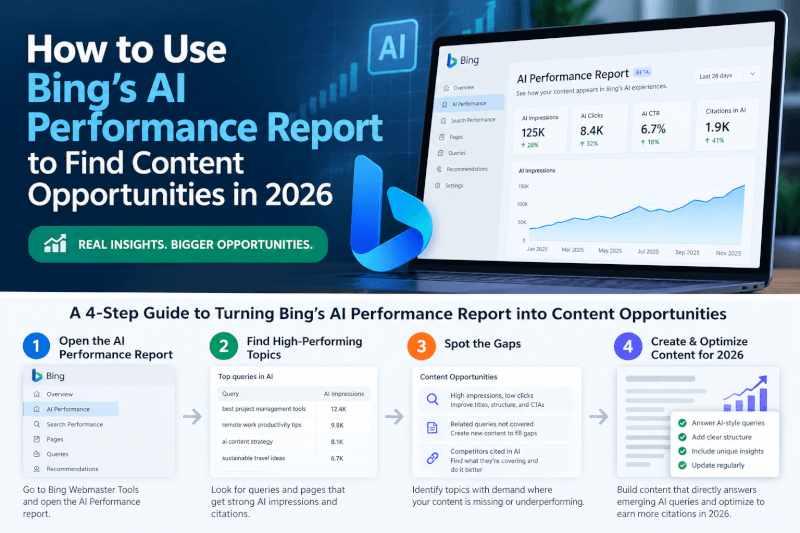
TechnofluxAI / AI Search Visibility / 2026
You published a helpful article. Google indexed it. Maybe it gets a few clicks every month.
But here’s a question traditional SEO reports don’t always answer: Is an AI assistant using your content to answer somebody else’s question?
Bing Webmaster Tools now offers a way to investigate that.
Its AI Performance report provides citation activity across supported Microsoft AI experiences, including Copilot and AI-generated Bing summaries.
More importantly, you can use this information to decide which articles deserve your attention next.
Quick Answer
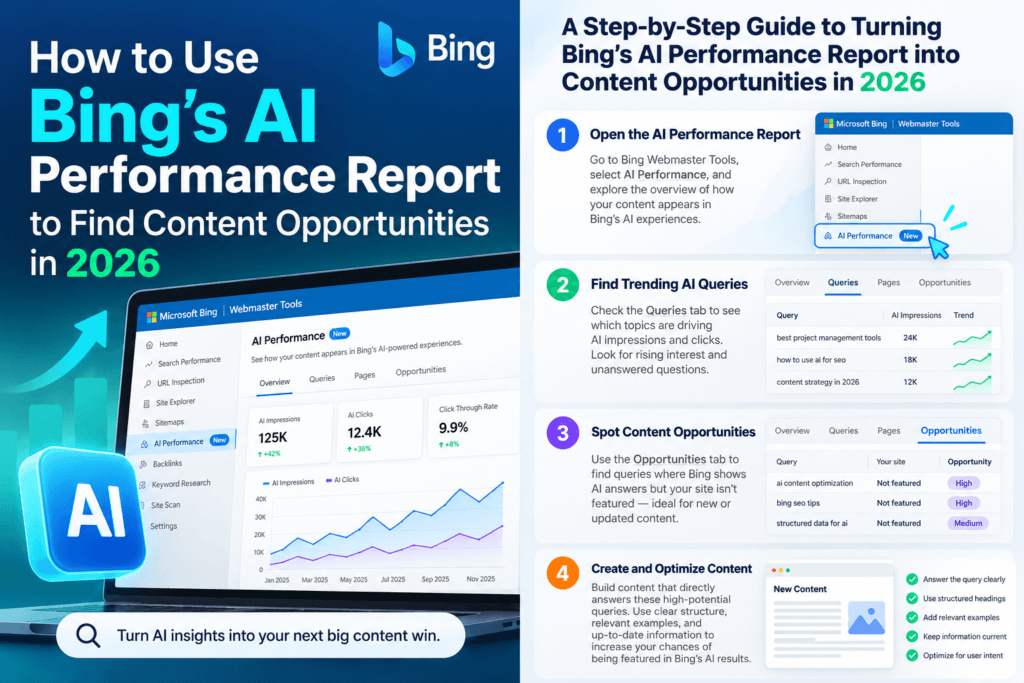
To find content opportunities using Bing AI Performance, open Bing Webmaster Tools, select your verified website, and review its AI Performance report.
Look for pages receiving citations, examine their associated grounding queries, and identify questions your existing content could answer more completely.
Improve one page at a time with useful examples, original information, clearer explanations, and relevant internal links.
The goal isn’t simply to collect AI citations. It’s to create content worth reading, referencing, and visiting.
1. What Is Bing AI Performance?
Bing AI Performance is a reporting feature inside Bing Webmaster Tools.
It provides information about how your website appears as a cited source in supported AI-generated answers.
Its reporting includes:
- Total citations: How many citation instances were recorded during the selected period.
- Average cited pages: The average number of unique pages cited per day.
- Cited URLs: Pages appearing as sources in supported AI answers.
- Grounding queries: Phrases associated with retrieving supporting information.
- Trends: How citation activity changes over time.
Microsoft has also introduced additional insights covering intents, topics, citation share, and comparisons.
Why Creators Should Care
Traditional SEO often starts with rankings, impressions, and search volume.
AI citation reporting adds another question: Which of your pages are being used as supporting sources for AI answers?
That can help identify existing articles worth improving before you spend time publishing something new.
2. Find Your Most-Cited Articles
Open Bing Webmaster Tools and select your verified website.
Navigate to AI Performance and choose a reporting period that provides enough activity for meaningful comparisons.
Look through the cited URLs and identify pages that stand out.
For example, imagine your website covers AI video creation.
Your report might show citations for a tutorial about fixing lip-sync problems, while a broader roundup of AI video generators receives no citations.
That doesn’t prove the tutorial is a better article. But it suggests the focused guide may answer a particular question that AI systems need supporting information to explain.
What to do: Identify three cited pages and record the specific problem each one solves.
Don’t rewrite anything yet. First, examine what makes those pages useful.
3. Use Grounding Queries to Find Content Gaps
Grounding queries are one of the most useful parts of the report.
They reflect phrases used to retrieve supporting information for AI-generated responses.
They are not necessarily the exact questions people typed into Copilot.
Suppose an article about AI voice generation appears alongside a grounding query about reducing robotic-sounding speech.
Open the article and ask yourself:
- Does it explain how to make AI voices sound more natural?
- Does it demonstrate useful settings?
- Does it identify common limitations?
- Can a beginner follow the instructions?
- Does it include original examples?
If the answer to several of those questions is no, you’ve found a possible content improvement.
Example Content Improvement
Existing topic: Best AI Voice Generators
Possible new section: How to Make AI Voiceovers Sound Less Robotic
Useful additions: Tested settings, sample workflows, limitations, and before-and-after results.
That’s more valuable than adding another paragraph repeating a tool’s marketing claims.
Continue reading below: interpreting citation insights and turning them into a practical content strategy.
4. Understand Intents, Topics, and Citation Share
Bing’s expanded AI reporting features can provide additional context beyond a simple citation count.
These insights help publishers understand which kinds of questions and subjects are associated with their content.
| Feature | What It Helps Explain |
|---|---|
| Intents | The type of task behind a grounding query, such as learning, researching, or creating. |
| Topics | Broader subjects represented by related grounding queries. |
| Citation Share | Your site’s relative citation presence for a grounding query. |
| Compare | Differences between supported reporting selections. |
For smaller websites, these insights can help identify focused subjects worth developing.
Imagine several citations relate to troubleshooting AI image generation.
Rather than publishing another generic list of AI image tools, you might build a group of practical tutorials.
- How to fix distorted hands in AI images.
- How to improve AI-generated text in images.
- How to maintain consistent AI characters.
- How to compare different image generation settings.
Each article should solve a real problem rather than simply target another keyword variation.
Remember: Citation activity is one useful signal, not proof that a topic has high search demand or low competition.
Combine these insights with audience questions, Search Console data, and actual hands-on experience.
5. Turn Your Findings Into an Action Plan
You don’t need a complicated dashboard or an expensive subscription to begin improving your content.
Start with one article and follow this process.
Step 1: Choose One Cited Page
Select an article with citation activity and a clear opportunity to improve its usefulness.
Step 2: Identify the Central Problem
Review associated grounding queries and write down the question your page may be helping answer.
Step 3: Review the Article as a Beginner
Check whether the page provides an immediate answer, clear instructions, useful examples, and enough detail to complete the task.
Step 4: Add Original Value
Include information that goes beyond a generic summary, such as:
- Screenshots from a workflow you actually completed.
- Results from a tool you personally tested.
- Realistic comparisons and trade-offs.
- Problems you encountered and how you solved them.
- Specific inputs, settings, and outputs.
Step 5: Improve Internal Linking
Connect the article to another relevant resource that answers the reader’s next logical question.
Use natural, descriptive anchor text instead of repeating exact-match keywords everywhere.
Step 6: Record Your Changes
Save the update date, original citation data, and the improvements you made.
Review later to see whether citation activity, traffic, or engagement changed.
Important: A change in citations doesn’t establish that your edits caused it. Treat the data as evidence to investigate, not a guaranteed result.
6. Don’t Confuse Citations With Traffic
One of the biggest mistakes in AI search optimization is treating every citation like a successful conversion.
A citation is not the same as a website visit.
Someone might see your site referenced in an AI answer without ever clicking through.
Another person might discover your brand through AI and visit your website later through a different channel.
That’s why we recommend separating three measurements:
| Measurement | What It Tells You |
|---|---|
| AI Citations | Whether your pages appear as sources in supported AI responses. |
| Organic Clicks | Whether people visit through search results. |
| Conversions | Whether visitors take meaningful actions after reaching your website. |
For an affiliate website, a conversion might involve a qualified product click or a completed purchase reported by an affiliate network.
For a creator education website, it might be a newsletter signup, another article read, or a returning visitor.
TechnofluxAI Strategy
We recommend treating AI citation reporting as one part of a broader visibility workflow.
Combine Bing AI Performance with your existing Google Search Console reporting, analytics, and content update records.
This helps separate visibility, traffic, and actual business results instead of treating them as the same thing.
Next: schema, a 30-minute audit, and frequently asked questions.
One Thing I have Learned while building TechnofluxAi is that Ai tools usually sound easier to use than they are in the real world. I like to try things myself, see where I get stuck, and figure out what actually saves time instead of just repeating promisies.That’s the approach I use throughout this site: keep what works, point out what doesn’t, and explain things in a way that makes sense for someone who is still learning. I started out searching for an image creator. That was my first interaction with Ai. I was frustrated by the vast tool list without any real direction on which tool was best. Then I realized how powerful this tool was .and was going to be in the future. Making mistakes has helped me in the choice of articles I write.
7. Do You Need Special AI Schema?
No special AI-specific schema is required to appear in Google’s AI Overviews or AI Mode.
Google’s established search fundamentals still matter.
- Make important content accessible to search engines.
- Use clear, descriptive page titles.
- Write helpful content that directly answers relevant questions.
- Add internal links where they help users navigate.
- Keep structured data consistent with visible page content.
- Make sure important pages can be crawled and indexed.
Structured data can help describe your content, but adding markup does not guarantee AI citations.
There’s also no need to divide every article into dozens of artificial answer boxes.
Better approach: Publish clear explanations, original examples, accurate information, and practical advice readers can use.
8. A 30-Minute AI Visibility Audit
You don’t have to overhaul your entire website to start learning from citation data.
Try this simple workflow.
First 10 Minutes: Examine the Data
Open Bing AI Performance. Review cited URLs and associated grounding queries. Choose one article worth investigating.
Next 10 Minutes: Find One Weakness
Read the article and identify a missing explanation, tested example, screenshot, or practical step.
Final 10 Minutes: Improve and Record
Make one meaningful content improvement. Record what changed and the date of your update.
Repeat regularly as fresh reporting becomes available.
Small, focused improvements are easier to evaluate than rewriting dozens of articles without a clear reason.
Frequently Asked Questions
Is Bing AI Performance free?
Bing Webmaster Tools is free to use. AI Performance reporting is available within the platform, although individual reporting capabilities may vary.
Does Bing AI Performance track ChatGPT citations?
The report covers supported Microsoft AI experiences and select partner integrations. It should not be treated as a complete visibility tracker for ChatGPT, Claude, Perplexity, or every other AI assistant.
Are grounding queries the same as search keywords?
Not exactly. Grounding queries represent retrieval activity associated with AI-generated answers. They are not necessarily identical to the questions users originally entered.
Will more Bing AI citations improve Google rankings?
There is no established rule that receiving more Bing AI citations directly improves Google rankings. Treat citations and organic search rankings as separate measurements.
How often should I review AI Performance?
Weekly or monthly reviews are reasonable starting points. Choose a schedule that gives you enough new information to make meaningful comparisons.
Can small websites compete for AI citations?
Smaller websites can pursue useful content opportunities by answering specific questions accurately and providing original information. However, publication alone never guarantees citations.
Final Thoughts: Find the Questions Worth Answering
The interesting part of AI search isn’t simply whether an assistant mentions your website.
It’s discovering which problems your content helps solve.
Bing AI Performance provides another source of evidence for publishers trying to understand their visibility.
Use it to investigate relevant questions, improve existing articles, and discover opportunities for practical new content.
Don’t chase citations by publishing generic articles that repeat what everybody else has already written.
Build resources that someone would genuinely want to open.
That’s a stronger long-term strategy for creators, independent publishers, and affiliate websites.
Your Next Step
Open Bing Webmaster Tools and examine your website’s AI Performance data.
Find one relevant page, identify one useful improvement, and measure what happens over time.
One meaningful update is a better starting point than another generic article written only for search engines.
Sources and Further Reading
- Microsoft Bing: Introducing AI Performance in Bing Webmaster Tools
- Bing Webmaster Tools
- Google Search Central: AI Features and Your Website
- Google: Creating Helpful, Reliable, People-First Content
TechnofluxAI — Practical AI workflows, real experiments, and smarter strategies for creators.

About the Author
Jon Hicks
Founder of TechnofluxAI.
I’m the creator behind TechnofluxAI, focused on breaking down powerful AI tools, emerging trends, and practical strategies to help creators and entrepreneurs stay ahead in a rapidly evolving digital world.
Follow TechnofluxAI for the latest AI tools & strategies
Most people sleep on Bing publisher tools, so this walkthrough is timely. Treating the performance report as a content opportunity map rather than plain diagnostics is the right mindset. Impression-to-click gaps inside AI answers point straight at topics worth rewriting with clearer, question-style headings. I ran a similar pass on my own free driving game collection (Quenq Vice City) and found several pages that needed exactly that. Good push to finish the rest.