

Estimated reading time: 8 minutes
TechnofluxAI Creator Guide
AI Content Watermarking in 2026: What SynthID Means for Creators
AI content watermarking is becoming part of the creative internet. For bloggers, YouTubers, designers, freelancers, and AI-first creators, SynthID is not just a technical detail. It is a trust signal that can affect how audiences, platforms, brands, and search systems understand AI-generated content.
Quick Answer
SynthID is an invisible AI watermarking technology designed to help identify content created or edited by supported AI tools. In 2026, creators should treat watermarking as part of responsible publishing, not as a penalty or a reason to avoid AI.
Why Creators Care
If your content uses AI images, AI video, AI audio, or AI-assisted writing, audiences may increasingly expect transparency. Watermarking helps answer one simple question: was AI involved?
The Creator Pain Point
Creators are stuck between two bad extremes. Hide AI use and risk losing trust later, or over-explain every tool and make normal content feel suspicious. AI content watermarking offers a middle path: keep creating, but build a cleaner record of how content was made.
What This Guide Will Help You Understand
You will learn what SynthID means, how AI watermarking fits into content creation, where it helps, where it does not solve everything, and how to build a practical publishing workflow that protects your reputation.
Start with your own content system: create a simple AI disclosure and asset-tracking habit before platforms force you to do it later.
What Is AI Content Watermarking?
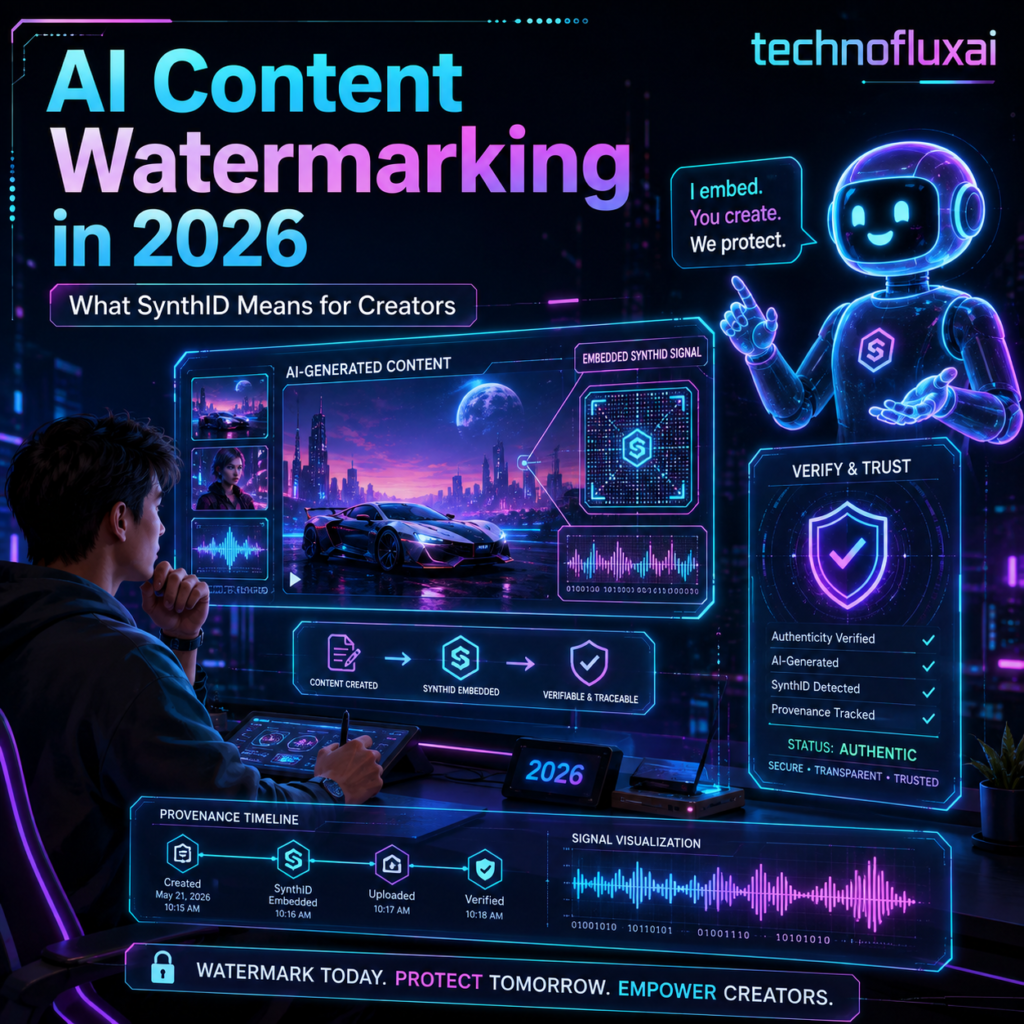
AI content watermarking is a way to place a hidden signal inside AI-generated media. The goal is not to make the content look different to humans. The goal is to give detection systems a better chance of recognizing that the content came from an AI model or was edited by one.
Think of it like a quiet fingerprint. A normal viewer may not see it, but the right verification system may be able to detect it. For creators, this matters because platforms, schools, publishers, brands, and search systems are all trying to understand how content was made.
Visible Watermark
A logo, label, text mark, or overlay that people can see on the content.
Invisible Watermark
A hidden technical signal embedded into the media so detection tools can identify AI involvement.
Content Provenance
Information that helps explain where content came from, what created it, and whether it was edited.
What Is SynthID?
SynthID is Google DeepMind’s watermarking and identification technology for AI-generated content. It is designed to embed an imperceptible signal into supported AI-generated images, audio, text, and video. The important word is imperceptible: the watermark is not supposed to change the normal viewing or reading experience.
For creators, SynthID is important because it shows where the industry is heading. AI content will not only be judged by how good it looks or reads. It will also be judged by how clearly its origin can be understood.
Simple Example
A creator generates a thumbnail background with an AI image tool. The audience sees a clean futuristic image. Behind the scenes, that image may include a hidden watermark that says, in effect, this was created or edited with a supported AI system.
That does not automatically mean the creator did anything wrong. It simply gives platforms and verification tools another clue about the content’s origin.
What SynthID Means for Bloggers, YouTubers, and AI Creators
The biggest shift is mental. Creators should stop treating AI use as something to hide and start treating it as something to manage. Watermarking does not replace honesty, editing, originality, or quality. It simply adds another layer to the trust stack.
For Bloggers
Track which images, outlines, excerpts, and summaries were AI-assisted. Keep the final article useful, original, and edited by a human.
For YouTubers
Disclose AI-generated visuals, voiceovers, or B-roll when it affects viewer understanding. Do not wait until a platform warning forces the conversation.
For Freelancers
Tell clients when AI is used in drafts, mockups, research support, or asset creation. This protects both trust and scope.
A Practical AI Watermarking Workflow for Creators
You do not need to become a forensic AI expert. You need a repeatable workflow that keeps your content clean, documented, and easy to explain.
Creator Workflow
- Label your AI inputs: Keep a private note of which tools created images, text, video, voice, or music.
- Edit before publishing: Do not publish raw AI output as finished expert content.
- Save source files: Keep prompts, drafts, exports, and final versions in a simple folder system.
- Add human context: Include your own examples, opinions, screenshots, testing, or experience.
- Use clear disclosure: When AI materially shaped the content, say so in plain language.
- Review platform rules: YouTube, social platforms, ad networks, marketplaces, and publishers may each handle AI labels differently.
Does AI Watermarking Hurt SEO?
AI watermarking itself should not be treated as an SEO disaster. The bigger SEO issue is low-quality content. A watermarked AI image inside a helpful article is very different from a thin, generic article published only to chase keywords.
Search visibility still depends on usefulness, originality, experience, technical quality, and whether the page satisfies the reader. AI content watermarking simply makes content origin easier to discuss.
Good Use of AI
AI helps create drafts, visuals, summaries, or workflows, but the creator adds judgment, editing, examples, and real value.
Bad Use of AI
AI mass-produces generic posts with no insight, no proof, no editing, and no reason for a reader to trust the page.
Creator Warning
Do not use watermarking as your only trust strategy. Watermarks can help with identification, but your brand trust still comes from accuracy, transparency, editing, and whether your content actually helps people.
Advanced Tips for Using AI Content Safely in 2026
The smartest creators will not fight AI transparency. They will build systems around it. If your workflow is clean, watermarking becomes less scary because you already know what you made, what AI helped with, and what value you personally added.
Keep an AI Asset Log
Create a simple spreadsheet with the asset name, tool used, date created, prompt summary, edits made, and where it was published.
Use Human Review
Review facts, tone, visuals, captions, and claims before publishing. AI assistance does not remove your responsibility as the publisher.
Write Simple Disclosures
Use plain language such as: “This article includes AI-assisted visuals edited by our team.” Clear beats clever.
Common Mistakes Creators Should Avoid
- Assuming invisible means irrelevant: Hidden watermarks can still matter to platforms and verification systems.
- Publishing raw AI output: Watermarked or not, low-effort content can damage trust.
- Over-disclosing every tiny tool use: Readers usually need meaningful context, not a full software diary.
- Ignoring client expectations: Freelancers should discuss AI use before delivery, not after a dispute.
- Thinking watermarking proves truth: A watermark may indicate origin. It does not prove the content is accurate.
FAQ: AI Content Watermarking in 2026
What is SynthID?
SynthID is a watermarking and detection technology designed to help identify supported AI-generated content, including images, audio, text, and video.
Can people see a SynthID watermark?
No. SynthID is designed to be imperceptible to humans. It is meant for detection systems, not normal viewers.
Does watermarking mean AI content is bad?
No. Watermarking is about transparency and origin. Content quality still depends on accuracy, originality, usefulness, and human editing.
Should creators disclose AI use?
Yes, when AI materially shapes the final content. A simple disclosure helps readers understand the process without making the content feel suspicious.
Will AI watermarking affect SEO?
Watermarking itself is not the main SEO problem. Thin, unhelpful, inaccurate, or mass-produced content is the bigger risk.
Final Takeaway
AI content watermarking in 2026 is not a reason for creators to panic. It is a reason to get organized. SynthID points toward a future where AI-assisted content is normal, but sloppy publishing is harder to defend. The winning creator workflow is simple: use AI, improve the output, track your assets, disclose when it matters, and keep the human value obvious.
Creator CTA
Build your AI publishing system before you need one. Start with a simple AI asset log, a clear disclosure note, and a quality checklist for every AI-assisted post, video, image, or client project.
Next step: Create a reusable AI content workflow for your blog, channel, or business so every asset is easier to trust, explain, and improve.