
Estimated reading time: 7 minutes
Table of contents
Key Takeaways
- Viggle AI is an AI animation tool that enables creators to easily turn images and prompts into animated videos.
- It is designed for beginners and short-form video creators seeking speed without complex software.
- Viggle AI works well for creating meme videos, character animations, and quick social media content.
- The tool helps users focus on ideas rather than technical details, making it great for rapid content testing.
- While it’s not a full video production suite, it complements traditional editing tools for final adjustments.
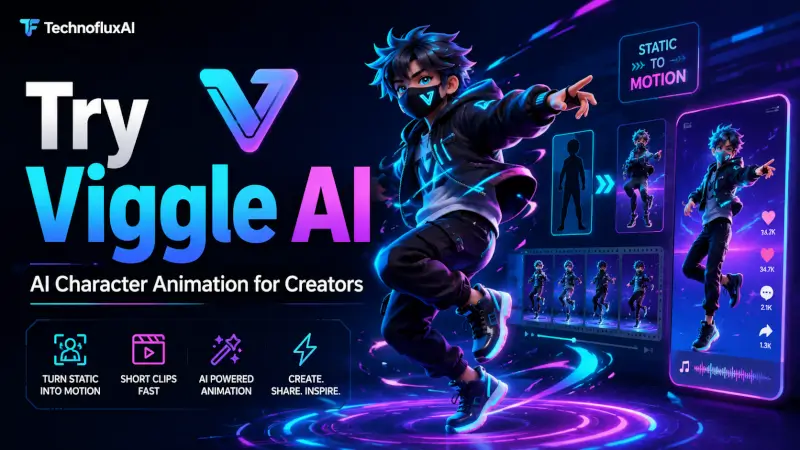
Viggle AI is an AI animation tool that helps creators turn images, characters, and prompts into motion-based videos.
Use it if you want to create fun AI videos, animated characters, social clips, memes, or short-form content without learning complex animation software.
Disclosure: This page may contain affiliate links. If you click a link and sign up, TechnofluxAI may earn a commission at no extra cost to you.
What Is Viggle AI?
Viggle AI is a creative AI video tool built for motion and animation.
Instead of starting with advanced editing software, you can use Viggle AI to animate characters, test video ideas, and create short clips faster.
It is useful for:
- TikTok creators
- YouTube Shorts creators
- meme pages
- AI video creators
- music video creators
- social media editors
- beginners testing AI animation
The main benefit is speed.
You can go from a simple idea to a moving AI clip without needing a full animation setup.
Quick Answer: Is Viggle AI Worth Trying?
Yes, Viggle AI is worth trying if you want a simple way to make AI-powered animated videos.
It is best for creators who want to:
- animate characters
- create viral-style clips
- test short-form video ideas
- make AI memes
- add motion to images
- experiment with creative AI video
It may not replace professional animation software, but it is a great tool for quick creative testing.
The Real Problem Viggle AI Solves
Creating animated content usually takes time.
You may need:
- editing software
- motion design skills
- character animation tools
- video effects
- timing adjustments
- hours of practice
That slows creators down.
Viggle AI helps solve that problem by making animation easier to test. You can focus more on the idea instead of fighting with complicated software.
For creators, that matters.
A funny video idea can lose momentum if it takes too long to make. Viggle AI gives you a faster way to turn ideas into motion.
How Viggle AI Works
The basic workflow is simple.
You start with an idea, image, or character. Then you use Viggle AI to add motion or create an animated video.
A simple workflow looks like this:
- Choose your video idea
- Upload or select your character
- Pick the motion or prompt style
- Generate the animation
- Review the result
- Edit or export for social media
This makes it useful for fast content creation.
You can use it to test multiple ideas before spending more time editing the final version.
Best Ways to Use character animation software
1. AI Meme Videos
Viggle AI works well for meme-style animation.
You can create funny movement, character clips, and social videos that feel more engaging than a still image.
This is useful for TikTok, Instagram Reels, YouTube Shorts, and Facebook videos.
2. Character Animation
If you have a character design, AI avatar, or digital mascot, character animation softwarecan help bring it to life.
This is helpful for creators who want a repeatable character style.
For TechnofluxAI, tools like this can work well with FluxBot-style content because animated characters are more memorable than plain graphics.
3. AI Music Video Clips
Viggle AI can also help with short music video ideas.
You can create motion-based clips, character movement, or experimental video scenes.
It is not a full video production studio, but it can help you create interesting visual pieces for a bigger edit.
4. Social Media Experiments
This is where Viggle AI becomes very useful.
You can test:
- funny clips
- trending formats
- AI character reactions
- dance-style videos
- short animation loops
- before-and-after edits
The faster you test, the faster you learn what people respond to.
Who Should Use character animation software?
Viggle AI is a good fit for creators who want simple AI animation without a steep learning curve.
It is best for:
- beginners
- short-form video creators
- AI creators
- meme creators
- content marketers
- faceless YouTube channels
- social media pages
It is probably not the best fit if you need advanced frame-by-frame animation or full professional video control.
My Take on Viggle AI
Viggle AI is interesting because it fits where AI video is going.
Creators do not always need perfect animation.
Sometimes they need fast, fun, shareable content.
That is where tools like Viggle AI can help. It gives creators a way to test ideas quickly, make characters move, and create content that feels more alive than a static image.
For me, the best use case is not replacing a full video editor.
The best use case is idea testing.
Create the animation in Viggle AI, then polish the final video in a tool like CapCut, Canva, or another editor.
Viggle Pros and Cons
Pros
- beginner-friendly
- good for short videos
- useful for social content
- fun for AI character animation
- faster than traditional animation
- helpful for testing ideas
Cons
- results may need editing
- not a full professional animation suite
- some outputs may need regeneration
- best results still need a strong creative idea
Try Viggle AI
If you want to test AI animation for your own content, you can try Viggle AI here:
Use it to test one simple idea first.
Start with a character, a short motion idea, and one social media format.
Do not overcomplicate it.
FAQ
Is It free?
Viggle AI may offer free or paid options depending on its current plan structure. Check the official Viggle AI page for the latest pricing.
What is Viggle AI best for?
Viggle AI is best for AI animation, character movement, meme videos, social media clips, and creative video experiments.
Can beginners use Viggle AI?
Yes. Viggle AI is beginner-friendly compared with traditional animation tools.
Can I use Viggle AI for TikTok or YouTube Shorts?
Yes. Viggle AI works well for short-form content ideas that can be posted on TikTok, Instagram Reels, YouTube Shorts, or Facebook.
Do I still need a video editor?
Most creators should still use a video editor for final polish. Viggle AI can create the animation, but tools like CapCut or Canva can help with captions, music, cuts, and formatting.
Final Thoughts
Viggle AI is worth trying if you want to make animated AI videos faster.
It is not about replacing creativity.
It is about speeding up the boring part so you can test more ideas.
For creators, that is a big deal.
Try one animation. Edit it. Post it. Then study what works.

About the Author
Jon Hicks
Founder of TechnofluxAI.
I’m the creator behind TechnofluxAI, focused on breaking down powerful AI tools, emerging trends, and practical strategies to help creators and entrepreneurs stay ahead in a rapidly evolving digital world.
Follow TechnofluxAI for the latest AI tools & strategies