
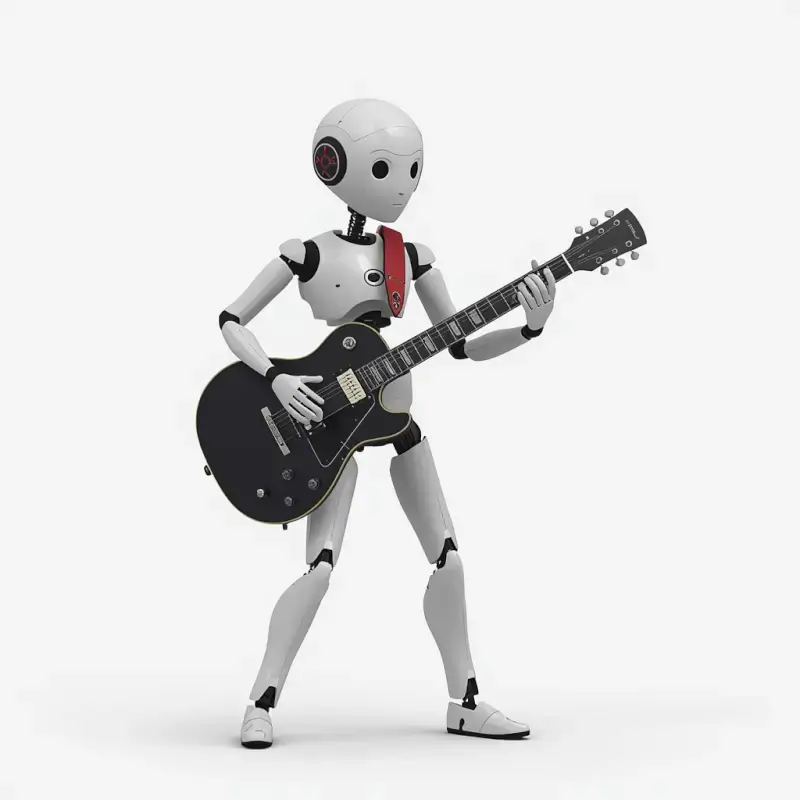
What happens when you combine artificial intelligence, music, and a little creativity?
? Explore ourUltimate AI Tools Directory
I decided to find out… so I built a full AI robot band from scratch.
Not just images. Not just music.
A complete AI-generated band with visuals, sound, and style.
? Watch the video first, then I’ll break down exactly how I did it.
Alternative to LeonardoAi PolloAI FREE TRIAL WITH COUPON
? How I Actually Created This AI Robot Band
After watching the video, you’re probably wondering…
“How was this actually made?”
The truth is, this entire project was built using a simple but powerful AI workflow. No traditional instruments. No filming. Just the right tools and a clear idea.
Here’s exactly how I did it.
✍️ Step 1: Writing the Lyrics with AI
Everything started with the lyrics.
Instead of trying to write a perfect song manually, I used AI to help generate ideas, structure, and flow. I focused on creating something that matched the futuristic, robotic vibe of the band.
The goal wasn’t perfection — it was direction.
Once I had a solid base, I tweaked the wording to make it feel more natural, more rhythmic, and more like something an actual band would perform.
? This step is important because the quality of your lyrics directly affects the final music output.
Suno AI Review: The Best AI Music Generator for Creators? | TechnofluxAI
? Step 2: Turning Lyrics into Music with Suno
Next, I took those lyrics and dropped them into an AI music generator.
This is where everything leveled up.
Using Suno, I was able to:
- Generate a full song from scratch
- Choose the style and vibe
- Let AI handle vocals and instrumentals
Within minutes, I had a complete track that sounded like a real band.
? This is the moment where AI stops feeling like a tool… and starts feeling like a creative partner.
? Step 3: Creating the Band Visual with Leonardo AI
Now I needed the band itself.
I used an AI image generator to create a single, high-quality still image of the robot band. This image defined everything:
- The characters
- The lighting
- The environment
- The overall aesthetic
This wasn’t just for visuals — it became the foundation for the next step.
? Step 4: Turning the Image into Video
Here’s where it gets really interesting.
I took that still image and used it as a prompt for generating video footage.
Instead of starting from scratch, the AI used the image as a reference to create movement, animation, and scene consistency.
From there, I:
- Generated multiple clips
- Tested different variations
- Tweaked prompts to improve realism and motion
? This step is all about experimentation. Small changes can completely transform the outcome.
✂️ Step 5: Editing Everything in CapCut
Finally, I brought everything together using CapCut.
This is where the project turned into a finished video.
Inside CapCut, I:
- Synced the visuals with the music
- Trimmed and arranged clips
- Added transitions and timing adjustments
- Fine-tuned the overall flow
CapCut made it fast and simple to take raw AI outputs and turn them into something polished and watchable.
? Why This Workflow Works
What makes this process powerful is how simple it actually is.
You’re not relying on one tool — you’re combining multiple AI systems, each doing what it does best:
- AI for ideas
- AI for music
- AI for visuals
- AI for motion
- Editing for control
? That combination is where the magic happens.
? Final Thoughts
This entire AI band started as a simple idea…
But it shows something much bigger:
You don’t need a studio
You don’t need expensive gear
You don’t need a team
You just need the right workflow.
And once you understand that, you can create almost anything.
I created the AI robot band by combining multiple AI tools. I started by writing lyrics with AI, then used Suno to generate the music. After that, I created a still image of the band using Leonardo AI and turned that image into video footage using AI video tools. Finally, I edited everything together in CapCut.
I used Suno, an AI music generator that can turn lyrics into full songs with vocals, instruments, and style. It’s one of the fastest ways to create high-quality AI music.
Yes. AI tools like Suno can take written lyrics and generate complete songs, including vocals, melodies, and instrumentals. The results can sound surprisingly realistic.
I used an AI image generator (Leonardo AI) to create a high-quality still image of the band. This image defined the look, style, and environment of the entire project.
I used the still image as a prompt for AI video generation tools. These tools use the image as a reference to create motion, animation, and scene consistency, turning a static image into dynamic footage.
? Want to Try This Yourself?
Check out the tools I used and start building your own AI projects:

About the Author
Jon Hicks
Founder of TechnofluxAI.
I’m the creator behind TechnofluxAI, focused on breaking down powerful AI tools, emerging trends, and practical strategies to help creators and entrepreneurs stay ahead in a rapidly evolving digital world.
Follow TechnofluxAI for the latest AI tools & strategies