
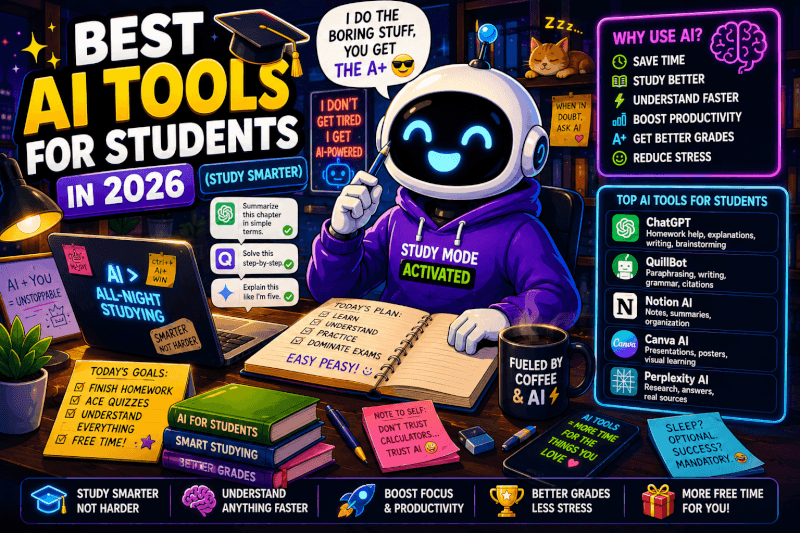
This directory helps you find useful AI tools by job instead of scrolling through a giant list of apps with no idea which one you actually need.
AI tools now cover writing, research, image generation, video, music, coding, automation, marketing, and productivity.
But more tools don’t automatically create a better workflow.
The easiest way to use this page is to start with the task you’re trying to accomplish and explore that category first.
For a larger collection, visit the TechnofluxAI Ultimate AI Tools Directory.
Choose an AI Tool by What You Want to Do
AI Assistants
Research, brainstorming, writing assistance, analysis, planning, and general problem solving.
AI Writing
Create drafts, rewrite copy, build outlines, develop marketing content, and improve existing text.
AI Images & Design
Create illustrations, concepts, graphics, social content, and design assets.
AI Video
Generate clips, avatars, video scenes, captions, edits, and repurposed content.
AI Music
Create songs, instrumental ideas, audio experiments, and music for creative projects.
AI Coding
Write, explain, debug, refactor, and navigate code with AI assistance.
AI Automation
Connect apps, automate repetitive work, and build workflows using AI.
AI SEO & Marketing
Research topics, optimize content, analyze visibility, and support marketing workflows.
Best Starting Point for Beginners
If you’re completely new to AI, don’t start by signing up for twenty platforms.
ChatGPT
A flexible starting point for research assistance, brainstorming, writing, analysis, planning, and working with files.
Visit ChatGPTClaude
A general-purpose AI assistant useful for writing, analysis, documents, research workflows, and longer-form work.
Visit ClaudeGemini
Google’s AI assistant for research, writing, multimodal tasks, and workflows connected to Google’s ecosystem.
Visit GeminiPerplexity
An AI-powered research and answer tool built around finding and citing information from the web.
Visit PerplexityIf you want a beginner-friendly walkthrough before experimenting, visit Learn AI on TechnofluxAI.
One Thing I have Learned while building TechnofluxAi is that Ai tools usually sound easier to use than they are in the real world. I like to try things myself, see where I get stuck, and figure out what actually saves time instead of just repeating promisies.That’s the approach I use throughout this site: keep what works, point out what doesn’t, and explain things in a way that makes sense for someone who is still learning. I started out searching for an image creator. That was my first interaction with Ai. I was frustrated by the vast tool list without any real direction on which tool was best. Then I realized how powerful this tool was .and was going to be in the future. Making mistakes has helped me in the choice of articles I write.

AI Writing and Marketing Tools
ChatGPT
Useful for ideas, outlines, rewriting, analysis, research organization, and flexible content workflows.
Open ChatGPTJasper
Built around structured marketing workflows, brand context, campaigns, and repeatable content production.
Visit JasperWritesonic
A dedicated AI content platform combining writing features with search-focused workflows.
Visit WritesonicSurfer
Analyze competing content, identify topical gaps, and optimize pages for search-focused workflows.
Visit SurferFrase
Useful for research, content briefs, outlines, and search-focused optimization.
Visit FraseAI Image and Design Tools
Midjourney
AI image generation for creative concepts, illustrations, stylized visuals, and artwork.
Visit MidjourneyLeonardo AI
AI image generation and creative workflows for characters, concepts, assets, and visual experimentation.
Visit Leonardo AIIdeogram
AI image creation with a strong focus on design, typography, and visual generation.
Visit IdeogramAdobe Firefly
Generative AI tools integrated into Adobe’s creative ecosystem for images, design, and editing.
Visit FireflyCanva Magic Studio
AI-assisted design tools inside Canva for graphics, presentations, social content, and creative assets.
Visit CanvaAI Video Tools
Runway
Generative video and creative AI tools for producing and editing visual content.
Visit RunwayHeyGen
AI video creation built around avatars, presentations, translation, and business video workflows.
Visit HeyGenSynthesia
AI avatar and presentation video software frequently used for training, business, and educational content.
Visit SynthesiaDescript
Video and audio editing with transcription, text-based editing, recording, and AI-assisted features.
Visit DescriptAI Music Tools
Suno
Create complete songs from ideas, lyrics, audio, and other creative inputs. Suno’s current model family includes v6, v6-wild, and v6-mini.
Visit SunoUdio
AI music generation for experimenting with songs, styles, vocals, and musical ideas.
Visit UdioFor my own example of connecting AI writing, music, images, video, and editing into one project, see the TechnofluxAI AI creative experiments and workflow guides.
AI Coding Tools
GitHub Copilot
AI coding assistance inside developer workflows for writing, explaining, debugging, and working with code.
Visit GitHub CopilotCursor
An AI-focused code editor designed around working with codebases using natural-language assistance.
Visit CursorReplit
A browser-based development environment with AI-assisted coding and app-building workflows.
Visit ReplitAI Automation and Productivity Tools
Zapier
Connect apps, data, workflows, and AI models to automate repetitive business processes.
Visit ZapierNotion AI
AI assistance inside Notion for documents, knowledge work, organization, summaries, and workspace tasks.
Visit NotionOtter.ai
Meeting transcription, notes, summaries, and conversation-focused productivity features.
Visit OtterFireflies.ai
Meeting recording, transcription, notes, and AI-assisted conversation analysis.
Visit FirefliesHow to Choose an AI Tool Without Wasting Money
- Start with the problem. Don’t begin with the newest tool.
- Check what you already have. Existing software may already include the feature you need.
- Use a free plan or trial when available. Test the workflow before committing.
- Compare output quality. Faster isn’t automatically better.
- Check the limitations. Look at usage limits, exports, commercial rights, integrations, and privacy requirements.
- Measure whether it saves meaningful time.
- Cancel tools that overlap. A large AI stack can become expensive quickly.
Frequently Asked Questions
What are quick access AI tools?
Quick access AI tools are platforms that let you use AI for a specific task without building the underlying model or infrastructure yourself.
Examples include AI assistants, image generators, video tools, coding assistants, and automation platforms.
What is the best AI tool for beginners?
There isn’t one tool that is best for every task.
A general-purpose assistant such as ChatGPT, Claude, or Gemini is usually a practical place to start because you can experiment with several types of work before choosing specialist software.
Do I need to pay for AI tools?
No.
Many platforms provide some form of free access, trial, or limited usage. Start there when possible and upgrade only when a real limitation is affecting your workflow.
What AI tool should content creators use?
It depends on the content.
A creator may use a general AI assistant for planning, Canva or an image generator for graphics, Runway or another video platform for motion, Suno for music, and an automation tool such as Zapier when repetitive tasks become a bottleneck.
Are AI automation tools difficult to use?
Some are simple and others can become quite advanced.
Platforms such as Zapier and Make provide visual or natural-language workflow building, but complicated automations still require planning, testing, and an understanding of the apps being connected.
Should I use several AI tools together?
Yes, when each tool has a clear job.
A useful workflow might use one tool for research, another for creative production, and another for automation. The important part is avoiding unnecessary overlap.
Keep Exploring
Ultimate AI Tools Directory
Explore the broader TechnofluxAI directory when you want more options.
Browse the DirectoryThe Bottom Line
A useful AI directory shouldn’t just contain the largest possible number of links.
It should help you make a decision.
Start with the job you need done, choose a small number of tools that fit that job, test them in a real workflow, and keep only the ones that earn their place.

About the Author
Jon Hicks
Founder of TechnofluxAI.
I’m the creator behind TechnofluxAI, focused on breaking down powerful AI tools, emerging trends, and practical strategies to help creators and entrepreneurs stay ahead in a rapidly evolving digital world.
Follow TechnofluxAI for the latest AI tools & strategies