

Estimated reading time: 8 minutes
TechnofluxAI Review
SaneBox Review 2026: Is AI Inbox Filtering Worth Paying For?
SaneBox is built for people who do not want a new email app. Instead, it works inside your existing inbox and uses AI-style filtering to move less important messages out of the way so your main inbox feels calmer.
Quick Verdict
SaneBox is worth paying for if email volume is stealing your focus every day and you want automatic inbox filtering without switching email clients. It is less compelling if you only get a small number of emails, already have strong email rules, or want a full AI email assistant that writes replies for you.
Best For
Busy inbox users, founders, client-service pros, real estate agents, consultants, executives, freelancers, support leads, and creators who need fewer distractions without rebuilding their whole email workflow.
The Problem SaneBox Tries to Solve
Most inbox problems are not caused by one big disaster. They come from dozens of low-priority messages interrupting your day: newsletters, notifications, cold pitches, CC threads, receipts, calendar noise, updates, reminders, and messages that are useful later but distracting right now.
SaneBox tries to reduce that friction by learning which emails matter and moving lower-priority messages into separate folders like SaneLater, SaneNews, or other Sane folders. The goal is simple: keep your main inbox focused on messages that deserve your attention.
Start Here Before You Pay
Before starting a trial, check your inbox pain honestly. If your issue is too many distractions, SaneBox can help. If your issue is poor reply habits, unclear priorities, or not knowing what to say, inbox filtering alone will not fix everything.
Explore More AI Tool Reviews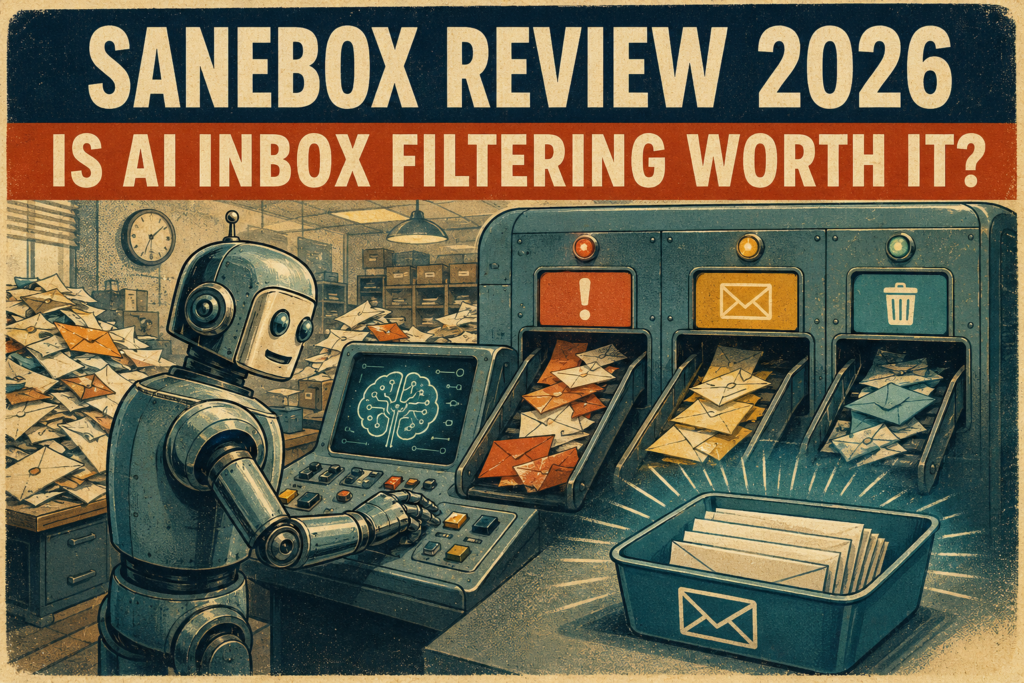
Hands-On Review
What SaneBox Actually Does
SaneBox is not trying to replace Gmail, Outlook, Apple Mail, or your favorite email client. Its job is to sit on top of your inbox, watch email patterns, and route messages into smarter folders so your main inbox becomes less chaotic.
SaneLater
SaneLater is the core idea. Lower-priority messages get moved out of your inbox so you can review them later instead of reacting to every notification the moment it arrives.
Daily Digest
The digest gives you a review point for unimportant messages. This matters because filtering only works if you still have a simple way to catch anything that was sorted away by mistake.
SaneBlackHole
SaneBlackHole helps you remove annoying senders from your inbox. Instead of unsubscribing manually every time, you can train SaneBox to keep future messages from that sender out of sight.
SaneBox Review Scorecard
Ease of Use
Strong. You do not need to learn a new inbox. SaneBox works in the background and uses folders that appear inside the email setup you already use.
Filtering Value
Strong for high-volume inboxes. The more distracting email you receive, the easier it is to feel the value of automatic filtering.
AI Depth
Moderate. SaneBox is better described as intelligent inbox filtering than a full generative AI email assistant. It organizes email more than it writes email.
Privacy Fit
Better than many users may expect, but still worth reviewing carefully. Any tool with inbox access deserves a serious privacy and permission check before long-term use.
How to Decide if SaneBox Is Worth It
Count your real inbox interruptions.
For one normal workday, count how many emails interrupt you but do not need immediate action. If the number is high, inbox filtering has a clearer business case.
Test it with one inbox first.
Start with your busiest inbox, not every account you own. Watch how SaneBox sorts messages, then train mistakes before expanding the system.
Measure time saved, not inbox neatness.
A prettier inbox is nice, but the real test is whether you spend less time triaging email and more time doing useful work.
Review folder limits and plan fit.
SaneBox plans are tied to email accounts and available features. Check whether the plan you are considering includes the folders and tools you actually want.
Warning: SaneBox Is Not a Magic Inbox Cure
SaneBox can reduce clutter, but it will not make decisions for you, write thoughtful replies, fix bad communication habits, or replace a clean task system. It works best when you pair it with simple email rules: check less often, review filtered folders daily, and turn important messages into tasks quickly.
Advanced Buying Advice
Who Should Pay for SaneBox in 2026?
SaneBox makes the most sense when email volume has become a daily productivity tax. If you are constantly scanning low-value messages to find the few that matter, AI inbox filtering can pay for itself by protecting your focus.
Worth It
Pay for SaneBox if you receive enough email that sorting it manually costs you real time, attention, or missed opportunities. It is especially useful when you want less inbox noise without changing email apps.
Maybe Worth It
Consider it if your inbox is messy but not overwhelming. In this case, the trial matters. You need to see whether the filtering feels accurate enough to keep using.
Probably Not Worth It
Skip it if your inbox is already manageable, you prefer manual rules, you rarely miss important messages, or you mainly want generative AI features like automatic reply drafting and deep content summarization.
Common Mistakes to Avoid
Mistake 1: Expecting it to write your emails
SaneBox is mainly an inbox filtering and organization tool. It is not the same kind of product as a full AI writing assistant or an AI email client.
Mistake 2: Ignoring the first week of training
The first week is when you should watch what gets sorted, move mistakes, and train the system. Do not judge the tool passively without correcting early sorting errors.
Mistake 3: Forgetting about privacy review
Any tool that connects to your inbox deserves careful review. Check access permissions, cancellation steps, privacy claims, security practices, and whether your workplace allows third-party inbox tools.
Mistake 4: Paying before proving time savings
The right question is not whether SaneBox makes your inbox look cleaner. A better question is whether it saves enough attention and time to justify the subscription.
FAQ: SaneBox Review 2026
What is SaneBox?
SaneBox is an email management tool that filters less important messages out of your main inbox and organizes them into separate folders. The goal is to reduce distractions without forcing you into a new email app.
Is SaneBox really AI?
SaneBox uses intelligent filtering and machine learning-style inbox analysis to decide what looks important. It is better understood as AI inbox filtering, not a full generative AI email assistant.
Does SaneBox work with Gmail and Outlook?
Yes. SaneBox is designed to work with major email services and clients, including Gmail, Microsoft 365, Outlook-style setups, iCloud, Yahoo Mail, Fastmail, IMAP, Exchange, and ActiveSync accounts.
Is SaneBox safe to use?
SaneBox publishes privacy and security information explaining how it handles email access, credentials, and filtering. Still, every user should review those details carefully because inbox access is sensitive.
Is SaneBox worth paying for?
SaneBox is worth paying for if it saves you enough time and attention each week. If your email volume is light or your existing filters already work well, the subscription may not be necessary.
Final Takeaway
SaneBox is a focused tool with a clear promise: reduce inbox clutter without forcing you to change email clients. That makes it valuable for people drowning in low-priority email, but less exciting for users who want a full AI assistant that drafts, summarizes, and automates deeper communication workflows. The best move is to test it with one busy inbox, measure the time saved, and only pay if the filtering noticeably protects your focus.
Build a Cleaner AI Productivity Stack
Do not buy an AI email tool because the inbox looks messy. Buy it when it removes repeat distractions, protects deep work, and helps you respond to the right messages faster.
Compare More AI Productivity Tools