
Estimated reading time: 15 minutes
Quick Answer
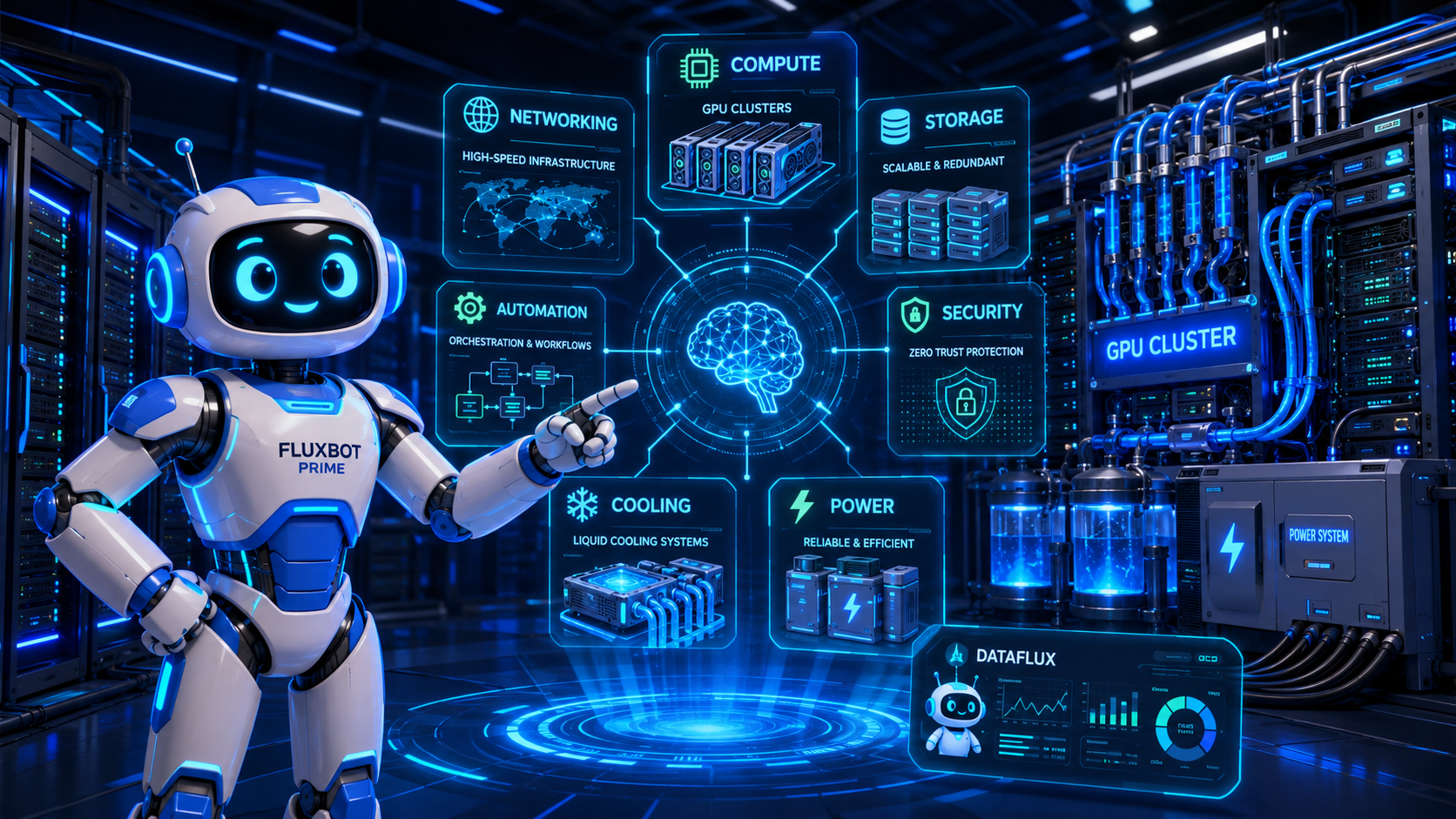
Huge AI data centers use far more than powerful chips. They rely on GPU systems, AI accelerators, high-speed networking, training and inference software, storage systems, memory tools, cooling equipment, power management, cybersecurity platforms, and automation software.
The simple way to think about it is this:
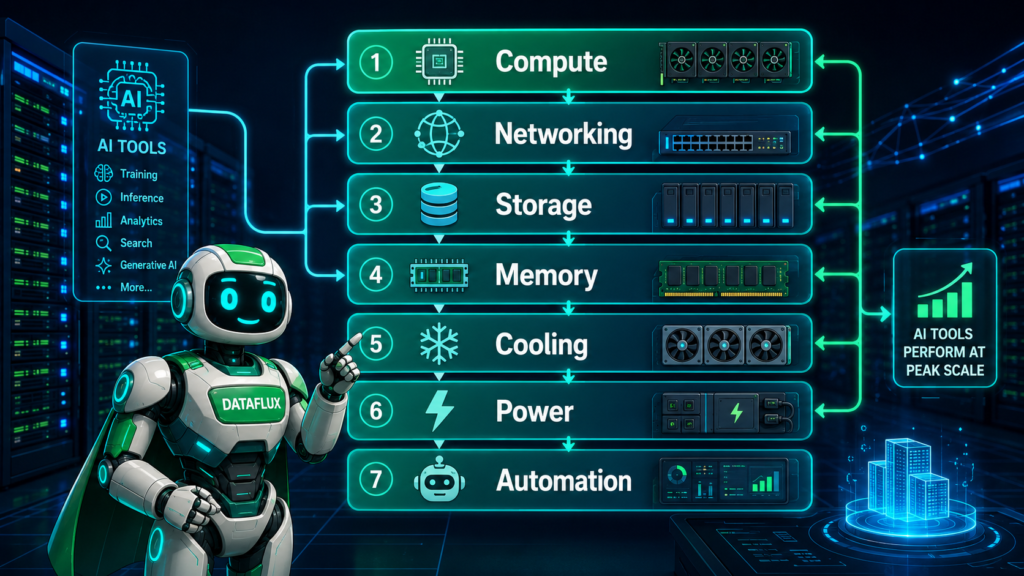
Compute runs the models. Networking connects the compute. Storage feeds the data. Cooling keeps the hardware alive. Power keeps the system running. Software turns the whole thing into something people can actually use.
That is the real stack behind modern AI tools.
Key Takeaways
- AI tools for data centers include GPUs, AI accelerators, high-speed networking, and advanced cooling systems.
- These AI data centers require a full stack of infrastructure for computing, storage, and security to support demanding workloads.
- They use automation and monitoring tools to optimize operations and manage resources effectively.
- Infrastructure significantly influences AI tool performance, costs, and the pace of advancements in AI capabilities.
- Understanding this stack helps creators make sense of tool pricing, usage limits, and future developments.
Table of contents
- Quick Answer
- What Makes an AI Data Center Different?
- GPU and AI Accelerator Tools
- AI Training and Inference Software
- High-Speed Networking Tools
- Storage and Memory Tools
- Cooling and Thermal Management Tools
- Power Management and Energy Tools
- Security and Access Control Tools
- Automation and Monitoring Tools
- What This Means for Creators and Small Businesses
- What Should You Actually Know?
- TechnofluxAI Take
- Common Mistakes to Avoid
- FAQ
Introduction
Huge AI data centers do not run on one magic tool.
They use an entire stack of hardware, software, cooling systems, power equipment, networking tools, security platforms, and automation systems to train and run modern AI models. If you use ChatGPT, image generators, AI video tools, coding assistants, or business automation platforms, there is a good chance your request touches one of these massive AI systems behind the scenes.
For creators and small business owners, this may sound far away from your daily work. You are not buying GPUs by the rack or managing liquid cooling loops.
But AI data centers still affect you.
They help decide how fast AI tools respond, how expensive subscriptions become, why video generation has limits, why some tools slow down during peak demand, and why the biggest AI platforms keep investing in infrastructure.
So instead of looking at this like a list of random data center tools, let’s look at it as a workflow.
What Makes an AI Data Center Different?
A normal data center might host websites, business apps, cloud storage, databases, email systems, or streaming services.
An AI data center is built for heavier work.
AI training and inference need massive compute power, fast networking, huge memory capacity, advanced cooling, steady power, and constant monitoring. Training a large AI model may require thousands of chips working together. Running the model for millions of users also takes serious infrastructure.
That is why companies increasingly describe these facilities as AI factories instead of ordinary server buildings. NVIDIA, for example, describes modern AI infrastructure as moving from standalone servers toward rack-scale systems, POD-scale deployments, AI factories, and full-stack accelerated computing platforms.
The point is simple: an AI data center is not just a room full of servers.
It is a connected system built to turn electricity, data, chips, cooling, and software into AI output.
1. GPU and AI Accelerator Tools
The first layer is compute.
These are the engines of an AI data center.
Huge AI data centers may use:
NVIDIA GPUs
AMD accelerators
Google TPUs
custom AI chips
GPU clusters
AI servers
rack-scale systems
CPU and GPU combinations
accelerated computing platforms
Modern AI models need accelerators because traditional CPUs are not efficient enough for many large AI workloads. GPUs and other AI accelerators are designed to process many calculations at the same time, which makes them useful for model training, inference, image generation, video generation, and scientific computing.
A single chip is not enough at this scale. Large AI systems often use clusters of accelerators connected together so they can work like one giant machine.
That is why rack-scale systems matter. Instead of thinking about one server at a time, AI infrastructure companies are designing whole racks, pods, and data center blocks as connected AI systems. NVIDIA’s Vera Rubin POD announcement describes AI infrastructure moving toward integrated rack-scale systems with mechanical, power, cooling, and software design considered together.
For beginners, here is the clean version:
AI accelerators are the engines. Without them, modern AI would be slower, more expensive, and harder to scale.
2. AI Training and Inference Software
Hardware does the heavy lifting, but software tells the hardware what to do.
AI data centers use software for:
model training
model inference
container management
GPU optimization
model serving
workload scheduling
cluster orchestration
developer tools
monitoring and deployment
model updates
Training software helps teams build or improve models. Inference software helps serve those models to users after they are trained.
That distinction matters.
Training is like building the engine. Inference is like using the engine every time someone types a prompt, generates an image, asks for a summary, or runs an automation.
A huge data center may have thousands of accelerators available, but those chips need to be assigned intelligently. Some workloads need urgent low-latency responses. Others can run in the background. Some jobs need many GPUs at once. Others only need a small slice of capacity.
This is where AI workload schedulers and orchestration tools become important. They help decide where jobs run, how resources are shared, and how the system avoids waste.
For creators, this is one reason AI tools can feel different from day to day. The model may be the same, but the infrastructure behind it may be handling different demand, routing, capacity, and workload pressure.
3. High-Speed Networking Tools
A huge AI model may need thousands of chips working together.
That only works if those chips can talk to each other quickly.
AI data centers use networking tools such as:
InfiniBand
high-speed Ethernet
AI cluster switches
fiber connections
interconnects
network interface cards
data center fabrics
network monitoring tools
In a normal website setup, networking is important because users need to reach a server.
In an AI data center, networking is even more critical because the servers need to communicate with each other constantly. During training, chips may need to share model updates, gradients, data chunks, and synchronization signals across the cluster.
If the network is slow, the expensive chips sit around waiting.
That is bad for performance and bad for cost.
A simple way to explain it:
Networking is the nervous system of an AI data center. It lets thousands of chips act like one coordinated machine.
4. Storage and Memory Tools
AI systems need data.
They also need fast access to that data.
Huge AI data centers use storage and memory tools such as:
high-speed storage
object storage
data lakes
dataset pipelines
fast databases
memory tiering
cache systems
backup systems
distributed file systems
metadata tools
Storage holds the datasets, model checkpoints, logs, training files, embeddings, user data, and internal system data.
Memory is different. Memory is what the system needs close to the compute so it can work quickly.
This is becoming one of the biggest AI infrastructure bottlenecks. It is not enough to have powerful chips if the system cannot feed them data fast enough.
AMD’s June 2026 acquisition of MEXT is a good example of where this is going. AMD said the acquisition adds AI-driven memory optimization technology designed to make flash behave more like DRAM, helping expand usable memory capacity while improving performance and efficiency for compute infrastructure.
That may sound technical, but the beginner version is simple:
AI data centers are running into memory pressure. Better memory tools help them use expensive hardware more efficiently.
For creators, memory bottlenecks can show up indirectly. They can affect model speed, tool cost, file-size limits, context windows, batch processing, and the ability to handle larger projects.
5. Cooling and Thermal Management Tools
Cooling is one of the easiest parts to understand because the problem is physical.
AI chips get hot.
When thousands of them are packed into dense racks, heat becomes one of the biggest limits on performance.
AI data centers use cooling and thermal tools such as:
liquid cooling
direct-to-chip cooling
air cooling
coolant distribution units
thermal sensors
coolant monitoring
heat exchangers
digital twins
AI-based cooling controls
predictive thermal management
Traditional air cooling is still used in many places, but AI workloads are pushing data centers toward more advanced cooling methods. Liquid cooling can remove heat more efficiently, especially in dense GPU racks.
Vertiv, a major data center infrastructure company, has highlighted adaptive liquid cooling, power systems, and digital twins as important trends shaping data center design and operations in 2026.
Research is also moving quickly. Recent work on direct-to-chip liquid cooling and digital-twin cooling optimization explores how cooling systems can be designed and controlled more intelligently for high-density AI workloads.
This is not just an engineering detail.
Cooling affects how much compute can fit in a building, how much power gets wasted, how reliable the system is, and how expensive AI becomes.
In plain English:
Cooling keeps the AI factory alive. Without it, the chips cannot run safely or efficiently.
6. Power Management and Energy Tools
AI data centers are not just a computer problem.
They are an energy problem.
These facilities use power and energy tools such as:
power distribution units
battery backup systems
uninterruptible power supplies
grid connection systems
energy forecasting software
smart power monitoring
carbon tracking tools
load balancing systems
backup generators
renewable energy planning tools
Every AI request uses infrastructure. At small scale, that does not feel dramatic. At massive scale, it becomes a power planning issue.
This is why AI data center growth is now part of broader energy and grid conversations. In June 2026, Reuters reported that U.S. energy regulators were pushing grid operators to review and potentially update rules for connecting large power users such as data centers.
Arizona is also becoming a test case for how AI data center growth affects electricity demand and water use. Axios reported that rapid data center expansion, population growth, and industrial growth are putting pressure on Arizona’s power grid and water planning.
For creators, this matters because power costs eventually connect back to AI tool costs.
If infrastructure gets more expensive, the software built on top of it may also become more expensive. That can affect subscriptions, usage caps, generation limits, and pricing tiers.
7. Security and Access Control Tools
AI data centers also need serious security.
They may handle:
private business data
customer prompts
training datasets
model weights
proprietary code
internal research
financial data
health data
government data
intellectual property
Security tools may include:
physical access controls
identity management
encryption
network security
zero-trust systems
model protection
data privacy tools
threat detection
log monitoring
incident response systems
In a normal data center, security protects servers and user data.
In an AI data center, security may also need to protect the model itself. The model weights can be extremely valuable. Training data may be sensitive. Customer prompts may include private business information. Internal AI systems may connect to tools, files, databases, and workflows.
That is why security is not a side feature.
It is part of the AI infrastructure stack.
8. Automation and Monitoring Tools
At this scale, humans cannot manually watch everything.
AI data centers need automation tools to help monitor the systems running the AI tools.
That is the fun part: AI data centers increasingly use AI to manage AI.
They may use:
observability dashboards
predictive maintenance
server health monitoring
AI operations tools
incident response automation
thermal monitoring
power monitoring
network performance tracking
robotic inspection systems
digital twins
capacity planning software
Monitoring tools track what is happening across the facility. Automation tools help respond when something starts to go wrong.
A server may overheat. A network path may slow down. A cooling loop may need adjustment. A workload may need to move. A storage system may start showing signs of failure.
In a smaller setup, an engineer might catch that manually.
In a massive AI data center, the system needs software that can detect patterns early and help operators respond before small issues become expensive outages.
This is the “snake eating its own robot tail” moment:
AI tools need data centers, and data centers increasingly need AI tools to keep everything running.
9. What This Means for Creators and Small Businesses
Most creators do not need to understand every chip, cable, or cooling loop inside an AI data center.
But you should understand the stack because it affects the tools you use every day.
AI data center capacity influences:
how fast AI tools respond
how expensive AI subscriptions become
which platforms can handle video generation
why some tools limit usage
why advanced models may cost more
why local AI and cloud AI will both matter
why AI companies keep changing product tiers
why enterprise AI tools may get better faster than consumer tools
This is especially important for creators using AI for content workflows, automation, SEO, video, images, coding, or business systems.
A text chatbot is one thing.
AI video generation is much heavier. Long-context research tools are heavier. Coding agents that run tasks are heavier. AI agents connected to business systems are heavier.
As AI tools become more capable, the infrastructure behind them has to become more advanced too.
What Should You Actually Know?
You do not need to memorize every vendor or acronym.
You only need the basic workflow.
Compute runs the models.
This includes GPUs, accelerators, CPUs, and rack-scale AI systems.
Networking connects the compute.
Fast networking lets thousands of chips work together.
Storage feeds the data.
AI systems need quick access to datasets, model files, logs, and user inputs.
Memory keeps the work close to the chips.
Better memory tools help reduce bottlenecks and improve efficiency.
Cooling keeps the hardware alive.
Dense AI racks create heat, and heat must be removed quickly.
Power keeps the system affordable.
Energy planning affects cost, reliability, and future AI capacity.
Security protects the data and models.
AI infrastructure may hold sensitive prompts, datasets, and intellectual property.
Automation keeps the whole thing manageable.
At massive scale, monitoring and AI operations tools are not optional.
That is the real AI data center workflow.
TechnofluxAI Take
The biggest mistake is thinking AI data centers are just “big server buildings.”
They are closer to full production systems.
A huge AI data center combines compute, software, storage, memory, networking, cooling, power, security, and automation into one coordinated workflow. If one layer fails, the whole system gets slower, more expensive, or less reliable.
For creators, this is a reminder to think about AI tools as systems, not magic buttons.
When your favorite AI tool adds limits, raises prices, slows down, launches a faster model, or starts charging more for video, there is probably an infrastructure reason behind it.
The front-end tool is what you see.
The AI data center stack is what makes it possible.
Common Mistakes to Avoid
Mistake 1: Thinking GPUs Are the Whole Story
GPUs matter, but they are only one layer. AI data centers also need networking, storage, memory, cooling, power, software, security, and automation.
Mistake 2: Ignoring Power and Cooling
AI is physical. It needs electricity, buildings, cooling systems, grid connections, water planning, and thermal management.
Mistake 3: Treating AI Infrastructure Like Normal Cloud Hosting
Traditional cloud hosting and AI infrastructure overlap, but AI workloads create different pressure. Training and inference require denser compute, faster networking, and more advanced scheduling.
Mistake 4: Forgetting That Infrastructure Affects Tool Pricing
Usage limits and pricing changes are not always random. They often reflect compute cost, demand, energy cost, model size, and infrastructure availability.
Mistake 5: Looking for One “Best” Tool
There is no single tool that runs an AI data center. The useful way to understand it is as a stack.
FAQ
Do AI data centers only use GPUs?
No. GPUs are important, but AI data centers also use CPUs, AI accelerators, networking hardware, storage systems, memory tools, cooling equipment, power systems, security platforms, and automation software.
Why do AI data centers need liquid cooling?
AI chips can create far more heat than traditional servers, especially when packed into dense racks. Liquid cooling helps remove heat more efficiently and can support higher-density AI infrastructure.
Will AI data centers use AI to manage themselves?
Yes, increasingly. AI can help with workload scheduling, power forecasting, cooling optimization, equipment monitoring, anomaly detection, and predictive maintenance.
Why should creators care about AI data centers?
Creators should care because data center capacity affects AI tool speed, cost, availability, video generation limits, advanced model access, and the future of cloud-based AI tools.
What is the most important part of an AI data center?
There is no single most important part. Compute, networking, storage, cooling, power, security, and software all work together. A weakness in one layer can limit the whole system.
Are AI data centers different from cloud data centers?
Yes. AI data centers may use cloud-style infrastructure, but they are optimized for heavy AI training and inference workloads. That usually means denser compute, faster networking, more power, and more advanced cooling.
Conclusion
Huge AI data centers use more than chips.
They use a full stack of AI infrastructure tools: compute, networking, storage, memory, cooling, power, security, monitoring, and automation. Together, those systems make modern AI tools possible.
For creators and small businesses, the key is not to become a data center engineer. The key is to understand why AI tools have costs, limits, speed differences, and platform changes.
The better you understand the infrastructure behind AI, the easier it becomes to understand where AI tools are going next.
? Creator AI Tools Update
AI creator tools are evolving quickly in 2026. Content creators now use AI systems for video editing, voice generation, thumbnails, workflow automation, scripting, image generation, social media planning, and AI-assisted publishing across multiple platforms.
Modern creators are combining AI tools with workflow systems to publish content faster, stay more consistent, improve engagement, and scale content production without large teams.
- AI video tools speed up content creation workflows
- Workflow automation helps creators stay consistent
- Short-form video content continues dominating social traffic
- AI image systems improve thumbnails and visual branding
- Cross-platform publishing workflows are becoming essential

About the Author
Jon Hicks
Founder of TechnofluxAI.
I’m the creator behind TechnofluxAI, focused on breaking down powerful AI tools, emerging trends, and practical strategies to help creators and entrepreneurs stay ahead in a rapidly evolving digital world.
Follow TechnofluxAI for the latest AI tools & strategies