
Affiliate Disclosure: Some links on this page may be affiliate links. If you purchase through one of them, I may earn a commission at no extra cost to you. I only include a tool when it makes sense for the topic.
Quick Answer
The most useful AI study setup is usually not ten different apps. Start with one tool for understanding difficult material, one for research or source checking, and one for active recall. For many students, that could mean ChatGPT, Perplexity, and Quizlet.
AI Tools for Studying in 2026
Studying can get messy fast.
You open one set of notes, then another PDF, then a video, a pile of flashcards, three browser tabs, and an assignment you were supposed to start yesterday.
AI can help, but adding more tools can also create more clutter.
The better approach is to give each tool a specific job.
Use one tool to help you understand difficult material. Use another when you need sources or current information. Use active-recall tools when you need to remember something instead of simply rereading it.
That is what this guide focuses on: how to use AI tools for studying as part of an actual workflow, rather than collecting apps because they have AI in the name.
What Can AI Actually Help You Do While Studying?
AI study tools are most useful when they remove friction around learning rather than doing all the thinking for you.
- Explain a difficult idea in simpler language
- Turn notes into practice questions
- Summarize long material before a deeper review
- Organize class notes and assignments
- Create flashcards and retrieval-practice material
- Compare explanations from multiple sources
- Help improve grammar and clarity in your own writing
- Build a realistic study schedule
The part I would not outsource is the actual learning.
If AI gives you an answer that you cannot explain five minutes later without looking at the screen, it probably did more of the work than you did.
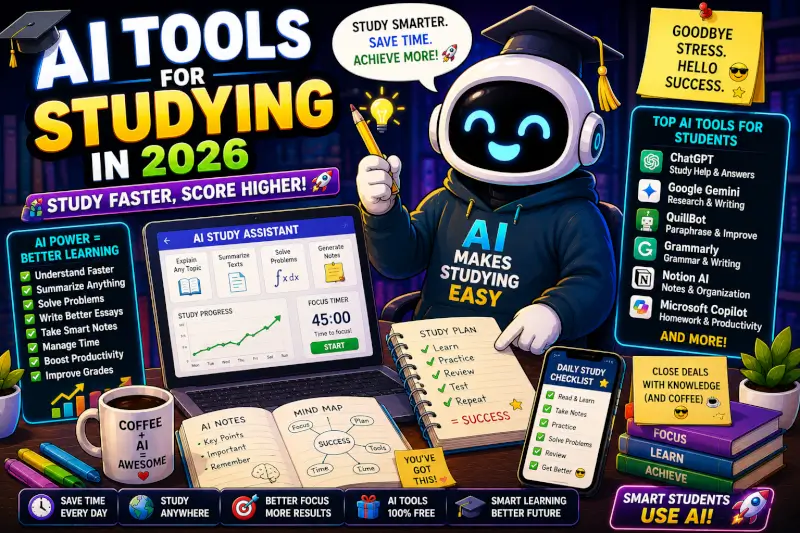
5 Useful AI Tools for Studying
1. ChatGPT: Best for Explaining and Practicing Concepts
ChatGPT is useful when you already have study material but need help understanding it, restructuring it, or practicing with it.
You can give it class notes, an outline, a difficult paragraph, or a topic and ask it to change the way the information is presented.
- Explain a topic at a simpler level
- Create practice questions from your notes
- Compare two concepts
- Generate examples
- Turn a chapter outline into a study guide
- Quiz you one question at a time
“Use only the notes I pasted below. Quiz me with 10 questions, one at a time. Do not show the answer until I respond. After each answer, explain what I got right, what I missed, and which part of my notes supports the correction.”
2. Perplexity: Useful for Research and Source Discovery
Perplexity is useful when the task involves research rather than simply explaining material you already have.
Its answers include source references, which makes it easier to open the original material and check where a claim came from.
- Get an overview of an unfamiliar topic
- Find starting sources for research
- Compare competing explanations
- Look for newer information
- Identify terms you should research more deeply
Do not treat the generated answer itself as your source. Open the cited material, check it, and cite the original source when your assignment requires citations.
3. Quizlet: Useful for Flashcards and Active Recall
Quizlet makes the most sense when your problem is remembering information rather than discovering it.
That includes vocabulary, definitions, formulas, dates, processes, diagrams, and other material that benefits from repeated retrieval.
- Create or study flashcard sets
- Practice terms and definitions
- Turn study material into practice activities
- Review weak areas repeatedly
- Use AI-assisted study-guide and practice-test features where available
4. Grammarly: Useful for Reviewing Your Own Writing
Grammarly fits later in the process.
It can help catch grammar problems, awkward sentences, unclear phrasing, spelling mistakes, and tone issues in writing you have already created.
- Proofread essays
- Find grammar and spelling errors
- Improve sentence clarity
- Check whether writing sounds too casual or too stiff
- Review a final draft before submission
5. Notion: Useful for Organizing the Study System
Notion is less about answering a question and more about keeping your study material in one place.
- Organize notes by course
- Track assignments and deadlines
- Build a study dashboard
- Store revision checklists
- Create databases for topics, readings, or projects
A Simple AI Study Workflow
Use your textbook, class material, library databases, instructor resources, or a research tool such as Perplexity to understand what sources exist.
Use ChatGPT to explain the parts you do not understand, compare ideas, generate examples, or question you about the material.
Put your own notes, deadlines, reading list, and study plan into the system you already use.
Use Quizlet, self-made questions, or an AI quiz to practice recalling the material without looking at the answer first.
If you are submitting written work, use Grammarly or another editor after the research and writing are already yours.
Free AI Study Tools: What You Can Actually Expect
You can build a useful study workflow without immediately paying for five subscriptions.
- ChatGPT: Has a free tier, although some tools and usage levels have limits.
- Perplexity: Offers free access with limits on some advanced functionality.
- Quizlet: Offers free study functionality, while premium plans add more features and higher limits.
- Grammarly: Has a free plan for core writing assistance, with additional features on paid plans.
- Notion: Has a free workspace plan, while AI usage and advanced AI features may have separate limits or plan requirements.
Plans and feature limits change, so check the current product page before paying based on a specific feature.
Common Mistakes When Studying With AI
Using summaries instead of learning
A summary can help you find the structure of a chapter, but reading a summary is not the same thing as knowing the material.
Trusting every answer
AI systems can give incorrect information, misread your material, or state an uncertain answer too confidently. Check important claims against your notes, textbook, instructor material, or original sources.
Using five tools when one would do
If you spend more time moving information between apps than studying it, the workflow is working against you.
Letting AI write assignments you cannot explain
Besides possible school-policy problems, this is a bad learning strategy. A useful test is simple: could you explain the argument, reasoning, and evidence in what you submitted without opening the AI conversation?
My Practical Take
From building TechnofluxAI and spending a lot of time around AI tools, one thing keeps coming up: the people getting useful results are not necessarily the people with the biggest stack of apps.
Simple systems are usually easier to stick with.
For studying, I would start with one or two tools and give each one a clear job. Use ChatGPT when you need a different explanation or practice questions. Use Perplexity when you need to find and inspect sources. Use Quizlet when repetition and recall are the problem.
Add another tool only when you can point to a problem it actually solves.
AI should reduce friction, not add more noise. The best study setup is the one you will actually use consistently.
FAQ
What are the best AI tools for studying?
Different tools are useful for different jobs. ChatGPT works well for explanations and practice, Perplexity for source discovery, Quizlet for active recall, Grammarly for editing, and Notion for organization.
Can AI help me study faster?
It can reduce time spent reorganizing notes, generating practice material, finding explanations, and planning study sessions. The useful part is reducing repetitive work, not skipping the learning itself.
Can I use AI to create practice tests?
Yes. One practical approach is to paste your own class material and tell the AI to generate questions only from that material. You can also ask it to hide the answers until you respond.
Are free AI study tools enough?
For many basic study tasks, yes. Several of the tools in this guide offer free access or free tiers, although usage limits and premium features vary.
The Bottom Line
AI is most useful for studying when every tool has a purpose.
You do not need the biggest AI stack. You need a workflow that helps you understand the material, check information, practice recalling it, and improve your own work.
Start with one problem you want AI to solve. Build from there.
One Thing I have Learned while building TechnofluxAi is that Ai tools usually sound easier to use than they are in the real world. I like to try things myself, see where I get stuck, and figure out what actually saves time instead of just repeating promisies.That’s the approach I use throughout this site: keep what works, point out what doesn’t, and explain things in a way that makes sense for someone who is still learning. I started out searching for an image creator. That was my first interaction with Ai. I was frustrated by the vast tool list without any real direction on which tool was best. Then I realized how powerful this tool was .and was going to be in the future. Making mistakes has helped me in the choice of articles I write.

About the Author
Jon Hicks
Founder of TechnofluxAI.
I’m the creator behind TechnofluxAI, focused on breaking down powerful AI tools, emerging trends, and practical strategies to help creators and entrepreneurs stay ahead in a rapidly evolving digital world.
Follow TechnofluxAI for the latest AI tools & strategies