
Estimated reading time: 8 minutes
TechnofluxAI Image SEO Guide
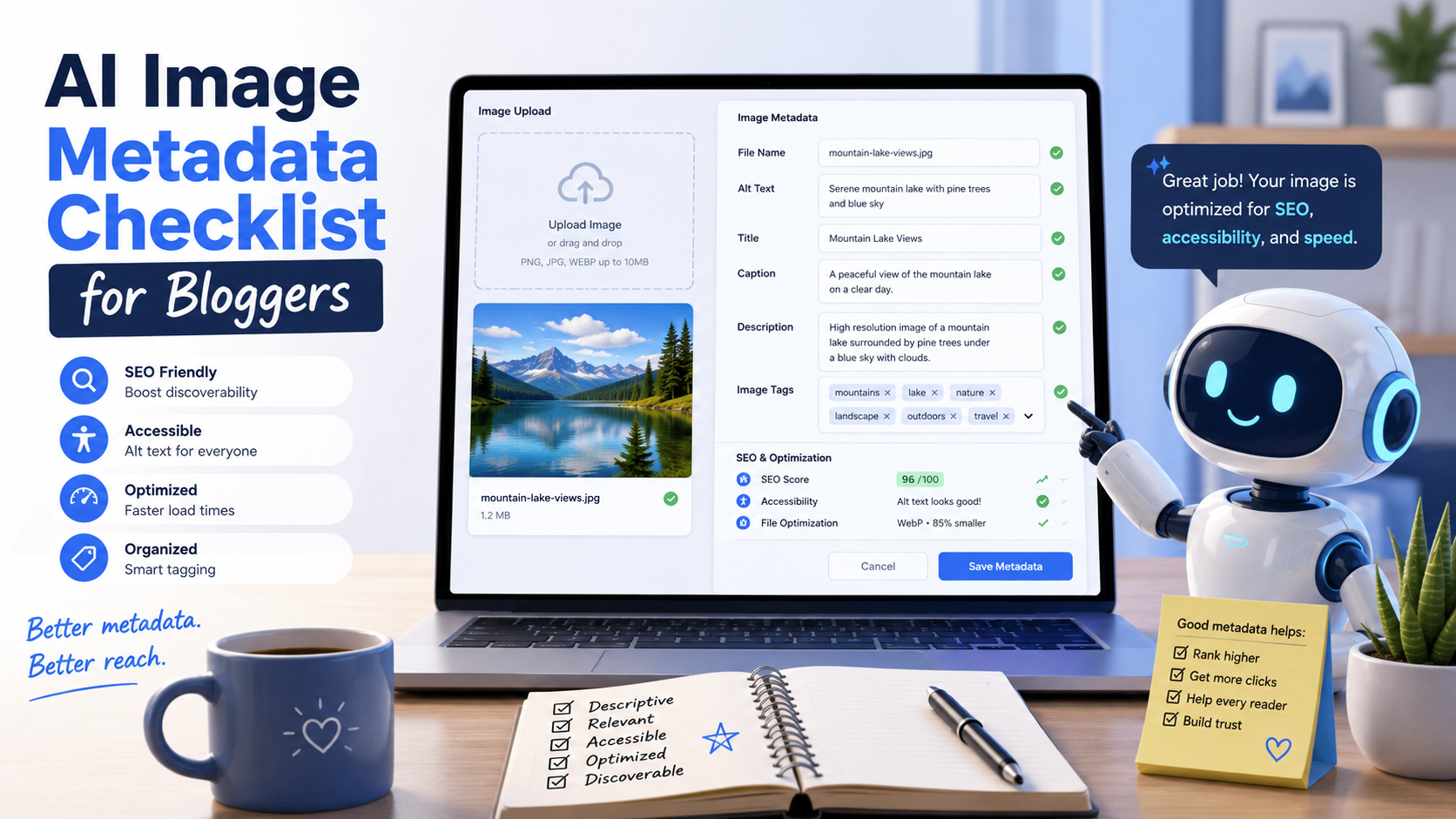
AI Image Metadata Checklist for Bloggers
AI images can make blog posts more engaging, but they still need clean metadata before publishing. A good image workflow helps your visuals support SEO, accessibility, trust, licensing clarity, and AI search visibility.
Quick Answer
Before publishing an AI image, bloggers should check the file name, alt text, caption, title, compression, dimensions, surrounding text, licensing notes, attribution needs, structured data opportunities, and whether any hidden metadata should be kept or removed.
The Problem
Many bloggers upload AI images with generic file names, weak alt text, oversized files, missing captions, and no clear record of how the image was created. That makes the image less useful for readers, search engines, and future content updates.
What This Checklist Helps You Do
You’ll learn how to prepare AI-generated blog images with cleaner metadata, stronger descriptions, better accessibility, safer publishing habits, and a repeatable workflow you can use on every article.
Metadata Is More Than Alt Text
Alt text matters because it describes an image for accessibility and can help search systems understand the visual. Google’s image SEO guidance also points bloggers toward descriptive file names, useful surrounding text, image quality, structured data, and image accessibility. :contentReference[oaicite:0]{index=0}
Explore More AI Blogging Guides
Metadata Workflow
The Blogger’s AI Image Metadata Checklist
Use this checklist before you upload an AI-generated image to WordPress, Shopify, Webflow, Squarespace, Ghost, Medium, or any blogging platform. The goal is simple: make every image easier to understand, easier to manage, and more useful to the page.
1. Rename the File Before Uploading
Do not upload files with names like image-1.png, ai-output-final.jpg, or download.webp. Use short, descriptive names that match the topic and image purpose.
- Good: ai-image-metadata-checklist-bloggers.webp
- Good: blog-image-alt-text-workflow.jpg
- Weak: final-version-7.png
- Weak: chatgpt-image-export.webp
2. Write Alt Text for People First
Alt text should describe what the image shows and why it matters in context. It is not a place to stuff keywords or repeat the article title.
- Describe the actual visual.
- Keep it specific but not bloated.
- Skip “image of” unless needed.
- Include context when it helps the reader.
3. Add a Useful Caption When It Adds Context
Captions are helpful when the image explains a process, comparison, example, chart, screenshot, or visual concept. A decorative image does not always need one.
- Explain what the reader should notice.
- Connect the image to the article section.
- Use captions for workflows and diagrams.
- Avoid generic captions that add no value.
The 10-Point AI Image Metadata Checklist
File Name
Use a short, readable, keyword-relevant file name before uploading.
Alt Text
Describe the image accurately for accessibility and page context.
Caption
Add a caption when it helps explain the image or connect it to the content.
Image Title
Use a clean title in your media library so the asset is easy to find later.
Dimensions
Resize the image to fit the layout instead of uploading oversized files.
Compression
Compress images so they load quickly without looking blurry or broken.
Format
Use modern formats like WebP or AVIF when your site supports them.
License Notes
Keep a record of the image source, generator, prompt, license, and usage rights.
Structured Data
Use image-related schema when your page type supports it.
Hidden Metadata
Check whether EXIF, IPTC, or XMP data should be kept, edited, or removed.
AI Image Metadata Examples
Weak Metadata
- File name: image-final.png
- Alt text: AI image for blog
- Caption: AI image
- Title: Untitled design
- Notes: None
Better Metadata
- File name: ai-image-metadata-checklist-bloggers.webp
- Alt text: Blogger reviewing AI image metadata fields before publishing a blog post.
- Caption: A simple metadata workflow helps bloggers prepare AI images for accessibility, SEO, and content management.
- Title: AI image metadata checklist for bloggers
- Notes: Generated with AI, edited for brand style, approved for blog use.
Simple Workflow Before Publishing
Step 1
Choose the image’s purpose in the article.
Step 2
Rename, resize, compress, and convert the file.
Step 3
Write alt text and captions based on the page context.
Step 4
Save source, license, prompt, and editing notes in your content tracker.
Practical Prompt You Can Use
“Review this blog image for metadata quality. The article topic is [topic], the image shows [visual description], and the target reader is [reader]. Give me a clean file name, alt text, image title, caption, and publishing notes. Keep the alt text accessible and avoid keyword stuffing.”
Advanced Image Publishing
How Bloggers Should Handle AI Image Metadata Safely
AI image metadata is not only about ranking better. It is also about keeping your media library organized, giving readers useful context, avoiding confusing ownership records, and making sure every image has a clear reason to exist on the page.
Advanced Tip: Keep a Source Log
Create a simple content tracker with the image file name, article URL, AI tool used, prompt summary, editing notes, license terms, and publish date. This gives you a clean record if you update, reuse, or replace the image later.
Advanced Tip: Use Licensing Metadata When Needed
For images with licensing or credit requirements, Google supports image license metadata through structured data or embedded IPTC photo metadata. IPTC guidance also notes that creator, credit line, and copyright notice fields can appear from embedded metadata in Google Images. :contentReference[oaicite:1]{index=1}
Advanced Tip: Remove Sensitive Hidden Data
Before uploading images, check whether hidden metadata includes location, camera, software, personal names, or internal production details. Keep metadata that helps rights and organization, but remove anything that creates privacy or brand risk.
Common Mistakes to Avoid
- Uploading AI images with generic file names.
- Using alt text as a keyword stuffing field.
- Adding captions that repeat the obvious.
- Forgetting to compress large AI-generated files.
- Publishing visuals that do not support the article.
- Ignoring licensing, credit, or usage notes.
- Leaving sensitive hidden metadata in uploaded images.
- Using the same image metadata across multiple unrelated posts.
FAQ
What metadata should bloggers add to AI images?
Bloggers should add a descriptive file name, accurate alt text, a useful media title, a caption when helpful, source notes, licensing details, and internal notes about the AI tool or prompt used to create the image.
Does alt text help AI image SEO?
Yes, alt text can help search systems understand what an image shows, but it should be written for accessibility first. The best alt text is clear, accurate, and tied to the surrounding content.
Should bloggers keep AI prompts in image metadata?
Most bloggers should keep prompt notes in a private content tracker instead of public-facing metadata. That gives you a useful production record without exposing unnecessary workflow details.
Should every AI image have a caption?
No. Add captions when they help explain the image, highlight a key point, or support a workflow. Decorative images or simple visual breaks do not always need captions.
What is the best file format for AI blog images?
WebP is a strong default for many blog images because it can keep quality high while reducing file size. AVIF can also work well when your site and audience browsers support it. Google lists common supported formats for images in search, including WebP and AVIF. :contentReference[oaicite:2]{index=2}
Can image metadata improve visibility in Google Images?
Helpful metadata can support image visibility when it matches the page context. File names, alt text, surrounding text, structured data, licensing information, and image quality all contribute to a stronger image SEO setup.
Final Takeaway
A strong AI image metadata workflow helps bloggers publish smarter visuals. Rename files before uploading, write alt text for real people, add captions only when useful, keep source and license notes, and review hidden metadata before anything goes live.
Build a Better AI Blogging Workflow
About the Author
Jon Hicks
Founder of TechnofluxAI.
I’m the creator behind TechnofluxAI, focused on breaking down powerful AI tools, emerging trends, and practical strategies to help creators and entrepreneurs stay ahead in a rapidly evolving digital world.
Follow TechnofluxAI for the latest AI tools & strategies