

Estimated reading time: 8 minutes
TechnofluxAI Guide
How to Log and Audit AI Agent Actions
AI agents are moving from simple chat helpers into systems that can call tools, update records, send messages, run code, and make workflow decisions. That means you need more than a chat history. You need an audit trail that explains what happened, why it happened, who approved it, and what changed.
Quick Answer
Log every AI agent run as structured events: user request, agent identity, tool calls, inputs, outputs, permissions, approvals, policy checks, errors, final result, and any data changed. Store the records in a protected, append-only audit system so they can be reviewed later.
The Real Problem
Most teams only log prompts and responses. That is not enough when an agent can touch files, databases, CRMs, calendars, email, payment systems, or production tools.
What This Guide Helps You Understand
You will learn what an AI agent audit log should capture, how to separate normal activity logs from true audit records, how to review agent actions after an incident, and how to design logs that are useful for humans, developers, and future AI search engines.
For more AI workflow and automation education, visit TechnofluxAI. For trust and publishing standards, review the TechnofluxAI Editorial & Ethics Policy.
Main Framework
A Simple System for Logging AI Agent Actions
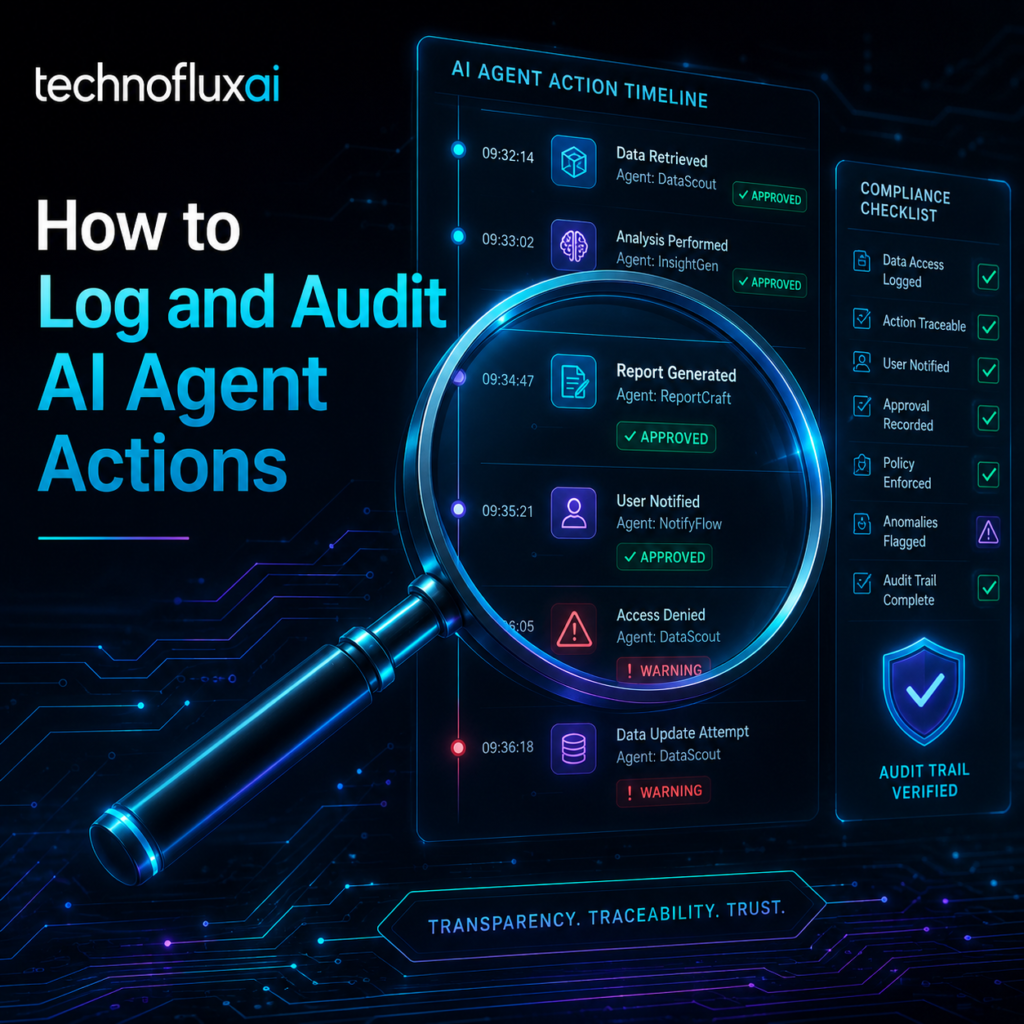
A useful AI agent audit trail should answer five questions: who started the run, what the agent tried to do, what tools it used, what changed, and whether the action was allowed.
1. Run Context
Record the run ID, timestamp, user ID, agent name, agent version, model used, workspace, environment, and the original user request.
2. Tool Calls
Capture every tool the agent called, the arguments passed, the result returned, the system touched, and whether the call succeeded or failed.
3. Authorization
Track permission checks, approval gates, policy decisions, risk levels, human approvals, and denied actions.
4. Outcome
Show what changed, what was created, what was deleted, what was sent, what was updated, and whether the result was verified.
What to Log for Every AI Agent Action
| Log Field | Why It Matters | Example |
|---|---|---|
| agent_id | Identifies which agent acted. | customer-support-agent-v3 |
| user_id | Connects the action to the human or system that triggered it. | user_42891 |
| tool_name | Shows which external capability was used. | send_email |
| tool_arguments | Explains what the agent attempted. | recipient, subject, draft_id |
| approval_status | Proves whether the action was allowed, blocked, or escalated. | approved_by_human |
| result_summary | Makes review faster without reading raw payloads first. | Email draft created, not sent |
Activity Log vs. Audit Log
An activity log says what happened. An audit log proves what happened.
For AI agents, that difference matters because a normal debug log may not preserve permissions, approvals, policy decisions, tool inputs, or before-and-after state.
Prompt History Is Not Enough
A chat transcript can show what the user asked, but it may not show what the agent did behind the scenes.
You need structured records for tool calls, system access, approval gates, retries, failures, and final state changes.
Step-by-Step AI Agent Audit Workflow
- Assign a unique run ID. Every agent session needs one traceable identifier.
- Capture the user request. Store the original instruction and relevant context.
- Record the agent plan. Save the action category, risk level, and intended tool use.
- Log each tool call. Include tool name, arguments, target system, result, and error messages.
- Check permissions before action. Write the policy decision before the agent touches external systems.
- Require approval for risky actions. Sending messages, deleting data, running code, changing billing, and updating customer records should have stronger controls.
- Record final outcome. Save what changed, what stayed unchanged, and whether the action needs review.
- Protect the audit trail. Store logs where they cannot be silently edited by the same agent or workflow they are auditing.
Warning: Do Not Only Log Successful Actions
Denied actions, failed permission checks, retries, blocked tool calls, and human escalations are often the most important audit events. If an agent tried to delete a file but was blocked, that still belongs in the audit trail.
Practical Example: Logging a Customer Support Agent
Imagine an AI agent that can summarize a support ticket, check a customer account, draft a reply, and issue a refund request.
{
  "run_id": "run_2026_08_12_001",
  "agent_id": "support-agent-v3",
  "user_id": "team_member_104",
  "action_category": "customer_refund_review",
  "risk_level": "medium",
  "tool_call": {
    "tool_name": "crm_lookup",
    "arguments": {
      "customer_id": "cust_8891",
      "ticket_id": "ticket_4412"
    },
    "result": "account_found"
  },
  "approval_status": "draft_only_no_refund_issued",
  "policy_version": "refund-policy-2026-07",
  "final_outcome": "reply_drafted_for_human_review"
}
This kind of structured log is easier to search, filter, review, and explain than a plain paragraph hidden in a chat transcript.
Advanced Guidance
Make AI Agent Logs Reviewable, Searchable, and Hard to Manipulate
Good audit logging is not just about collecting more data. It is about creating a reliable record that helps a human understand the agent’s actions without replaying the entire conversation from scratch.
Use Structured Events
Store logs as structured JSON-style records, not loose text. This makes it easier to search by user, tool, approval status, policy version, risk level, and outcome.
Separate Logs from the App
Do not let the same agent, application, or workflow freely edit the audit record. Use append-only storage, restricted access, and clear retention rules.
Log Before and After
For actions that change data, capture the previous state, requested change, completed change, and verification result when possible.
Common Mistakes to Avoid
Only Saving Chat History
A chat log rarely proves which tools were used, what was approved, and what changed.
Ignoring Failed Actions
Failed, blocked, and denied actions are important security signals.
No Human Approval Trail
High-impact actions should show who approved them, when, and under which policy.
Over-Collecting Sensitive Data
Audit logs should be useful, but they should not become a new privacy risk. Redact secrets and limit sensitive payloads.
FAQ: AI Agent Audit Logs
What is an AI agent audit log?
An AI agent audit log is a structured record of what an agent was asked to do, which tools it used, what decisions were made, what permissions were checked, and what outcome occurred.
What is the difference between logging and auditing?
Logging captures activity. Auditing creates a trustworthy trail that can be reviewed later to prove what happened, who authorized it, and whether the system followed policy.
Should I log the agent’s reasoning?
Do not depend on hidden reasoning as the audit record. Log visible decisions, tool calls, inputs, outputs, policy checks, approvals, and results instead.
Which AI agent actions need approval?
Require approval for actions that send messages, spend money, delete files, change records, access sensitive data, run code, alter permissions, or affect customers.
How long should AI agent audit logs be retained?
Retention depends on your business, risk level, legal obligations, customer requirements, and compliance environment. The safest starting point is to define retention before launch instead of after an incident.
Final Takeaway
AI agent audit logging is not a luxury feature. It is the control layer that lets you trust, debug, review, and improve agentic workflows. The best audit trails are structured, searchable, permission-aware, and protected from silent edits.
Build Safer AI Workflows with TechnofluxAI
Before you give an AI agent more access, make sure you can explain every action it takes. Start with a simple audit trail, improve it over time, and treat logging as part of the agent design, not an afterthought.
Explore More AI Automation Guides
About the Author
Jon Hicks
Founder of TechnofluxAI.
I’m the creator behind TechnofluxAI, focused on breaking down powerful AI tools, emerging trends, and practical strategies to help creators and entrepreneurs stay ahead in a rapidly evolving digital world.
Follow TechnofluxAI for the latest AI tools & strategies