
Estimated reading time: 10 minutes
FluxBot Prime Beginner Guide
Building your own AI assistant sounds technical, but the basic setup is easier than most beginners expect. This guide shows you how to create a custom GPT, write clear instructions, add useful files, choose the right settings, and test everything before using it in a real workflow.
Quick Answer
A custom GPT is a tailored version of ChatGPT built for a specific task, audience, style, or workflow. To make one, open the GPTs area in ChatGPT, choose Create, add a name, description, instructions, conversation starters, optional knowledge files, and useful capabilities, then test the assistant before saving or sharing it.
FluxBot Prime Note
Think of this as creating a repeatable AI workflow, not just saving a prompt. Better instructions help the assistant follow your preferred tone, structure, rules, and output format with less back-and-forth.
Beginner Path
What Is a Custom GPT?
A custom GPT is a configured version of ChatGPT designed around one clear job. Instead of typing the same long prompt again and again, you create an assistant that already understands its role, audience, style, rules, and preferred format.
One setup might help with blog outlines. Another could answer customer FAQs, generate Pinterest titles, organize product descriptions, or turn repeated tasks into simple checklists.
The best first build is usually narrow. A focused assistant for one repeated task is easier to test, improve, and trust than a broad helper that tries to do everything.
What You Need Before You Start
You do not need coding skills for a basic setup. A clear purpose matters more than technical experience.
You need access to the GPT creation area inside ChatGPT. Available options may vary by plan, account, or workspace.
A goal like “help beginner bloggers create SEO outlines” is stronger than “help me with everything.”
Decide the assistant’s role, audience, tone, rules, limits, and required output format.
Use brand guides, FAQs, example formats, or approved information when the assistant needs extra context.
Test normal prompts, messy prompts, format requests, and edge cases before trusting the workflow.
DataFlux Tip
Start with one clean purpose, one simple format, and one testing checklist. Expanding too soon can make the assistant harder to control.
How to Create a Custom GPT Step by Step
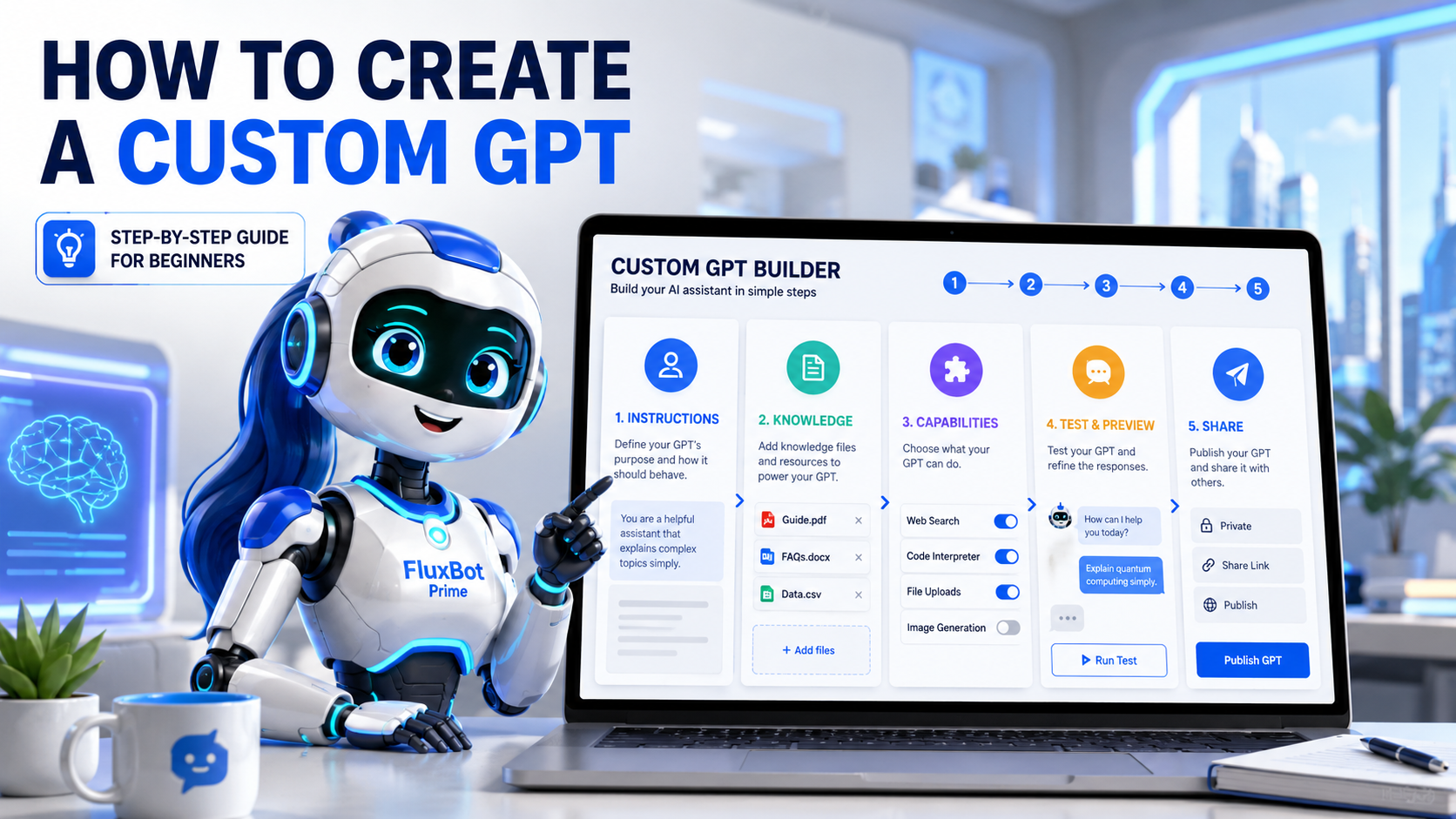
Start inside ChatGPT and open the GPTs section. This is where you can explore existing assistants and begin creating your own.
Select the create option to begin a new setup. From there, you can configure the name, description, instructions, files, tools, and sharing settings.
The builder helps you describe the assistant in plain language. Configure mode gives you more direct control over each field.
Choose a name that explains the job. “Blog Outline Assistant” is stronger than “My Helper” because the purpose is obvious.
The description should explain what the assistant does in one or two simple sentences.
This is the most important part. Include the role, goal, audience, style, rules, required format, and things to avoid.
These clickable prompts teach users what to ask and help the assistant begin with the right kind of request.
Add knowledge files only when they improve the output. A short brand guide or example format can help more than a folder full of random documents.
Enable only what the workflow needs. A writing helper may not need advanced tools, while a file-review assistant may need file analysis.
Try normal prompts, vague prompts, format requests, and rule-breaking attempts to see how reliable the assistant is.
Once the output looks reliable, save your work. Depending on your account, you may be able to keep it private, share it, or publish it.
Keep private workflows private, share team tools only with the right people, and review publishing requirements before making anything public.
What to Put in the Instructions
Strong instructions make your AI assistant easier to guide. Use the structure below when you want predictable answers instead of random formats.
Custom GPT Instructions Template
Copy this template into the instructions field, then replace the bracketed text with your own workflow details.
You are a [role] for [audience].

Your goal is to help users [main outcome].

Use this style:
- [Style rule 1]
- [Style rule 2]
- [Style rule 3]

Always follow these rules:
- [Rule 1]
- [Rule 2]
- [Rule 3]
- [Rule 4]

When creating outputs, use this format:
1. [Section 1]
2. [Section 2]
3. [Section 3]
4. [Section 4]
5. [Section 5]

Ask for clarification only when the missing information would change the final answer. Otherwise, make a reasonable assumption and continue.

Avoid:
- [Thing to avoid 1]
- [Thing to avoid 2]
- [Thing to avoid 3]

Before finishing, check that the output follows the requested format and rules.
Example Instructions for a Blog Assistant
Here is a simple starter version for creators, bloggers, and small business owners.
You are a beginner-friendly SEO blog assistant for creators and small business owners.

Your goal is to help users create practical blog posts that answer search intent clearly and are easy for beginners to understand.

Use this style:
- Clear and direct
- Helpful but not robotic
- Beginner-friendly
- Short paragraphs
- Practical examples

Always include:
- SEO title
- Post title
- Slug
- Focus keyphrase
- Meta description
- Quick answer
- Blog outline
- FAQ section
- Internal link suggestions
- Final editing checklist

Avoid:
- Keyword stuffing
- Fake statistics
- Made-up sources
- Overly technical explanations
- Long introductions

Before finishing, check that the title, meta description, and structure match the user’s request.
Should You Upload Knowledge Files?
Upload files when the assistant needs approved information that would be hard to repeat in every prompt. Clean source material can improve consistency, but messy documents can create confusion.
- Brand voice guide
- Product FAQ
- Blog formatting rules
- Customer support SOP
- Approved service descriptions
- Example articles
- Internal checklists
- Passwords
- Private customer data
- Payment information
- Confidential contracts
- Outdated documents
- Conflicting instructions
- Random files unrelated to the job
Beginner File Tip
Start with one short knowledge file. For a blog assistant, a brand voice guide and one example post format are usually enough for the first test.
Custom GPTs vs Custom Instructions vs Projects
These features can feel similar at first, but they solve different problems. Use this comparison to choose the right tool for your workflow.
| Feature | Best For | How It Works | Beginner Example |
|---|---|---|---|
| Custom GPT | A specific repeatable assistant | Uses its own instructions, knowledge, and settings | Blog outline helper |
| Custom Instructions | General response preferences | Applies your usual preferences across ChatGPT | “Use simple language and short answers” |
| Projects | Organizing work around a larger goal | Keeps related chats, files, and context together | Website content project |
| Regular Chat | One-time tasks | Uses instructions from the current conversation | “Write this email” |
Use custom instructions for broad preferences. Pick a dedicated assistant when a task repeats often. Choose projects when several chats and files belong to one bigger goal.
Common Beginner Mistakes
“Help me with marketing” is too broad. A better goal is “help small business owners create social captions, email subject lines, and blog ideas.”
Examples show the assistant what good output looks like. Add a sample format, voice example, or finished result when consistency matters.
Without a required structure, answers may change from one request to the next. Add sections such as summary, steps, checklist, and final recommendation.
Keep customer records, login details, payment information, medical notes, and confidential contracts out of beginner knowledge files.
An assistant may perform well on perfect prompts and fail on messy ones. Test vague requests, wrong formats, and attempts to override your rules.
More tools do not automatically make the setup better. Enable only the capabilities that support the actual job.
Best Beginner GPT Ideas
How to Test Your GPT
Testing is where many beginners rush. A few simple checks can help you find weak instructions before the assistant becomes part of your workflow.
Ask it to complete the main task. Check whether the output matches the purpose and required format.
Request the same task with different wording. The structure should stay consistent.
Give it a vague prompt. A useful assistant should ask a smart question or make a reasonable assumption.
Ask it to break one of your rules. The answer should continue following the required instructions.
Ask something that should come from an uploaded file. Compare the answer with the source document.
Try a request involving private or sensitive information. The assistant should avoid exposing or misusing it.
Custom GPT Template and Testing Checklist
Create a simple downloadable asset for this post. It can help readers plan the assistant before opening the builder.
- Planning worksheet
- Copy-and-paste instruction template
- Knowledge file checklist
- Capability selection checklist
- Beginner testing prompts
- Common mistakes reminder
- Example instruction set
Affiliate Disclosure
Some links in this article may be affiliate links. If you click through and make a purchase, TechnofluxAI may earn a commission at no extra cost to you. We only recommend tools that are relevant to AI workflows, content creation, blogging, SEO, automation, or creator productivity.
Helpful Next Reads
Custom GPT FAQ
Is a custom GPT free?
Access to creating and using GPTs can depend on your ChatGPT plan and workspace settings. The options available to one user may differ from another user, especially for building, sharing, and publishing.
Can I make a private GPT?
Yes. GPTs can be used privately or shared in different ways depending on plan, workspace rules, and eligibility.
Can a GPT access my files?
It can use uploaded knowledge files when you add them during configuration. Be careful with sensitive, private, or confidential information.
Can I publish one?
Publishing may be available when the GPT meets the relevant plan, workspace, and publishing requirements. Public actions can require extra setup, such as a valid privacy policy.
Can custom GPTs use actions?
Yes. Actions can connect a GPT to external APIs, but beginners should use them only when the workflow truly needs that connection.
Do I need coding skills?
No. Beginners can create a basic setup with plain-language instructions, a description, conversation starters, settings, and testing. Coding is mainly for advanced actions or integrations.
What is the best first GPT to make?
Choose a task you repeat often. Good starter ideas include a blog outline assistant, FAQ helper, email draft builder, Pinterest title generator, or simple SEO checklist assistant.
Final Takeaway
Creating a custom GPT is one of the easiest ways to turn ChatGPT into a repeatable workflow assistant. Start with one clear purpose, write specific instructions, choose a required format, upload only useful files, and test with real prompts.
The best GPTs are not the most complicated ones. They solve one clear problem again and again.

About the Author
Jon Hicks
Founder of TechnofluxAI.
I’m the creator behind TechnofluxAI, focused on breaking down powerful AI tools, emerging trends, and practical strategies to help creators and entrepreneurs stay ahead in a rapidly evolving digital world.
Follow TechnofluxAI for the latest AI tools & strategies