
AI Tools • Free Trials • Creator Workflows
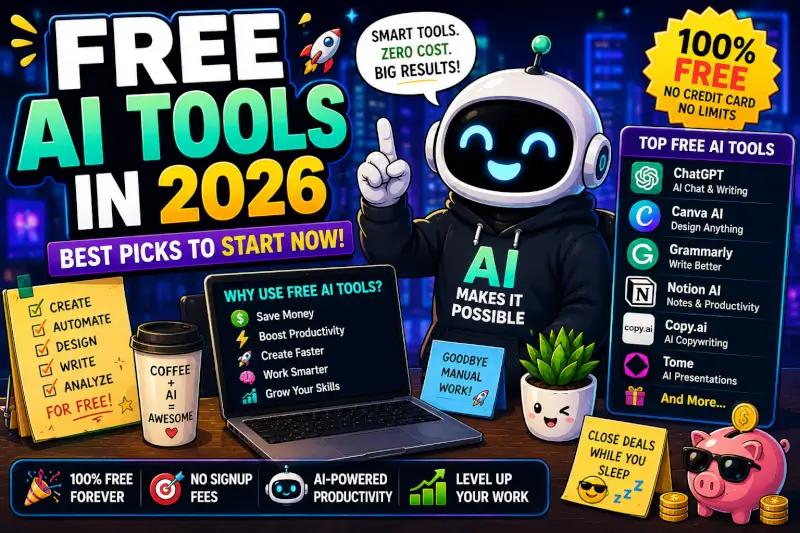
Quick answer: There are plenty of AI tools you can try without paying upfront, but “free AI tools” doesn’t always mean completely free. Many use limited free plans, starter credits, or free trials designed to let you test the platform before deciding whether it’s worth paying for.
The better question isn’t just “What AI tools are free?” It’s “Which AI tools can I actually test before I spend money?”
If you’re getting started with AI, you don’t need to subscribe to five different platforms before you even know what they do.
Most people are better off experimenting first.
Some AI tools offer a permanent free plan with limits. Some give you a small number of credits. Others offer a trial period before the paid subscription begins.
That usually gives you enough room to see how the tool works, whether you like the interface, and whether it actually helps with the kind of work you’re trying to do.
That’s important because AI tools can look impressive in a demo and still be completely wrong for your workflow.
What Does “Free AI Tool” Really Mean?
The phrase free AI tools gets used pretty loosely.
In practice, you’ll usually run into one of three types:
- Free plans: You can continue using the tool without paying, but features, generations, storage, models, or usage may be limited.
- Freemium tools: Basic features are free while more advanced features require an upgrade.
- Free trials or starter credits: You get temporary access or a set number of credits so you can test the platform before paying.
That distinction matters.
A tool may appear in a list of “free AI tools” even though the free version is really an introduction to a paid service.
That isn’t necessarily a bad thing.
If the trial gives you enough access to test the actual product, it can still be a smart way to figure out whether the subscription is worth it.
My rule is simple: try before you buy. Don’t pay for an AI tool because somebody told you it’s amazing. Give it real work and see what happens.
What Can You Do With AI Tools?
Depending on the platform, AI tools can help with things such as:
- Writing and brainstorming
- Research
- Creating images
- Generating or editing video
- Designing graphics
- Organizing notes
- Managing projects
- Automating repetitive work
- Planning content
- Building creator and business workflows
The hard part isn’t finding AI tools anymore.
The hard part is figuring out which ones are worth your time.
Where to Find AI Tools to Try
You can find AI tools all over the web simply by searching for the type of tool you need.
You can also browse TechnofluxAI, where we cover AI tools, practical workflows, experiments, reviews, and other resources for creators and small online businesses.
When you find a tool that looks interesting, don’t immediately reach for your credit card.
Look for a free plan, a trial, starter credits, or some other way to test it first.
The amount of free access varies from one service to another, so always check the current terms on the tool’s own website.
A good first test:
- Give the tool one real task.
- See how much correction it needs.
- Check whether the output is actually usable.
- Notice how quickly the free credits disappear.
- Decide whether it saves enough time to justify paying for it.
Disclosure: This post may contain affiliate links. If you click one and make a purchase, I may earn a commission at no extra cost to you.
One Thing I have Learned while building TechnofluxAi is that Ai tools usually sound easier to use than they are in the real world. I like to try things myself, see where I get stuck, and figure out what actually saves time instead of just repeating promisies.That’s the approach I use throughout this site: keep what works, point out what doesn’t, and explain things in a way that makes sense for someone who is still learning. I started out searching for an image creator. That was my first interaction with Ai. I was frustrated by the vast tool list without any real direction on which tool was best. Then I realized how powerful this tool was .and was going to be in the future. Making mistakes has helped me in the choice of articles I write.
AI Tools Worth Exploring by Category
You don’t need every AI tool.
Start with the problem you’re trying to solve and then find the tool that matches it.
ChatGPT for Writing, Ideas, and General AI Work
ChatGPT can be used for brainstorming, research assistance, writing, rewriting, planning, learning new subjects, analyzing information, and working through problems.
For somebody new to AI, a general-purpose assistant like ChatGPT can be a useful place to start because you can experiment with several different types of tasks before deciding whether you need a specialized tool.
Canva for Design
Canva can help with social graphics, thumbnails, presentations, simple marketing materials, and other visual content.
For creators who don’t want to build every visual from scratch, tools like Canva can make the design side of a workflow much easier.
CapCut for Video
CapCut is commonly used for short-form video editing, including TikTok videos, YouTube Shorts, and Reels.
Video tools are especially worth testing before paying because the features you care about may be different from somebody else’s.
Perplexity for Research
Perplexity is built around answering questions and presenting sources alongside its responses.
It’s useful when you want a research-oriented AI experience, but you should still open important sources yourself and verify anything that matters before publishing it.
Notion and Other Productivity Tools
AI is also becoming part of productivity tools used for notes, projects, planning, and organization.
This category can be useful when the AI isn’t the entire product but instead helps inside a workflow you’re already using.
AI Image and Video Tools Aren’t All the Same
This is one area where you really have to experiment.
A lot of image and video platforms now give you multiple models or generation modes to choose from.
You may see technology connected to companies such as Google, OpenAI, xAI, or other AI developers, along with models built or integrated by the platform itself.
Those choices can make a big difference.
One model may be stronger at realistic images. Another may follow complicated prompts better. Another may produce better movement in video. Some may be faster but less detailed. Some cost more credits for each generation.
There usually isn’t one model that’s best at everything. You have to test them against what you’re actually trying to make.
Most platforms provide some kind of description beside the model or generation option.
Read it.
It’s easy to burn through trial credits by selecting whatever sounds newest or most powerful without checking whether it’s actually designed for your task.
My Experience: The Trial Is Part of the Research
When I started exploring AI tools, I didn’t want to pay for everything just to find out what worked.
Testing the free versions, free trials, and starter credits helped me understand something that’s easy to miss when you’re looking at tool lists:
The name of the tool matters less than whether it fits the way you work.
Sometimes you can tell almost immediately that a tool isn’t for you.
Other times the first result is terrible, but after changing the model, changing the prompt, or learning how the platform works, the results improve dramatically.
That’s especially true with image and video generation.
You can use the same basic idea in two different models and get completely different results.
That’s why I don’t think somebody should judge an AI platform from one generation.
Experiment with it.
Try a different model.
Change the prompt.
Look at the settings.
See what actually happens before deciding the tool is either brilliant or useless.
What I Look for During a Trial
- Does it actually make my work easier?
- How difficult is it to learn?
- Do I need to constantly correct the output?
- How quickly do I burn through credits?
- Are the better models locked behind a paid plan?
- Would I use this regularly after the trial ends?
That’s a much better test than signing up because a tool is popular.
Specialized AI Tools Can Need a Longer Test
Tools designed for productivity, research, business workflows, email, customer support, or website tasks are a little different from a one-off image generator.
You may need more than ten minutes to figure out whether they actually help.
Tools such as HyNote, CustomGPT, and SaneBox make more sense when you evaluate them inside the kind of work they’re supposed to improve.
You can find reviews and other coverage of tools like these on TechnofluxAI, including trial or signup links when they’re available.
For example, a productivity tool may look impressive on day one but become much more useful after you’ve had time to put real information into it.
That’s why a longer trial can be valuable.
You aren’t just testing features.
You’re testing whether the tool earns a permanent spot in your workflow.
CustomGPT
CustomGPT is designed around creating AI experiences using your own information and content.
Pollo AI
Pollo AI is focused on AI image and video creation and gives users access to multiple creation options in one platform.
Everneed AI
Everneed AI is another platform you can explore when comparing AI tools and workflows.
You Don’t Need a Huge AI Stack
It’s easy to start collecting subscriptions.
A writing tool. An image tool. A video tool. A research tool. An automation tool. A note-taking tool.
Pretty soon your supposedly inexpensive AI workflow has turned into another pile of monthly bills.
Start smaller.
A basic creator workflow might only need:
- An AI assistant for ideas, writing, or planning.
- A visual tool for graphics or images.
- A video editor if you’re publishing video.
- The publishing platforms you already use.
Add another paid tool when you can explain what problem it’s solving.
Not because everybody else has it.
How to Test an AI Tool Before You Buy It
A free plan or trial is most useful when you treat it like a real test instead of randomly clicking around for twenty minutes.
Start With Something You Already Know
Give the AI a task you understand.
If you’re testing a writing tool, use a topic you know well.
If you’re testing an image generator, try to create something specific enough that you’ll know whether the model followed your instructions.
If you’re testing a productivity tool, use a real project.
It’s much easier to judge AI when you already know what a good result should look like.
Don’t Spend Every Credit on the First Day
Starter credits can disappear fast, especially with AI image and video generation.
Try a few generations, look at what went wrong, and adjust.
Generating the same bad idea twenty times isn’t really testing the tool.
It’s just burning credits.
Try More Than One Model When the Platform Offers Them
This is one of the biggest lessons I’ve learned from experimenting with AI creation tools.
Changing the model can sometimes matter more than changing the prompt.
If the platform explains what each model is designed to do, use those descriptions as a starting point and compare the results yourself.
Watch What Happens After the Free Period
Before you upgrade, look at the actual paid plan.
Check what you get, how usage is measured, which models are included, and whether there are still limits after you subscribe.
A cheap subscription isn’t cheap if you immediately need a larger plan to do the work you signed up for.
Can Free AI Tools Help You Make Money?
AI tools can support work that makes money, but the tool itself doesn’t create a business.
You can use AI to help with:
- Blogging
- Affiliate content
- Social media
- Freelance work
- Research
- Design
- Video creation
- Online business workflows
But there’s an important difference between using AI to help with real work and assuming an AI subscription is a shortcut to income.
The tool still needs a purpose.
You still need something useful to create, sell, explain, improve, or deliver.
Are Free AI Tools Enough for Beginners?
Usually, they’re enough to start learning.
You can learn prompting, test different AI workflows, create basic graphics, experiment with video, research topics, and figure out what kind of AI tools actually interest you without immediately building a large monthly software bill.
Eventually, you may hit limits.
That’s when paying makes more sense.
Upgrade because the free version is preventing you from doing useful work, not because you feel like you need the premium plan to be serious about AI.
A Few Questions People Ask About Free AI Tools
Are AI tools really free?
Some are, but many use free plans, usage limits, starter credits, or trial periods. Always check the current pricing and trial terms before signing up.
What’s the best free AI tool?
There isn’t one answer because different tools solve different problems. A general assistant, design platform, video editor, and research tool shouldn’t be judged by the same criteria.
Should I pay for an AI tool?
Pay when you’ve tested it enough to know that it solves a real problem or saves enough time to justify the cost.
Can I use multiple AI tools together?
Yes. In fact, many practical workflows combine different tools. You might research and plan with one tool, create images with another, edit video somewhere else, and publish through WordPress or a social platform.
There’s More to Explore on TechnofluxAI
AI tools are only one part of what we cover.
You’ll also find articles and experiments involving WordPress, TikTok, Amazon, Walmart, AI workflows, creator tools, online business, and other ways to use technology more effectively.
If you’re researching a tool such as HyNote, CustomGPT, SaneBox, or another AI platform, check TechnofluxAI to see whether we’ve already covered it.
When a tool offers a legitimate free trial or starter plan, we may also include a direct link so you can test it yourself.
Try Before You Buy
The biggest thing I would tell somebody getting started with AI is not to assume you need a pile of expensive subscriptions.
Start experimenting.
Use the free plans.
Use the trial credits.
Try different models.
Give the tools real work instead of perfect demo prompts.
Some tools will impress you.
Some will disappoint you.
Some won’t make sense until you spend a little time learning how they work.
The goal isn’t to collect AI tools. It’s to find the ones that actually help you do something better.
That’s why trying before you buy is still one of the best ways to approach AI.
Thanks for visiting TechnofluxAI.
Happy hunting.