
Affiliate disclosure: Some links in this article are affiliate links. If you make a purchase through one of them, I may earn a commission at no extra cost to you. I only recommend products I believe are useful.
AI Tools • Online Business • Creator Workflows
The best AI tools for making money don’t generate income by themselves. They help you perform valuable work faster, reduce repetitive tasks, create better assets, or improve a business process that can lead to revenue.
That’s a much more useful way to evaluate AI software than asking which app can magically make money for you.
For a blogger, the right tool might speed up research and content production. A designer may need help producing visual assets, while a small business could get more value from automating repetitive work or making company information easier to access.
If you’re starting from scratch, choose the income-producing task first and the AI tool second. ChatGPT is a versatile starting point for research and content work, Canva can support visual production, Zapier handles automation, and CustomGPT.ai is designed for business knowledge and AI agents built around your own content.
Best AI Tools for Making Money: My Shortlist
Instead of listing dozens of AI products, I’ve narrowed this guide to tools that support clearly different types of work.
| AI Tool | Useful For | Potential Business Use |
|---|---|---|
| ChatGPT | Research, writing, analysis, planning | Blogging, freelancing, research, client work |
| CustomGPT.ai | Business knowledge and AI agents | Customer support, internal knowledge, information retrieval |
| Zapier | Workflow automation | Lead handling, operations, repetitive processes |
| Canva AI | Design and visual creation | Marketing graphics, presentations, social content, digital assets |
None of these tools guarantees income. Their value depends on the work you connect them to and whether that work solves a problem people will pay to have solved.
1. ChatGPT: A Versatile Starting Point
Best suited for: research, writing, analysis, brainstorming and planning.
ChatGPT covers enough different tasks that it can replace several narrow tools in a beginner’s workflow. It can help explain concepts, brainstorm ideas, draft or rewrite material, analyze uploaded information, research topics with supported tools, and work through problems.
For someone building an online business, those capabilities can support work such as:
- Researching an article or project
- Organizing notes and ideas
- Improving drafts
- Analyzing files or data
- Planning content and projects
- Creating first drafts for client work
The important part is what happens after the AI produces an answer. Research still needs verification, client work still needs quality control, and published content needs something useful beyond generic generated text.
A freelance writer could use ChatGPT to organize source material and develop a first draft, then apply their own research, editing, expertise, and client requirements before delivering the finished work. The client pays for the useful deliverable—not the prompt.
2. CustomGPT.ai: Business Knowledge and AI Agents
Best suited for: businesses with existing websites, documentation, help content, or internal information.
CustomGPT.ai is different from a general-purpose AI assistant. Its platform is designed to connect business content to an AI agent that can answer questions using those information sources.
That creates potential workflows around:
- Customer support
- Internal knowledge retrieval
- Website assistants
- Pre-sales questions
- Searching company information
I wouldn’t describe this as “training your own AI” or say that the software automatically makes money. A more accurate description is that your business content becomes the knowledge source for an AI agent.
The financial value depends on whether that agent solves a real business problem, such as reducing repetitive questions, improving access to information, or supporting customers more efficiently.
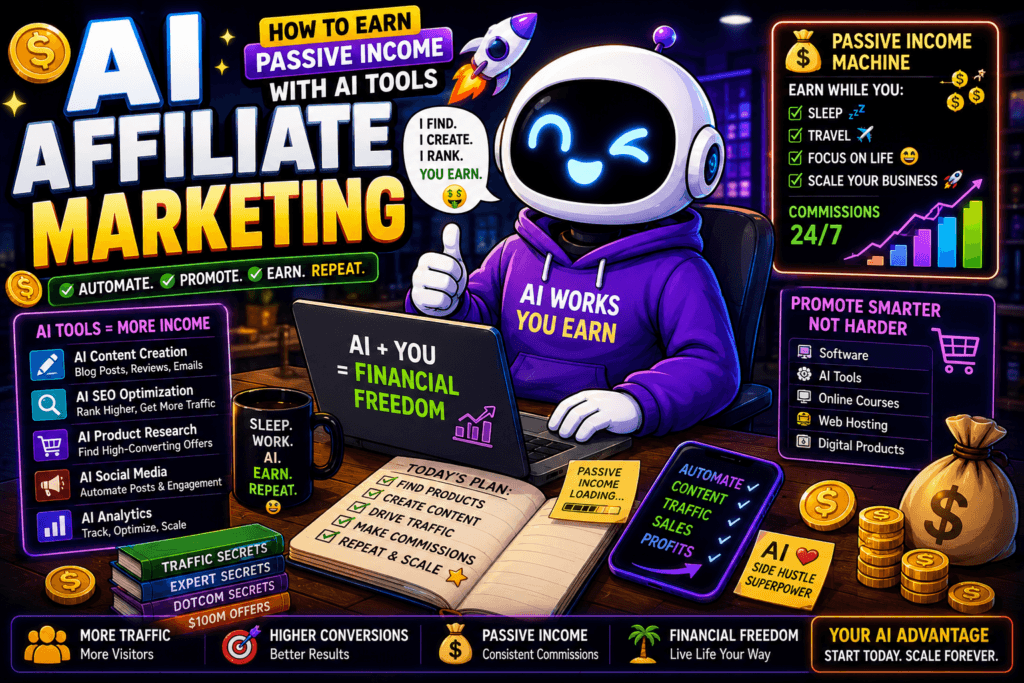
One Thing I have Learned while building TechnofluxAi is that Ai tools usually sound easier to use than they are in the real world. I like to try things myself, see where I get stuck, and figure out what actually saves time instead of just repeating promisies.That’s the approach I use throughout this site: keep what works, point out what doesn’t, and explain things in a way that makes sense for someone who is still learning. I started out searching for an image creator. That was my first interaction with Ai. I was frustrated by the vast tool list without any real direction on which tool was best. Then I realized how powerful this tool was .and was going to be in the future. Making mistakes has helped me in the choice of articles I write.
3. Zapier: Automating Repetitive Business Work
Best suited for: connecting apps and turning repeatable processes into automated workflows.
Zapier uses trigger-and-action workflows to move information and perform tasks across connected applications. AI can also be added where a workflow needs capabilities such as summarizing, classifying, drafting, or analyzing information.
That makes it useful for processes involving:
- Lead routing
- Customer information
- Notifications and follow-ups
- Content operations
- Data movement between applications
- Other repetitive administrative work
The potential financial benefit is usually indirect but still important. If automation removes repetitive work from a process that happens every day, a business can recover time and capacity that would otherwise be spent doing the work manually.
A service business could automate parts of its lead workflow so new inquiries are recorded, organized, and routed without manually copying information between several applications. The automation doesn’t create the customer; it makes the business process easier to operate.
4. Canva AI: Visual Content and Digital Assets
Best suited for: graphics, marketing assets, presentations and visual content.
Canva has expanded well beyond basic templates. Its current AI tools can help create and edit designs, generate visual elements, assist with writing, and support other creative work inside Canva’s design environment.
For creators and small businesses, that can be useful for producing:
- Social media graphics
- Blog visuals
- Presentations
- Marketing materials
- Digital products
- Client assets
The original version of this article said Canva was “huge for traffic.” That’s too broad. A strong visual can improve a piece of content or campaign, but simply creating graphics doesn’t guarantee search traffic, social reach, or sales.
How AI Tools Can Help You Make Money
The software isn’t the income stream. A better approach is to connect AI to a business model that already makes sense.
Freelance Services
AI can assist with research, writing, design, analysis, video, marketing, or other client work. Faster production can improve capacity, but the finished deliverable still needs to meet the client’s requirements.
Blogging and Affiliate Marketing
AI can support research, content planning, drafting, comparison work, visuals, and article updates. Affiliate revenue, however, requires useful content, relevant recommendations, an audience, and enough trust for readers to act on those recommendations.
Digital Products
Templates, guides, graphics, educational resources, spreadsheets, and other digital products can all use AI during production. The product still needs to solve a problem that somebody considers worth paying for.
Business Automation
An existing business may get more value from AI by reducing repetitive work than by launching a new AI side hustle. Automating a recurring process can save time every time that process runs.
Content and Marketing
AI can reduce the production work involved in articles, social posts, graphics, email campaigns, and other marketing assets. Human judgment remains important because producing more material isn’t useful when the material doesn’t support a clear goal.
How to Choose the Right AI Tool
Choosing software gets easier when you stop asking which AI tool is “best” and start with the task you need to improve.
Goal → Repeated Task → Bottleneck → AI Tool → Real Test → Measure → Keep or Cancel
Start With the Goal
“I want to make money with AI” isn’t specific enough to choose software.
A goal such as “I want to reduce the time required to produce client graphics” gives you something concrete to test.
Find the Bottleneck
Look for the part of the process consuming too much time, money, attention, or manual effort. That’s where a new tool has the best chance of being useful.
Test Before Building a Stack
Run one real task through the tool before adding it permanently to your workflow. Free access or a trial can be useful when available, but the test should resemble the work you actually plan to perform.
Measure the Finished Result
Generation speed alone isn’t enough. Include the time spent correcting mistakes, editing the output, learning the software, and moving information between tools.
A subscription earns its place when the complete workflow becomes meaningfully better—not simply because the AI produces something quickly.
A Simple AI Money-Making Workflow
If you’re starting from zero, resist the urge to subscribe to several tools at once. Build the smallest workflow that can produce something useful.
Step 1: Choose What You’re Creating or Improving
Pick one clear outcome, such as a freelance service, useful blog content, a digital product, a marketing asset, or an existing business process.
Step 2: Identify the Work AI Can Improve
Separate the process into tasks. Research might take too long, design may be slowing production, or repetitive administration could be consuming time that would be better spent elsewhere.
Step 3: Choose One Tool
Select the software that addresses that specific bottleneck. Avoid paying for several overlapping products until you know what the first tool can’t do.
Step 4: Produce Something Real
Don’t judge the tool from its demo. Use it on an actual article, client project, design, automation, or business task.
Step 5: Review the Economics
Compare the subscription cost and learning time against the value it creates. A tool that costs money but saves several hours of valuable work may be worthwhile, while a cheap subscription that sits unused isn’t.
Mistakes to Avoid When Trying to Make Money With AI
Buying Tools Before Choosing a Business Model
A collection of AI subscriptions isn’t a business. Decide what you’re trying to create, sell, improve, or automate before paying for the software.
Assuming More Content Means More Revenue
AI makes it easier to produce large amounts of content, but volume doesn’t guarantee rankings, traffic, followers, leads, or sales. Publishing more only helps when the additional work is useful to the intended audience.
Selling Unchecked AI Output
Generated work can contain factual errors, weak reasoning, awkward language, or details the model invented. Review anything you’re publishing or delivering to a customer.
Automating Too Early
Understand the process before removing the human from it. Otherwise, automation can make the same mistake repeatedly without anyone noticing.
Expecting Passive Income From an AI Tool
AI can reduce labor in some workflows, but it doesn’t automatically create passive income. Products still need customers, affiliate sites need readers, services need clients, and content needs distribution.
Free vs Paid AI Tools
You don’t necessarily need a paid plan while you’re still figuring out whether a tool belongs in your workflow.
| Keep Testing While… | Consider Upgrading When… |
|---|---|
| You’re learning the workflow | Usage limits interfere with real work |
| You aren’t sure the output is useful | A paid feature solves a defined problem |
| You use the product occasionally | The tool is part of a repeatable workflow |
| You can’t explain the value of upgrading | You can measure the time, capacity, or quality improvement |
Frequently Asked Questions
What are the best AI tools for making money?
Useful options include ChatGPT for research and content workflows, Canva AI for visual production, Zapier for automation, and CustomGPT.ai for business knowledge agents. The right choice depends on the work you’re trying to perform rather than which tool has the longest feature list.
Can you really make money with AI tools?
AI can support revenue-producing work such as freelancing, content creation, digital products, marketing, and business automation. It doesn’t guarantee customers, traffic, rankings, or income.
What’s a good AI tool for beginners?
A general-purpose assistant such as ChatGPT can be a practical place to start because one tool can help with several common tasks. Someone focused primarily on design or automation may be better served by starting with a specialized product instead.
Can I make money with AI without technical skills?
Many AI tools are designed for people without programming experience, but earning money still requires a useful skill, product, service, audience, or business process. Ease of using the software doesn’t remove the business side of the equation.
Do I need several AI tools?
No. Begin with the smallest stack that solves your current problem, then add another product when you can identify a limitation worth solving.
Can AI help with affiliate marketing?
Yes, AI can assist with research, content organization, comparisons, drafting, visuals, and updates. Affiliate revenue still depends on useful recommendations, relevant traffic, reader trust, and products that genuinely fit the audience.
Final Thoughts
The best AI tools for making money are the ones connected to useful work.
ChatGPT can support research and production, while Canva helps with visual creation. Zapier is better suited to repeatable automation, and CustomGPT.ai addresses a different problem by turning business information into a knowledge source for AI agents.
None of those tools is an income stream on its own. The opportunity appears when the software helps you create something valuable, deliver a service more efficiently, reduce an existing cost, or improve a business process.
Start with the problem you want to solve, test one tool against real work, and measure the complete result before adding more software.
Don’t ask which AI tool makes the most money. Ask which part of your workflow is expensive, slow, repetitive, or difficult—and whether AI can improve it enough to matter.
Related: How I Made My First $100 With AI

About the Author
Jon Hicks
Founder of TechnofluxAI.
I’m the creator behind TechnofluxAI, focused on breaking down powerful AI tools, emerging trends, and practical strategies to help creators and entrepreneurs stay ahead in a rapidly evolving digital world.
Follow TechnofluxAI for the latest AI tools & strategies