
Estimated reading time: 8 minutes
TechnofluxAI Creator Productivity Workflow
AI Task Management Workflow for Busy Creators
Busy creators do not just need more productivity tips. They need a simple system that captures ideas, sorts tasks, protects creative energy, and turns scattered work into a clear daily workflow.
Quick Answer
An AI task management workflow for busy creators should include idea capture, task sorting, priority ranking, content batching, deadline review, daily planning, and weekly cleanup. AI works best when it helps you decide what matters next instead of simply creating a longer to-do list.
Why It Matters
Creators often lose time switching between ideas, posts, emails, edits, client work, admin tasks, and platform updates. AI can help turn that noise into a cleaner plan.
The Real Problem Is Not Laziness
Most creators are not struggling because they lack ideas. They are struggling because everything feels important at the same time. One idea turns into five tasks. One video turns into research, scripting, recording, editing, thumbnails, captions, publishing, comments, and repurposing.
Without a system, the creator becomes the project manager, strategist, editor, scheduler, and quality control person all at once. That is where AI can help. It can act like a planning assistant that organizes your work before your day becomes chaotic.
What This Article Will Help You Build
This guide will help you use AI to capture ideas, organize tasks, choose priorities, batch creative work, and create a weekly workflow that supports consistency without turning your schedule into a productivity trap.
Soft Next Step
After building this workflow, connect it to your content calendar so your daily tasks support your bigger creator goals instead of reacting to whatever feels urgent.
Creator Workflow System
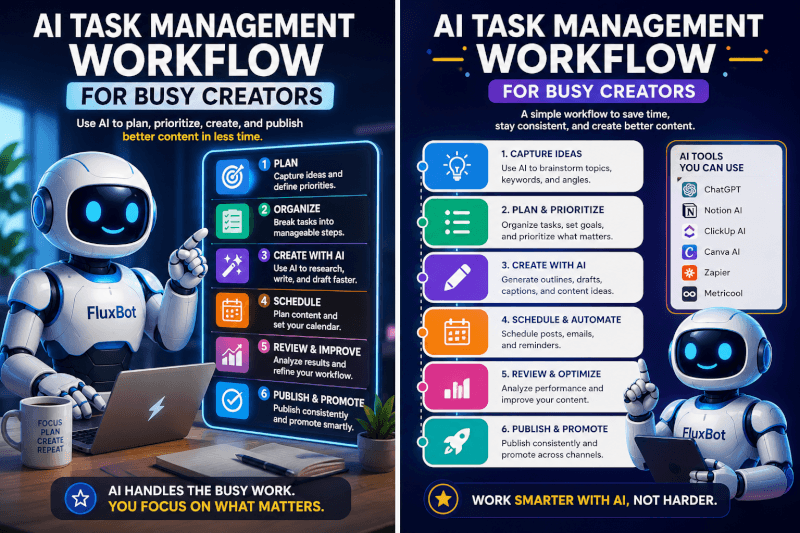
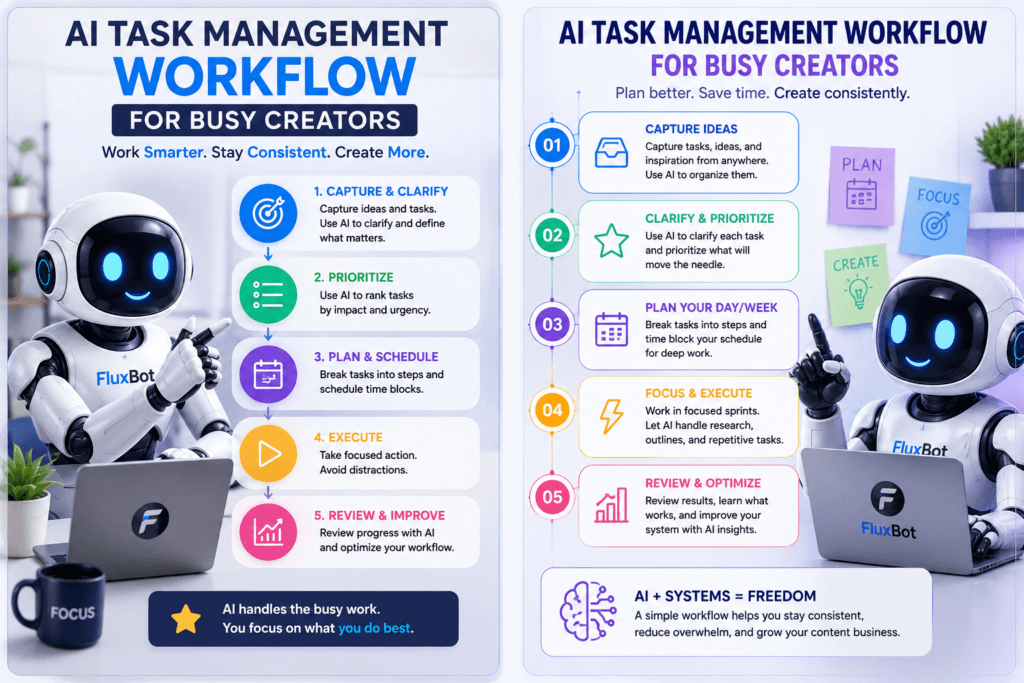
The Simple AI Task Management Workflow
A good AI task management workflow should reduce decisions, not add more software noise. The goal is to give every idea, task, and deadline a clear place so you can spend more time creating and less time sorting your brain.
Capture
Use AI to collect raw ideas, unfinished thoughts, voice notes, client requests, content ideas, and random tasks before they disappear or interrupt your focus.
Sort
Ask AI to separate tasks into categories like content creation, admin, client work, learning, promotion, editing, publishing, and follow-up.
Prioritize
Let AI help you rank tasks by impact, deadline, energy level, and whether the work directly supports your current creator goals.
Step 1: Create an AI Inbox for Everything
Your first workflow layer is a simple inbox. This is where you dump anything that might become a task later. Do not organize it while you are creating. Just capture it.
Capture Content Ideas
Save video topics, blog ideas, email newsletter angles, short-form hooks, product ideas, and questions from your audience.
Capture Work Tasks
Add editing tasks, client deliverables, publishing steps, platform updates, partnership notes, invoices, and admin reminders.
Capture Personal Constraints
Include appointments, low-energy days, travel, family commitments, or limited work windows so AI does not create an unrealistic plan.
Copyable AI Prompt for Sorting Tasks
Use this prompt when your task list feels messy:
Organize the following creator task list into clear categories. Separate the tasks into content creation, editing, publishing, promotion, admin, client work, learning, and personal commitments. Then identify which tasks are urgent, which tasks are high-impact, which tasks can be batched, and which tasks should be delayed or removed. Keep the plan realistic for a busy creator with limited focus time.
Weak Workflow
“Make a to-do list for my creator business.”
This may create a list, but it does not help you decide what matters, what can wait, or what should be grouped together.
Strong Workflow
“Sort my creator tasks by urgency, impact, energy level, deadline, and batching opportunity. Then give me a realistic plan for today and a cleanup list for later.”
This gives AI a decision framework. It turns task management into a practical planning system.
Step 2: Use AI to Prioritize by Energy, Not Just Urgency
Busy creators often treat every task like it requires the same kind of focus. That is a mistake. Writing, recording, editing, replying, planning, designing, and admin work all use different types of energy.
High-Energy Tasks
Use your best focus time for scripting, recording, strategy, writing, deep editing, product planning, and creative decisions.
Medium-Energy Tasks
Use normal work blocks for scheduling, formatting, repurposing, light editing, research cleanup, and content organization.
Low-Energy Tasks
Save replies, file cleanup, basic admin, simple updates, link checks, caption variations, and idea sorting for lower-energy windows.
Step 3: Batch Creator Tasks With AI
Batching helps creators avoid switching between too many types of work. AI can look at your task list and group similar tasks so your day feels less scattered.
- Idea batch: Generate and sort content ideas for the week.
- Research batch: Gather notes, examples, outlines, and talking points.
- Writing batch: Draft blog posts, scripts, captions, newsletters, or product copy.
- Recording batch: Film videos, record podcasts, capture b-roll, or create short clips.
- Editing batch: Edit videos, graphics, thumbnails, descriptions, and final copy.
- Publishing batch: Schedule posts, upload files, format articles, and prepare metadata.
- Engagement batch: Reply to comments, answer messages, and follow up with leads or clients.
- Admin batch: Handle invoices, files, analytics, planning cleanup, and backend updates.
Advanced Creator Planning
How to Turn AI Task Management Into a Weekly Creator System
Once AI helps you capture, sort, prioritize, and batch your tasks, the next step is building a weekly rhythm. This keeps your workflow from becoming a one-time cleanup session and turns it into a repeatable creator system.
Plan the Week Before the Day
Daily planning works better when the week already has direction. Use AI to identify the main projects, deadlines, content goals, and open loops before choosing today’s tasks.
Protect Creative Blocks
Use your strongest focus windows for creation, not admin. AI can help you move small tasks into batch windows so your best energy goes toward meaningful output.
Review What Actually Worked
At the end of the week, ask AI to help compare what you planned against what you finished. The goal is not guilt. The goal is a better system for next week.
Copyable Weekly AI Planning Prompt
Use this prompt at the start of each week:
Help me plan a realistic creator workweek. Here are my current projects, deadlines, content ideas, admin tasks, and personal commitments. Sort everything into priorities, batch similar tasks, identify the top three outcomes for the week, suggest which tasks should happen on high-energy days, and create a simple daily plan that leaves room for unexpected work.
Common Mistakes to Avoid
Mistake 1: Letting AI Create Too Many Tasks
AI can generate more work than one person can finish. Ask it to simplify, rank, and remove tasks instead of only expanding your list.
Mistake 2: Treating Every Task as Equal
A five-minute reply and a two-hour script do not belong in the same mental category. Sort tasks by energy, urgency, and impact.
Mistake 3: Planning Without Time Limits
A task list without time boundaries becomes a wish list. Ask AI to build plans around your real available time.
Mistake 4: Skipping the Weekly Review
If you never review what worked, your workflow will keep repeating the same problems. Use AI to spot patterns and adjust the next plan.
FAQ: AI Task Management Workflow for Busy Creators
Can AI help creators manage tasks?
Yes. AI can help creators capture ideas, sort tasks, prioritize work, batch similar activities, create daily plans, and review weekly progress.
What is the best AI workflow for busy creators?
A simple workflow is capture, sort, prioritize, batch, schedule, create, and review. This keeps the system clear without making task management more complicated than the work itself.
How often should creators use AI for planning?
Creators can use AI for a weekly planning session, a short daily task review, and a weekly cleanup. The system works best when it is repeated consistently.
Should AI decide all creator priorities?
No. AI should support your decision-making, not replace it. Use AI to organize the options, then choose based on your goals, audience, deadlines, and available energy.
Final Takeaway
An AI task management workflow for busy creators should make the day feel lighter, not heavier. Start by capturing everything, then let AI help sort, prioritize, batch, and review the work. The best system is not the one with the most features. It is the one that helps you create consistently without drowning in your own task list.
Start With a Cleaner Task List
Before adding another productivity tool, use AI to clean up what is already on your plate. Sort the noise, choose the next best task, and protect your creative energy.
Better creator workflow starts with better task decisions.
TechnofluxAI
Practical AI for creators and website owners
Learn how to use AI, improve AI search visibility, build smarter workflows, and test what actually works.
Explore our other sites
TimewasterAI
— product reviews, buying guides, and useful finds.
Tina Trends
— fashion, beauty, pets, lifestyle, and fun discoveries.
Mistakenly Delicious
— simple recipes and practical cooking ideas.