

Estimated reading time: 0 minutes
TechnofluxAI Local Business Guide
AI Follow-Up Email Templates for Local Businesses
Local businesses rarely lose leads because people are not interested. More often, the lead goes cold because the reply comes too late, the follow-up feels weak, or the next step is unclear.
Quick Answer
AI follow-up email templates help local businesses respond faster, stay organized, recover quiet leads, confirm appointments, request reviews, and reconnect with past customers.
Why This Matters
A person may ask for a quote, send a message, or call your business once. Without a clear follow-up system, that opportunity can disappear before your team even realizes it was ready to buy.
What You Will Learn
This guide gives you practical follow-up templates for new leads, missed calls, quotes, appointments, no-shows, review requests, and past customers. You will also learn how to prompt AI so your emails sound helpful instead of robotic.
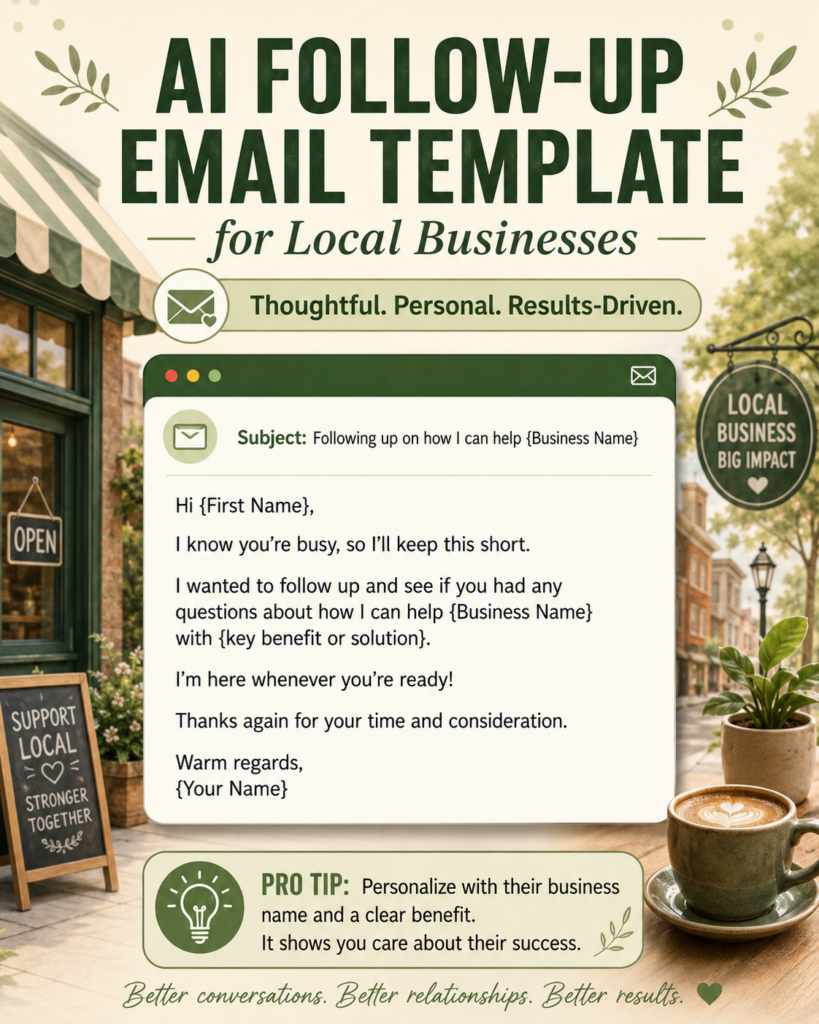
Templates and Workflow
Strong Follow-Up Emails Make the Next Step Easy
A good follow-up email does not pressure people. Instead, it reminds them why they reached out, answers the next obvious question, and gives them one simple action to take.
Weak Follow-Up
“Just checking in. Let me know.”
Better Follow-Up
“Hi Sarah, I wanted to make sure you had everything you need before choosing a time. Would Tuesday or Thursday work better?”
Best Follow-Up
Personal, timely, specific, and easy to answer.
1. New Lead Follow-Up Email Template
Use this message when someone fills out a form, sends a social media message, or asks about your service for the first time.
Subject: Thanks for reaching out about [service]
Hi [First Name],
Thanks for contacting [Business Name]. I saw your request about [service], and I wanted to help you with the next step.
Based on what you shared, we can help with [brief solution or service benefit]. The easiest next step is to [book a call / schedule an appointment / send a few details / request a quote].
Would you like available times for this week, or would you prefer a quick estimate first?
Thanks,
[Your Name]
AI prompt: Write a friendly follow-up email for a local [business type] replying to a new lead who asked about [service]. Keep it short, clear, and easy to answer.
2. Missed Call Follow-Up Email Template
Missed calls can turn into lost revenue. A fast message gives the customer another way to respond without waiting on hold or calling again.
Subject: Sorry we missed your call
Hi [First Name],
Sorry we missed your call. I wanted to follow up in case you were trying to reach us about [service or reason, if known].
You can reply here with a few details, or we can call you back at [phone number] during [business hours].
To help us respond faster, please send what you need help with, your preferred time, and any deadline we should know about.
Thanks,
[Your Name]
3. Quote Follow-Up Email Template
Send this after a quote or estimate has been delivered. The goal is to answer questions, not chase the customer.
Subject: Any questions about your estimate?
Hi [First Name],
I wanted to follow up on the estimate we sent for [service/project]. Comparing options can take time, so I wanted to make sure everything was clear.
Customers often ask what is included, how soon we can start, and what happens after approval.
Would you like me to clarify anything or send the next available start dates?
Thanks,
[Your Name]
Warning: Avoid fake urgency. Real availability and clear next steps work better than pressure.
4. Appointment Confirmation Email Template
Confirmation emails reduce confusion before the appointment. They also give the customer a simple way to reschedule if something changes.
Subject: Confirming your appointment with [Business Name]
Hi [First Name],
This is a quick confirmation for your appointment with [Business Name] on [date] at [time].
Location: [address or online link]
What to bring: [items, documents, photos, measurements, or notes]
Estimated time: [duration]
Please reply to this email or call [phone number] if anything changes.
We look forward to helping you.
[Your Name]
5. No-Show or Canceled Appointment Email Template
Keep this message calm. Many people miss appointments because their schedule changed, not because they lost interest.
Subject: Would you like to reschedule?
Hi [First Name],
We noticed we missed you for your appointment today. No worries — schedules get busy.
If you still need help with [service], we can look for another time that works better. We currently have availability on [option 1], [option 2], or [option 3].
Would one of those times work for you?
Thanks,
[Your Name]
6. Review Request Follow-Up Email Template
Ask for a review shortly after a good customer experience. The request should feel simple, honest, and optional.
Subject: Thank you for choosing [Business Name]
Hi [First Name],
Thank you again for choosing [Business Name]. We appreciate the chance to help with [service].
If you were happy with your experience, would you be willing to leave a quick review? It helps other local customers feel confident choosing us.
You can leave a review here: [review link]
Thanks again,
[Your Name]
7. Past Customer Re-Engagement Email Template
This template works well for seasonal services, maintenance reminders, yearly appointments, home services, beauty services, wellness businesses, and local consultants.
Subject: Checking in from [Business Name]
Hi [First Name],
I hope you have been doing well. We helped you with [service] around [month/timeframe], and I wanted to check in to see if you need anything updated, repaired, refreshed, or scheduled again.
Many customers contact us around this time for [seasonal reason or common need].
Would you like me to send available times or a quick estimate?
Thanks,
[Your Name]
Simple AI Follow-Up Workflow
- Start with the lead source: form, phone call, message, quote request, or appointment.
- Choose the message type: new lead, missed call, quote, reminder, review, or reactivation.
- Add customer context: service, timeline, question, concern, and preferred next step.
- Ask AI for a draft: request plain language, a friendly tone, and one clear CTA.
- Edit before sending: check names, dates, pricing, service details, and promises.
- Save the best version: turn strong emails into repeatable templates.
Implementation Tips
How to Make AI Follow-Up Emails Sound Human
AI can give you structure, speed, and ideas. Your business still needs to add accuracy, local details, and a natural voice before the email goes out.
Use Real Details
Mention the actual service, date, location, request, or appointment window whenever possible.
Match Customer Language
Say “AC tune-up” if that is what customers search for. Skip wording that sounds too technical or corporate.
Keep One CTA
Each email should ask for one action. Choose reply, book, approve, reschedule, call, or review.
Best AI Prompt for Local Business Follow-Up Emails
Use this prompt when you want a better draft without sounding stiff:
Write a follow-up email for a local [business type]. The customer [describe what happened]. The goal is to [book appointment / get reply / confirm estimate / ask for review / reschedule]. Keep it friendly, short, specific, and not pushy. Use plain language. Include one clear next step. Avoid hype, fake urgency, and corporate wording.
Common Mistakes to Avoid
Sending the First AI Draft
The first draft may be useful, but it often needs shorter sentences, better details, and a more natural tone.
Waiting Too Long
A same-day follow-up gives your business a better chance of staying top of mind.
Adding Too Many Actions
Multiple requests create friction. Give the customer one clear next step.
Ignoring Sensitive Context
Complaints, refunds, delays, and upset customers need careful review before sending.
FAQ: AI Follow-Up Email Templates for Local Businesses
Can AI write follow-up emails for any local business?
Yes. AI can help contractors, salons, clinics, gyms, repair companies, consultants, real estate agents, and many other local businesses draft useful follow-up emails.
Should I send AI emails without editing them?
No. Always review the email for accuracy, tone, names, dates, prices, service details, and promises before sending it.
How long should a follow-up email be?
Most follow-up emails should be short. Three to six brief paragraphs are usually enough for a local business message.
What is the best time to follow up with a lead?
For new leads and missed calls, follow up as quickly as possible. For quotes, a same-day or next-day message is a strong starting point.
Can these emails be automated?
Yes. Start manually, save the emails that work best, and then add them to your CRM, booking system, or email platform.
Final Takeaway
AI follow-up email templates help local businesses respond faster and stay consistent. The best results come from combining AI speed with human judgment, real customer details, and one clear next step.
CTA: Build Your Local Business Follow-Up System
Pick three templates from this guide and customize them for your business. Save them inside your inbox, CRM, or booking system so every lead gets a clear next step.
Want more TechnofluxAI in Google?
Add TechnofluxAI as a Preferred Source to help Google show you more of our AI guides, tests, workflows, and research.