
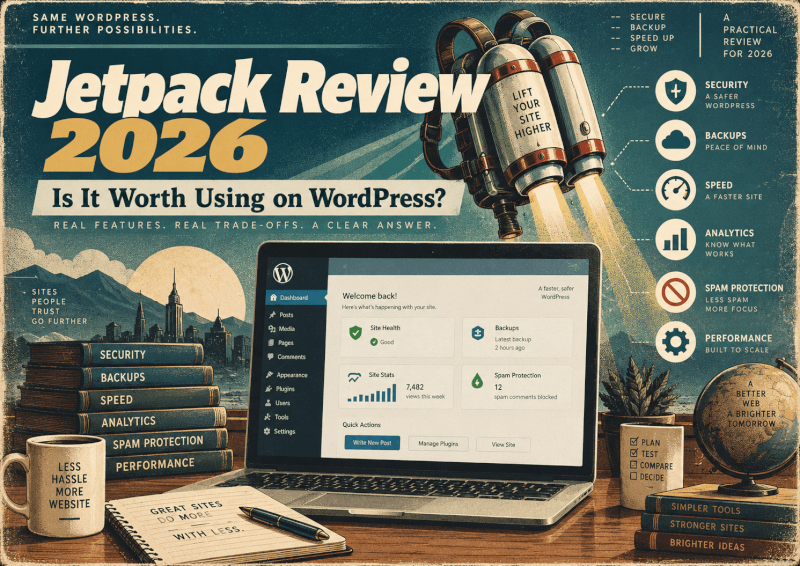
Add More Tools to Your WordPress Site
Jetpack Complete brings several WordPress tools together for areas such as security, backups, performance and site management. Compare the available plans and choose the features that make sense for your website.
Explore Jetpack Complete →Affiliate disclosure: TechnofluxAI may earn a commission if you make a qualifying purchase through this link, at no extra cost to you.
Jetpack Review 2026
Is Jetpack actually worth using on WordPress?
WordPress starts simple. Then one day you look at your plugin screen and realize your “simple” website now has separate plugins for backups, security, spam protection, statistics, image optimization, social sharing, search, performance, and maybe three other things you forgot you installed.
That is the problem Jetpack tries to solve.
Jetpack for WordPress is not just one tiny plugin that does one job. It is a collection of WordPress tools connected through Automattic’s ecosystem. Automattic is the company behind WordPress.com, WooCommerce, Jetpack, Akismet, and other WordPress products.
TechnofluxAI may earn a commission if you purchase through links on this page, at no additional cost to you.
This Jetpack review is not here to tell every WordPress owner to install it. That would be lazy. The better question is simple: does Jetpack solve enough real problems on your site to justify adding it?
For some people, yes. For others, probably not.
Quick Answer: Is Jetpack Worth It?
Jetpack is worth using if you want several WordPress tools handled through one connected ecosystem instead of building your own stack from separate plugins. It makes the most sense for beginners, bloggers, creators, affiliate site owners, and small businesses that want security, backups, performance tools, stats, spam protection, and downtime monitoring without juggling a dozen dashboards. It is less compelling if you already pay for dedicated backup, security, analytics, CDN, and performance plugins.
What Is Jetpack?
Jetpack is a WordPress plugin and service ecosystem from Automattic. The basic idea is simple: connect your self-hosted WordPress site to WordPress.com infrastructure and unlock a group of tools for security, performance, backups, stats, growth, and site management.
That “ecosystem” part matters.
Jetpack is not like installing a contact form plugin and calling it a day. It can touch several parts of your site, depending on what you turn on. Some features are free. Some require paid Jetpack services. Others are available as individual Jetpack-related plugins, such as Jetpack Boost, Jetpack Social, Jetpack Search, VideoPress, and VaultPress Backup.
So the decision is not only “Is Jetpack good?” The real decision is: do you want one connected WordPress toolkit, or do you prefer choosing separate specialist plugins for each job?
What Jetpack Actually Helps With
Jetpack is easiest to understand by category, not by reading a giant feature list. The main value is that it can cover several common WordPress jobs from one place.
Security
Jetpack includes security-related tools such as brute force attack protection, downtime monitoring, malware scanning, a web application firewall, spam protection, and activity logging, depending on the plan or product you use.
What should you actually do? If your site makes money, collects leads, sells products, or ranks for important search traffic, you need some kind of security setup. Jetpack can be part of that setup, especially if you want fewer moving parts.
Backups
Backups are one of Jetpack’s strongest use cases. Jetpack VaultPress Backup can run automatic daily or real-time backups, depending on the plan.
For a personal blog, daily backups may be enough. For a WooCommerce store or active affiliate site, real-time backups are more attractive because changes happen constantly.
What should you actually do? If you do not already have reliable off-site backups, fix that before worrying about fancy design tweaks. Jetpack Backup is worth considering for that reason alone.
Performance and CDN Tools
Jetpack offers performance tools such as image CDN features and Jetpack Boost. These can help some WordPress sites, especially beginner sites that need a simple performance starting point.
That does not mean Jetpack magically makes every slow WordPress site fast. A bloated theme, cheap hosting, oversized scripts, bad ads, and too many third-party tools can still drag your site down.
What should you actually do? Use Jetpack performance tools if you want a beginner-friendly improvement path. If your site speed problems are serious, you may still need better hosting, caching, image discipline, and a proper performance audit.

Site Statistics
Jetpack Stats gives WordPress site owners a simpler analytics view inside the WordPress ecosystem. This is useful for bloggers and creators who want a quick answer to “What posts are people reading?”
It is not always a full replacement for a deeper analytics setup. Affiliate marketers, ad-driven publishers, and ecommerce owners may still want more detailed tracking elsewhere.
What should you actually do? Use Jetpack Stats for quick content awareness. Use a deeper analytics tool when revenue attribution matters.
Spam Protection
Jetpack’s spam protection connects with Akismet on eligible paid services. That matters if your site has comments, forms, product reviews, or lead forms.
Spam is not just annoying. It wastes time, clutters your dashboard, and can make a site look neglected if it reaches the front end.
What should you actually do? Either use Jetpack and Akismet or choose another serious anti-spam tool. Do not leave public comments and forms unprotected.
Downtime Monitoring
Downtime monitoring is simple but useful. If your site goes down, you want to know before a customer, reader, or affiliate partner notices first.
What should you actually do? Turn this on if you use Jetpack. A site can be offline for hours before you realize it, especially if you are not checking it every day.
Social, Content, Search, and Growth Tools
Jetpack can also connect with tools such as Jetpack Social, Jetpack Search, VideoPress, and other services. These are not equally important for every site.
A food blogger may care about stats, social sharing, and image performance. A local service business may care more about backups, security, and uptime. A WooCommerce shop may care about backups, spam protection, and reliable infrastructure.
That is why blindly turning on every feature is not the move.

What I Like About Jetpack
The biggest advantage of Jetpack is convenience.
Instead of stitching together six unrelated plugins from six different companies, Jetpack gives you a single ecosystem for several common WordPress jobs. That matters for beginners because every extra plugin adds another settings page, another support team, another renewal, another learning curve, and another possible conflict.
I also like that Jetpack is deeply tied into the Automattic world. That does not automatically make it the best choice for every feature, but it does mean it is not some random abandoned plugin from a mystery developer.
The setup is also beginner-friendly. Install Jetpack, connect a WordPress.com account, and choose the features or plan that fits your site.
That is a lot less intimidating than researching backup plugins, malware scanners, CDN services, analytics tools, anti-spam plugins, and uptime monitors one by one.
For small site owners, that simplicity has real value.
Want to see whether Jetpack fits your WordPress setup?
Check the current Jetpack plans and features before deciding. Plans can change, so it is better to compare the live offer than rely on an old price from a review.
What I Don’t Like About Jetpack
Jetpack’s strength is also its weakness. It does a lot.
That can be convenient. It can also feel like too much.
Not every site needs backups, malware scanning, social automation, stats, search, video hosting, CDN tools, spam protection, and every other Jetpack feature living under one umbrella. If you only need one small feature, installing a large ecosystem may feel unnecessary.
There is also overlap.
Many WordPress owners already use Cloudflare, Google Analytics, a host-provided CDN, a backup system from their managed WordPress host, a dedicated security plugin, a caching plugin, or an anti-spam tool. In that case, Jetpack may duplicate things you already have.
Paid services can also add up. Jetpack’s plans and bundles change over time, and pricing can vary by product, billing term, promotion, and region. The safest advice is to check the current Jetpack pricing page before buying instead of relying on a number from an old review.
Advanced WordPress users may also prefer more control. If you like choosing the best individual tool for every job, Jetpack may feel too bundled.
There is one more thing to understand. Jetpack works by connecting your site to WordPress.com infrastructure. That is not automatically bad. Many cloud-powered services work this way. Still, site owners should know what they are connecting before they connect it.
Jetpack Free vs Paid
Jetpack’s free version can be useful. It can give small sites access to basic tools such as brute force attack protection, downtime monitoring, site stats, and image CDN features.
That may be enough for a personal blog, hobby site, or early-stage website that is not earning money yet.
Paid Jetpack services are mainly worth looking at when your site needs stronger protection, backups, malware scanning, advanced stats, spam filtering, search, social tools, or a broader bundle.
What should you actually do? Start by writing down what you already have.
Do you already have backups from your host? Do you already use a security plugin? Do you already use Cloudflare? Do you already have analytics you trust? Do you already pay for Akismet?
If the answer is yes across the board, you probably do not need a big Jetpack bundle. If the answer is “Honestly, I have no idea,” Jetpack may be a cleaner path than trying to assemble everything from scratch.
Who Should Use Jetpack?
Jetpack makes the most sense for WordPress owners who want fewer plugin decisions.
A new WordPress site owner may like Jetpack because it puts several basic tools in one place. A blogger may appreciate the simple stats, image CDN, downtime monitoring, and spam protection options.
A creator may like having performance, social, and content tools connected without building a complicated stack. A small business owner may care more about backups, security, and uptime, but may not want to become a part-time WordPress technician.
An affiliate website owner may like Jetpack if the site is starting to earn money and needs better protection without hiring a developer.
The common thread is convenience. Jetpack is best for people who want WordPress to be easier to manage.
Who Probably Doesn’t Need Jetpack?
You may not need Jetpack if your site already has a well-built plugin stack.
For example, maybe your managed host already provides excellent daily backups, staging, malware cleanup, server-level caching, CDN integration, and uptime monitoring. Maybe you already use a dedicated security plugin. Maybe you prefer a separate analytics platform. Maybe your developer has already tuned the site carefully.
In that situation, Jetpack may not add enough.
Advanced developers may also skip Jetpack because they want specialized plugins and direct control over every service.
Very lightweight sites may not need it either. If you run a tiny brochure site and only need one Jetpack-style feature, a smaller single-purpose plugin may be cleaner.
Jetpack Review Verdict
Jetpack is worth using when you value convenience and want several WordPress services working together.
It is not the perfect answer for every site.
The best reason to use Jetpack is not “it has lots of features.” Lots of features can become noise.
The best reason to use Jetpack is that it can replace a messy pile of separate decisions with one more manageable system.
That is valuable for beginners, bloggers, creators, affiliate marketers, and small-business owners who want to spend less time babysitting WordPress and more time publishing, selling, or serving customers.
The reason to skip Jetpack is just as clear. If you already have strong dedicated tools for backups, security, analytics, spam protection, CDN, and performance, Jetpack may be redundant.
TechnofluxAI Rating: 8/10
Jetpack earns a strong score because it solves real WordPress problems in a beginner-friendly way. It loses points because not every site needs an all-in-one ecosystem, and paid services can become less attractive if you already have specialized tools.
Practical verdict: use Jetpack if you want a simpler WordPress management stack. Skip the full bundle if you already know exactly which separate tools you prefer.

Final recommendation:
Compare the current Jetpack plans before buying. Choose Jetpack for convenience, not because every WordPress site automatically needs every feature.
FAQ
Is Jetpack free?
Yes. Jetpack has free features, including basic tools such as brute force attack protection, downtime monitoring, site stats, and image CDN features. Paid plans unlock additional services such as backups, malware scanning, spam filtering, and more advanced growth tools.
Is Jetpack good for WordPress?
Jetpack can be good for WordPress sites that need several common tools in one ecosystem. It is especially useful for beginners and small site owners who do not want to manage many separate plugins.
Does Jetpack slow down WordPress?
Jetpack does not automatically slow down every site, but any plugin can affect performance depending on what features are enabled and how the site is built. The smart move is to enable only the Jetpack features you actually need and test your site speed before and after.
Do I need Jetpack if I already have security and backup plugins?
Probably not for those specific jobs. If you already trust your security, backup, analytics, spam protection, and performance setup, Jetpack may overlap with tools you already use.
Is Jetpack worth paying for?
Jetpack is worth paying for when you need paid services such as backups, malware scanning, spam protection, advanced stats, or bundled site management tools. Check the current Jetpack pricing before deciding because plans and offers can change.
Publishing Notes
Recommended schema: Use Article schema for the review and FAQ schema for the questions above. Be careful with Review schema unless you are comfortable marking this as an editorial review with a clear rating.
Internal link opportunities: Link naturally to a WordPress security checklist, a WordPress backup guide, and a beginner guide to essential WordPress plugins.
Related article ideas: Jetpack vs separate WordPress plugins, best WordPress backup options for bloggers, and WordPress security for beginners.