
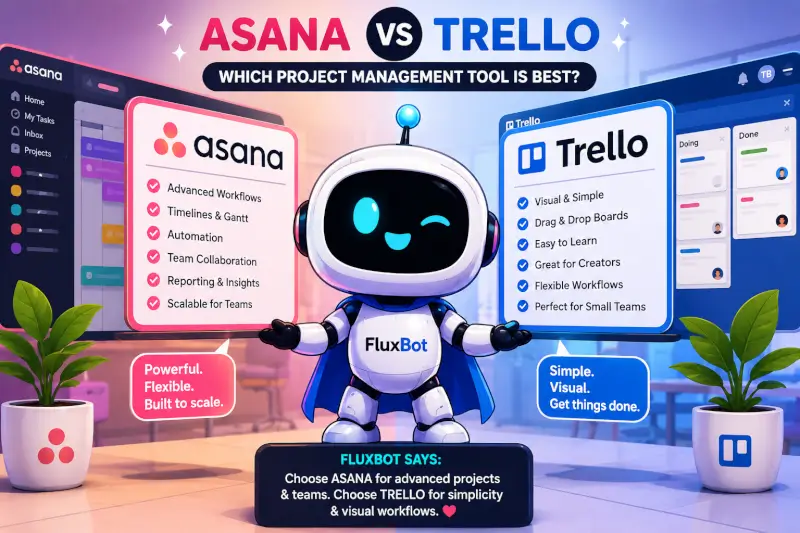
ASANA VS TRELLO • 2026 COMPARISON
Trello is the better fit if you want a simple, visual project-management system. Asana is the better fit if you need more structure, workflow depth, reporting, and team coordination.
Quick Answer
- Choose Trello for visual boards, fast setup, simple workflows, and lightweight project tracking.
- Choose Asana for larger teams, dependencies, more advanced workflows, reporting, and structured collaboration.
Both platforms help teams organize tasks, manage projects, and collaborate, but they approach the job differently.
What Is Trello?
Trello is a visual project-management platform built around boards, lists, and cards.
A basic workflow might look like:
- To Do
- In Progress
- Complete
Trello is especially useful for creators, bloggers, freelancers, small teams, social media planning, content calendars, and other workflows where visual simplicity matters.
What Is Asana?
Asana is a work-management platform designed for teams that need more structure across projects, deadlines, responsibilities, and workflows.
Asana includes tools for:
- task lists
- timelines
- calendars
- dependencies
- workflow automation
- team reporting
- project tracking
Asana becomes more useful when projects involve multiple people, approval steps, deadlines, or cross-functional work.
Trello vs Asana: Main Differences
| Area | Trello | Asana |
|---|---|---|
| Ease of use | Very easy | More structured |
| Best for | Simple visual workflows | Complex team workflows |
| Learning curve | Low | Higher |
| Visual boards | Excellent | Available |
| Timeline planning | More limited | Stronger |
| Automation | Good for simpler workflows | Better for structured workflows |
| Reporting | Basic | More advanced |
Which Tool Is Easier to Use?
Trello is usually easier for beginners because the workflow is immediately visible: create cards, move them between lists, and track progress visually.
Asana takes more time to learn because it offers more project views, workflow controls, dependencies, and reporting options.
Best fit: Trello for fast setup and visual simplicity. Asana when your workflow needs more structure.
Automation
Trello includes automation for rules, triggers, due dates, and recurring actions.
Asana offers workflow rules, approvals, dependencies, task routing, and other tools that make it a better fit for more structured team processes.
Which Is Better for Content Creators?
Trello can be a strong fit for creators because content pipelines are naturally visual.
Examples include:
- YouTube content calendars
- TikTok planning
- Pinterest workflows
- blog scheduling
- affiliate tracking
- article pipelines
Asana becomes more useful when a creator workflow includes editors, approvals, team assignments, dependencies, and more structured production stages.
Personal Insight
One thing people underestimate about project-management tools is how important usability is.
A tool can have excellent features, but if the people using it avoid opening it, those features do not matter much.
That is one reason Trello remains appealing. You can open a board, move cards, and understand what is happening quickly.
Asana feels more like a larger operating system for projects. It becomes more valuable as workflows become more structured and more people become involved.
The best tool is usually the one your team will consistently use.
Trello Pros and Cons
Pros
- easy to learn
- strong visual workflows
- fast setup
- good for creators and freelancers
- lightweight interface
Cons
- less advanced reporting
- can become messy on large projects
- fewer structured workflow controls
- less suited to complex organizations
Asana Pros and Cons
Pros
- strong workflow management
- good collaboration tools
- more advanced automation
- better for larger teams
- stronger reporting options
Cons
- higher learning curve
- more setup required
- can feel overwhelming for simple workflows
- may be more than a solo creator needs
Pricing
Both platforms offer free and paid plans. Pricing and feature limits can change, so check the current official pricing pages before choosing based on cost alone.
Which Project Management Tool Is Better?
Choose Trello if:
- you want simplicity
- you prefer visual workflows
- you manage lightweight projects
- you are a creator, freelancer, or small team
Choose Asana if:
- you manage a larger team
- you need advanced workflows
- you rely on dependencies and approvals
- you want stronger reporting and structured automation
Frequently Asked Questions
Is Trello better than Asana?
Trello is better for simple visual task management. Asana is better for more structured workflows and larger teams.
Is Trello good for beginners?
Yes. Trello is one of the easier project-management tools to understand because its board-and-card system is very visual.
Does Asana have better automation?
Asana is generally the stronger fit for more advanced workflow automation and structured team processes.
Which is better for creators?
Trello is often the better fit for solo creators and small content teams because it is lightweight and visual. Asana becomes more useful as the workflow adds more people, approvals, and dependencies.
Can Trello replace Asana?
For small teams and simpler workflows, it can. For larger teams with more complex processes, Asana may be the better fit.
Final Verdict
Trello wins on simplicity, visual organization, and speed.
Asana wins on structure, scalability, workflow depth, and team management.
If you are choosing between the two, start with the complexity of your workflow rather than the size of the feature list.
One Thing I have Learned while building TechnofluxAi is that Ai tools usually sound easier to use than they are in the real world. I like to try things myself, see where I get stuck, and figure out what actually saves time instead of just repeating promisies.That’s the approach I use throughout this site: keep what works, point out what doesn’t, and explain things in a way that makes sense for someone who is still learning. I started out searching for an image creator. That was my first interaction with Ai. I was frustrated by the vast tool list without any real direction on which tool was best. Then I realized how powerful this tool was .and was going to be in the future. Making mistakes has helped me in the choice of articles I write.