
Estimated reading time: 14 minutes
Key Takeaways
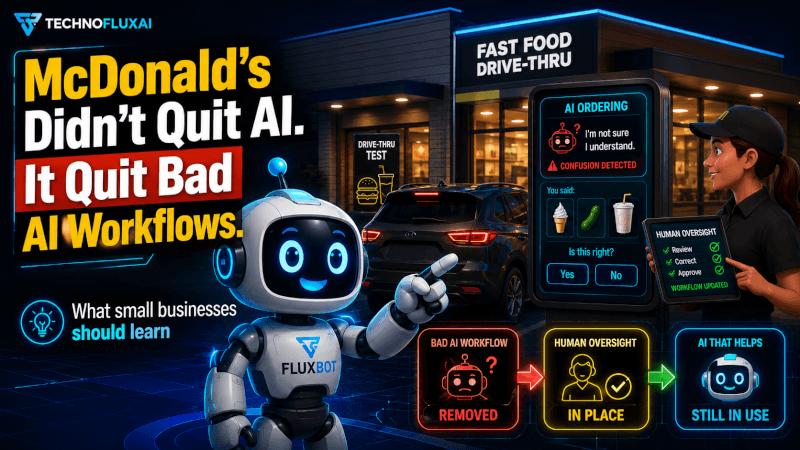
- McDonald’s did not abandon AI, but ended a flawed AI workflow in its drive-thru operations.
- The previous AI test with IBM had issues due to messy tasks and not understanding the full customer service workflow.
- Now, McDonald’s uses ArchIQ, a new AI system built with Google technology, handling transactions with high accuracy.
- Businesses should avoid automating tasks without a well-defined workflow; instead, they must map out processes first.
- Success with AI comes from clear roles, human review, and measuring outcomes, not just tool usage.
McDonald’s did not quit AI.
It quit a bad AI workflow.
That is the part many people missed when McDonald’s ended its IBM-powered drive-thru AI test in 2024. The story was easy to frame as “AI failed.” Customers saw viral mistakes. Media outlets shared funny order errors. The takeaway seemed obvious.
AI was not ready for the drive-thru.
But that was too simple.
McDonald’s later came back with another AI drive-thru test called ArchIQ, built with Google technology and tested at a smaller number of locations. Recent reporting says the new system has handled more than one million transactions, with about 90% completed without human intervention.
That changes the lesson.
The real story is not “McDonald’s tried AI and failed.”
The real story is:
AI fails when the workflow around it is weak.
That lesson matters for restaurants, creators, agencies, bloggers, ecommerce brands, local businesses, and anyone trying to use AI to save time.
TechnofluxAI articles should solve real workflow problems, answer the reader quickly, and explain what to actually do next. This article follows that same idea.
Quick Answer: What Actually Happened?
McDonald’s tested AI order-taking in drive-thrus with IBM. The test ran in more than 100 U.S. locations and was shut down in 2024. Restaurant Business reported that McDonald’s planned to remove the technology, while McDonald’s still said voice ordering could be part of its restaurant future.
The system became known for order mistakes. Some reports mentioned viral examples like bacon added to ice cream or large incorrect McNuggets orders.
But McDonald’s did not walk away from AI.
The company already had a broader Google Cloud partnership focused on cloud technology, restaurant systems, and generative AI across restaurants.
Now McDonald’s is testing ArchIQ, a newer AI drive-thru system tied to its broader restaurant modernization strategy.
So the better takeaway is simple:
McDonald’s stopped using one AI workflow. It did not stop believing in AI.
The Real Problem Was Not AI
The old McDonald’s AI test became a perfect example of a bad automation trap.
A company sees a repetitive task.
Then it thinks:
“Let’s automate that.”
That sounds logical.
But the drive-thru is not a clean task.
It is messy.
Customers change their minds. Kids yell from the back seat. Someone orders from the passenger side. Cars idle. Engines hum. Two lanes may run at once. People use slang, accents, pauses, corrections, and half-finished sentences.
A drive-thru order is not just audio input.
It is a live customer service workflow.
That means the AI has to do more than “understand words.” It has to understand context, timing, menu rules, store operations, human fallback, payment flow, order confirmation, and customer frustration.
That is where many AI projects break.
They automate the visible task while ignoring the hidden workflow.
The visible task:
“Take the order.”
The hidden workflow:
- confirm the right customer
- match the voice to the right lane
- understand menu limits
- handle corrections
- escalate confusion fast
- avoid guessing
- protect customer trust
- keep the line moving
- support staff instead of replacing judgment
When AI fails at the hidden workflow, the whole system feels broken.
Why This Matters for Creators and Small Businesses
Most creators and small businesses are making the same mistake, just at a smaller scale.
They ask AI to do a task.
Then they blame the tool when the result is bad.
Examples:
- “ChatGPT wrote a weak blog post.”
- “My automation sent the wrong email.”
- “The AI image did not match my brand.”
- “The chatbot gave a weird answer.”
- “The AI content does not rank.”
- “The workflow saved no time.”
In many cases, the AI is not the only problem.
The workflow is unclear.
A good AI workflow needs inputs, rules, review steps, fallback logic, and a clear success metric.
This is a core GEO and SEO lesson too. AI systems prefer clear workflows, direct answers, summaries, examples, FAQs, and original implementation advice. TechnofluxAI’s GEO Playbook also prioritizes original workflows, clear structure, FAQs, and first-hand experience as signals that make content easier for AI systems to cite.
So the McDonald’s story is not just about fast food.
It is about how people should use AI.
The Better AI Workflow Lesson
Here is the workflow lesson McDonald’s gives us:
Do not automate the task first. Map the workflow first.
Before using AI, ask five questions.
1. What is the real job?
The job was not “replace the drive-thru worker.”
The real job was:
“Take accurate orders quickly while keeping the customer experience smooth.”
That is different.
For a blogger, the job is not “write an article.”
The real job is:
“Create a helpful article that answers search intent, builds trust, supports internal links, and gives the reader a clear next step.”
For a creator, the job is not “make a TikTok.”
The real job is:
“Turn one idea into a short video that gets attention, teaches one point, and moves people deeper into the brand.”
AI works better when the job is defined by outcome, not task.
2. Where does the workflow break?
Bad AI workflows usually break at the handoff.
For McDonald’s, that handoff may happen when the AI misunderstands the customer, when a human needs to step in, or when an order moves from voice input to kitchen display.
For a content creator, the handoff may happen between:
- keyword research and outline
- outline and draft
- draft and editing
- article and image prompt
- article and Pinterest pin
- article and email newsletter
If one handoff is messy, the whole workflow slows down.
That is why “AI writes the thing” is not a real system.
A real system looks like:
Research → Outline → Draft → Edit → Optimize → Publish → Repurpose → Measure
Each step needs a role.
3. What should AI never guess?
This is one of the biggest AI workflow rules.
AI should not guess when the cost of being wrong is high.
In a drive-thru, guessing can create wrong orders, refunds, delays, angry customers, and viral videos.
content, guessing can create false claims, fake sources, bad advice, or off-brand recommendations.
In affiliate marketing, guessing can recommend the wrong tool to the wrong reader.
SEO, guessing can target the wrong keyword or search intent.
A better workflow tells AI when to stop.
Use rules like:
- Ask for clarification when the request is unclear.
- Flag uncertain facts.
- Do not invent sources.
- Do not publish without human review.
- Escalate edge cases.
- Show confidence level when needed.
Good automation is not about removing humans from every step.
It is about using humans where judgment matters most.
4. What does success actually mean?
A bad AI project measures activity.
A good AI workflow measures outcomes.
For McDonald’s, success is not only “the AI took orders.”
Better metrics include:
- order accuracy
- completion without human help
- average wait time
- customer satisfaction
- staff workload
- refund rate
- manager intervention rate
For TechnofluxAI-style content, success is not only “we published a blog post.”
Better metrics include:
- did the post answer the query?
- did it earn impressions?
- did it get clicks?
- did it support a topic cluster?
- did it include internal links?
- did it create social content?
- did it support affiliate revenue?
- could an AI system cite it?
The AI Search Visibility Framework tracks visibility across ChatGPT, Google AI Overviews, Perplexity, Claude, and Gemini, with metrics like brand mentions, AI visibility, referral traffic, and organic traffic.
That is the right mindset.
AI is not the goal.
Business improvement is the goal.
5. What happens when AI fails?
This is where many workflows fall apart.
People plan for the happy path.
They do not plan for failure.
But AI needs a fallback system.
For a drive-thru, that might mean a human worker takes over the order after two failed attempts.
a blog workflow, that might mean a human editor checks claims, rewrites weak sections, and adds real examples.
For a chatbot, that might mean routing the user to a support form.
affiliate content, that might mean reviewing pricing and features before publishing.
A strong AI workflow should answer:
“What happens when the AI is wrong, confused, or too slow?”
If there is no answer, the workflow is not ready.
McDonald’s New Approach Looks More Like a Workflow System
The newer McDonald’s AI push appears different from the old “AI takes your order” story.
McDonald’s announced a multi-year Google Cloud partnership in 2023 to connect cloud technology and apply generative AI across restaurants.
That matters because it suggests a broader system.
Not just a chatbot.
Not just voice input.
A system.
Recent reports say ArchIQ is connected to Google Edge Cloud and is being tested in a limited number of locations. It is also described as part of a wider restaurant strategy, not only a standalone voice bot.
That is the workflow upgrade.
Instead of asking:
“Can AI replace this worker?”
The better question is:
“Can AI improve this restaurant system?”
That may include:
- order taking
- kitchen timing
- manager alerts
- equipment monitoring
- customer flow
- menu operations
- staff support
That is a much stronger AI use case.
AI performs better when it supports a system instead of pretending to be the whole system.
What Small Businesses Should Actually Do
Here is the practical version.
Before adding AI to your business, build a simple AI workflow map.
Use this structure:
Step 1: Pick one painful task
Do not automate your whole business.
Start with one workflow.
Good examples:
- replying to common customer questions
- turning blog posts into social posts
- creating first drafts
- summarizing sales calls
- organizing content ideas
- building email outlines
- creating product descriptions
- cleaning up meeting notes
Bad examples:
- “automate all marketing”
- “replace customer support”
- “create all content”
- “run the business with AI”
Start narrow.
Step 2: Write the current workflow
Write what happens now.
Example for a blog post:
- Choose topic
- Research keyword
- Check search intent
- Create outline
- Draft article
- Add internal links
- Add affiliate section
- Create image prompts
- Add FAQ
- Publish
- Repurpose for social
This matches TechnofluxAI’s content flywheel: article → Pinterest pins → TikTok videos → YouTube Shorts → Facebook posts → email content.
Now you can see where AI fits.
Step 3: Assign AI to one part
Do not hand over the full workflow.
Give AI one job.
Examples:
- “Create 10 headline options.”
- “Turn this article into 5 TikTok hooks.”
- “Summarize this transcript.”
- “Find missing FAQ questions.”
- “Rewrite this intro at a Grade 8 level.”
- “Create a Pinterest pin description.”
- “Build an outline from this keyword.”
Small jobs are easier to review.
They also create fewer risks.
Step 4: Add a human review checkpoint
Every useful AI workflow needs review.
For content, review for:
- accuracy
- tone
- originality
- examples
- source quality
- internal links
- affiliate fit
- user next step
For customer support, review for:
- policy accuracy
- refund rules
- tone
- escalation triggers
automation, review for:
- trigger accuracy
- duplicate actions
- privacy risks
- customer impact
AI should speed up the workflow.
It should not remove accountability.
Step 5: Measure the result
After using AI, ask:
- Did this save time?
- Did quality improve?
- Did errors increase?
- Did customers notice?
- Did the workflow become easier?
- Did revenue, traffic, or output improve?
If not, fix the workflow before adding more AI.
This is where many people go wrong.
They add another tool instead of improving the system.
Real Use Cases
Blogger Workflow
Problem: A blogger spends too much time turning ideas into publishable posts.
Workflow: Use AI for topic expansion, outline creation, FAQ ideas, meta descriptions, and social repurposing. Keep human review for examples, claims, editing, and final voice.
Result: Faster publishing without losing trust.
Local Business Workflow
Problem: A local service business gets the same questions every day.
Workflow: Use AI to draft answers for pricing ranges, service areas, appointment prep, and common concerns. Route specific pricing or urgent issues to a human.
Result: Faster replies with fewer support bottlenecks.
Restaurant Workflow
Problem: Staff are overloaded during peak order windows.
Workflow: Use AI for simple order capture, menu prompts, and manager alerts. Escalate unclear orders to a worker.
Result: AI supports the team instead of replacing the whole customer interaction.
Affiliate Site Workflow
Problem: The site publishes tool reviews but struggles with updates and internal links.
Workflow: Use AI to identify stale sections, suggest comparison tables, create summary boxes, and generate internal link ideas. Human editors verify facts and affiliate fit.
Result: Better content quality, stronger topical authority, and cleaner monetization.
TechnofluxAI’s internal linking guide recommends linking each article to one pillar page, two related cluster articles, and one monetization page.
Mistakes to Avoid
Mistake 1: Automating a broken process
AI makes broken workflows faster.
It does not automatically make them better.
Fix the process first.
Mistake 2: Replacing judgment with speed
Speed feels good until errors stack up.
Keep humans in the loop where accuracy, trust, and customer experience matter.
Mistake 3: Measuring the wrong thing
Do not measure “AI usage.”
Measure outcomes.
For content, measure rankings, clicks, conversions, internal link movement, and AI citation potential.
For operations, measure accuracy, completion rate, customer satisfaction, and time saved.
Mistake 4: Using AI with no fallback
Every AI system needs an escape hatch.
When the AI fails, the user should not be trapped.
Mistake 5: Blaming the tool too quickly
Sometimes the tool is bad.
But sometimes the instructions, inputs, review process, or workflow design are bad.
Fix those before switching tools.
Personal Insight from TechnofluxAI
The McDonald’s story is the same pattern I see in AI content workflows.
People try one tool, get a messy result, and say:
“AI does not work.”
But when you look closer, there is usually no workflow.
No prompt library.
content structure.
review checklist.
internal linking system.
brand rules.
repurposing plan.
clear success metric.
That is why TechnofluxAI focuses on workflows instead of tool hype. The best AI setup is usually not one magic platform. It is a simple system where each tool has a job.
For example, AI can help draft an article. But the human still needs to choose the angle, add lived experience, check facts, connect the post to a content cluster, and decide what the reader should do next.
That is the real advantage.
Not “AI does everything.”
More like:
AI handles the repeatable parts so humans can improve the important parts.
Best AI Tools for This Workflow
Use tools based on the workflow role, not hype.
ChatGPT
Best for: outlines, drafts, FAQs, summaries, prompt testing
Saves time by: turning messy ideas into structured content
Avoid if: you need fully verified facts without review
Workflow role: thinking partner and drafting assistant
CustomGPT
Best for: building custom AI agents around your own content or knowledge base
Saves time by: creating repeatable answers from a controlled source
Avoid if: your source material is outdated or messy
Workflow role: branded AI assistant
Sanebox
Best for: email cleanup and inbox control
Saves time by: reducing inbox clutter
Avoid if: email is not a major bottleneck
Workflow role: productivity automation
Pollo AI
Best for: AI visual content workflows
Saves time by: creating visual assets for content and social media
Avoid if: you need strict brand consistency without review
Workflow role: visual content support
Everneed AI
Best for: exploring multiple AI tools in one place
Saves time by: helping users test tool categories
Avoid if: you already have a focused workflow stack
Workflow role: AI tool discovery
Use one or two tools to support the workflow first. Do not stack too many apps before your process is clear. The goal is not to collect AI tools. The goal is to build a workflow that saves time, reduces errors, and still keeps human review where it matters.
FAQs
Did McDonald’s stop using AI?
No. McDonald’s ended one AI drive-thru test with IBM, but it continued exploring AI and later tested a newer system called ArchIQ.
Why did the McDonald’s AI drive-thru get criticized?
The system became known for order mistakes and viral customer complaints. Some reports mentioned incorrect items, strange add-ons, and large mistaken orders.
What is the real lesson from McDonald’s AI test?
The lesson is that AI needs a strong workflow. AI should have clear inputs, fallback rules, human review, success metrics, and limits on when it can make decisions.
Should small businesses use AI automation?
Yes, but they should start with one narrow workflow. Automate a clear, repeatable task first. Then measure whether it saves time or improves quality.
What is a bad AI workflow?
A bad AI workflow gives AI too much responsibility without clear rules, review steps, fallback options, or success metrics.
Final Thoughts
McDonald’s did not prove that AI is useless.
It proved that AI without the right workflow can create public mistakes fast.
That is the real warning for creators and businesses.
Do not ask:
“What AI tool should I use?”
Ask:
“What workflow am I trying to improve?”
Then build the system around that answer.
The best AI workflows are simple:
- define the job
- map the process
- assign AI to one step
- keep human review
- add a fallback
- measure the outcome
That is how AI becomes useful.
Not magic.
Not hype.
A workflow.
Sources
This article is a TechnofluxAI workflow analysis based on public reporting and official company information about McDonald’s AI drive-thru tests.
Sources referenced:
- McDonald’s and Google Cloud announcement about applying generative AI across restaurants
- Restaurant Business report on McDonald’s ending its IBM AI drive-thru test
- AP News confirmation that McDonald’s ended the IBM AI drive-thru partnership
- Restaurant Dive coverage of the IBM voice-ordering pilot ending
- New York Post report on McDonald’s newer ArchIQ AI drive-thru test
About the Author
TechnofluxAI tests AI tools, workflows, content systems, SEO strategies, GEO methods, and creator growth systems. The goal is to help creators and businesses use AI in practical ways that save time, improve content, build authority, and support monetization.